DVD Creator
  • 00

    Day

  • 00

    Hours

  • 00

    Mins

  • 00

    Secs

20 OFF

Upgrade to Full License with 50% Discount!

  • Create Blu-ray/DVD disc/folder and ISO files from videos in all formats.
  • Able to edit your uploaded video footage with cropper, trimmer, etc.
  • Provide various preset menus in different themes to make your Disc good.
  • Save the created DVD/Blu-ray in different TV standard – NTSC or PAL.
Monthly: $14.95 $29.90
Quick Start Complete Guide

1

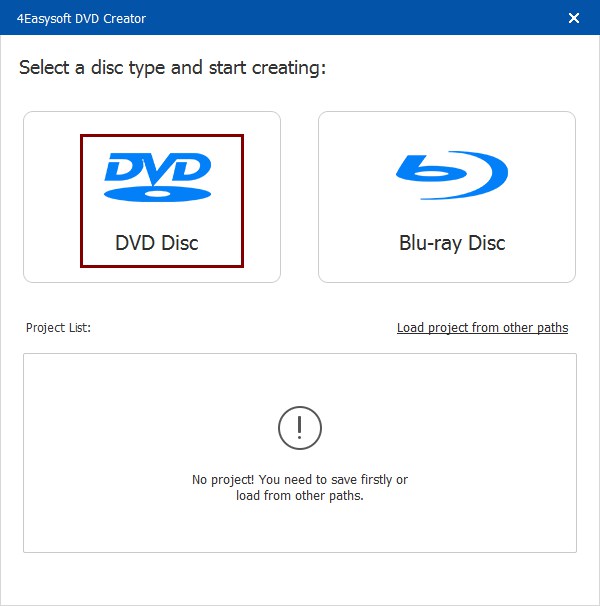
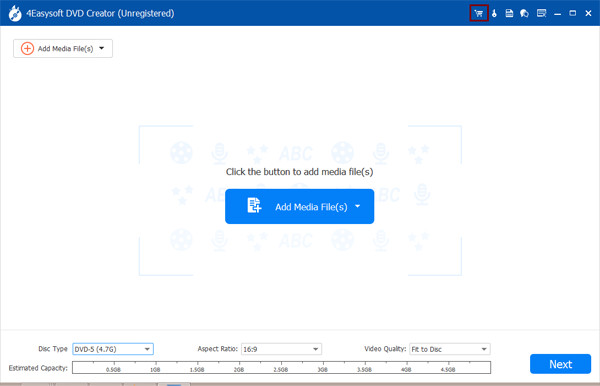
Launch the software and click “DVD Disc” or “Blu-ray Disc”. You should insert a blank disc and click “Add Files”.

2

Click “Next” to create a wonderful menu for Blu-ray/DVD. You can choose the preset templates with adjustments.

3

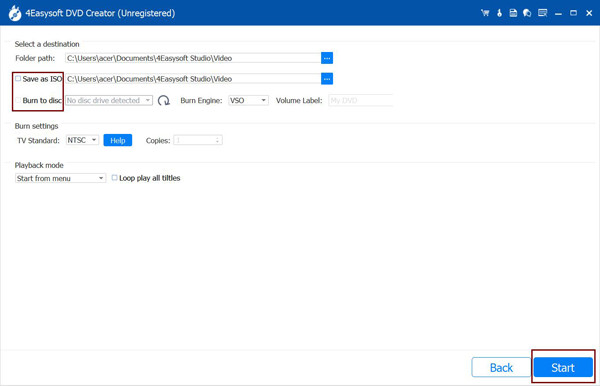
Choose the TV standard from “PAL” and “NTSC”, change the saving folder, and click “Start” to make Discs.

Choose Dvd Disc Add Media Files Burn Video to Dvd

More Discounts for Products and Bundles

See More 4Easysoft Sales >>

How Does 4Easysoft DVD Creator Work

Burn DVD Burn Blu-ray Disc Burner

Why Choose 4Easysoft