
Burn videos to DVD/Blu-ray with templates and editors.

4K Blu-ray Burner: 4 Best Drives and Software for You

Posted by Paula Pailaga to Burn DVD/Blu-ray Sep 04, 2026
If you've typed "4K Blu-ray burner" into Google, you're probably picturing one piece of hardware. In reality it's two things: a drive that can physically write to a disc, and software that builds the disc structure so a player recognizes it. No matter you are looking for a physical drive or authoring software, you can get satisfying results here.
Guide List
What Is a 4K Blu-ray Burner Best 4K Blu-ray Burner Drives [Hardware] Best 4K Blu-ray Burner for Windows and Mac [Software]What Is a 4K Blu-ray Burner
These are two different parts of 4K Blu-ray burners. You may need both to create a physical disc.
Blu-ray Burner Drive
Think of a Blu-ray burner as the device that creates the disc. You connect it to your computer, add your files, and the drive writes everything to a blank Blu-ray disc. Some models can also handle larger BDXL discs.
However, having a Blu-ray burner does not automatically mean you can create a 4K Ultra HD Blu-ray. The drive's supported disc types and writing capabilities need to be checked before you buy blank media.
Blu-ray Burning or Authoring Software
The software handles a different part of the job. It prepares your video, creates the required disc structure, and sends the data to the connected drive. Some Blu-ray burners can also add menus, chapters, subtitles, and basic video edits.
So, for normal physical disc burning, think of it this way:
Blu-ray burner drive = writes data to the disc
Blu-ray software = prepares the video and disc structure
Best 4K Blu-ray Burner Drives [Hardware]
Choosing a 4K Blu-ray burner is not as simple as picking the drive with the highest writing speed. You need to check BDXL support, disc capacity, UHD compatibility, firmware, and whether the drive is still available. A drive may read 4K UHD discs but still be unsuitable for creating them. Here are several models worth considering.
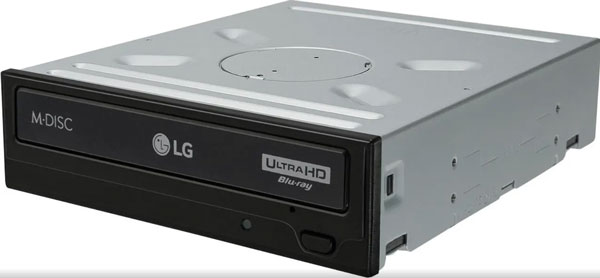
LG WH16NS60 - Internal Drives (Desktop)
The LG WH16NS60 is a 16× Blu-ray writer with support for BD-R, BDXL, M-DISC, Silent Play, and Jamless Play. It can handle triple-layer and quad-layer BDXL media, making it useful for large video files. Some versions have also been used with UHD-friendly firmware.
However, LG now lists the WH16NS60 as discontinued on its U.S. product page. That makes it a better choice for existing owners or buyers who can find verified remaining stock than for someone looking for a widely available new drive.
Best for: Existing owners and buyers who can find verified stock.
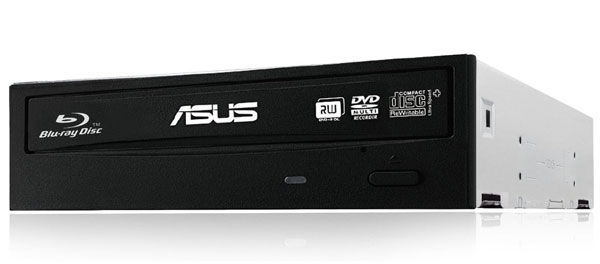
ASUS BW-16D1HT - Internal Drives (Desktop)
The ASUS BW-16D1HT is another 16× internal Blu-ray writer. It supports BDXL media, including 100GB and 128GB discs, and has been used by enthusiasts for UHD-related burning after firmware updates. Some users have reported successfully burning triple-layer BD-XL discs that played correctly on UHD players.
You may have an easier time finding this drive than some older LG models. Just double-check the firmware and drive revision first, especially if UHD disc support is the main reason you're buying it.
Best for: Desktop users who need BDXL writing and want a potentially UHD-friendly drive.
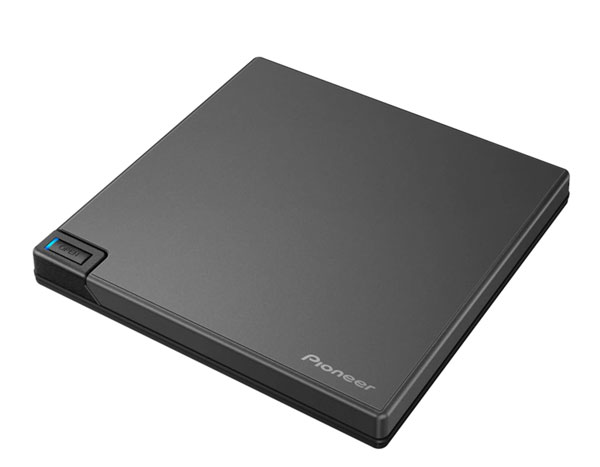
Pioneer BDR-XD08 - External Drives (USB)
The Pioneer BDR-XD08 is a compact external Blu-ray drive designed for users who do not want to install an internal drive. It connects through USB and supports BDXL triple-layer and quad-layer discs. It is also bus-powered, so you generally do not need a separate power adapter.
If you only burn a few discs each year, this drive should do the job. It's also a convenient choice for laptop users. The BW-16D1H-U is another model to consider. It isn't perfect, since verification can be a little slow and noisy, but it's hard to complain at this price.
Best for: Laptop users and occasional burners who want portability and BDXL support.
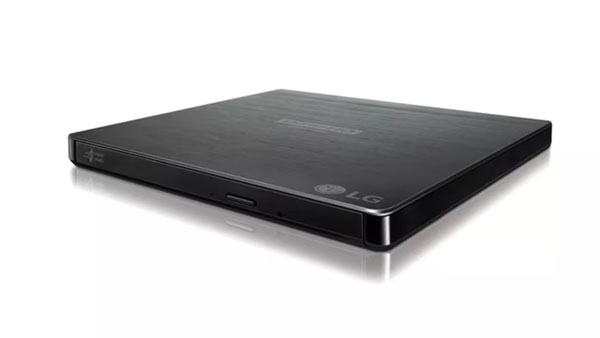
LG BP60NB10 - External Drives (USB)
The LG BP60NB10 is a slim external drive that is better suited to standard Blu-ray use. It supports Ultra HD Blu-ray playback, but that does not mean it is a suitable drive for burning 4K UHD Blu-ray discs.
This drive can burn standard BD-R discs and play UHD Blu-ray content. However, it doesn't support BDXL media. If you only want to create and watch regular 1080p Blu-ray discs, LG BP60NB10 should be enough. However, you'll need a different drive if you plan to burn 4K UHD discs.
Best for: Users who need standard Blu-ray burning and playback, not 4K UHD authoring.
Best 4K Blu-ray Burner for Windows and Mac [Software]
If you mainly want to turn your videos into Blu-ray discs with menus, chapters, and subtitles, 4Easysoft Blu-ray Creator is one option to consider. It supports Blu-ray discs, folders, and ISO files, including BD-25 and BD-50 media. You can also add menus, chapters, subtitles, and make basic video edits before burning.

Burn 300+ video formats to Blu-ray disc/ISO/folder.
Create customizable menu templates for Blu-ray projects.
Add chapters and subtitles to your Blu-ray discs.
Output to physical disc, ISO file, or BDMV folder.
100% Secure
100% Secure
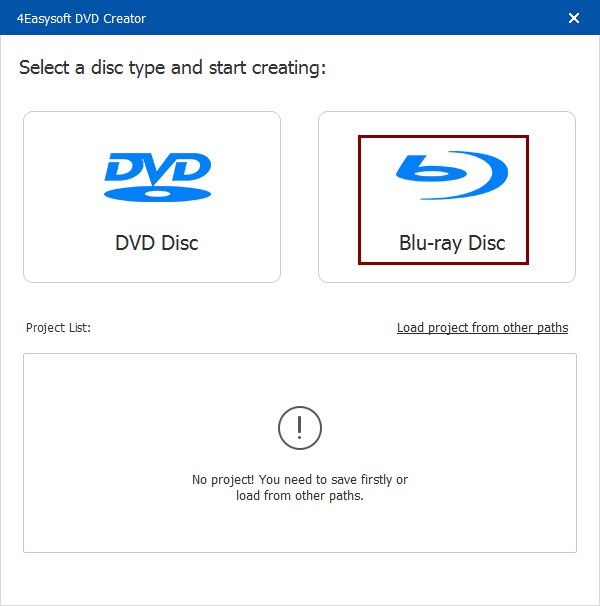
Step 1Open 4Easysoft Blu-ray Creator. Click the "Blu-ray Disc" button.
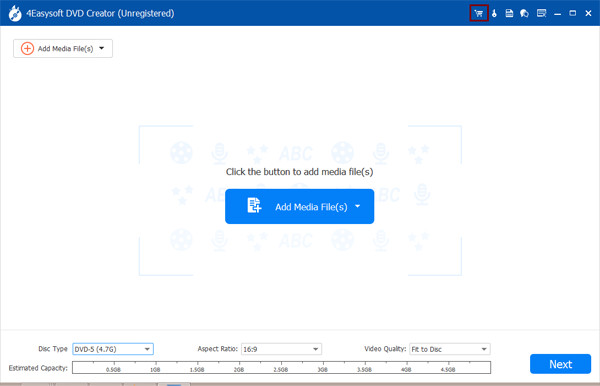
Step 2Click the "Add Media File(s)" button to import your video files. Then click the "Next" button to move on.
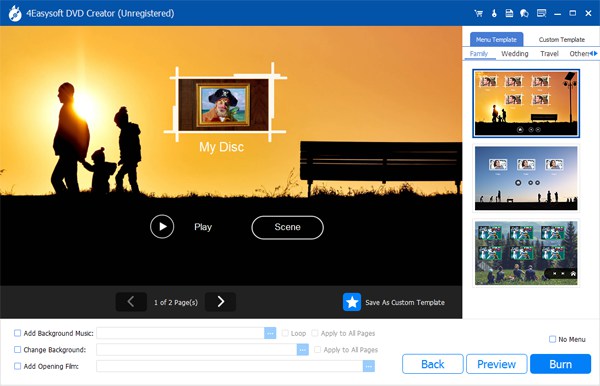
Step 3Choose from the free Blu-ray menu templates. Or you can create custom templates and add background music freely. Click the "Burn" button to save changes.
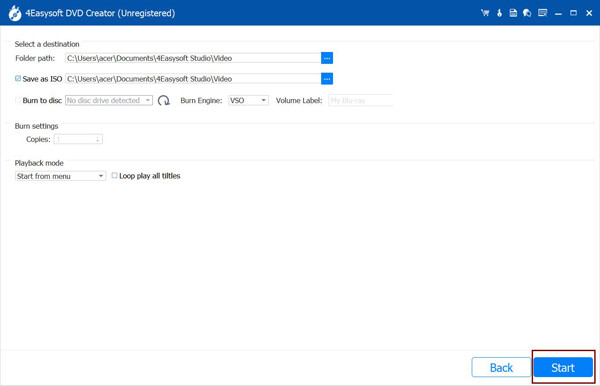
Step 4Later, decide to save as ISO or burn to disc. Change the burn engine, volume label, burn settings, and more. At last, click the "Start" button to burn 4K Blu-rays.
Conclusion
A true 4K UHD Blu-ray setup needs specific hardware and firmware most people don't have. Honestly, most people don't need it either. If you just want your 4K footage to play back reliably as a proper Blu-ray disc, 4Easysoft Blu-ray Creator handles the heavy lifting: converting your files, building the disc structure, adding menus and chapters, and burning to BD-25 or BD-50. Pair it with a standard BD-XL burner, and you've got a disc that works on any player.
100% Secure
100% Secure
