
Burn videos to DVD/Blu-ray with templates and editors.

A Guide to Choosing a Blu-ray Burner (Drive and Software)

Posted by Paula Pailaga to Burn DVD/Blu-ray Jul 24, 2026
Streaming is great, but not until your favorite movie disappears overnight. That's why Blu-ray backups make a massive comeback! But stepping into it means finding a reliable Blu-ray burner partner. To help you make a smart purchase, read on here to see which Blu-ray burning software or hardware to choose, both the drive and software, understand the disc types before buying anything, and more. Everything here makes sure your movies play on the big screen every single time.
Guide List
Understanding Blu-ray Disc Types - Before Buying Anything Which Blu-ray Burner Hardware Drive to Buy Which Blu-ray Creator Software to Choose Why Burned Blu-rays Won't Play on Standalone Players FAQsUnderstanding Blu-ray Disc Types - Before Buying Anything
Before adding a Blu-ray burner to your cart, know exactly what you will be playing with it. Choosing the right Blu-ray drive means matching its capabilities with the discs you plan to burn.
- BD-R 25GB Single Layer. The affordable standard disc is best for everyday backups or standard high-definition videos.
- BD-R DL 50GB Dual Layer. Double the space, which is perfect for lengthy 4K home movies and large data archives.
- BDXL 100GB Triple Layer. The heavyweight type is ideal for huge data sets and uncompressed ultra-high-definition storage.
- BD-RE. An eco-friendly option that is rewritable, allowing you to reuse it many times.
Which Blu-ray Burner Hardware Drive to Buy
With your ideal Blu-ray disc format, the next step is picking the physical hardware to burn them. The right Blu-ray disc burner hardware should have the balance of speed, compatibility, and portability without overcomplicating your entire workflow.
For more details, here are the top Blu-ray disc burners on the market today, featuring what they do best:
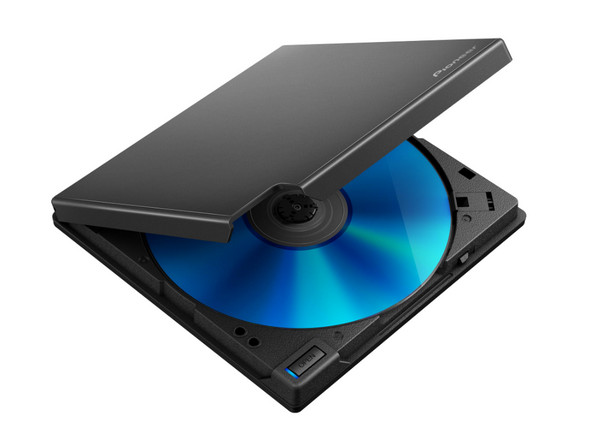
1. Pioneer BDR-XD08OMB. A sleek external Blu-ray burner drive with excellent BDXL support. It is highly reliable and features PureRead 4+ to lessen audio/video disc errors.
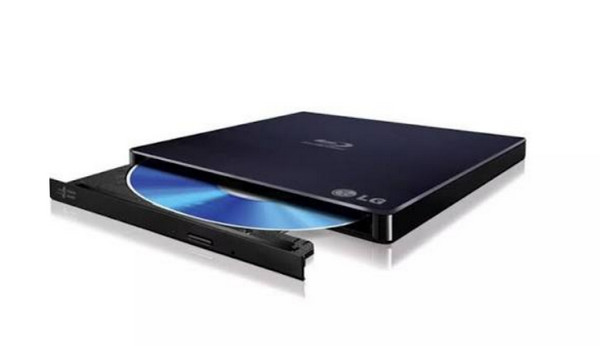
2. LG WP50NB40. This Blu-ray burner drive is ultra-thin and highly affordable. It is ideal for casual use, though it has no 4K UHD playback support.
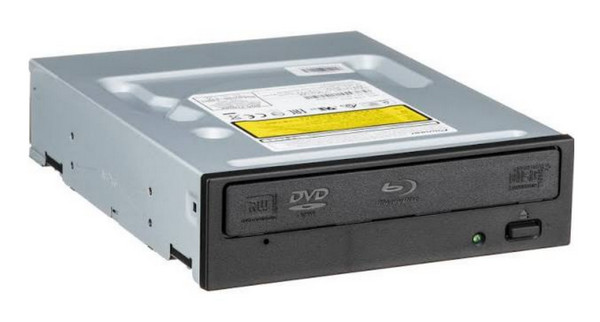
3. Pioneer BDR-212DBK. Meanwhile, this Pioneer Blu-ray disc burner is a simple, durable internal desktop that offers fast burning and excellent longevity.
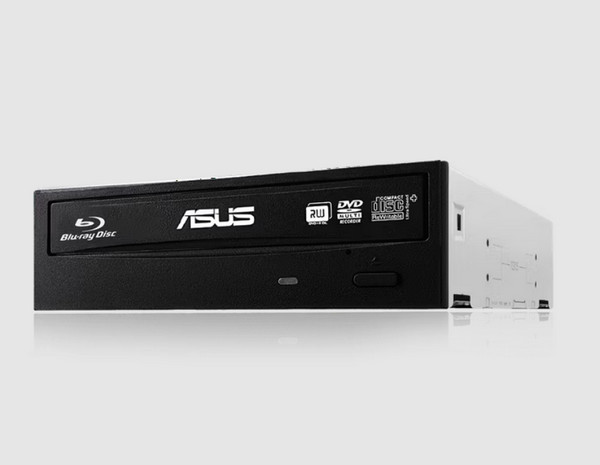
4. ASUS BW-16D1HT. A powerhouse Blu-ray burner drive for desktop PCs, ASUS offers blazing fast 16x burning speeds with M-DISC support. It is loved by enthusiasts for its custom firmware flashing.
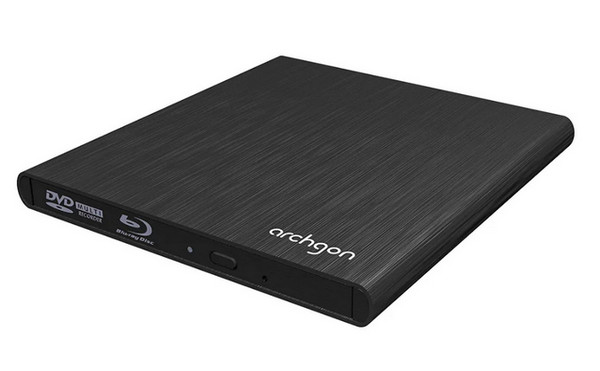
5. Archgon MD-8107-U3-UHD. Finally, the Archgon Blu-ray burner offers a premium type wrapped in an aluminum casing. It features a high-grade Panasonic drive that supports 4K UHD Blu-ray playback natively.
Key Considerations Before Buying a Blu-ray Burner
Before making your final choice for Blu-ray burner, check these critical specs first:
- BDXL Support. Necessary if you plan to burn huge 100GB or 128GB triple/quad-layer discs, since not all drives have the ability to read or write to these formats.
- M-DISC Support. Perfect for archiving family photos or data. M-DISCs use a stone-like layer, preventing data degradation for up to a thousand years.
- UHD 4K Disc Reading. To watch commercial 4K UHD Blu-ray discs on your computer, ensure your drive lists UHD Official or UHD Friendly capabilities.
- Write and Burn Speed. Internal drives support 16x speeds, while portable ones max out around 6x. While higher speeds save time, they can increase the risk of burn errors on cheap media.
Which Blu-ray Creator Software to Choose
From hardware to software, having the best Blu-ray disc burner won't mean much if you don't have the right software to do the burn. So, offering you only the best options, here are the top 5 Blu-ray creator software to choose from:
1. 4Easysoft DVD Creator
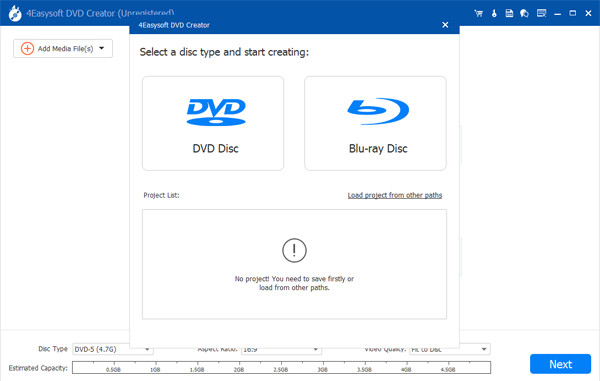
Beyond simple data burning, 4Easysoft DVD Creator is a versatile, beginner-friendly software that allows you to design interactive menus, adjust effects, and attach custom subtitle tracks. Thanks to its powerful architecture, this Blu-ray burner software supports more than 300 input media formats, such as popular containers like MP4, AVI, MKV, and MOV. Plus, it uses GPU hardware acceleration to ensure that writing your projects to a Blu-ray disc is both fast and stable.
Burn videos directly to BD-25 and BD-50 discs or save them locally.
Trim video length, crop out, merge multiple clips, and add texts before burning.
Retains the crisp quality for Blu-ray outputs throughout the process.
Allows you to manually enhance visual filters for quality.
100% Secure
100% Secure
2. DVDFab Blu-ray Creator
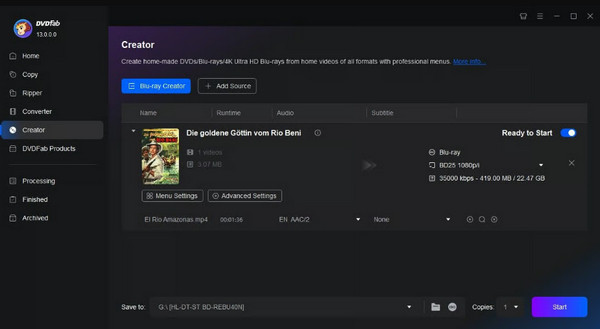
Next is a premium Blu-ray burning software powerhouse named DVDFab Blu-ray Creator, best for converting over 200 video formats into player structures. It provides support for up to 4K UHD video inputs and uses heavy GPU acceleration for super-fast burns.
3. BurnAware
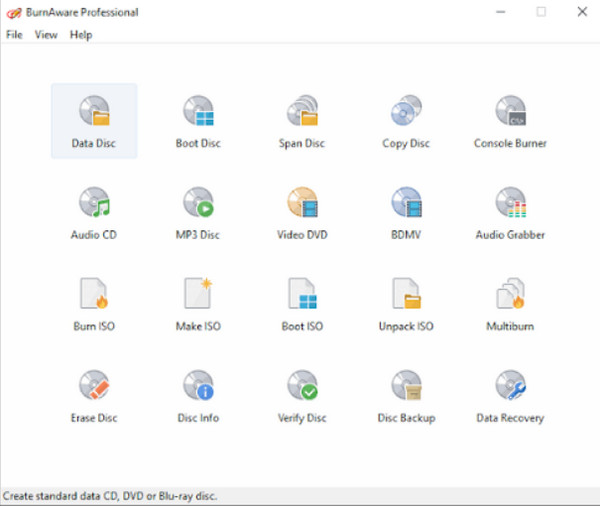
The following Blu-ray burner software is BurnAware. It is a highly technical tool built for anyone who wants precise control over their discs. This software lets you navigate through multiple audio tracks and advanced chapter structures that match commercial disc behaviors.
4. ImgBurn
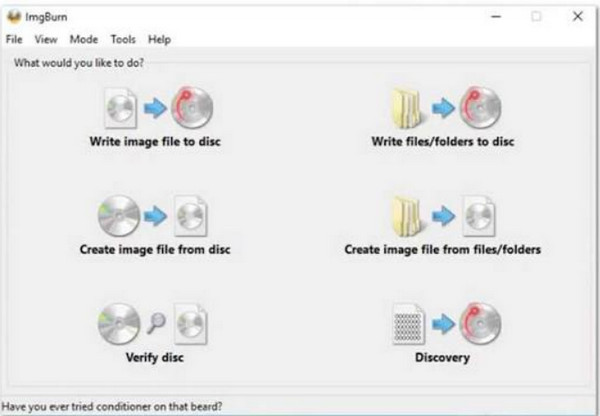
An ultra-lightweight Windows favorite Blu-ray burner. While it does not offer visual menus, ImgBurn flawlessly writes data folders and ISO images to Blu-ray discs with deep, low-level control. Keep reading to get ImgBurn alternatives.
5. CyberLink PowerDirector
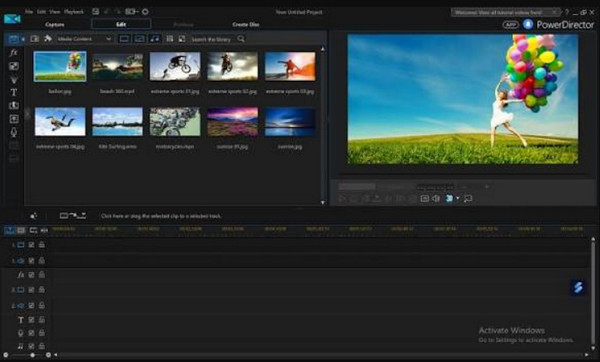
Lastly, there is CyberLink PowerDirector. This is best for all-in-one editing and authoring; despite being a robust video editing suite, it has support for direct Blu-ray authoring power. It is one of the Blu-ray burner software that edit your raw 4K videos, arrange titles, and export them to high-definition Blu-ray disc complete with menus and chapters.
Why Burned Blu-rays Won't Play on Standalone Players
A burned Blu-ray disc may not work on your player if it does not meet the required format. Standalone Blu-ray players are stricter than computers when reading discs.
Learn why your burned Blu-ray may likely give you an error screen:
- Data Disc vs. Video Disc. Instead of creating a structured video disc, you burned a raw file onto a data partition.
- Disc Formats Unsupported. Your player may not have the firmware or optical laser to read multi-layer discs.
- Incorrect BDMV Structure. Standalone players need a certain directory layout to trigger playback.
- Burned Too Fast. Sometimes, writing data at maximum speed causes microscopic tracking errors.
- Disc Not Finalized. The burn process was left open, which prevents the players from recognizing it as complete.
- Cheap Disc Media. Low-grade or unbranded discs suffer from high failure rates and poor reflectivity.
- Outdated Player Firmware. The player's internal software has no updates needed to process newer media types.
- Wrong TV Standard. The video was encoded in the wrong standard for your region.
- LG Drive + Wrong Firmware. Some LG burners need specific updates to write player-compatible structures.
FAQs
-
Why does my burned Blu-ray play on my laptop but not on my TV?
While computers are flexible, TV players are stricter, needing a specific folder layout and exact file system to start the media playback.
-
What's the difference between BD-R and BD-RE?
You can think of a BD-R as a recordable disc; once you write data, it cannot be changed. Meanwhile, a BD-RE is an erasable drive where you can wipe the data and rewrite new files many times.
-
Does burning Blu-ray at a lower speed help?
Yes! Using maximum speed, like 16x, can lead to microscopic tracking errors. So, dropping your burning software down gives the laser a stable pace, resulting in a much cleaner burn and fewer headaches.
Conclusion
Creating your own physical media collection should not feel so difficult. With the right hardware drive, Blu-ray burner software, and knowing your disc, you can easily get rid of those errors while streaming. Among the top five burner software, to skip those technical headaches, download 4Easysoft DVD Creator today. Start turning your favorite videos into Blu-rays with just a few clicks, leaving more storage space and enjoying a much more theater-like experience.
100% Secure
100% Secure
