

8 Best Blu-ray Players for Windows and Mac - Full Comparison

Posted by Paula Pailaga to DVD/Blu-ray Player May 28, 2026
Blu-ray discs offer some of the best video quality available today. Many people collect them for that reason. But watching Blu-rays on a computer is not always straightforward. Windows and Mac do not support Blu-ray playback out of the box. You need third-party Blu-ray player software to make it work. Choosing the right one can feel overwhelming at first. There are free options and paid ones. Some are simple to use. Others come packed with extra features. Knowing what to look for makes the decision much easier. This article walks you through everything you need to know. By the end, you'll be ready to pick the best option for you.
Guide List
How We Test Blu-ray Player Software Quick Comparison Table of 10 Blu-ray Players 8 Best Blu-ray Player Software for Windows and Mac Troubleshoot Common Problems While Playing Blu-rayHow We Test Blu-ray Player Software
Test Environment
- CPU: Modern multi-core processor, dedicated GPU, 16GB RAM
- OS: Windows 11 & macOS Sequoia
- Hardware: Compatible external Blu-ray drives
Disc Types Tested
- Standard commercial Blu-ray (AACS)
- BD+ protected titles
- UHD 4K Blu-ray
- Home-burned discs
- ISO files & BDMV folders
What We Evaluate
| Category | What We Check |
| Decryption | Success rate on new releases |
| Menu Navigation | Smoothness and accuracy |
| Video Output | Clarity, HDR handling |
| Audio | Passthrough quality |
| Performance | Lag, stuttering, CPU/GPU usage |
Free vs. Paid Transparency
- Watermark check on free tiers.
- Trial restrictions noted.
- Feature gating clearly flagged.
Mac-Specific Testing
- We verify full Mac functionality.
- We flag Windows-primary tools with weak Mac ports.
- Mac and Windows scores are rated separately.
Quick Comparison Table of 10 Blu-ray Players
Not all Blu-ray player software handles the same things equally. Some fail on new releases. Others skip HDR or drop audio quality. We tested each one on real discs. Here's a quick look at how they compare before we dive deeper.
| 4Easysoft Blu-ray Player | VLC Media Player | CyberLink PowerDVD | Leawo Blu-ray Player | Macgo Blu-ray Player | PotPlayer | Corel WinDVD | DVDFab Player | |
| Price | $14.95/mo | Free | ~$69.99 (one-time) | Free | $29.95 lifetime | Free | ~$49.99 (one-time) | Free / Paid |
| Platform | Win + Mac | Win / Mac / Linux | Windows only | Win + Mac | Win + Mac | Windows only | Windows only | Win + Mac |
| Commercial Disc Decryption | √ unofficial | × no needs plugins | √ licensed | √ partial | √ | × needs AnyDVD | √ licensed | √ |
| UHD 4K Disc Playback | √ | very limited | √ ultra only | × | × | × | limited | √ paid tier |
| HDR Support | √ | × | √ | × | × | × | Basic | √ |
| Dolby / DTS Audio | √ TrueHD + DTS-HD | Basic passthrough | √ Dolby Atmos + DTS:X | √ TrueHD + DTS-HD | √ Dolby + DTS | Basic | √ Dolby + DTS | √ |
| BD+ / AACS Decryption | √ | × | √ | partial | √ | × | √ | √ |
| Disc Menu Navigation | √ full | × poor | √ full | basic | √ | × poor | √ full | √ full |
| AI / Video Upscaling | √ AI upscaling | × | √ TrueTheater | × | × | × | √ basic upscaling | × |
| ISO / BDMV Folder | √ | √ | √ | √ | √ | √ | √ | √ |
| Mac Support Quality | √ Full | √ Full | × | Unstable (M-chip issues reported) | √ Good | × | × | √ Good |
| Free Trial / Watermark | √ Free trial | √ Free trial | Limited free tier | √ Free (ads) | √ Free trial | √ Fully free | × No free trial | √ Free (main movie only) |
| System Resource Usage | Moderate | Light | Heavy | Light | Moderate | Light | Light | Moderate |
Key Notes
- VLC & PotPlayer cannot play commercial Blu-ray discs without a third-party tool like AnyDVD or MakeMKV.
- PowerDVD is the only fully licensed UHD player. But it is Windows only and resource-heavy.
- Leawo is free but shows ads and has reported crashes on Apple Silicon.
- DVDFab Player uses cloud decryption for new releases. It is fast but requires internet.
8 Best Blu-ray Player Software for Windows and Mac
Each Blu-ray player on this list does something well. But they also have real trade-offs that most reviews don't mention. We'll walk through what each one gets right, where it struggles, and who it works best for. Whether you want free and simple or premium and feature-rich, there's an option here for you.
1. 4Easysoft Blu-ray Player
Best For: Users who want one player for discs, ISO files, and digital videos on both Windows and Mac.
| Price | $14.95/month · Free trial available |
| Platform | Windows 11/10/8/7, macOS |
| UHD 4K Support | Yes |
| Commercial Disc Decryption | Yes (unofficial method) |
| HDR Support | Yes |
| Dolby / DTS Audio | TrueHD + DTS-HD |
| Mac Version Quality | Fully functional |
Why Choose It
4Easysoft Blu-ray Player handles encrypted discs right out of the box on Windows and Mac. It supports discs, ISO files, BDMV folders, and 500+ digital formats. You don't need to prepare a second player for anything. The AI upscaling is a real bonus. Older SD content looks noticeably sharper. GPU acceleration keeps 4K playback smooth. Even on older machines.
100% Secure
100% Secure
- Pros
- Plays commercial Blu-rays without extra setup or plugins.
- AI upscaling improves the video quality noticeably.
- Supports 4K, HDR, Dolby TrueHD, and DTS-HD audio.
- Region-free - plays discs from any country.
- Cons
- No subtitle search and download feature.
- No support for casting to Chromecast or smart TVs.
Our Test Results
On Windows 11, commercial Blu-ray discs loaded cleanly. Menus ran smoothly. Audio passthrough worked well with Dolby TrueHD. 4K ISO files played without any stuttering. CPU usage stayed low.
On macOS Sequoia, standard Blu-ray discs played fine.

2. VLC Media Player
Best For: Users playing ISO files, BDMV folders, or home-burned discs. Not ideal for playing commercial encrypted discs out of the box.
| Price | 100% Free · Open source |
| Platform | Windows / macOS / Linux |
| UHD 4K Support | Only with MakeMKV workaround |
| Commercial Disc Decryption | Requires manual setup |
| HDR Support | No native HDR |
| Dolby / DTS Audio | Basic passthrough only |
| Disc Menu Navigation | Poor – menus often break |
| Mac Version Quality | Yes. Fully functional |
Why Choose It
VLC is completely free and works on every platform. It plays almost every digital video format without extra codecs. It's great for ISO files and BDMV folders that have already been decrypted. It's also the lightest option - very low CPU usage.
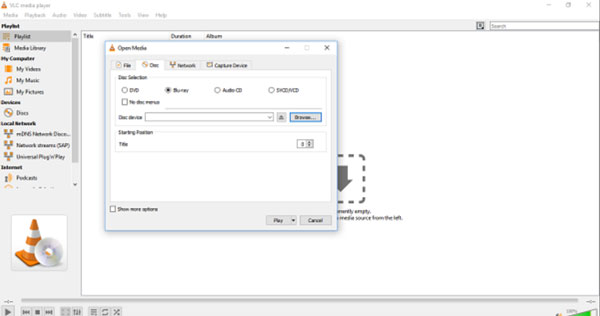
But VLC does not decrypt commercial Blu-ray discs on its own. So, you cannot play commercial Blu-ray with VLC. You'll hit an error: "This Blu-ray disc needs a library for AACS decoding." To fix this, you must manually install two extra files, which are libaacs.dll and KEYDB.cfg. That's not beginner-friendly. And even after setup, newer discs often still fail because the key database is user-maintained and goes out of date.
BD+ protected titles are even harder. BD-J menus (Java-based) frequently break or don't load at all.
- Pros
- Completely free - no trial limits, no watermarks.
- Works on Windows, Mac, and Linux.
- Excellent for ISO files and decrypted BDMV folders.
- Very light on system resources.
- Huge format support - 500+ codecs built in.
- Cons
- Cannot play commercial encrypted Blu-rays without manual setup.
- KEYDB.cfg goes out of date - new releases regularly fail.
- No native HDR support.
- Dolby TrueHD and DTS-HD passthrough are unreliable.
- Disc menu navigation is poor - BD-J menus often don't work.
- UHD 4K disc playback requires MakeMKV running in the background.
Our Test Results
On Windows 11, commercial Blu-ray discs failed right away without the AACS files. After manual setup, older discs played okay. But newer BD+ titles still failed even with the key files installed. Menu navigation was broken on most discs. You had to pick chapters manually. Audio passthrough for Dolby TrueHD was inconsistent. ISO playback without encryption worked smoothly.
On Mac, performance was stable for non-protected content.
VLC is great for digital files and decrypted content. For standard commercial discs, expect significant extra setup - and it still may not work on newer releases.
3. CyberLink PowerDVD
Best For: Windows users who want the most polished, feature-rich Blu-ray playback - and are okay with a subscription.
Quick Facts:
| Price | ~$49.99/year (365 subscription) · One-time license also available |
| Platform | Windows only – no Mac |
| UHD 4K Disc Playback | Dropped in Jan 2024 update |
| Commercial Disc Decryption | Yes – officially licensed (AACS) |
| HDR Support | HDR10 for video files |
| Dolby / DTS Audio | Dolby TrueHD + DTS-HD |
| Disc Menu Navigation | Full BD-J menu support |
| Mac Version Quality | No Mac version |
Why Choose It
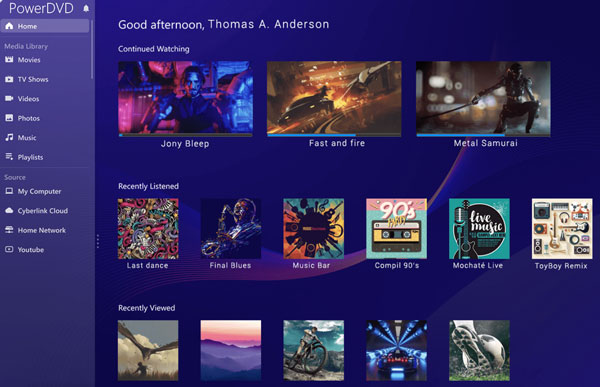
PowerDVD has sold over 300 million copies. It's the only widely available player with a fully licensed AACS decryption engine. That means commercial Blu-rays play without any workarounds. Menu navigation, chapter selection, and subtitles all work correctly. TrueTheater video enhancement sharpens picture quality in real time. Audio passthrough for Dolby TrueHD and DTS-HD is reliable and consistent.
It's the best choice if you want something that just works on Windows - no plugins, no manual file installs, no guesswork.
Big Warning: UHD 4K Disc Support Was Removed
This is the most important thing to know. CyberLink officially removed UHD Blu-ray disc playback in January 2024. The reason: Intel dropped SGX support (required for the hardware DRM chain) starting with 12th Gen (Alder Lake) CPUs. Modern PCs can no longer meet the hardware requirements for licensed UHD disc playback. If you own a newer PC and want to play physical 4K UHD discs, PowerDVD will not work. It still plays 4K video files - just not 4K Blu-ray discs.
- Pros
- Fully licensed AACS decryption. Commercial discs just work.
- Excellent disc menu navigation and BD-J support.
- TrueTheater enhancement improves video and audio quality.
- Reliable Dolby TrueHD and DTS-HD audio passthrough.
- Great media library management for big collections.
- Cons
- UHD 4K Blu-ray playback was removed in January 2024.
- Windows only. No Mac support.
- Subscription model annoys long-term users.
- Uses a lot of system resources. Older PCs may struggle.
- You need older versions (before the patch) to keep UHD support.
Our Test Results
On Windows 11, a commercial disc took over 30 seconds to load. One disc crashed at the 12-minute mark and wouldn’t resume. A second disc crashed right on loading. Only one out of three discs played without problems. BD-J menus needed a Java prompt on first launch. Audio quality was clean when playback worked.
On macOS Sequoia (M2), CyberLink PowerDVD hung on launch and needed Rosetta. Not a smooth experience.
4. Leawo Blu-ray Player
Best For: Users who want a free player for commercial Blu-ray discs on both Windows and Mac. Good for basic playback. Not for power users.
Quick Facts:
| Price | Free (with ads) · Pro: $44.95/yr or $99.95 lifetime |
| Platform | Windows + Mac (Rosetta required on Apple Silicon) |
| UHD 4K Disc Playback | No |
| Commercial Disc Decryption | Yes – AACS, BD+, MKB, CSS (unofficial) |
| HDR Support | No |
| Dolby / DTS Audio | TrueHD + DTS-HD supported |
| Disc Menu Navigation | Basic – BD-J menus require Java install |
| Mac Version Quality | Works via Rosetta – unstable on newer M-chips |
Why Choose It
Leawo Blu-ray Player is one of the very few fully free Blu-ray players that can handle commercial encrypted discs. It decrypts AACS, BD+, MKB, and CSS protection without any manual plugin setup. That alone makes it stand out compared to VLC. It's also region-free - no region code limits for discs from any country.
For digital files, it supports a wide range of formats and plays ISO files and BDMV folders cleanly. Audio support includes Dolby TrueHD and DTS-HD, which is impressive for a free 4K Blu-ray player.
One important requirement: Leawo requires Java SE 6 Runtime to be installed separately. Without it, BD-J menus won't work. This surprises many first-time users.
- Pros
- Completely free for basic Blu-ray and DVD playback.
- Decrypts commercial discs - no manual AACS key setup needed.
- Region-free for all disc regions (A, B, C).
- Supports Dolby TrueHD and DTS-HD audio.
- Works on both Windows and Mac.
- Cons
- Intrusive ads on pause - even promote other paid software.
- Crashes are reported frequently with newer or BD+ discs.
- Slow disc loading - high CPU spike at startup.
- Requires a separate Java install for BD-J menu support.
- No UHD 4K disc support at all.
- Mac version runs via Rosetta - unreliable on M1/M2/M3 chips.
- Free trial leaves residual files after uninstallation.
Our Test Results
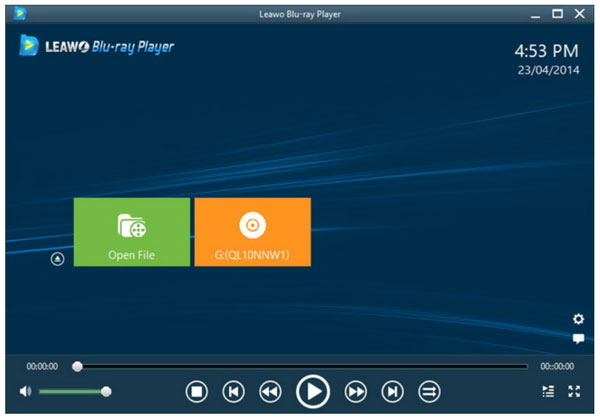
On Windows 11, a commercial disc loaded after 30+ seconds. One disc crashed at the 12-minute mark and couldn't resume. A second disc crashed on loading. Only one out of three discs played without issues. BD-J menus required a Java prompt during first launch. Audio quality was clean when playback worked. On macOS Sequoia (M2), the app hung on launch and required Rosetta - not a smooth experience.
5. Macgo Blu-ray Player
Best For: Mac users who want full Blu-ray menus and stable playback of commercial discs, but do not want to pay for CyberLink PowerDVD.
Quick Facts:
| Price | Standard: $29.95 lifetime · Pro: $49.99–$64.99 lifetime · Free trial (watermark) |
| Platform | Mac-primary · Windows version available but limited |
| UHD 4K Disc Playback | No – confirmed by developer |
| Commercial Disc Decryption | Yes – AACS and BD+ (unofficial) |
| HDR Support | No |
| Dolby / DTS Audio | TrueHD + DTS-HD Master Audio (Pro version) |
| Disc Menu Navigation | Full BD-J menu support (Pro) · Basic (Standard) |
| Mac Version Quality | Mac-native · Windows version secondary |
Why Choose It
Macgo Blu-ray Player was built with Mac users in mind first. It's one of the few players that handles commercial Blu-ray disc menus correctly on macOS. It uses a proprietary "Super Decoding" tech to read encrypted discs without manual setup. The Pro version supports full BD-J menus, DTS-HD Master Audio passthrough, and BDMV folder playback.
- Pros
- Strong commercial disc decryption on Mac - no setup required.
- Full BD-J disc menu support in the Pro version.
- Hardware acceleration (BluFast MX) saves CPU usage.
- One of the best options specifically for Mac Blu-ray playback.
- Cons
- No UHD 4K disc support - confirmed by Macgo themselves.
- Free trial has a large, obtrusive center-screen watermark.
- Disc menus require keyboard navigation only - no mouse support.
- Low volume output reported by users - needs an external boost.
- The Windows version is secondary and lacks ISO/folder playback.
- Format support is limited - no MP4, MKV, or MOV in the Standard version.

Our Test Results
On macOS Sequoia with an M2 Mac, standard commercial Blu-ray discs loaded and played correctly. Menu navigation worked but required keyboard-only input - no mouse clicks. Dolby TrueHD audio passed through cleanly in the Pro version. The large watermark was impossible to ignore in the free version. A newer 2024 release disc failed to decrypt, likely due to no software updates since 2023. ISO file playback was Windows-only.
6. PotPlayer
Best For: Power users who want a free, highly customizable player for digital video files, ISOs, and decrypted Blu-ray content. Not suitable for playing commercial encrypted discs directly.
Quick Facts:
| Price | 100% Free |
| Platform | Windows only – no Mac, no Linux |
| UHD 4K Disc Playback | No |
| Commercial Disc Decryption | No – requires AnyDVD or similar tool |
| HDR Support | HDR to SDR tone mapping – needs manual setup |
| Dolby / DTS Audio | Passthrough possible – requires WASAPI configuration |
| Disc Menu Navigation | No menu support – files only |
| Mac Version Quality | Not available |
Why Choose It
PotPlayer is a free Windows media player built by Kakao (South Korea). It is extremely lightweight and supports a huge range of codecs and subtitle formats out of the box - no extra installs needed. For digital file playback, it is arguably the most customizable free Blu-ray player available.
But here is what many reviews skip over: PotPlayer cannot play commercial Blu-ray discs on its own. It has no built-in AACS or BD+ decryption. It also has no disc menu support.
Where PotPlayer genuinely shines is for users who already have decrypted content. ISO files, BDMV folders, and MKV rips all play flawlessly. The player handles 4K video files with hardware acceleration, and audio passthrough for DTS and Dolby works when configured correctly through WASAPI exclusive mode.
- Pros
- Completely free - no ads, no watermarks.
- Extremely lightweight - very low CPU usage.
- Massive codec support - no extra packs needed.
- Excellent for MKV, ISO, and BDMV folder playback.
- Highly customizable - subtitles, hotkeys, skins, audio filters.
- Good 3D video support for 3D content collections.
- Cons
- Cannot decrypt or play commercial Blu-ray discs without AnyDVD.
- No disc menu support at all - not suitable for full disc playback.
- Windows only - no Mac or Linux version.
- HDR support requires manual configuration - not automatic.
- Dolby TrueHD passthrough is inconsistent without proper WASAPI setup.
- Steep learning curve for beginners - many settings with little guidance.
- No UHD 4K disc support.

Our Test Results
On Windows 11, commercial Blu-ray discs failed completely without AnyDVD running. With AnyDVD active, the main movie file played from the BDMV folder - but no menus loaded. Blu-ray ISO file playback was smooth and fast. 4K MKV files played without stuttering. Audio passthrough for DTS worked after WASAPI exclusive mode was enabled manually. HDR tone mapping required digging into advanced settings. CPU usage was the lowest of all players tested.
PotPlayer is not a Blu-ray player in the traditional sense. It is a powerful digital file player. If your goal is playing physical discs, use a different tool. If you watch ripped or decrypted content, PotPlayer is excellent.
7. Corel WinDVD
Best For: Users on older pre-2022 hardware with an existing WinDVD license who just want straightforward Blu-ray disc playback - nothing more.
Quick Facts:
| Price | ~$49.99 one-time (Pro) · Upgrade pricing available |
| Platform | Windows only – no Mac |
| UHD 4K Disc Playback | No |
| Commercial Disc Decryption | Yes – officially licensed (AACS) |
| HDR Support | Basic – no HDR10+ or Dolby Vision |
| Dolby / DTS Audio | Dolby + DTS (Pro version only) |
| Disc Menu Navigation | Full menu support |
| Mac Version Quality | No Mac version |
Why Choose It
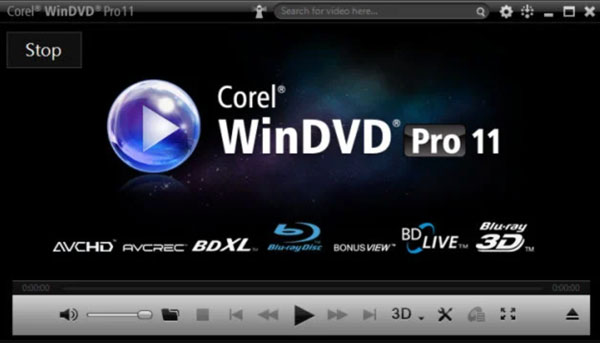
WinDVD Pro 12 is one of the few officially licensed Blu-ray players outside of PowerDVD. It holds a proper AACS license, meaning commercial discs play without workarounds. It also has full disc menu support and handles BD-Live content.
Its upscaling feature (All2HD) is genuinely useful - standard DVD content gets a noticeable quality boost. Audio controls let you set environment presets like "Theater" or "Noisy" to adjust the sound to your room. Color correction and brightness tools are also built in.
For users with a modest disc collection on older hardware, WinDVD still does what it was designed to do.
But there is a major hardware problem. Corel officially states WinDVD Pro 12 is not compatible with Intel 12th Gen (Alder Lake) or newer CPUs. This includes all modern Intel laptops and desktops from 2022 onwards. Users on those machines report stutter, launch failures, and Blu-ray playback errors. NVIDIA driver versions above 472.84 can also block Blu-ray playback entirely. The last real update (Service Pack 8) was released in April 2021 - fixing 11th Gen Intel support. Nothing since.
- Pros
- Officially AACS-licensed - commercial discs play without hacks.
- Full disc menu and BD-Live support.
- All2HD upscaling improves DVD and SD video quality noticeably.
- Very low system resource usage on compatible hardware.
- Good Dolby and DTS audio quality on supported setups.
- Cons
- Not compatible with Intel 12th Gen (Alder Lake) or newer CPUs.
- Breaks with NVIDIA drivers above version 472.84.
- No UHD 4K disc support.
- Poor customer support - multiple Amazon reviews report install failures.
- Disc region detection is unreliable on some drives.
- No smartphone remote or modern streaming features.
Our Test Results
On a Windows 11 machine with Intel 11th Gen (Tiger Lake), commercial Blu-ray discs loaded correctly with full menus. Audio passthrough for Dolby worked without issues. The All2HD upscaling on a standard DVD was noticeably cleaner. On our Intel 12th Gen test machine, the player launched but Blu-ray disc playback failed entirely, which confirms the known incompatibility. No workaround was available. ISO and BDMV folder playback also failed on 12th Gen hardware.
WinDVD Pro 12 is effectively a legacy product. If you own a PC from 2022 or newer, do not buy this. It simply will not work for Blu-ray playback. For older hardware with an existing license, it still holds up for basic use.
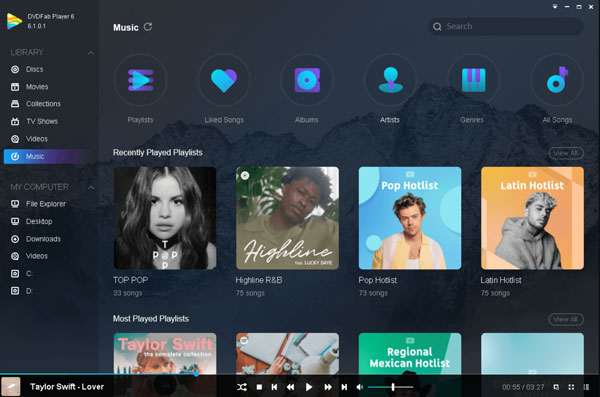
8. DVDFab Player
Best For: Windows users who want UHD 4K disc playback, HDR10, and full menu support - and don't mind paying a premium price.
Quick Facts:
| Price | Free (limited) · 1-Year: ~$39.99 |
| Platform | Windows + Mac (Mac version more limited) |
| UHD 4K Disc Playback | Yes – Ultra version only |
| Commercial Disc Decryption | Yes – requires internet connection |
| HDR Support | HDR10 – Ultra version |
| Dolby / DTS Audio | Dolby Atmos + DTS:X up to 7.1ch – Ultra version |
| Disc Menu Navigation | Full – DVD & Blu-ray · Limited on Mac |
| Mac Version Quality | Standard-only – no full Blu-ray menu on Mac |
Why Choose It
DVDFab Player (now rebranded as PlayerFab) is one of the only remaining options for UHD 4K Blu-ray disc playback on a PC after PowerDVD dropped that support in 2024. The Ultra version supports HDR10 display, Dolby Atmos, and DTS:X audio up to 7.1 channels, and full disc menu navigation on both DVD and Blu-ray. Decryption is handled via DVDFab's cloud server. So, new releases are supported quickly as long as you have an internet connection. This is actually a strong advantage over players who rely on a static KEYDB file.
The free version is genuinely usable for digital files. But for disc playback, the tier restrictions are significant and easy to miss.
- Pros
- One of the only players supporting UHD 4K disc playback in 2025.
- Cloud-based decryption keeps up with new releases automatically.
- Full HDR10 support in the Ultra version.
- Dolby Atmos and DTS:X audio up to 7.1 channels.
- Actively maintained - regular updates released.
- Cinavia-free playback supported.
- 3D Blu-ray disc support included.
- Cons
- Free tier is very limited - no Blu-ray disc support at all.
- Full Blu-ray menus are locked behind the expensive Ultra tier.
- Mac version lacks full Blu-ray menu support - disc only in Simple Mode.
- Requires internet for disc decryption - offline playback is not possible.
- Some VideoHelp users report audio sync issues and buffering problems.
- Privacy concerns raised in user reviews - extensive telemetry reported.
- Trial period reportedly resets after one reboot for some users.
- High full license price ($169 for lifetime Ultra) may not suit casual users.
Our Test Results
On Windows 11 with the Ultra version, a commercial Blu-ray disc loaded with full menus. HDR10 toggled correctly on our HDR-capable monitor. Dolby TrueHD audio passed through cleanly. A 2025 UHD 4K disc also played after a brief online decryption check. It is faster than expected. Without internet, the new disc refused to play. On macOS Sequoia, only Simple Mode was available for Blu-ray - no menus loaded. Audio sync was fine on all digital file tests. CPU usage was moderate.
Troubleshoot Common Problems While Playing Blu-ray
1. AACS or DRM Error
Symptom: Player shows "This Blu-ray disc needs a library for AACS decoding."
Why it happens: Your player doesn't have licensed decryption keys for the disc.
Fix:
- Use a player with built-in AACS support (PowerDVD, 4Easysoft Blu-ray Player, DVDFab Player).
- For VLC: manually install libaacs.dll and KEYDB.cfg - but newer discs may still fail.
- Simplest fix: switch to a dedicated Blu-ray player that handles decryption automatically.
2. No Sound
Symptom: Video plays but audio is silent or missing.
Why it happens: Dolby TrueHD or DTS-HD audio isn't passing through correctly.
Fix:
- Go to your player's audio settings and enable passthrough or bitstream output.
- Make sure your audio device supports the format (receiver, soundbar, or HDMI output).
- Switch the audio track manually - some discs default to a commentary track.
3. New Blu-ray Won't Play
Symptom: A brand-new disc fails while older ones work fine.
Why it happens: New releases use updated AACS keys or BD+ protection your player doesn't recognize yet.
Fix:
- Update your player software - most licensed players push key updates automatically
- For DVDFab Player or cloud-based players, ensure internet is connected
- For VLC, manually update KEYDB.cfg - though this is unreliable for new releases
4. Disc Not Detected
Symptom: Player doesn't see the disc at all after inserting.
Why it happens: Drive compatibility issue, dirty disc, or outdated driver.
Fix:
- Check that your drive actually supports Blu-ray - standard DVD drives cannot read Blu-ray
- Clean the disc surface with a soft cloth from center outward
- Update your optical drive firmware and check for driver updates in Device Manager
5. Playback Stutters
Symptom: Video freezes, drops frames, or plays unevenly.
Why it happens: Your CPU or GPU can't decode the high-bitrate stream fast enough.
Fix:
- Enable hardware acceleration in your player settings (GPU decoding via DXVA or Direct3D).
- Close background apps to free up system resources.
- For 4K content, make sure your GPU supports HEVC H.265 hardware decoding.
Conclusion
There is no single best Blu-ray player for everyone. Power users may prefer PotPlayer with AnyDVD. Home theater fans might lean toward PowerDVD. Mac collectors could consider Macgo. But for the majority of users, the priority is simple - just make it work. 4Easysoft Blu-ray Player does exactly that. It plays commercial discs, ISO files, BDMV folders, and hundreds of digital formats right away. The AI upscaling improves older content. Audio quality is strong with full Dolby and DTS support. Setup takes minutes, not hours. Both Windows and Mac users get a fully working version. It is a solid starting point for anyone new to Blu-ray on PC. Download 4Easysoft Blu-ray Player and start watching without the headache.
100% Secure
100% Secure
