
Record, edit, and share video from all sources.

Capture It All: 8 Best Audio Recorders for Every Need

Posted by Ethan Brooke to Record Audio Aug 27, 2026
Although there is a lot of audio recording software and equipment available nowadays, it can be quite challenging to find the best one that is also the most suitable for you. Many users have various usage scenarios and different requirements for their devices. Sometimes, they don't know how to make the right choice. But don't worry. After the test, this post recommends both hardware audio recorders and software solutions for various scenarios and devices. You can make your choice based on your actual situation and their characteristics.
Guide List
Best Audio Recorder Equipment for Different Scenarios Best All-in-One Audio Recording Software Other Best Audio Recorder Software for Different DevicesBest Audio Recorder Equipment for Different Scenarios
For many users who frequently need to record, it is always troublesome to find the best audio recorder, especially when it comes to a physical device. The first thing you need to do is to clarify your requirements. Then, based on your purpose, identify the best equipment in this category. For audio recording, sound quality and battery life are the two most important factors to consider. Based on these two factors, you can make a focused choice.
Test Condition: We conducted the test with 10 audio recorders from different brands. To assess their performance across various scenarios, we conducted tests in 5 locations: the classroom, the small conference hall, the outdoor football field, the coffee shop, and the library. These were the most likely places where the recorder would be used. Regarding the test results, we asked multiple testers to listen to different recordings without knowing the source and to describe their feelings. On the other hand, we examined the audio's focus and sensitivity by observing the waveform diagrams. At the same time, their maximum battery life was also taken into consideration. Based on these key elements, three of the best audio recording devices were selected.
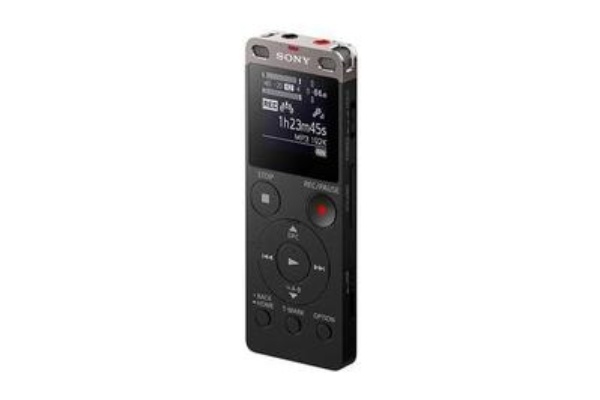
1. Sony UX560 - The Best Audio Recorder for Quality
If you regularly have professional recording needs, whether it's creating content for publication or recording meetings for your company, you definitely need a device with sufficient functionality. The Sony UX560 is precisely the best audio recorder for high-quality. Whether in a classroom, office, coffee shop, or outdoor area, it can focus on the main audio information, such as ongoing conversations. You will find that all the important content will be recorded, and you won't miss anything.
- Pros
- High-quality recordings in any venue.
- Approximately 40 hours of MP3 recording time.
- Convenient file transfer to your computer.
- Cons
- The price is as high as $190.
- The built-in storage is only 4GB.
- The purchase of an SD card is yet another expense.
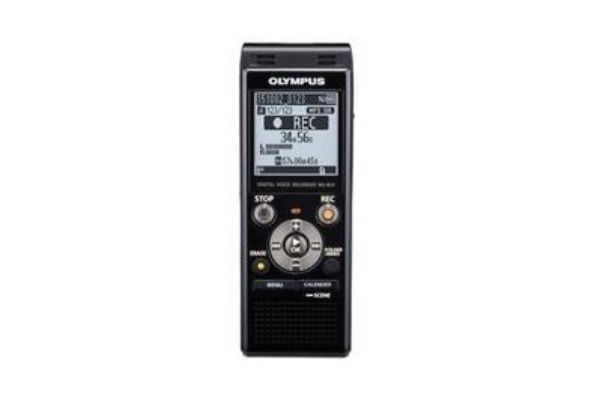
2. Olympus WS-853 - The Best Audio Recorder for Duration
For users who frequently travel or need long-term audio recording, battery life is definitely one of the issues they are most concerned about. If you are specifically looking for the best audio recorder for long-duration recording, consider the Olympus WS-853. It offers up to 130 hours of recording time, so you don't have to worry about its battery life constantly. Even if you are away from home for a long time and forget to bring a charger, you can still ensure the smooth operation of some basic recording tasks.
- Pros
- A recording duration of 130 hours.
- 8GB of built-in storage space.
- Suitable for users with outdoor needs.
- Cons
- The quality of the recording is relatively poor.
- The equipment is rather thick.
- The interface is not simple and intuitive enough.
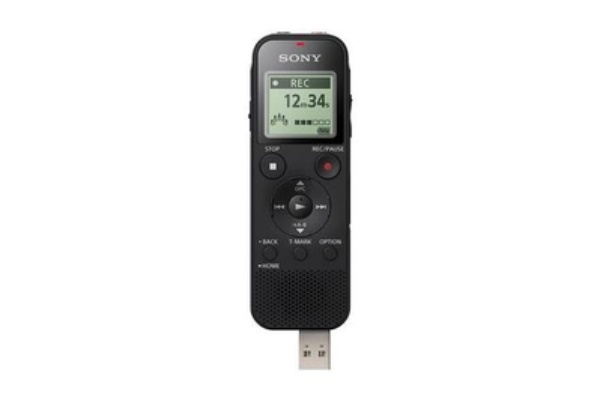
3. Sony ICD-PX470 - The Best Audio Recorder for Budget
Some users might find the prices of the first two devices a bit high, especially those considering a recording device but unsure they can fully utilize its capabilities. For users who are preparing for or just starting a recording project, an entry-level tool is recommended. The Sony ICD-PX470 is the best budget audio recorder in our tests, not only because it costs under 100 dollars, but also because it strikes a good balance between cost and recording quality.
- Pros
- The price of less than 100 dollars is very reasonable.
- Recording clear sounds can be achieved in a quiet environment.
- It is directly equipped with a USB port.
- Cons
- Recording in a noisy environment doesn't work well.
- If charging is not possible, batteries need to be used.
- The entire equipment is rather heavy.
Best All-in-One Audio Recording Software
Buying a professional audio recorder is not necessarily a top priority for many people. On the one hand, the price might deter many people. On the other hand, a physical tool is not a particularly convenient option. Sometimes you may find that carrying recording equipment with you when going out is not always convenient. Moreover, due to the limitation of battery power, they are not always reliable. In such cases, a recording software running on other electronic devices can be a great help to you.
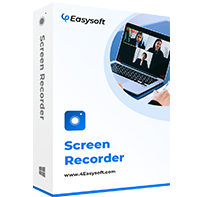
4Easysoft Screen Recorder is a powerful audio recording software that runs smoothly on your device. It supports both recording of sounds from the outside world and system audio from the computer's internal sources. You will find that not only is the recording quality very high, but you can also adjust the presentation effects through various editing methods.
It captures the system and mic sound effectively or simultaneously.
High-quality recordings with noise cancellation and enhancement features.
Customizable audio settings to get your desired bitrate, sample rate, and quality.
Listen to the audio recording to check if there are any needed adjustments.
100% Secure
100% Secure
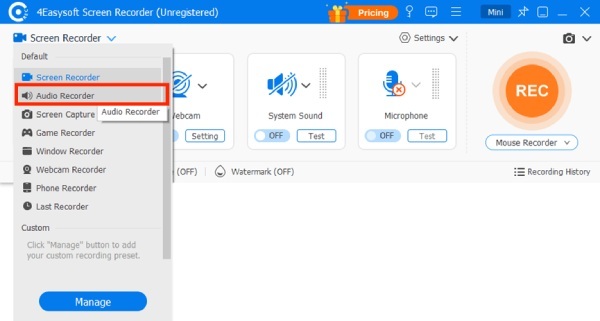
Step 1Launch 4Easysoft Screen Recorder and click the "Audio Recorder" button under the "Screen Recorder" tab.
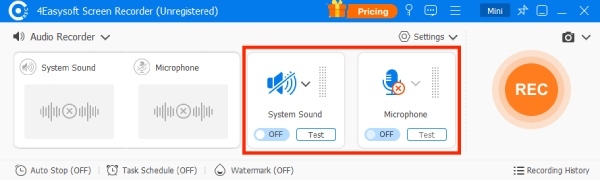
Step 2Before recording, you can adjust the recording settings for system sound and microphone.
Step 3To initiate this audio capture software, click the "Record" button, and the recording will start automatically.
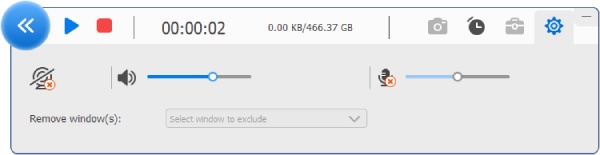
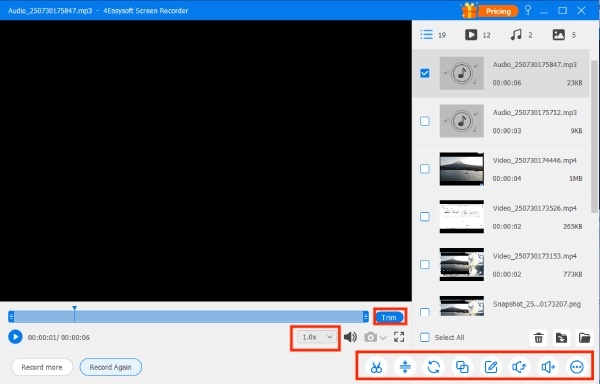
Step 4Once finished, click the "Stop" button. Before saving, you can edit the audio recording as you like.
Other Best Audio Recorder Software for Different Devices
If you are looking for the best voice recording software for various devices, this section may help. You can choose the option that best suits your device and usage. Meanwhile, the several tools we have chosen provide quick access and are completely free, making them ideal for beginner users.
Test Condition: The focus of the test is slightly different from that of the recording equipment. Our first consideration is whether the sound can be recorded completely and clearly, and whether it can be played smoothly. Due to differences among audio capture software, the tests for them also differ in focus. For the computer, our recording needs to pass two tests simultaneously: one for external sounds through the microphone, and the other for internal system audio. Due to system limitations and other mobile device factors, we mainly focused on convenience and on recording external audio sources rather than recording a song or similar from the phones themselves.
Audacity - Audio Recording Software for Windows
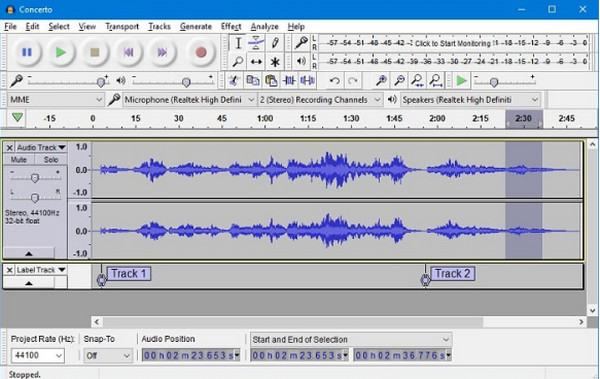
When it comes to handling audio-related tasks, Audacity has been trusted by many users for many years. This professional-grade tool can assist you with a range of complex audio tasks, including sound recording. When you use Audacity as a computer audio recorder, you will find that it performs very well whether you are recording external sounds or using Audacity to record computer audio. However, its operation interface and logic may be complicated for beginners.
- Pros
- Intuitive sound recording process.
- Professional-level sound recording and processing.
- Completely free open-source software.
- Cons
- A rather steep learning curve.
- Visualizing sound is quite confusing for beginners.
- It's difficult to locate all the features.
QuickTime Player - Audio Recording Software for Mac
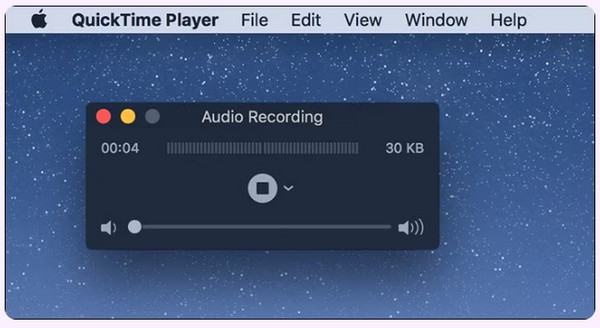
If you are looking for the best voice recording software on a Mac, you don't even need to download any additional software. All you need to do is search directly on your Mac, and you will find the built-in QuickTime Player to start recording. Although it doesn't offer a wide range of editing functions, QuickTime Player can still deliver quite reliable results for basic recording tasks.
- Pros
- The built-in tools do not require downloading.
- The operation is simple and intuitive.
- Provide basic recording settings.
- Cons
- Plugins need to be installed to record internal sounds.
- The editing function is very limited.
- The recording quality largely depends on the hardware equipment.
Voice Memos - Audio Recording Software for iPhone
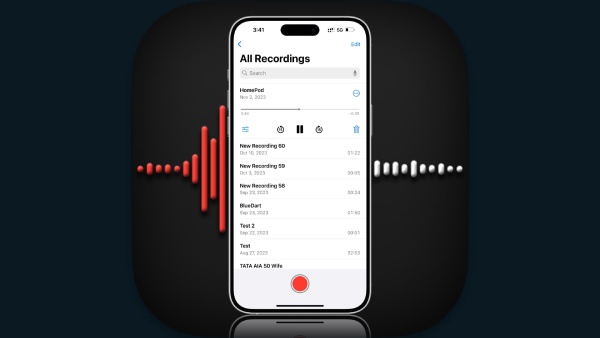
On your iPhone, simply opening Voice Memos lets you quickly complete an audio recording. Also, as a built-in tool, it offers a wide range of functions, including editing, viewing transcripts, and adjusting playback speed. After you complete the recording, some basic metadata will also be attached to the audio file to help you record additional details.
- Pros
- The rich functions are available after the recording.
- You can directly view the exact transcript.
- Share it quickly with other users within this audio capture software.
- Cons
- It is not possible to record the iPhone's internal sounds.
- The audio control is not precise enough.
Easy Audio Recorder - Audio Recording Software for Android
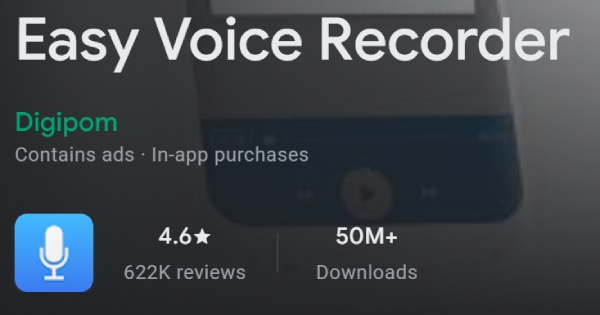
If you are looking for reliable, high-quality audio recording software for your Android device, try Easy Audio Recorder. This voice recorder app offers more comprehensive options compared to the default recorder and enables quick sharing to your social media platforms. Thanks to its intelligent sound enhancement feature, you will find that its audio recording quality is superior to that of the default software.
- Pros
- Automatically provide intelligent sound enhancement effects.
- More editing options compared to the default tools.
- Share directly on social media platforms.
- Cons
- The free version will have advertisements.
- Unlocking all the functions requires payment.
- Occasionally, there will be moments of lag.
Conclusion
This post introduces you to 8 different options for audio recorder software and devices. You can choose the appropriate option based on your specific usage scenarios and requirements. Professional recording equipment will cost you a lot of money, and the default tools are largely unable to meet post-production requirements. Therefore, you can choose 4Easysoft Screen Recorder to balance quality and editing features, making it suitable for both professionals and beginners.
100% Secure
100% Secure
