

- Video
 For Windows
- Total Video Converter
- Screen Recorder
 Free Online Solutions
- Free Video Converter
- Free Screen Recorder
- Blu-ray/DVD
- For Windows
- DVD Ripper
- Blu-ray Player
- DVD Creator
- Blu-ray Creator
- Data & System
For WindowsFree Online SolutionsFor Windows iPhone Data Recovery for Mac
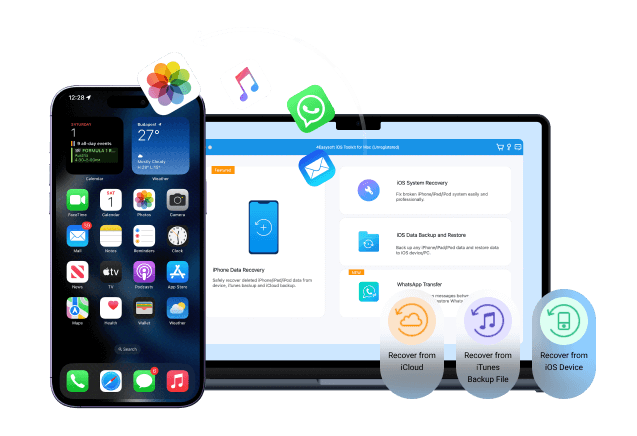
You might lose iPhone data due to mistakenly deletion, wrong upgrades, broken screens, crashes, a dropped iPhone that won't turn on, and many other reasons. No worries. 4Easysoft iPhone Data Recovery for Mac can scan deeply your iPhone storage (or your previously iTunes/iCloud backup file), preview, and retrieve your selected data successfully. So, you can get important data back from a broken or unresponsive iPhone. Here are everyday situations in which you can recover deleted or lost data from an iPhone.
Factory Reset
System Crash
Jailbreak
Stolen/Lost
Virus Attack
Device Stuck
Accidental Deletion
Busted Parts
Password Forgot
Locked/Disabled
Upgrade /Downgrade
Water Damage
What kind of file types can you recover? You can check the following items to get the result. Preview, edit, organize, and recover any data to your iPhone selectively instead of restoring an entire backup.
Important Message
Recover iPhone/iPad/iPod data of Call History, Messages, Contacts, FaceTime, Notes, Calendar, Safari's Bookmark, Reminders, etc.
Media Files
Restore photos, videos, audios, Voice Memos, Music, iTunes, iBooks, Voicemails, playlists, and more from your iOS device.
Social Apps
iPhone data recovery for WhatsApp, Facebook, Viber, Messenger, Line, Kik, Tango, Snapchat, etc.
| iPhone | iPad | iPod |
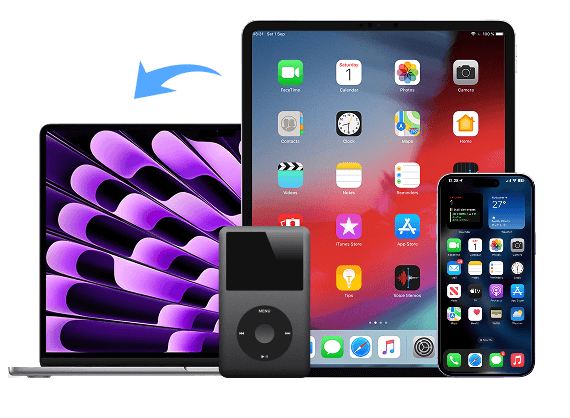
| iPhone Air, iPhone 17/17 Pro/17 pro max/17e, iPhone 16/16 Pro/16 Plus/16e, iPhone 15/15 Pro, iPhone 14/14 Plus, iPhone 13 Pro Max/13 Pro/13/13 mini, iPhone SE 3/2/1, iPhone 12 Pro Max/12 Pro/12/12 mini, iPhone 11 Pro Max/11 Pro/11, iPhone XS/XS Max/XR/X, iPhone 8 Plus/8, iPhone 7 Plus/7, iPhone 6s Plus/6s/6 Plus/6, iPhone 5s/5c/5, iPhone 4S/4 | All models of iPad Pro, iPad Air, iPad mini, and iPad, including the old iPad models released in 2010 | iPod Touch7/6/5/4/3/2/1, iPod Nano/6/5/4/3/2/1, iPad Shuffle/Mini/Classic |
Whether you have backed up your iPhone yesterday or never backed up at all, the iPhone data recovery should still be possible. 4Easysoft iPhone Data Recovery for Mac is designed for backup and non-backup scenarios. You can recover data from an iPhone directly if there is no available backup. Or you can selectively restore iPhone from your iTunes and iCloud backup.
Recover iOS Data without Backup
The iPhone backups can often be outdated or incomplete when you encounter accidental deletion, iOS crashes, failed updates, and more. No worries. You can use the advanced iPhone recovery software to scan the internal storage deeply and find the invisible data immediately. Those deleted files are recoverable before being overwritten by new data. Stop saving new files to your iPhone and use 4Easysoft iPhone Data Recovery for Mac now!

Recover from iTunes Backup
You can extract data selectively from iTunes backup and decide which one to recover here. There is no need to do a full device restore and reset the current iPhone. With the smart iTunes data recovery, you can access old content and keep new data safe. No unwanted data overwriting. You won't suffer from a new data loss after restoring from an iTunes backup.
Recover from iCloud Backup
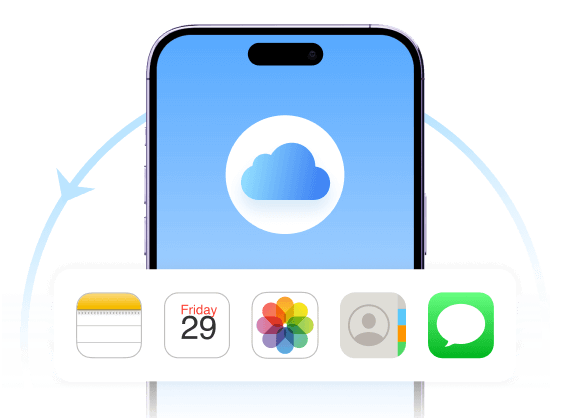
If you want to control iCloud data recovery fully, you can use 4Easysoft iPhone Data Recovery for Mac. The limitation of full restore has been removed. You can preview and restore what you need from an iCloud backup, including photos, notes, messages, contacts, attachments, documents, and more. The original data and settings will not be disrupted.
Although iTunes and iCloud can help you recover some iOS data, 4Easysoft will solve all iOS recovery problems easily and quickly according to your need.
| Functionality | 4Easysoft iPhone Data Recovery for Mac | iTunes | iCloud |
|---|---|---|---|
| Recover from iTunes backup | |||
| Recover from iCloud backup | |||
| Recover from iOS devices directly | |||
| Recover the desired data (instead of all) | |||
| Recover data without factory reset | |||
| Preview the lost data before recovery | |||
| Super-fast data recovery in minutes |

Nelson Morales
Updated my iPhone and list messages. I was ready to give up. This iPhone Data Recovery for Mac software pulled my texts back straight from the phone without a backup. So glad I found it.


Jenna Jones
I didn't want to overwrite everything just to get a few files out of an old iCloud backup. This let me extract only what I wanted without resetting my phone.

Evelyn Haffner
I thought my photos were gone forever after deleting them by mistake. 4Easysoft iPhone Data Recovery for Mac found everything on my Mac, even things that weren't in my iCloud.

Larry Browning
I've tried a few recovery apps before, but this was the only one that actually showed me recoverable files on my Mac before I paid. Worth it.
 iOS Data Backup and Restore
 Quickly backup and restore a batch of data on iOS devices with 100% security.

4Easysoft iPhone Data Recovery for Mac
Recover lost iPhone data on Mac even without a backup.

 For Mac


