iOS Data Backup and Restore for Mac
  • 00

    Day

  • 00

    Hours

  • 00

    Mins

  • 00

    Secs

20 OFF

Upgrade to Full License with 50% Discount!

  • Selectively backup and restore photos, contacts, messages, and other 20+ file types.
  • Keep the original file structure during iPhone backup and restore. No data overwritten.
  • Fast and seamless data transfer between iPhone and Mac.
  • Encrypt your iPhone backups by setting a password within the program.
Monthly: $12.97 $25.95

Quick Start for 4Easysoft iOS Data Backup and Restore for Mac

Data Backup and Restore
1

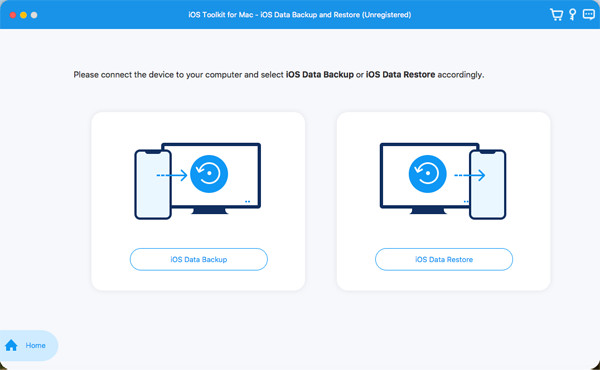
1.Connect Your Devices

Launch 4Easysoft iOS Data Backup and Restore for Mac and connect your iOS device to the computer via USB cable. After that, you can choose to backup or restore iOS data.

Two Modes to Backup Data
2

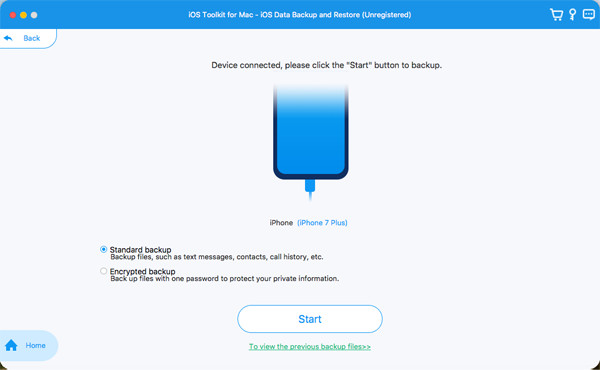
Choose the Desired Mode

There are two backup modes for you, including Standard Mode and Encrypted Mode. If you have some private information with password to backup and restore, please choose the encrypted mode.

Backup the Desired Data
3

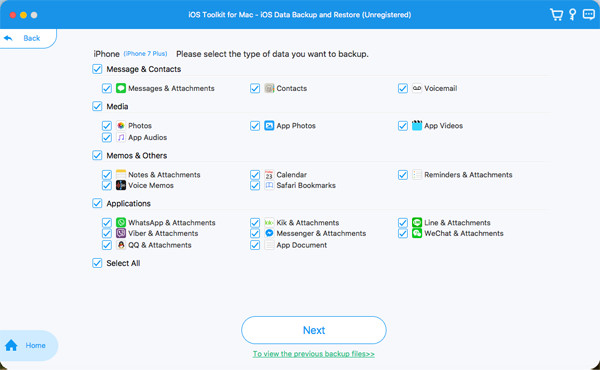
Select the Desired Data to Backup

After that, you can select the desired data, including the videos, photos, contacts, apps, and more. You can also select all data quickly. Then, click the Next button to start backing up data.

Restore Data to Your iOS Device
4

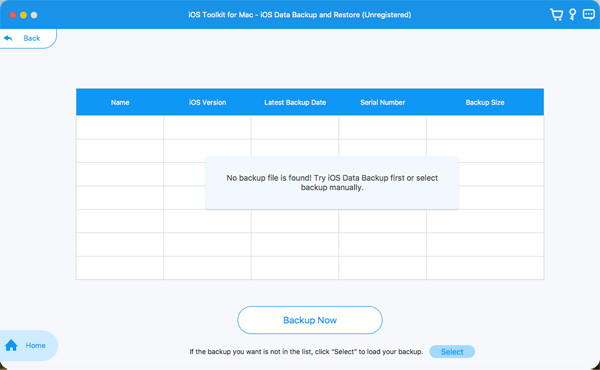
Restore Data from the Histories

If you want to restore data from your computer to new iPhone, just click the iOS Data Restore button and choose the desired history to copy data.

OFF
iOS Toolkit – Lifetime
$89.95 $245.74

More Solutions You May Need

Why Choose 4Easysoft