
Unlock all your iPhone/iPod/iPad by wiping passcode and remove Apple ID completely.

4 Ways to Reset Voicemail Password on iPhone and Android

Posted by Alvin Cantero to iOS Recovery Nov 28, 2025
Voicemail helps you catch crucial calls, especially when you cannot answer. But when you forget your voicemail password, you may find yourself locked out. So, how to reset voicemail password comes in. Fortunately, both iPhone and Android devices have simple ways to do so in just a few steps! This guide shares with you four easy methods to change voicemail passwords on iPhone and Android, and also shows you how to recover deleted ones. Jump right in!
Guide List
3 Easy Ways to Reset or Change Voicemail Password on iPhone How to Reset Your Voicemail Password on Android The Best Way to Recover a Deleted Voicemail3 Easy Ways to Reset or Change Voicemail Password on iPhone
When you forget your voicemail password, perhaps you simply want to update it; your iPhone has several simple options to reset voicemail PIN. Here, you don't need any advanced tools, just a few built-in settings by iOS, and you can change your voicemail password.
You have three ways here to reset or change iPhone voicemail password; each is simple and beginner-friendly. Later, you can transfer voicemail to new iPhone or do more changes without data leak.
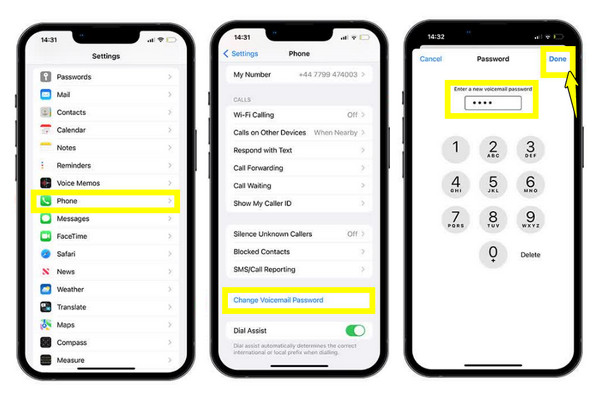
1. Reset Voicemail Password via iPhone Settings
Step 1Open the "Settings" app on your iPhone, scroll down, and tap "Phone".
Step 2There, select "Change Voicemail Password".
Step 3Enter a new voicemail password, then re-enter it to verify. Tap the "Done" button to save it.
2. Reset Voicemail Password via Carrier App
Step 1Open your carrier's mobile app, like MyAT&T, then sign in using your account details.
Step 2There, locate the "Voicemail" or "Security" settings.
Step 3Next, choose "Reset Voicemail password" and complete the on-screen steps to successfully reset voicemail password.
3. Reset Voicemail Password by Contacting Your Carrier
Step 1Contact your carrier's customer support, then kindly request a voicemail password reset. Verify your identity when asked.
Step 2The agent will then reset your password or give you a temporary one.
Step 3Enter the passcode on your iPhone and set a new one when prompted
How to Reset Your Voicemail Password on Android
It is also helpful to know how to reset Android voicemail password. Whether you have a Samsung, Google Pixel, or any other Android brand, the steps are usually similar since the voicemails are handled by your mobile carrier.
To know how the process works on your device, see the steps below to set a new Android voicemail password quickly:
Step 1Launch the "Phone" app on your Android device, and go to the "three-dots" menu in the upper-right corner of your screen, and select "Settings".
Step 2In this page, scroll down and locate and tap "Voicemail".
Step 3Next, tap "Change PIN" then enter your current voicemail password, and tap the "Continue" button.
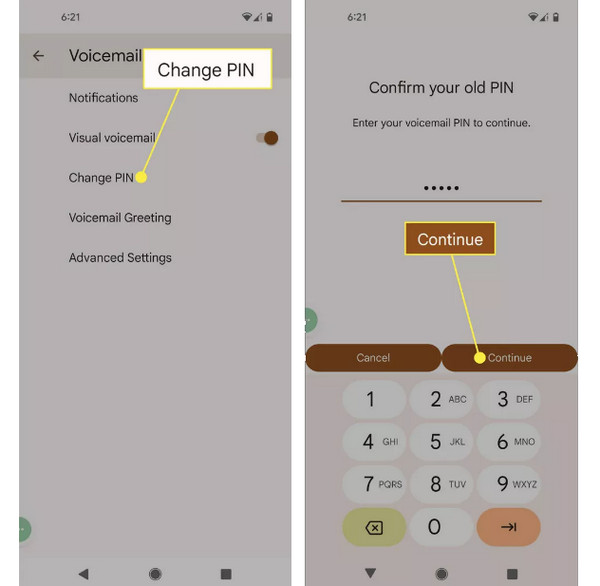
Step 4Enter your new PIN, then tap "Continue". Enter the new pin again and tap the "OK" button to save the new voicemail password.
The Best Way to Recover a Deleted Voicemail
Aside from voicemail password resetting, what if you accidentally remove an important voicemail? There's a way to retrieve it before it's completely gone! While your Phone app may let you recover it, it does not always succeed, especially if your carrier has cleared the voicemail. So, use 4Easysoft iPhone Data Recovery for this. It is one of the most dependable tools for this type of recovery as it goes beyond the basic options, giving you a much higher chance of getting back your deleted voicemail successfully. The software works even when your device is stuck, damaged, or unable to load specific files properly. Additionally, it covers multiple recovery modes, letting you recover deleted iPhone voicemails.
Recover deleted voicemails, photos, messages, notes, videos, and more.
Provides a preview window to check selected voicemails before restoring them.
Ensures a high recovery success rate with deep and quick scanning technology.
Compatible with the latest iPhone models and the latest iOS versions.
100% Secure
100% Secure
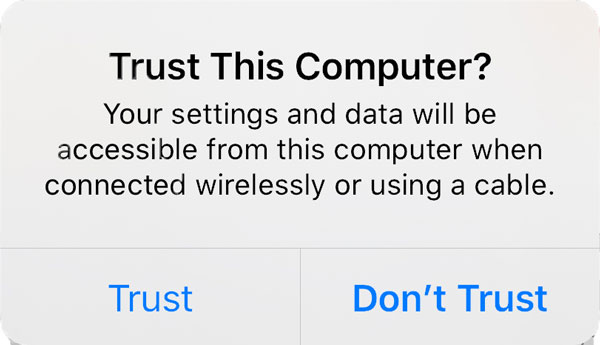
Step 1Launch 4Easysoft iPhone Data Recovery on your computer and pair your iPhone to it using a USB cable. When your device prompts you, tap "Trust" to grant access so the software can scan your data.
Step 2On the main screen, select "iPhone Data Recovery", then click on "Recover from iOS Device". Click the "Start Scan" button to allow the process to perform a deep search for all recoverable deleted files, including voicemails.
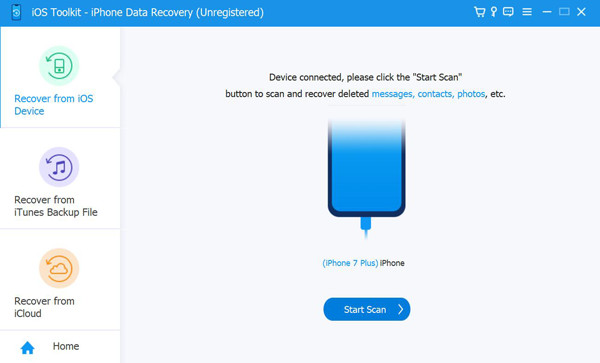
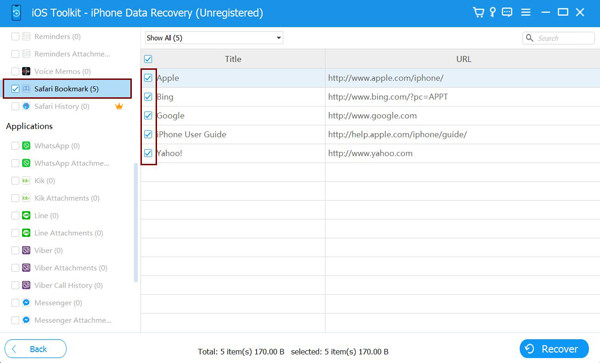
Step 3After the scan completes, the results will be organized into multiple categories. Scroll to find the "Voicemail", then double-click it to preview the items. Check the ones you want to restore and finish by clicking the "Recover" button to save them.
Conclusion
With the four methods covered in this guide, you can instantly change voicemail password and restore access to your important messages. Each approach has a quick and straightforward fix, whether you prefer to adjust the phone's built-in settings or manage your voicemail using your carrier. And if ever you accidentally delete a voicemail or it disappears after a reset, recover it then with 4Easysoft iPhone Data Recovery. With its friendly interface and powerful recovery modes, this tool ensures you can get your important voicemails back whenever you need them.
100% Secure
100% Secure
