4Easysoft WhatsApp Transfer for Mac WhatsApp Transfer for Mac

Make WhatsApp Data Transfer Between iOS Devices Easier

Make Transferring Between IOS Easier

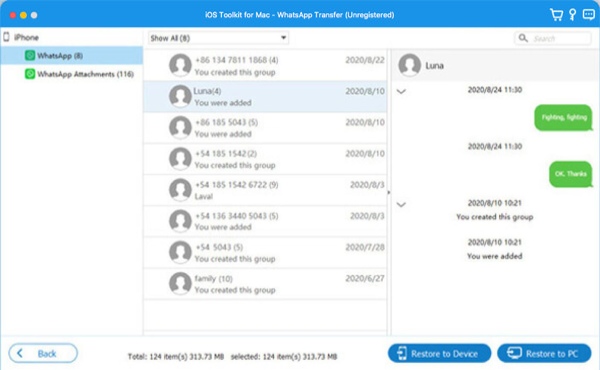
When you need to quickly transfer important WhatsApp data to your new iPhone/iPad/iPod, 4Easysoft WhatsApp Transfer enables one-click transfer of various data types. The data types include chat history, contacts, videos, photos, voice messages, and more. Before transferring, it allows you to preview specific content before making your selection. The entire process is fast and secure, with no risk of privacy leaks or data loss.

Backup/Restore WhatsApp between iOS and Mac

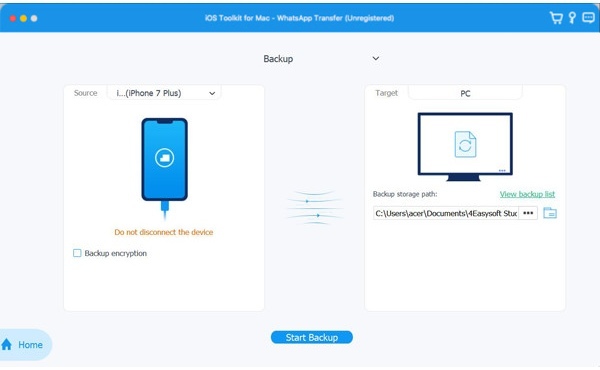
It also supports transferring WhatsApp media files from your iPhone or other iOS devices to your Mac. Simply back them up to your Mac, then delete the source files to free up space on your iPhone. You can also save chat histories or links as PDF or HTML files. This makes it easy to restore them to your iOS device later if needed.

  • Preview your data before making a choice.
  • Export WhatsApp backups as PDF/HTML files.
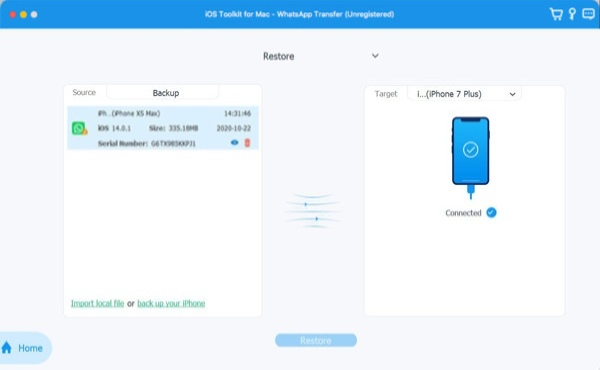
  • Restore backups to devices like iPhone/iPad.
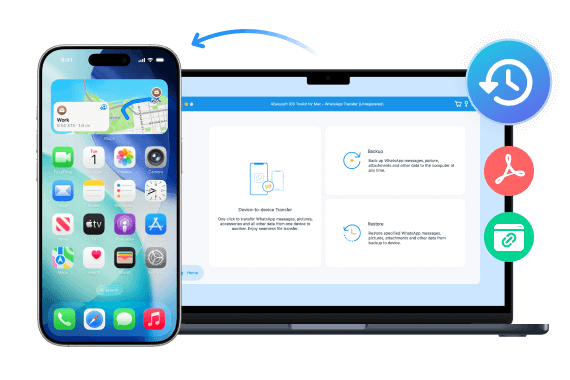
Backup Restore Data to Mac
Transfer Any Type of Whatsapp
Transfer Any Type of WhatsApp Items as You Wish

WhatsApp contains various file types, such as messages, video chats, music, documents, contacts, and even stickers. Don't worry! 4Easysoft WhatsApp Transfer is powerful enough to transfer all these files. Here is the list of supported files:

  • Messages
  • Photos
  • Videos
  • Stickers
  • Documents
  • Audio
  • Links
  • More

Why You Should Choose 4Easysoft WhatsApp Transfer for Mac

Batch Transfer

Quickly transfer various types of WhatsApp data in bulk, including messages, videos, and more.

100% Safe

The entire transferring process will be highly secure, with no storage or disclosure of your essential data.

Preview Data

Click on the desired data to preview its specific contents before selection and transfer.

Support All iOS Devices

Nearly all iOS devices and systems support the transfer. This includes the latest iPhone 17 and iOS 26.

Easy to Use

The operations are straightforward. You can successfully transfer WhatsApp data even without experience.

No Data Loss

Data transmission is precise and rapid. No data loss or quality degradation occurs.

How to Transfer, Backup, and Restore WhatsApp Data on Mac

Follow the next simple guide to learn how to transfer data using 4Easysoft WhatsApp Transfer for Mac, which is clear and easy to understand.

  • Transfer WhatsApp
  • Backup WhatsApp
  • Restore WhatsApp

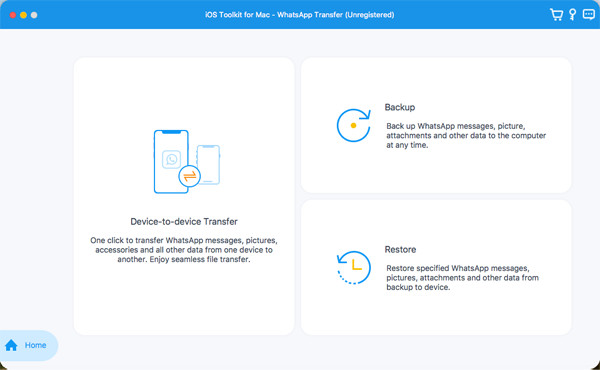
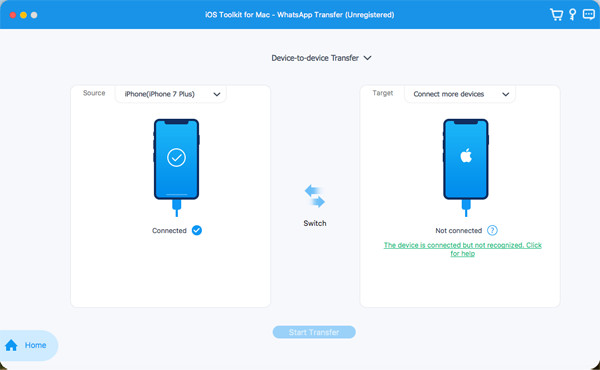
Connect two iOS devices and then click the Device-to-device Transfer button.

Select the Source and Target devices and tap the Trust button on the iPhone.

Click the Strat Transfer button and wait for the process for several minutes.

Whatsapp Transfer Transfer Device To Device Start Transfer

We are Highly Trusted

Maren

Maren

Managing WhatsApp videos and voice messages used to be a real hassle, with manual exports often failing. After using 4Easysoft WhatsApp Transfer, all content is automatically backed up and categorized on my Mac, making the entire storage management process much easier.

Stars
Daniel Harris

Daniel Harris

Due to work requirements, my phone contains a large number of WhatsApp and iMessage voice and video messages. This software can directly back them up to my MacBook while preserving both audio and video files, saving me a significant amount of time.

Stars
Eric Collins

Eric Collins

Before switching to a new iPhone, I used this tool to transfer all WhatsApp chats, video calls, and voice messages from my old phone to my Mac. There were no file size limits, and the backup process was stable, giving me peace of mind.

Stars
Elodie

Elodie

I'm accustomed to using FaceTime and WhatsApp for extended video calls. It swiftly transfers the video and audio content generated during calls. It automatically organizes them, making it incredibly convenient for me to view and back up these files on my Mac.

Stars

More iOS Software You May Need

iPhone Data Recovery iPhone Data Recovery

Recover all lost or deleted iOS data from iOS devices or iTunes/iCloud backup.

iOS System Recovery iOS System Recovery

2 repair modes to fix any system issues on your iPhone/iPad/iPod in one click.

iOS Data Backup and Restore iOS Data Backup and Restore

Quickly backup and restore a batch of data on iOS devices with 100% security.

More Solutions You May Need

WhatsApp Transfer for Mac

4Easysoft WhatsApp Transfer for Mac

Transfer all kinds of WhatsApp data to Mac safely in one click.