

- Video
 For Windows
- Total Video Converter
- Screen Recorder
 Free Online Solutions
- Free Video Converter
- Free Screen Recorder
- Blu-ray/DVD
- For Windows
- DVD Ripper
- Blu-ray Player
- DVD Creator
- Blu-ray Creator
- Data & System
For WindowsFree Online SolutionsFor Windows Mac Blu-ray Player

4Eaysoft Mac Blu-ray Player is a region-free Blu-ray and DVD player that also supports high-quality digital video playback. It employs artificial intelligence technology to enhance video quality, delivering lossless audio and immersive high-definition surround sound effects.
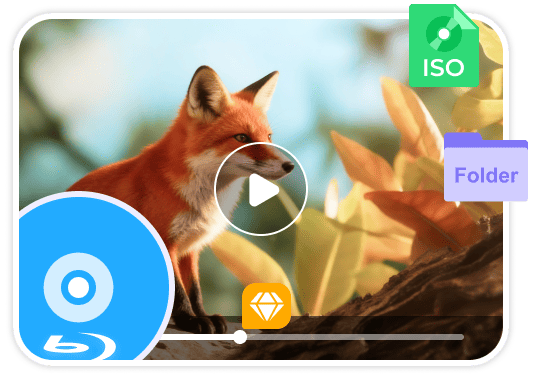



Preserve near-original quality playback of Blu-ray discs, folders, or ISO files, with smooth navigation and retention of original menus and multi-track subtitles.

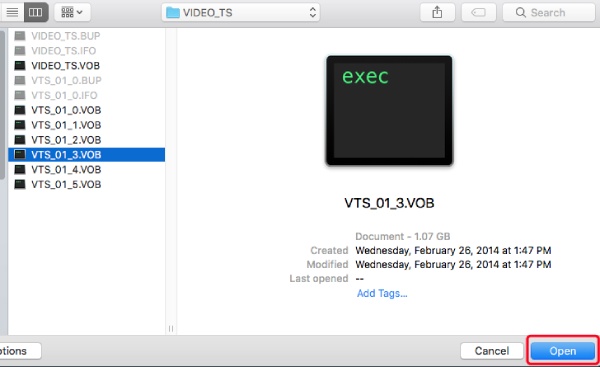
Smoothly play DVDs, folders, or ISO files. Beyond delivering a high-quality playback experience, it fully supports chapters, audio tracks, and customizable playback options. This makes your viewing process more convenient.

Supports playback of over 500 video and audio formats (MP4, MKV, FLAC, etc.), featuring 4K resolution and advanced visual effects for an immersive viewing experience.
4K UHD High Quality
Up to 4K Ultra HD resolution delivers vivid video details and highly accurate color reproduction.
Lossless Dolby Audio
Featuring Dolby TrueHD and DTS-HD technologies, deliver cinema-quality sound for a rich, distortion-free audio experience.
Easy Playback Control
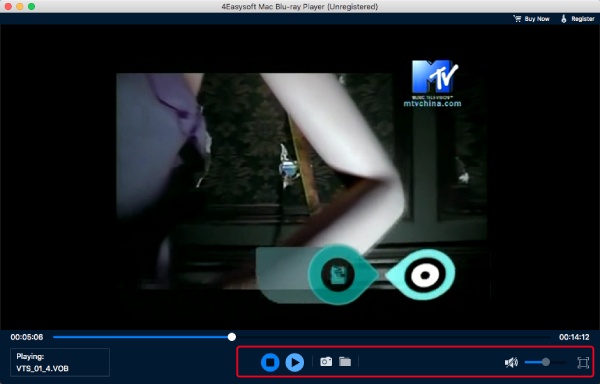
Intuitive playback controls let you easily play, pause, skip videos, and adjust settings.
4Easysoft Mac Blu-ray Player integrates AI enhancement and advanced hardware acceleration to elevate your viewing experience. Its intelligent AI-driven video processing sharpens details and enhances visual clarity, upgrading standard-definition videos to near-HD quality. At the same time, GPU-accelerated decoding ensures seamless playback of high-resolution content while minimizing CPU usage and preventing stuttering-ideal for 4K UHD, HDR, and high-bitrate movies. Even on Mojave or Catalina, you can enjoy stable, fluid performance with optimized efficiency.


With 4Easysoft Mac Blu-ray Player, Mac users can conveniently organize their media using the integrated playlist feature. Easily import Blu-ray/DVD chapters or standalone video files into personalized playlists, and reorder episodes according to your viewing preference. You can store playlists for fast retrieval or modify them at any time. The player also tracks your viewing position, allowing you to continue exactly where you paused. Enjoy a more structured and efficient entertainment experience on your Mac with intuitive playlist management.
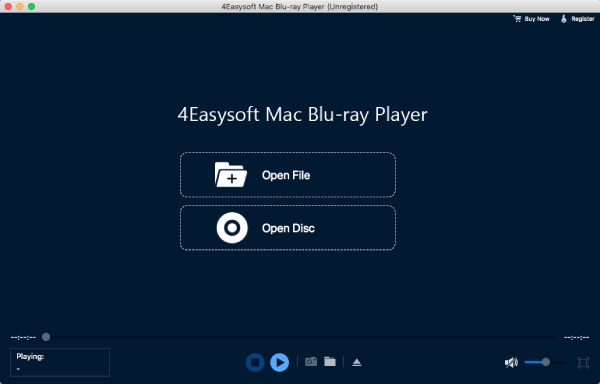
Whether you need to play any Blu-ray/DVD, folders, and ISO image files, or even high-quality video/audio files, you can easily control the playback with these settings and even customize video effects.
Free Control Playback
Effortlessly control playback with intuitive on-screen controls and customizable keyboard shortcuts. You can play, pause, fast-forward, or rewind with smooth, responsive navigation.
Adjust Aspect Ratio
Enhance your viewing experience by resizing, zooming, or adjusting videos to fit any screen size, including full-screen mode without distortion.
Selectable Audio and Subtitles
Support switch between multiple audio and subtitle tracks in real time to customize your viewing experience.
Set Excellent Effects
Adjust brightness, contrast, and hue to tailor the visuals to your preferred viewing style.
Convenient Screenshot
Quickly capture your favorite scenes with one click or custom hotkeys, and save them as JPG or PNG files.
Make Desired Playlist
Arrange episodes or clips into playlists for uninterrupted playback, ideal for binge-watching.

Rowan Hayes
This player makes watching movies incredibly convenient, supporting nearly all formats including DVDs, Blu-rays, and ISO files. Switching subtitles and audio tracks is seamless, making it perfect for enjoying multilingual films. The picture quality is sharp, playback is stable, and there's absolutely no buffering.


Isolde Carter
This player's screenshot feature is incredibly handy—you can instantly save favorite scenes as JPG or PNG files. It handles high-resolution videos smoothly, and hardware acceleration keeps things running snappily even on older Macs. The experience is fantastic.

Veda
Importing videos from ISO files or folders is incredibly simple, and switching subtitles and audio tracks during playback is virtually lag-free. Full-screen playback and picture scaling are smooth and distortion-free, making it perfect for binge-watching all night long.
4Easysoft Mac Blu-ray Player
Play your Blu-ray, DVD, ISO, and digital videos smoothly with high quality on Mac.

 For Mac