

- Video
 For Windows
- Total Video Converter
- Screen Recorder
 Free Online Solutions
- Free Video Converter
- Free Screen Recorder
- Blu-ray/DVD
- For Windows
- DVD Ripper
- Blu-ray Player
- DVD Creator
- Blu-ray Creator
- Data & System
For WindowsFree Online SolutionsFor WindowsConvert HEIC/HEIF files from iPhone, iPad, and Samsung devices to JPEG/JPG format online without any loss in quality.
 178 Reviews
It is an easy-to-use HEIC converter to convert iPhone or Samsung HEIC/HEIF to IPG. You just need to upload the HEIC images into the online converter, it will start processing and converting those photos into JPG. You don’t need to sign-up or download any plug-in, because this converter can finish the whole process without much effort. The only thing you need to do is to download the converted JPG images to your computer with a single click.
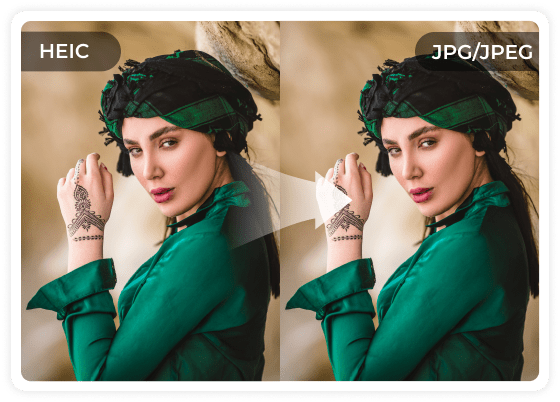

If you have a large number of HEIC files to convert, 4Easysoft supports batch online conversion to save you time. It allows you to upload multiple HEIC/HEIF images from your computer to this online program and convert all photos at once. This way, you don't have to stare at your computer, waiting for the process to finish before checking them all at once.
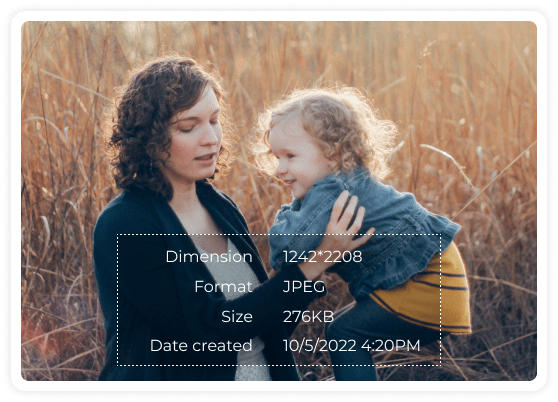
The HEIC converter will also keep the original Exif data during the HEIC to JPG conversion. The Exif (Exchangeable Image File Format) data in the photo indicate the related information about the photo, such as dimension, format, size, camera exposure, capture data/time, or even the GPS location. The conversion will not distort the quality o the image. Rather, the converted photos will keep the high quality as the original HEIC file.

Step 1: Add iPhone HEIC/HEIF Images
Launch the free HEIC converter and click the Add HEIC/HEIF File button or drop the images from iPhone into the online HEIC converter.

Step 2: Convert HEIC to JPEG/JPG
Once you have uploaded the HEIC/HEIF files, it will convert the iPhone HEIC to JPEG/JPEG automatically online at a fast speed.

Step 3: Download JPEG to Computer
Find the converted HEIC files online and click the Download button the save the converted images to your computer.
| Features | Free HEIC Converter | iPhone Transfer |
|---|---|---|
| Convert Other Data |  |  |
| Convert HEIC to JPG/PNG | | |
| Preview and Manage Files | | |
| Backup Data | | |
| Converter HEIC now |  Add Files to Convert Add Files to Convert |  Free Download Free Download |
What is HEIC
HEIC, or High-Efficiency Image Format, is Apple’s file format. It can maintain high quality and at the same time compress the size of the images. Photos taken on iPhone and iPad can be stored in this format. But it is not compatible with some devices. You can open HEIC images on your Apple devices, or convert them to JPG so you can open the photos on other devices.

What is JPG/JPEG
JPG or JPEG is a common digital image format to store image data. Developed by the Joint Photographic Experts Group (JPEG), the format uses a compression algorithm that can compress an image up to a ratio of 10:1 without quality loss.

Kathy
This converter is amazing! You can always get your desired photos with simple clicks, whether the frame rate, aspect ratio, or others. It is your best helper.

Emma
It is a unique converter that others can’t compare with. There are no limitations for the photo size or numbers. It is the best experience ever.

Jason
All the conversion process is automated. I can get my JPG images without much effort. The best part of it is the conversion speed and high quality.

 For Mac

 Free Download