
Record, edit, and share video from all sources.

12 Best Screen Recorders for Windows 11 - Perfect for All!

Posted by Ethan Brooke to Record Video Mar 13, 2026
Capturing your desktop has become necessary, whether you're a gamer, an educator, or a professional. While Microsoft's latest system has several integrated tools, there's a variety of best screen recorders for Windows 11 out there that offer specialized features like 4K support, quick sharing, AI noise reduction, and more. Tested and broken down are the 12 best Windows screen recording software. Come and record with confidence!
| Product | Max Quality | Supported Formats | Customize Settings | Editing Tools | Best For |
| 4Easysoft Screen Recorder | 4K | MP4, AVI, WMV, MOV | High | Yes | High-resolution tutorials and other screen activities |
| Xbox Game Bar | 1080p | MP4 | Low | No | Quick game clips |
| OBS Studio | 4K | MP4, MKV, FLV | Very High | Yes | Streaming and screen activities |
| ShareX | 1080p | MP4, WebM, GIF | High | Yes | Productivity and GIFs |
| ScreenRec | 4K | MP4 | Low | No | Quick sharing |
| CamStudio | 720p | AVI, SWF | Medium | No | Screen activities |
| ScreenPal | 1080p | MP4, AVI, FLV | Medium | Yes | Educational videos |
| Screenify | 4K | MP4, MOV | High | Yes | All-around activities |
| Camtasia | 4K | MP4, WMV, MOV | High | Yes | Tutorials |
| Bandicam | 4K | MP4, AVI | High | No | Gaming activities |
| Clipchamp | 1080p, 4K | MP4, GIF | Medium | Yes | Social media |
| Snipping Tool | 1080p | MP4 | Very Low | No | Quick clips |
Guide List
1. 4Easysoft Screen Recorder – High Resolution Screen Recorder 2. Xbox Game Bar – Native Windows 11 Screen Recorder 3. OBS Studio – The Powerhouse Recorder for Professionals 4. ShareX – Lightweight and Fast Windows Recorder 5. ScreenRec – Quick Cloud Sharing Recorder 6. CamStudio – Classic Open-Source Windows Recorder 7. ScreenPal – Windows Recorder for Educators 8. Screenify – Modern All-in-One Screen Recorder 9. Camtasia – Recorder Perfect for Tutorials 10. Bandicam – Screen Recorder Optimized for Gaming 11. Clipchamp – Windows Video Editor and Recorder 12. Snipping Tool – Quickest Screenshot and Recorder1. 4Easysoft Screen Recorder - High Resolution Screen Recorder
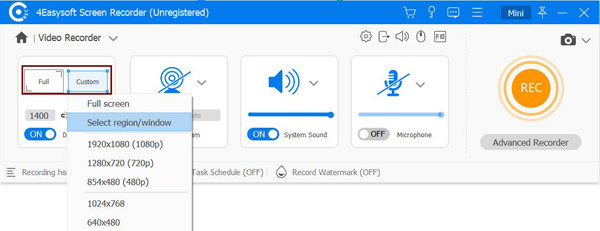
Here's the best first screen recorder for Windows 11, for anyone who wants versatility and clarity: 4Easysoft Screen Recorder. This recording software captures high-quality video up to 4K resolution, making it perfect for professional tutorials and movie capture. It also includes an annotation tool that lets you highlight the mouse cursor or drawings in real time, without affecting the quality. If you're one of those who need to capture system sound and mic input alongside screen and webcam, this tool is definitely for you.
Ultra-high definition recording for tutorials, gameplay, and movies.
Built-in drawing to add lines, arrows, shapes, and text during a recording.
Flexible recording regions, such as full screen, window, or selected area.
Cut out unwanted parts from the beginning or end before saving it.
100% Secure
100% Secure
2. Xbox Game Bar - Native Windows 11 Screen Recorder
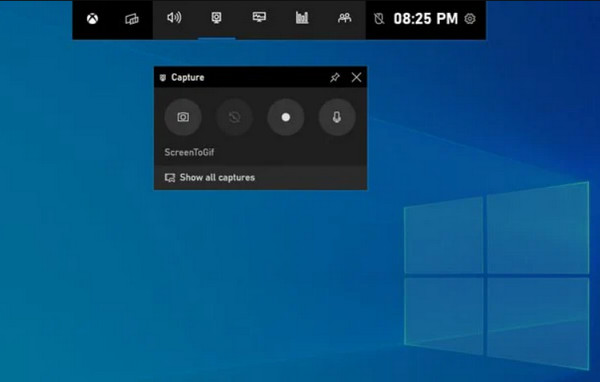
The following screen recorder for Windows 11 is the Xbox Game Bar. This built-in tool lets you record any active app with a simple shortcut combination. While it is built mainly for gaming, it can record most apps without lag.
- Pros
- Comes pre-installed on the system; low impact on system performance.
- Cons
- Can't record File Explorer or Windows Desktop; no video editing tools.
3. OBS Studio - The Powerhouse Recorder for Professionals
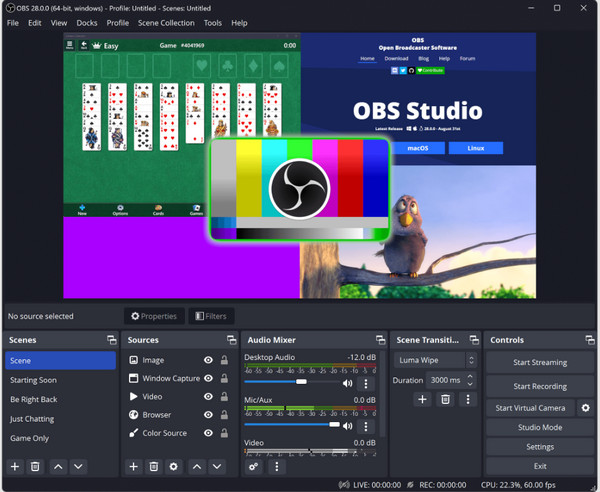
If you find the built-in tools too limited, OBS Studio here offers an unmatched level and power. As an open-source tool, this may be the best free screen recorder for Windows 11 as it allows you to create complex scenes with multiple sources, such as webcams, monitors, or windows.
- Pros
- Completely free, no unwanted texts; unlimited customization.
- Cons
- Its interface can be intimidating; it needs a decent GPU.
4. ShareX - Lightweight and Fast Windows Recorder
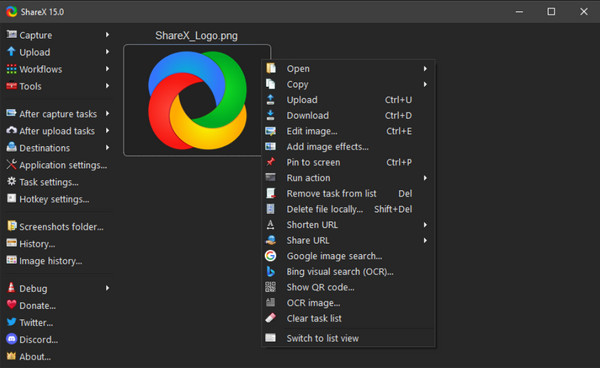
While the previous video recorder focuses on heavy-duty production, ShareX is built for speed and productivity, serving as a lightweight screen recording software for Windows 11. It supports a variety of capture methods, including scrolling captures for lengthy webpages and quick GIF creation.
- Pros
- Completely free with no ads; can record high-quality GIFs.
- Cons
- The menu-heavy interface isn't very intuitive; absent editing features.
5. ScreenRec - Quick Cloud Sharing Recorder
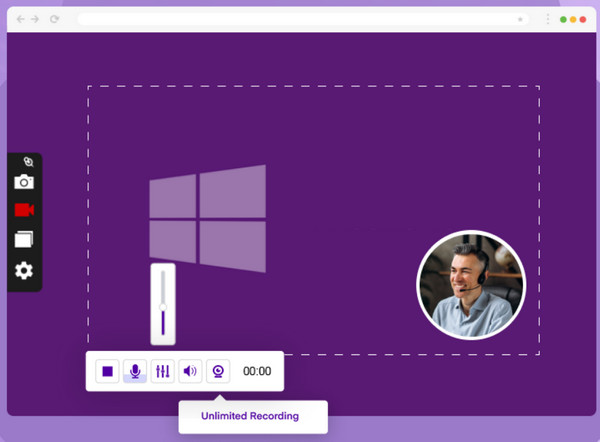
Next is ScreenRec, among the best screen and audio recorders for Windows 11, which is ideal for sending quick video messages. One of its standout features is its instant sharing link, wherein once you stop recording, the video has a link ready for you to paste into an email.
- Pros
- Quick private link generation; zero lag recording technology.
- Cons
- No video editing tools; recording limit to 5 minutes.
6. CamStudio - Classic Open-Source Windows Recorder
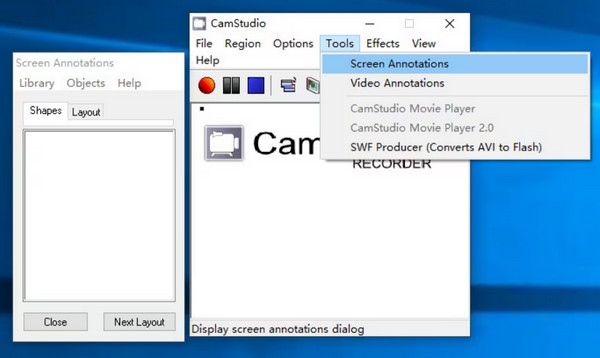
For users who want a traditional approach for recording, CamStudio is the classic entry-level screen recorder for Windows PC. Although it may look dated, it has essential features such as screen captions and video annotations for basic instructional videos.
- Pros
- Very small in file size; lightweight for older Windows systems.
- Cons
- Limited output formats mainly AVI; has no 4K support and advanced editing.
7. ScreenPal - Windows Recorder for Educators
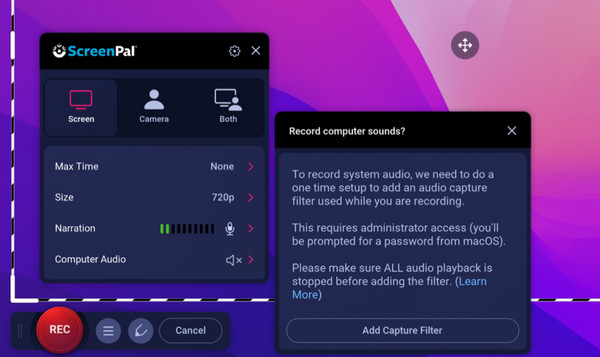
In contrast to the simplicity of the previous screen recorder, ScreenPal has a feature-rich environment made for educators and trainers. This screen recorder for Windows 11 has a unique Scripted Recordings mode that lets you type your script first, then record video.
- Pros
- Zoom and pan editing tools; large stock media library.
- Cons
- Limited to 15 minutes for free; has a watermark in the free version.
8. Screenify - Modern All-in-One Screen Recorder
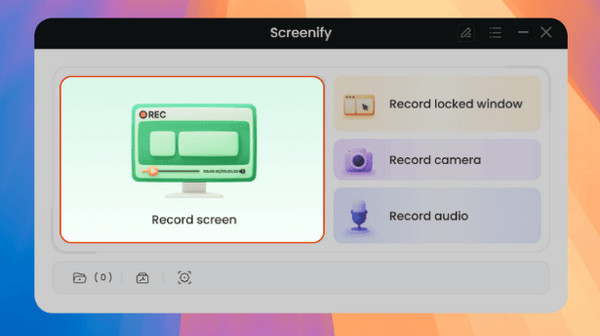
Screenify has positioned itself as a high-performance screen recorder for Windows 11. It can handle high-frame-rate recording with ease, which is important for demonstrations or gameplay captures.
- Pros
- Advanced AI-assisted noise reduction; high frame rate support.
- Cons
- Still gaining stability.
9. Camtasia - Recorder Perfect for Tutorials
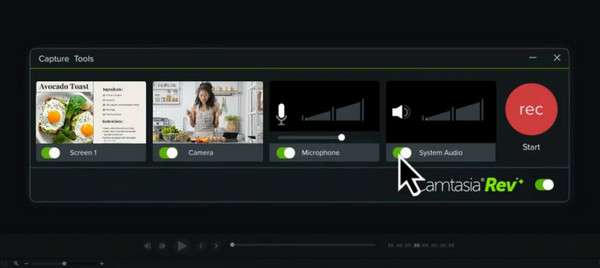
If your goal is to have instructional content, the good screen recorder for Windows 11 for you may be Camtasia. This is a complete editor that can record screen, webcam, and audio, which you can edit later.
- Pros
- Multi-track editing; offers cursor effects and smoothing.
- Cons
- Expensive option; needs significant system resources.
10. Bandicam - Screen Recorder Optimized for Gaming
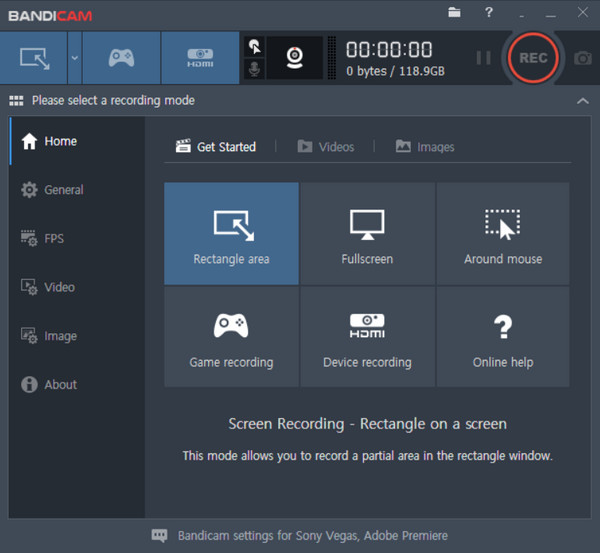
Another one for the gaming community, Bandicam can record high-speed gameplay without dropping frames. It has a recording mode that connects directly into the game's engine for the highest possible quality, making it one of the best screen recorders for Windows 11.
- Pros
- High FPS support; can record external devices.
- Cons
- Editing features come separately; the free version has watermarks.
11. Clipchamp - Windows Video Editor and Recorder
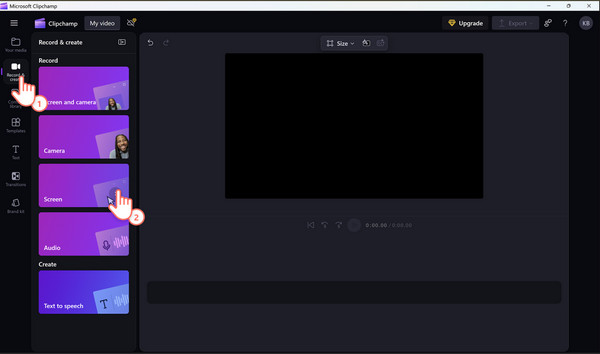
Moving back to the native Windows 11 screen recorder, Clipchamp here can be both your video editor and recorder. It is a web-based tool that has features like auto-captioning and an AI text-to-speech generator. Plus, it offers Screen and Camera layouts that are ideal for quick social media updates.
- Pros
- Built into the Windows 11 system; AI features are supported.
- Cons
- Can be sluggish with slow internet; 4K export is limited to premium users.
12. Snipping Tool - Quickest Screenshot and Recorder
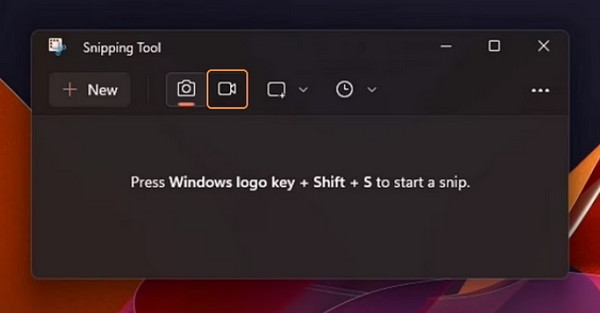
For the most basic needs, the Snipping Tool can work as the best screen recorder for Windows 11 aside from being a simple screenshot utility. It is ideal for anyone who wishes for no heavy app and just needs a quick region recording for a few seconds.
- Pros
- Quick access via system shortcuts; lets you select a region for recording.
- Cons
- No editing tools; does not support webcam overlay.
Conclusion
If you're a gamer, a tool like Xbox Game Bar or Bandicam may be the best screen recorder for Windows 11 for you. Perhaps you want to create tutorials, then OBS Studio is likely more your choice. Whatever your goal is, there's a perfect recording tool for you here. While that's the case, the 4Easysoft Screen Recorder is highly suggested for giving it a try! With its all-rounder power, including various recording modes, editing built-in tools, and customizable quality, it makes it a standout choice for any Windows 11 user.
100% Secure
100% Secure
