
Reliable video converter, editor, and compressor for daily tasks.

5 Ways to Compress MB to KB Videos for Any Device in 2026

Posted by Aira Lesly Escoto to Compress Video Dec 22, 2025
Large video files can consume storage quickly. That's why so many people look for a reliable way to shrink MB to KB with high quality. The smaller video file size makes submitting forms, sending clips through email, and preparing videos more effortless. See below the five tools to compress MB to KB, from desktop to mobile solutions; choose the best option for your device and workflow.
Guide List
The Difference Between MB and KB and The Application Scenarios The Simplest Method to Compress MB to KB Without Losing Quality FreeConvert - Online Video Compressor with Adjustable Controls Online File Compressor - Online Tool for Quick Video Size Compression Compress Video Size Compressor - Fast Video Shrinking for Android Compress Videos & Resize Video - Compress Video with Real-time PreviewThe Difference Between MB and KB and The Application Scenarios
Before compressing files from MB to KB, understand what these units represent and why the difference matters. Knowing the difference between the two helps you choose the right compression solution and avoid unwanted quality loss.
MB or Megabytes is a larger unit of digital storage. One MB is equivalent to 1024 KB, and files in MB are usually high-resolution images, long videos, detailed PDFs, or uncompressed media. Meanwhile, KB or Kilobyte is a smaller unit of storage, which is commonly used for lightweight files like simple images, documents, and text-based content. (Know more about GB MB and KB.)
See below the application scenarios for MB to KB compression:
• Email Attachments. Email platforms limit attachment sizes, making KB files perfect for hassle-free sending.
• Online Forms. School application forms, portals, and job sites require images or documents to have a specific size, usually from 100 KB to 300 KB.
• Website Optimization. Website owners compress images to enhance page loading speed and the overall performance of the site.
• Faster Uploading and Sharing. Smaller KB files upload more quickly, especially on slow connections.
• Mobile Storage Saving. Phones with limited storage need KB-sized files.
The Simplest Method to Compress MB to KB Without Losing Quality
If you want to shrink large files from MB to KB without sacrificing clarity, then the 4Easysoft Total Video Converter is one of the most efficient tools you can depend on. Its built-in Video Compressor enables minimizing file size significantly while preserving the original detail, making it perfect for uploads, email attachments, or storage management. The program covers a wide variety of formats and gives you full control over compression settings like output size, resolution, and bitrate, guaranteeing you will get the smallest file possible with the best quality.

Compress lagre files from MB to KB sizes in high quality.
Trim, crop, adjust output settings, and do more to reduce video size effectively.
Supports batch compression to handle multiple files at once.
GPU hardware acceleration for fast video/audio compression speeds.
100% Secure
100% Secure
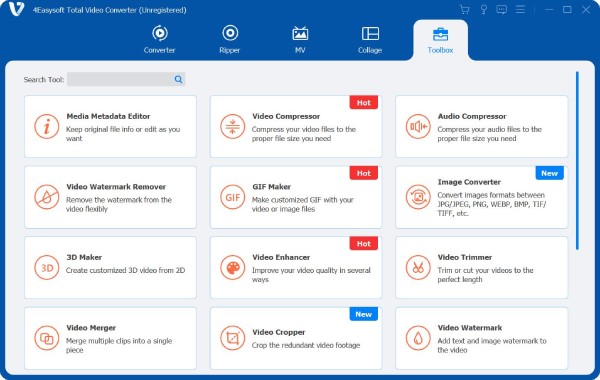
Step 1Launch 4Easysoft Total Video Converter on your computer. On the main screen, go to the "Toolbox" menu and choose "Video Compressor" among other toolkits.
Step 2Upload your video file that must be compressed by clicking the "Add" button in the middle of the "Video Compressor" window. To modify the size, use the slider or the buttons until you get the desired compression.
You can adjust the format, bitrate, and resolution as needed. To check what your video looks like, click the "Preview" button.
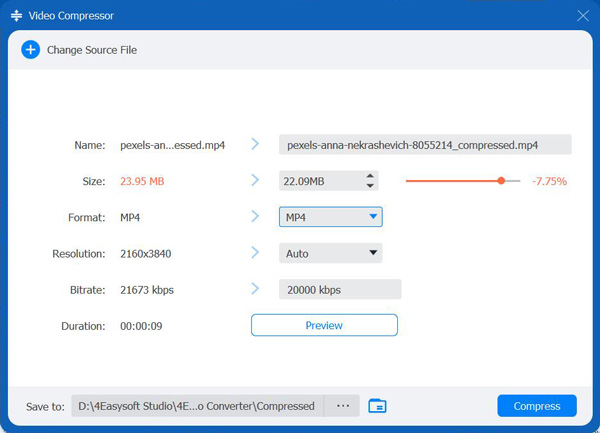
Step 3Once you have selected the destination for the compressed video and named it, click the "Compress" button to save the result on your computer.
100% Secure
100% Secure
FreeConvert - Online Video Compressor with Adjustable Controls
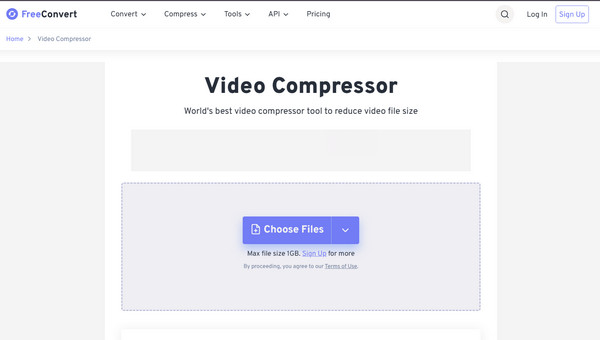
FreeConvert offers the following MB to KB compressor. It is a widely used online video compressor famous due to its flexibility and easy interface. It allows you to significantly minimize video size while controlling the quality, resolution, and format.
Step 1Open the FreeConvert Video Compressor main page on your browser.
Step 2Click "Choose Files" and upload the video you wish to compress.
Step 3Head to "Advanced Options" to adjust quality, resolution, or compression method.
Step 4Once done, click the "Compress Now" button and wait for it to process.
Online File Compressor - Online Tool for Quick Video Size Compression
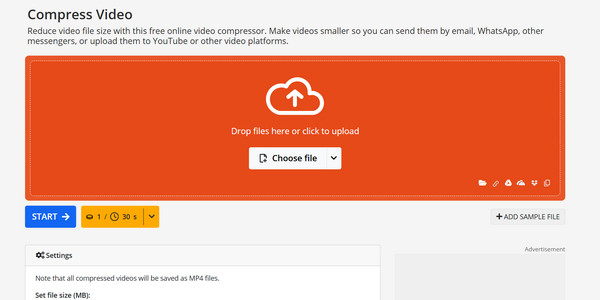
Online File Compressor is a straightforward but effective compression tool made for users who want reduce video file size from MB to KB directly from a web browser. It covers a wide range of formats and automatically optimizes the balance between size reduction and video clarity.
Step 1Search for the Online File Compressor website.
Step 2There, click "Compress Video" then select "Choose file" and choose your video file to upload.
Step 3Let the tool automatically analyze and compress the file to KB.
Step 4After processing, click "Download" to save the video copy.
Compress Video Size Compressor - Fast Video Shrinking for Android
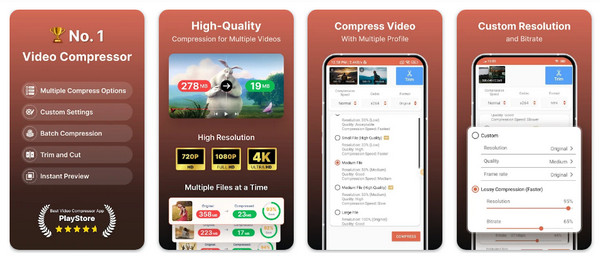
Next one here is the Compress Video Size Compressor, a dedicated Android app that helps reduce MB to KB from your phone. It has multiple compression presets, custom bitrate settings, and convenient options for trimming and resizing videos before export. You can compress video to 25MB and smaller online.
Step 1Run the Compress Video Size Compressor app on your Android phone.
Step 2Tap "Select Video" to upload your video.
Step 3Start choosing either a preset or adjust the resolution and size manually.
Step 4Tap "Compress" and let the app process the file.
Compress Videos & Resize Video - Compress Video with Real-time Preview
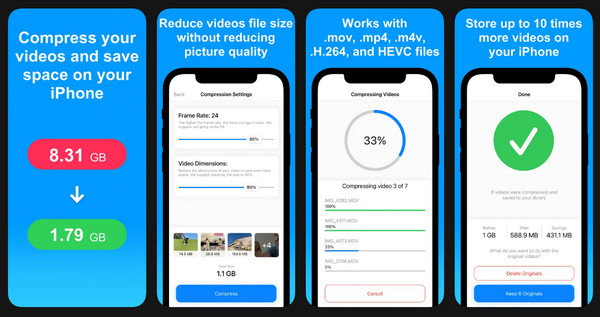
An intuitive iOS app that allows iPhone users to reduce MB to KB efficiently while keeping the quality clear, Compress Videos & Resize Video is indeed ideal for freeing up storage space. The video compressor app is great for freeing up storage space, sharing videos faster, and meeting upload limits on social media platforms.
Step 1Launch the Compress Videos & Resize Video app from the App Store.
Step 2Open the app and let it access your library.
Step 3Choose one or more videos to compress.
Step 4Adjust resolution and quality using the sliders, and tap on "Compress" and save the optimized video to your library.
Conclusion
Whether you want a full-featured desktop program or a quick solution to compress videos from MB to KB, each method here offers an effective way to lessen video size without affecting the quality. If you want high-quality video compression with complete control, 4Easysoft Total Video Converter is highly suggested. It offers fast, reliable, and customizable compression settings that make the MB to KB conversion simple, perfect for users of all skill levels.
100% Secure
100% Secure
