
Delete duplicates and free up storage on iPhone flexibly.

5 Ways to Delete App Data on iPhone Permanently/Temporarily

Posted by Alvin Cantero to iOS Cleaner Mar 06, 2026
There is no official "Clear All Cache" or "Clear Data" option on iPhone. If you want to clear app storage on iPhone, you need to check, find, and delete different app data manually. Apple allows users to delete app cache, documents, the app itself, and app data. To clear the data for a specific app or multiple apps, just follow the steps below.
Guide List
Delete App Data and Clear Cache on iPhone [Keep the App] Delete and Reinstall the App to Clear App Data Offload App to Free Up Storage Space on iPhone [Keep the Data] Use the Built-in Clear App Cache Option (If Possible) Clear Safari App Data on iPhoneDelete App Data and Clear Cache on iPhone [Keep the App]
4Easysoft iPhone Cleaner can detect, organize, delete, and erase app data on iPhone. If you find that iPhone storage does not change after app data deletion, iPhone storage is still full, iPhone system data takes too much space, and other similar iPhone storage problems, use this iPhone storage cleaner software to clear storage effectively.

Delete app logs, media files, and unused files.
Uninstall apps and delete leftover files completely.
Preview and choose what to delete from your apps.
Erase apps and other files from your iPhone to keep privacy.
100% Secure
100% Secure
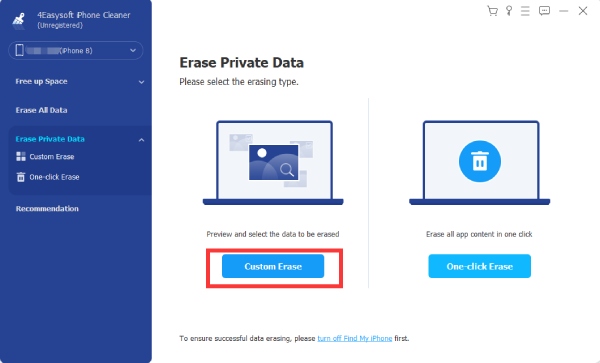
Step 1Open 4Easysoft iPhone Cleaner. Click the "Erase Private Data" button and then click the "Custom Erase" button.
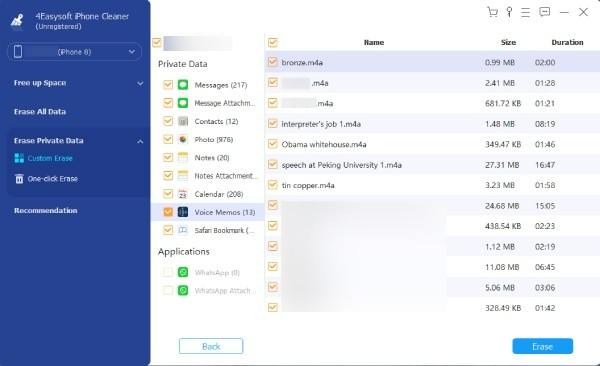
Step 2All your apps and downloaded files will show. Find the app that you want to delete data. You can preview and tick the checkmark before files for further deletion. Click the "Erase" button to confirm.
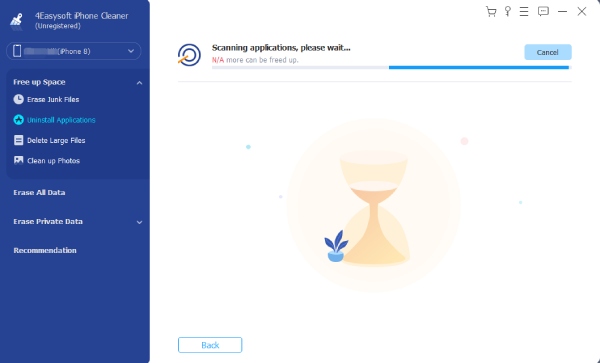
Step 3If you want to uninstall unused apps without leftovers, click the "Free up Space" button and go to the "Uninstall Applications" section.
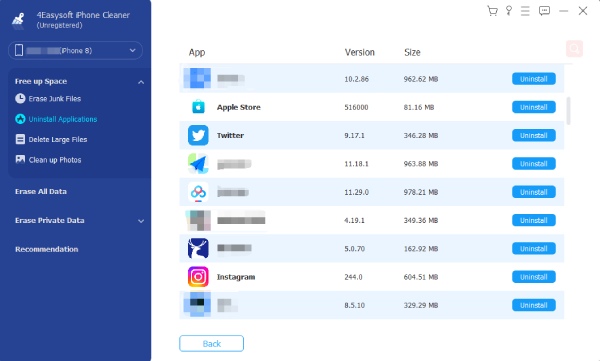
Step 4Click the "Uninstall" button for a certain application. Here you can delete apps on iPhone entirely.
100% Secure
100% Secure
Delete and Reinstall the App to Clear App Data
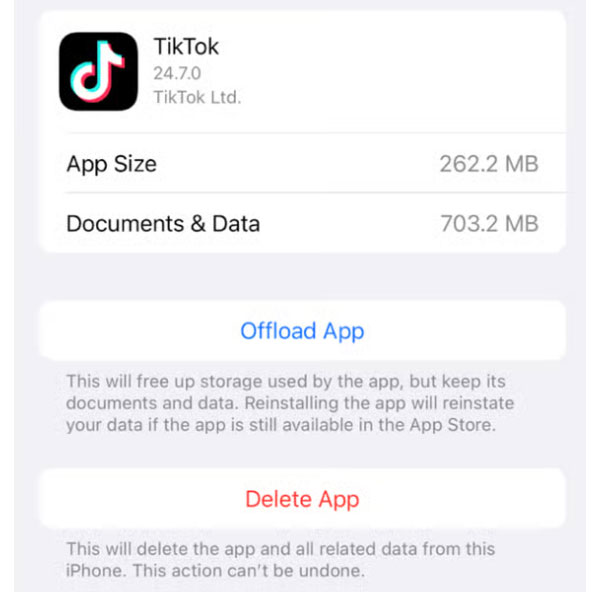
As for large social apps, you can uninstall apps on iPhone to clear the hidden app cache. But your app data will be stored in iCloud. So when you reinstall the app, you may find the previous app data. To solve this problem, you need to do these steps:
- 1.Open the Settings app. Tap the "General" button.
- 2.Go to "iPhone Storage". Select your app. You can see the app size and the document data.
- 3.Tap the "Delete App" button.
- 4.Then go back to iPhone Settings. Tap your name at the top. Then tap the "iCloud" button.
- 5.Tap the "Manage Account Storage" button. Tap the target application. Later, tap the "Delete Data from iCloud" button to delete app data on iPhone.
- 6.If you still want to use this app, you can download it from the App Store.
Offload App to Free Up Storage Space on iPhone [Keep the Data]
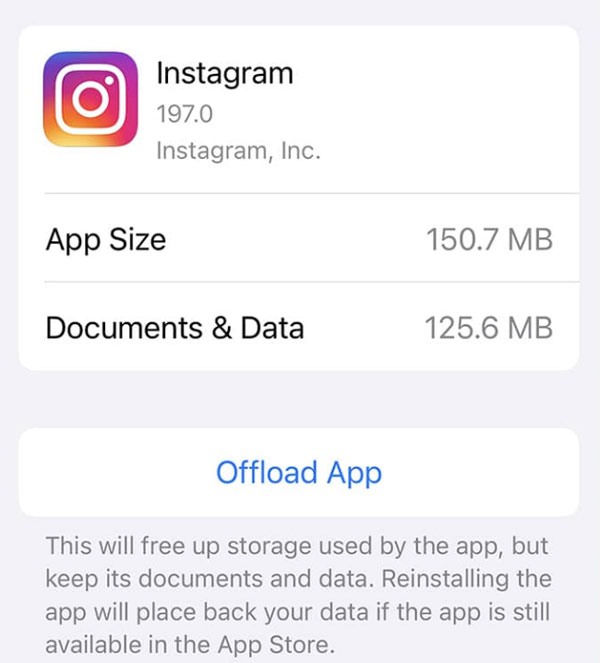
This is a temporary method to save space on an iPhone. By offloading apps, you can delete apps while keeping documents and data. It removes caches. Once you reinstall this app, you can use it as before.
- 1.Open the iPhone Settings app.
- 2.Tap the "General" button, then tap the "iPhone Storage" button.
- 3.Find your unused app. Tap it.
- 4.Tap the "Offload app" to offload an app on iPhone.
Use the Built-in Clear App Cache Option (If Possible)
Some social media apps, streaming apps, and browser apps provide the built-in app cache option. You can keep the app and delete app data to get more storage on your iPhone temporarily.
- 1.Go to the app Settings.
- 2.Find the "Storage" or "Privacy" section.
- 3.Tap the button called "Clear Cache", "Clear Cookies", or similar ones.
Clear Safari App Data on iPhone
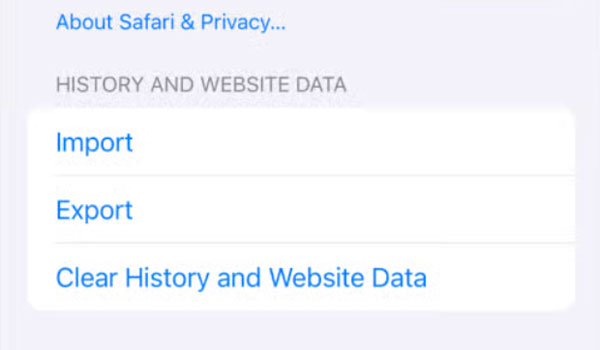
Safari is a built-in browser app on iPhone. The more you use Safari, the more storage it will take. If your iPhone runs slower than before, you can delete Safari browsing data to free up space on your iPhone, including cache, history, cookies, downloaded files, and more.
- 1.Open the iPhone Settings app.
- 2.Scroll down and tap the "Apps" button.
- 3.Find and tap the "Safari" button.
- 4.Tap the "Clear History and Website Data" button. Confirm with the pop-up.
- 5.Select the "All history" button.
- 6.Tap the "Clear History" button to delete Safari cache and data.
Conclusion
Some apps take up much more storage on an iPhone than you thought. All those cached videos, downloaded media files, offline maps, message attachments, and auto-saved files are useless. If your iPhone crashes or overheats frequently, you can delete app data on iPhone to free up more available space. Free download 4Easysoft iPhone Cleaner to clear app data without deleting the app right now!
100% Secure
100% Secure
