
Reliable video converter, editor, and compressor for daily tasks.

8 Best Free MP3 Converters in 2026: Windows, Mac & Online

Posted by Aira Lesly Escoto to Convert Audio Sep 23, 2026
MP3 is continuously titled as the best audio format available today because of its wide range of compatibility, quality, and file size. So, you need a free MP3 converter for uploading or sharing soundtrack on social platforms. But the question is, what would be the best tool to use and how to choose one? Don’t worry! This post features 8 of the best free MP3 converter tools! Discover them now!
Guide List
Part 1: Top 8 Best Free MP3 Converters on Windows/Mac/Online Part 2: FAQs about the Best Free MP3 ConverterPart 1: Top 8 Best Free MP3 Converters on Windows/Mac/Online
Check this comparison table briefly before reading long paragrpahs. If you are interested at any free audio converter, you can move on to the certain introduction quickly.
| Tool | Platform | Free | Batch Convert | No Ads/Bundleware | Video to MP3 | Best For |
| 4Easysoft Total Video Converter | Win/Mac | Contain Trial | Yes | Yes | Yes | All-in-one paid |
| VSDC Free Audio Converter | Windows only | Yes | Yes | Bundleware | Yes | Windows audio editing |
| MediaHuman Audio Converter | Win/Mac | Yes | Yes | Yes | Yes | Simple drag-and-drop |
| Audacity | Win/Mac/Linux | Yes | Yes (via Macros) | Yes | Needs FFmpeg | Editing + conversion |
| VLC Media Player | Win/Mac/Linux | Yes | No | Yes | Yes | Quick single-file |
| Freemake Audio Converter | Windows only | 3-min limit | Yes | Bundleware | Yes | Simple UI, paid upgrade |
| Convertio | Online | 100MB limit | No | Yes | Yes | Quick online conversion |
| CloudConvert | Online | 25 conversions/day | No | Yes | Yes | Quality online tool |
1. 4Easysoft Total Video Converter (Windows/Mac) - Best for Full Conversion
Who it's for: Users who need video-to-MP3 conversion alongside video editing features in one paid tool.
First on our list of the free best MP3 converter tools is the 4Easysoft Total Video Converter. This Windows and Mac-compatible tool supports 600+ media formats, and device presets, including those audio formats. Additionally, it provides an ultra-fast MP3 conversion process without compromising the original quality of your video or audio files. Moreover, this MP3 converter has well-organized and user-friendly features and an interface that will make everything easy to use. These are just a few of its qualities; it still has much to offer, and it only takes the first step to discover all of them!
Support batch MP3 conversion process, which lets you simultaneously convert several files to MP3.
Equipped with accelerated machine learning computations and Blu-Hyper technology to convert videos to MP3 at ultrafast speed.
Infused with audio track modification features such as trimming and compressor.
Enable you to enhance the quality of your converted file to MP3 through the tool’s built-in audio tweaking options.
100% Secure
100% Secure
How to use 4Easysoft Total Video Converter as your Best Free MP3 Converter:
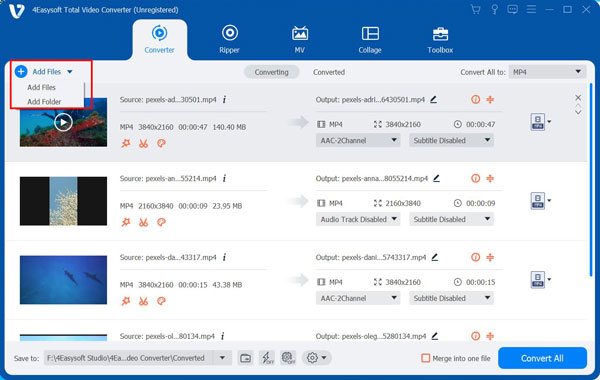
Step 1Download and install the 4Easysoft Total Video Converter tool on your Windows or Mac computer. Then, launch the tool and click the Add Files button to import the file you want to convert into MP3.
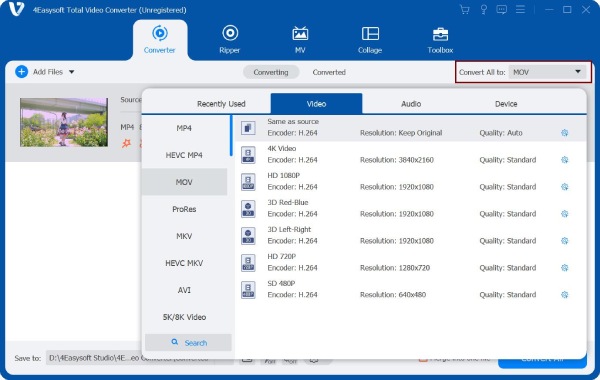
Step 2After that, tick the Convert All to button at the upper right corner of the tool. Then, on the pop-up window, select the Audio tab and click the MP3 from the list of options.
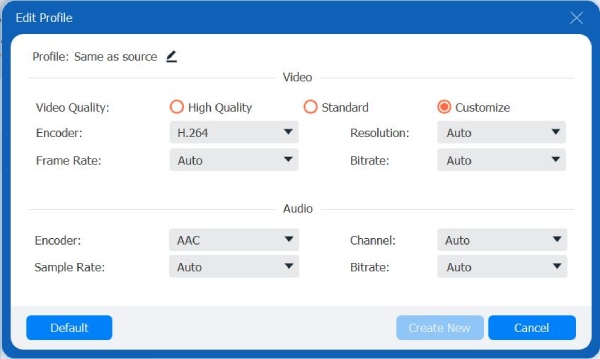
Step 3Next, if you want to enhance the quality of your MP3 file, tick the Custom Profile button with the Gear icon. In the Edit Profile window, you can modify your MP3 output’s Encoder, Sample Rate, Channel, and Bitrate according to your preferences. Once you are satisfied with the setups, click the Create New button.
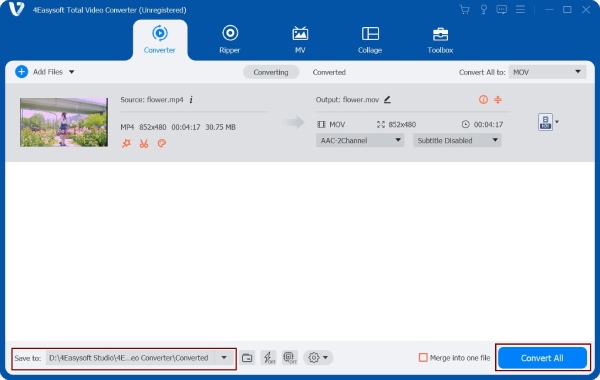
Step 4Then, select your preferred storage path location where you want to save the MP3 output; just tick the Save to dropdown option and select a specific folder. If satisfied with your selection, click the Convert All button in the bottom of this best MP3 converter.
2. VSDC Free Audio Converter - Best for Windows
Platform: Windows onlyPrice: Free with bundleware riskLast update: Actively maintained with VSDC Free Video EditorWho it's for: Anyone on Windows who needs a free MP3 converter. It also offers a few basic editing features.
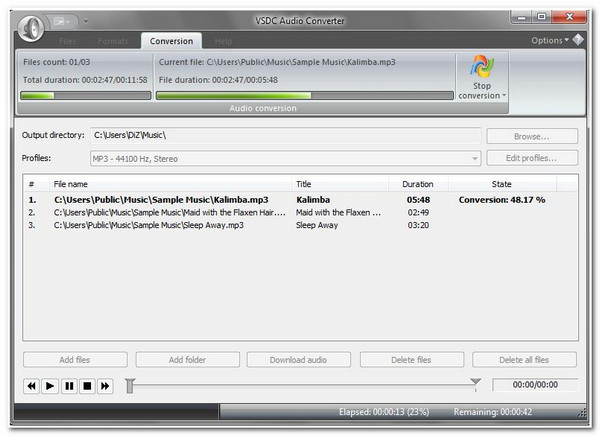
Another free best MP3 converter is the VSDC Free Audio Converter. This tool’s primary purpose is to convert audio files from one to another. Also, it is infused with audio editing features, which you can use to modify your audio before exporting the output. This tool may look uncatchy and outdated, but it can give users high-quality outputs and a fast conversion process. Additionally, it is infused with the ability to convert files via link or URL and rip them. However, this tool is only available to Windows 10, 11, and older versions, and you’ll notice it is trying to install unwanted applications along the setup process.
3. MediaHuman Audio Converter (Windows/Mac) - Best for Simple Conversion
Platform: Windows and macOSPrice: FreeNo ads, no bundlewareWho it's for: Users who want to convert audio with as little effort as possible. Drag in a file, convert to the MP3 format, and keep its metadata.
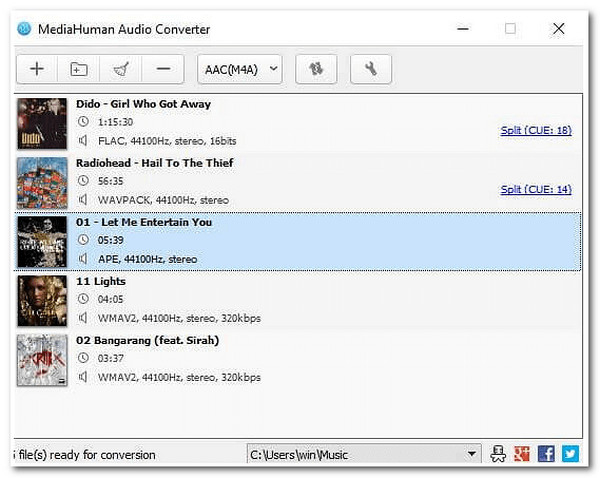
You shouldn’t miss the chance to try the MediaHuman Audio Converter, as it also includes the best MP3 converter free. If you are looking for an easy-to-use tool that could provide high-quality outputs even though it is not infused with advanced conversion features, then this tool is the best pick. MediaHuman Audio Converter enables you to convert video files like those from YouTube and iTunes into MP3 with admirable quality. However, this tool is too direct and specific that you can’t even trim and tweak your output’s length and quality.
4. Audacity (Windows/Mac) - Best for Audio Editing
Platform: Windows, macOS, LinuxPrice: Free and open source (GPL)Current version: 3.7.x (2025/2026)Who it's for: Best for users who want to edit audio before conversion. It supports denoising, trimming, and normalization. MediaHuman or VLC is simpler if you only need to convert formats.
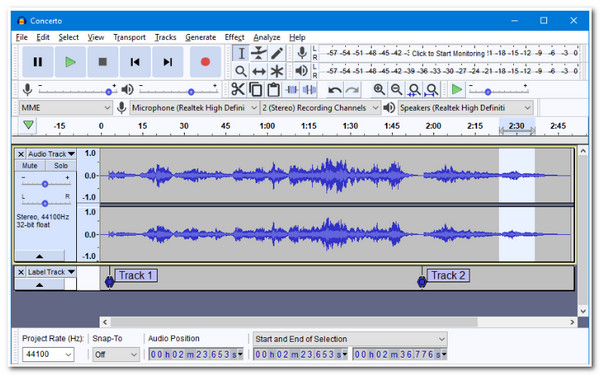
Audacity is a free, open-source audio editor for Windows, macOS, and Linux. It is a better choice when you want to process, trim, clean up, or edit audio with Audacity rather than simply convert files. If you want to batch convert MP3 files, you need to set up a Macro via Tools, Macro Manager, and multiple steps first. Video imports require additional FFmpeg support.
5. VLC Media Player (Windows/Mac/Linux) - Best for Occasional Conversion
Platform: Windows, macOS, Linux, Android, iOSPrice: Free and open source (GPL)Who it's for: Good for VLC users who need to convert one file quickly. There's no need to install another program.
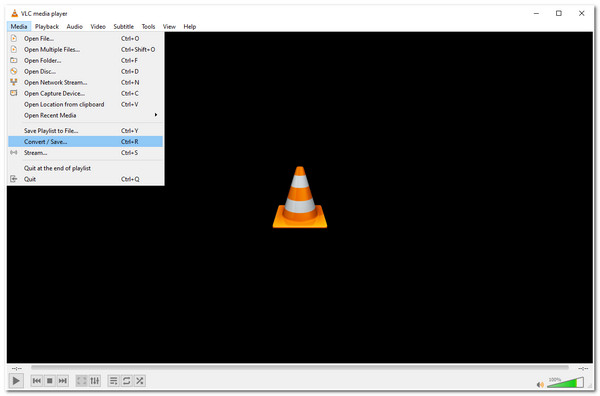
Another free best MP3 converter is the VLC Media Player. VLC includes a conversion function that can extract audio from supported media files. It is convenient if VLC is already installed, but its conversion interface is less straightforward than a dedicated converter.
6. Freemake Audio Converter (Windows) - Best for Basic Windows Conversion
Platform: Windows onlyPrice: Free version (3-minute limit). Paid upgrade removes the limit.Last update: Version 1.1.10.1, December 2022Who it's for: Users who only need to convert files under 3 minutes (short clips, ringtones). For anything longer, use MediaHuman or VLC instead.
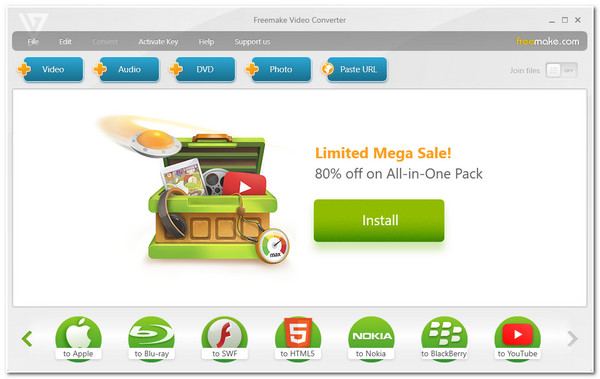
Freemake Audio Converter should also be on your best MP4 to MP3 converter free download list. Like with other MP3 Converter tools, Freemake Audio Converter can also convert several videos into MP3 simultaneously. Moreover, this tool enables you to combine various files into one file. Furthermore, it is also equipped with output tweaking options where you can adjust the quality of your MP3 before importing it. The biggest drawback of this tool is that it doesn’t allow you to convert media files into MP3s that are longer than three minutes. Additionally, it installs unwanted programs while setting it up.
7. Convertio (Online) - Best for Online Conversion
Platform: Any browser (Windows, Mac, Linux, mobile)Price: Free. 100 MB file size limit per conversion, 2 conversions per hourWho it's for: For users who only need a quick conversion from time to time. You can use it without installing software. Keep in mind the 100 MB limit and lack of batch support.
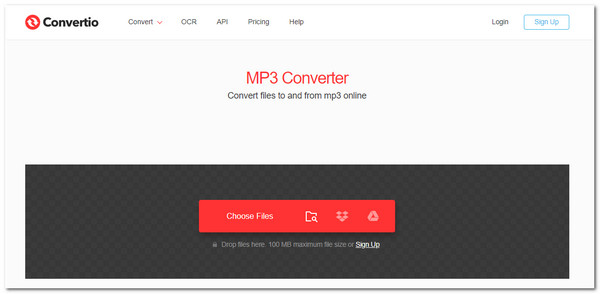
Next on the line of the best free MP3 converter is the Convertio, an online tool accessible on any browser under Mac or Windows platform. This web-based tool enables you to convert various videos into MP3 in just a few simple steps. Besides that, it supports fast conversion with a secure process that deletes the uploaded file after 24 hrs. Since it is a web-based tool and uses the internet, it is prone to various freeze issues and failed processes. Additionally, it only allows you to upload a 100MB file.
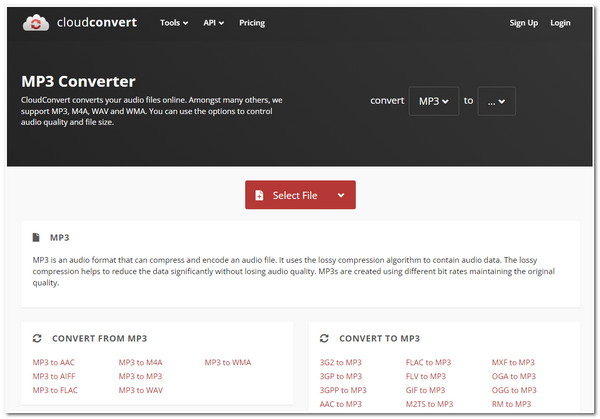
8. Cloudconvert (Online) - Best for Browser-Based Format Conversion
Platform: Any browserPrice: Free. 25 conversions per day, 1 GB file size limitWho it's for: Good for users who want to adjust the output quality. It is a handy online option if 25 conversions a day are enough.
Last free best MP3 converter on the list is the Cloudconvert. Like the other online MP3 Converter tools on the market, Cloudconvert is also accessible via any browser available on Windows or Mac computers. This tool stands out because it enables users to tweak their MP3 output file’s resolution, size, quality, etc., before exporting them. However, this tool limits you to a few free conversions per day.
Part 2: FAQs about the Best Free MP3 Converter
-
1. Does Mac has a built-in MP3 converter tool?
Yes, it has! The Mac’s Music program is infused with customization settings where you can convert various files into MP3. However, this will work if you wish to convert an audio file into other types of audio format.
-
2. How to convert a URL video into an MP3 file?
To convert videos from video-sharing platforms, copy their URL and paste them on an online free MP3 converter like Cloudconvert. Then after that, click the convert button and select download.
-
3. How can I convert FLV to MP3?
You can use the 4Easysoft Total Video Converter, also considered the best free FLV to MP3 converter. You just need to import the FLV file to the tool, access the formats offered, and select MP3 format. Then, you can select the Convert All button to import the file to save it to your local storage.
Conclusion
There you go! Those are the lineup of free best MP3 converter tools available today! With their capabilities, you can transform various video files into MP3 files. Still, the best recommendation is the 4Easysoft Total Video Converter tool. This tool is indeed a total package, for it is not only made to convert media files to MP3 but also to edit as well as to enhance their quality at the same time. If you find it interesting, please visit the tool on its official website to download it today!
100% Secure
100% Secure
