
Reliable video converter, editor, and compressor for daily tasks.

11 Must-Have Video Speed Changers for Every Device [2026]

Posted by Aira Lesly Escoto to Edit Video/Audio Feb 28, 2026
Whether you're creating a cinematic slow-motion sequence or making the 30-minute tutorial into a 60-second video, having the right video speed changer is essential. But with today's market editors and extensions, how do you pick one that delivers smooth results without ruining your audio? To help you out, check here the tested top 11 video speed editors, from desktop, mobile, to web tools, ensuring you will have the power to control speed at any workstation.
Guide List
Top 5 Desktop Video Speed Changers (Top Ranked) 3 iOS/Android Apps for Video Speed Changing Best 3 Online Video Speed Changer Tools| Software | Speed Range | Supported Formats | Pros | Best For |
| 4Easysoft Total Video Converter | 0.125x to 8x | MP4, MOV, AVI, MKV, WMV, FLV, etc. | Simple slider-based screen for quick edits. | Quick speed shifts |
| Adobe Premiere Pro | 0% to 10,000% | MP4, MOV, MKV, FLV, ProRes, HEVC, etc. | Industry standard for smooth transitions. | Professional filmmakers |
| Apple Final Cut Pro | 0% to 1,000% | MOV, MP4, ProRes, HEVC, MXF | Blade Speed for quick speed ramps. | Mac power users |
| DaVinci Resolve | 0% to unlimited | Professional formats like EXR, TIFF, and RAW | Creates the smoothest slow-mo effect in the market. | High-end cinematic effects |
| Wondershare Filmora | 0.01x to 100x | MP4, MOV, MKV, AVI, GIF, etc. | Has speed-ramping presets for social media. | Beginners and content creators |
Top 5 Desktop Video Speed Changers (Top Ranked)
Finding the right pace for your footage requires the best video speed changer. Desktop software is the gold standard for frame-accurate precision; see the following tools for cinematic speed changing.
1. 4Easysoft Total Video Converter - Batch Speed Changer Processing
4Easysoft Total Video Converter serves as a powerful yet accessible solution for anyone who needs to adjust multiple files quickly. It offers a Video Speed Controller toolbox that lets you adjust the video speed from 0.125x to 8x. Beyond that, it ensures that your high-definition video quality remains intact through its advanced encoding engine. Also, it contains editing tools to trim, merge, rotate, crop, apply effects, and more to your video.
Speed up or slow down your video from 0.125x to 8x.
Advanced acceleration to speed up the conversion process up to 60x faster.
Get 20+ video editors to trim, rotate, reverse, and apply more effects.
Supports more than 600 formats like MP4, MOV, WMV, AVI, etc.
100% Secure
100% Secure
2. Adobe Premiere Pro - Professional Time Remapping
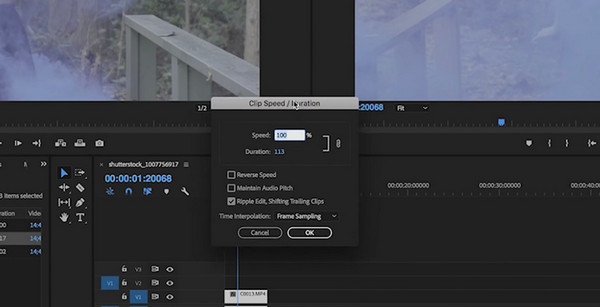
Moving on to Adobe Premiere Pro, the industry powerhouse. It has the Rate Stretch and Time Remapping tool for ultimate freedom to change video speed. Plus, it uses AI to interpolate frames, making ultra-slow motion appear buttery smooth even if the original video was shot at a standard frame rate.
3. Apple Final Cut Pro - Blade Speed Efficiency
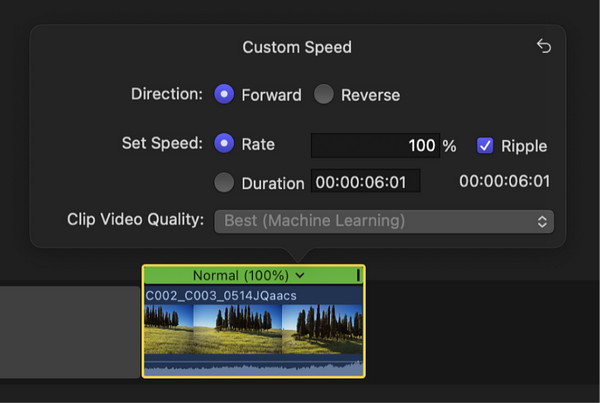
Mac users have the high-performance Apple Final Cut Pro to adjust the video playback speed. This tool utilizes a Magnetic Timeline that makes adjusting duration incredibly smooth. Its Blade Speed feature lets you cut out a single clip into segments and apply different speeds to each with simple clicks.
4. DaVinci Resolve - AI-Driven Speed Changer
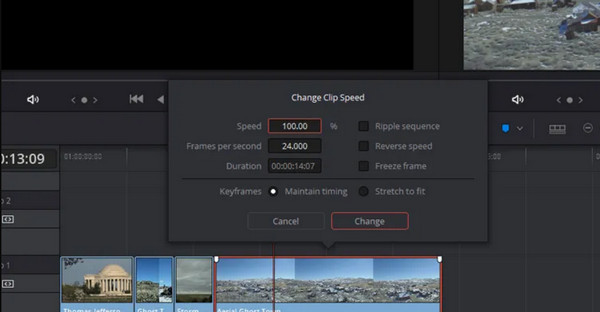
For Hollywood standard features, DaVinci Resolve is a must-try video speed changer tool! It is renowned for its color grading, but its Speed Warp feature is impressive for creating realistic slow-motion footage. Using its free version, you can enjoy high-end tools that other platforms usually hide behind a paywall.
5. Wondershare Filmora - Intuitive Speed Changer Presets
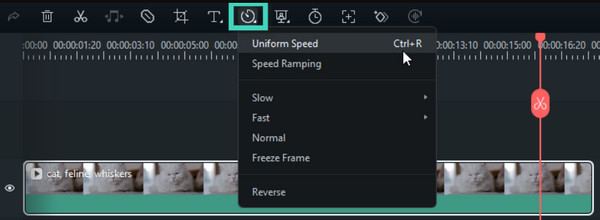
To wrap up the desktop video speed changer options, Wondershare Filmora offers both basic and pro features for editors. You can select from its presets, like Hero Moment, to quickly apply pacing to your shots. Furthermore, it has an AI Smart Cut feature that assists you in determining the best moments to edit the video speed.
| App | Speed Range | Supported Formats | Customizable Settings | Best For |
| CapCut | 0.1x to 100x | MP4, MOV. | Yes | TikToks and Reels |
| iMovie | 0.125x to 2x | MOV, MP4 | Yes | iPhone video tasks |
| FilmoraGo | 0.1x to 10x | MP4, MOV, GIF | Yes | Quick, stylized social clips |
| VEED.IO | 0.5x to 2.0x | MP4, AVI, MOV, MKV, WebM | Yes | Social media clips |
| Clideo | 0.25x to 4.0x | MP4, AVI, MOV, VOB | Yes | One-off speed changes |
| VidSpeed | 0.5x to 2.0x | MP4, WebM | Yes, basic | Lightweight browser projectss |
3 iOS/Android Apps for Video Speed Changing
Mobile editing has leveled up its game to a point where you can create viral speed-up edits on your phone. See the following video speed changer apps that focus on ease of use, making them perfect for social media creators.
1. CapCut
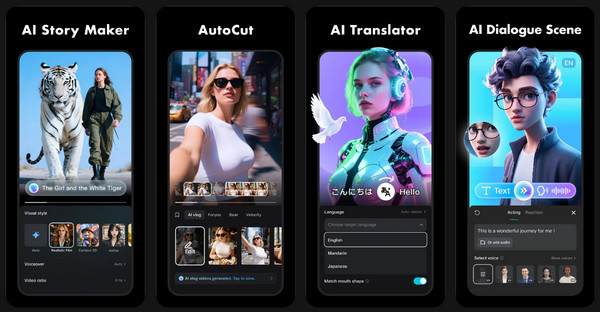
As the go-to place for TikTok creators, CapCut features Speed Curve, which makes complex tempo changes very simple. Also, this video speed changer app includes Smooth Slow Mo by optical flow technology, ensuring your clips are not choppy when slowed down.
2. iMovie
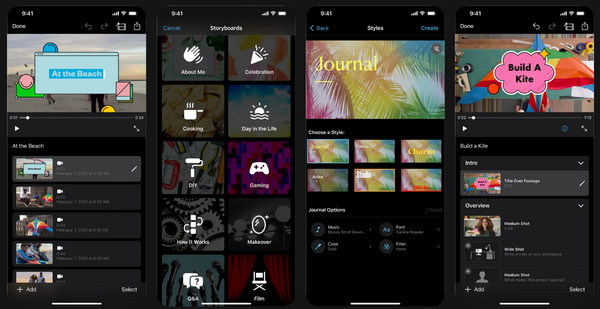
For a streamlined experience on the iPhone, Apple has iMovie. Due to its clean interface and simple Turtle and Hare sliders, you can quickly double or slow down your video speed. While it has no complex curves like other apps, it has a Preserve Pitch toggle that ensures your audio remains natural even when the visuals are fast-forwarded.
3. FilmoraGo
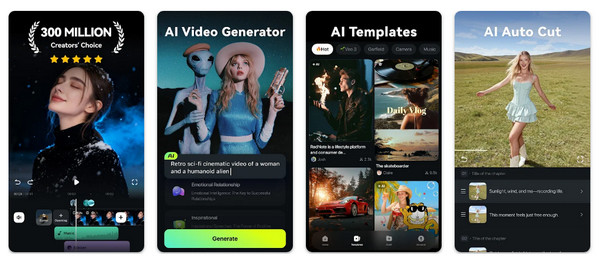
If you want a mix of desktop-style features in a mobile video speed changer app, FilmoraGo is a top contender. It is particularly effective for action sports and vloggers, giving you the advantage that can reach up to 10x for dramatic time-lapses.
Best 3 Online Video Speed Changer Tools
Meanwhile, online video speed changers are ideal for any quick tasks or users who have low-spec hardware. Since these tools do everything in the cloud, you can achieve high-quality results without straining your processor.
1. VEED.IO Video Speed Controller
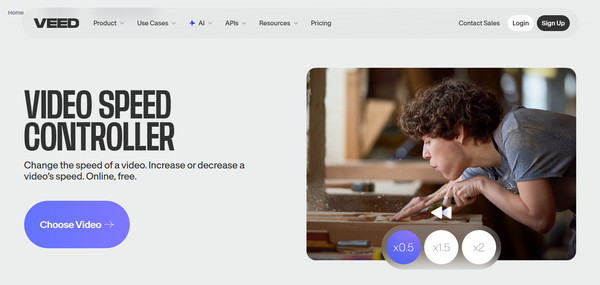
A comprehensive browser-based editor, VEED.IO, lets you split clips and apply different speeds to certain segments. Due to being cloud-based, you can start changing video speed on your PC and finish it on your phone with all your adjustments saved.
2. Clideo Change Video Speed
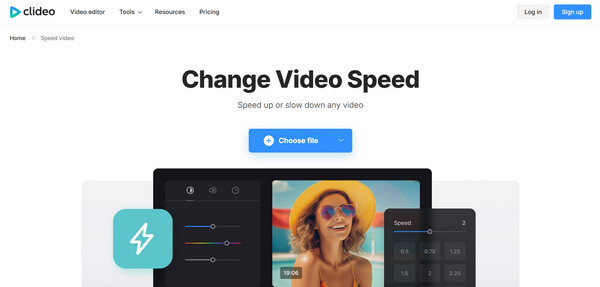
Following this is another one-click video speed controller named Clideo. This tool is made for anyone who wants to change speed in seconds without a complicated timeline. It offers a very secure site and provides a wide range of formats, making it a reliable choice for quick social media content.
3. Kapwing
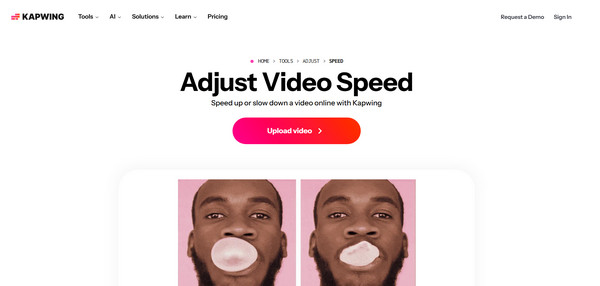
Concluding the list of video speed changers is a lightweight tool that focuses on giving a minimalist user experience, Kapwing. It has a speed changer that lets you have instant previews, allowing you to check the timing effect changes. It works completely free and is accessible across all modern browsers.
Conclusion
In 2026, there are lots of video playback speed changer options, from high-end desktop software and mobile apps to online tools. The top 11 choices you have explored today provide the best solution depending on your project needs and the device in your hand. But if you are looking for a reliable, all-in-one desktop tool that has all professional features with a friendly interface, use 4Easysoft Total Video Converter. Besides the video speed controller, it can also convert, enhance, and batch process your video in any format. It is indeed an ideal choice for those who demand high-quality, high-speed results for any video projects.
100% Secure
100% Secure
