
Convert and enhance your video and audio files in batch with high quality preserved.

Spotify to MP3: 10 Tools to Convert Spotify Audio to MP3

Posted by Aira Lesly Escoto to Convert Audio Feb 06, 2026
While Spotify has its offline mode that keeps your music still accessible to the app, it leaves you without your favorite music once your subscription lapses. So, to ensure your library can be accessed anywhere, a reliable Spotify to MP3 converter comes in. With so many choices, choosing the best one can be tricky. Therefore, rounded up here are the top 10 Spotify to MP3 music converters in 2026. Pick up your favorite tool and listen to Spotify music offline.
Guide List
1. 4Easysoft Total Video Converter: Large Batch Processing with High-Quality 2. Audacity: Open-Source Precision Audio Recording 3. AudFree: High-Speed Lossless Conversion 4. NoteBurner: Advanced Metadata and CD Burning 5. Soundloaders: Simple Single Track Downloads 6. SpotMate: Quick Browser-Based Playlist Moving 7. SpotDown: Minimalist Playlist, Album and Song Converter 8. SpotiFlyer: Convert Spotify Music for Free 9. Fildo: Wide Third-Party Music Search for Offline Playback 10. Playlist Converter +: Convert iOS Playlists to MP31. 4Easysoft Total Video Converter: Large Batch Processing with High-Quality
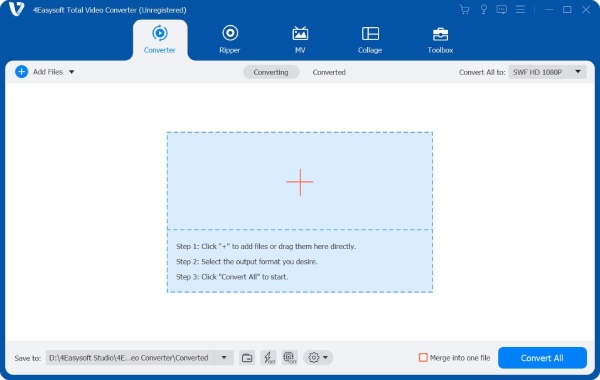
Perhaps you have a large music collection on Spotify you want to convert, then 4Easysoft Total Video Converter is the perfect Spotify converter for you. This multimedia tool excels at processing large batches of files at once without sacrificing quality. It also utilizes hardware acceleration to make sure that even long playlists are converted without longer waiting times. On top of that is its customizable settings, where you can acquire the exact result you want by adjusting the bitrate, codec, channel, and more.
Can convert Spotify to MP3 and other formats such as AAC, WAV, WMA, OGG, etc.
60x faster speed than standard tools without affecting the sound quality.
Drag and drop entire music or video clips to be converted simultaneously.
Polish your files with trimmer, merger, enhancement tools, and effects.
100% Secure
100% Secure
What I like:
- Works very fast due to GPU acceleration.
- Covers 600-plus formats beyond just MP3.
- Supports editing tools such as trimming and merging.
What I don't like:
- Needs Pro version to access full features.
2. Audacity: Open-Source Precision Audio Recording
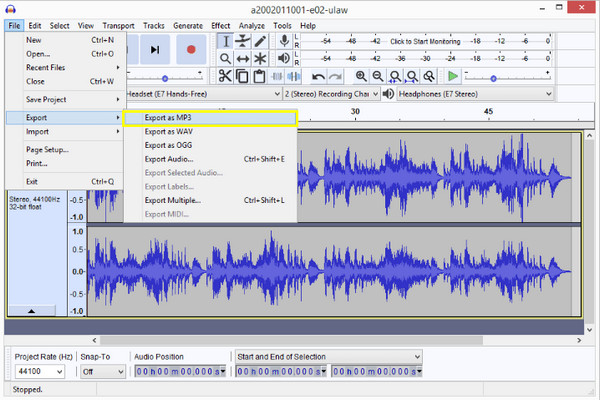
Up next: Audacity, the gold standard for anyone who wishes for more control over their audio. Since it records the system's output, this Spotify to MP3 converter bypasses the app's encryption by capturing the stream directly. It also lets you visually watch the waveform, remove silence, or apply effects before getting Spotify MP3 songs.
What I like:
- Is totally free and open-source with no hidden charges.
- Offers a high level of customization for metadata.
- Works across Windows, Mac, and Linux.
What I don't like:
- Steeper learning curve for first-time users.
- Needs real-time recording.
3. AudFree: High-Speed Lossless Conversion
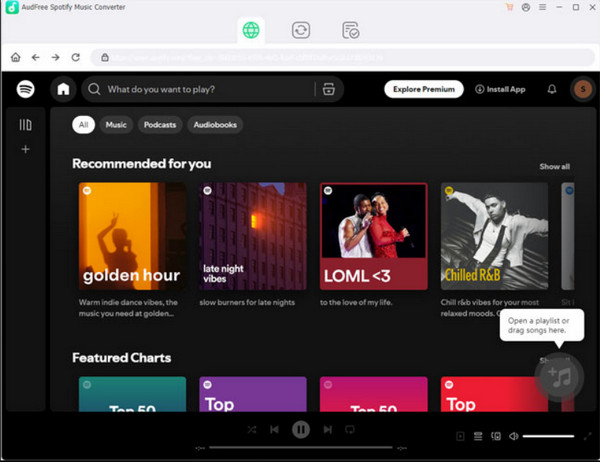
AudFree can convert Spotify playlists to MP3 audios without sacrificing sound quality at fast speed. It manages to maintain the hundred percent of the original ID3 tags, so you can convert your files with the correct artist names, release data, and album art, still intact. Also, it supports the drag and drop simplicity that makes it easy for you to import entire albums in seconds. If you fails to turn music to MP3, you can use music recording software to grab songs online with the original quality.
What I like:
- Maintains lossless audio quality.
- Keeps all metadata and album artworks.
- Works very simply with a user-friendly interface.
What I don't like:
- The free version converts the first minute only.
- Needs the Spotify app to be installed.
4. NoteBurner: Advanced Metadata and CD Burning
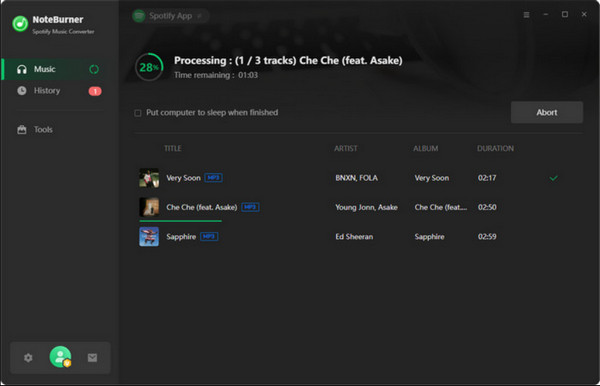
The following free Spotify to MP3 converter is NoteBurner. This program goes beyond simple conversion; it also has a built-in Burn CD feature that lets you move your Spotify playlists to physical media with one click. Plus, it has an AI-powered tag editor that fixes any track info automatically. You can get free background music and other sources from Apple Music, Amazon Music, YouTube Music, and more.
What I like:
- The built-in tools for CD burning and format switching.
- Works very fast with 10x conversion speed.
- Has reliable customer support and updates frequently.
What I don't like:
- Premium licenses are expensive.
- Can trigger Spotify's suspicious flags if used heavily.
5. Soundloaders: Simple Single Track Downloads
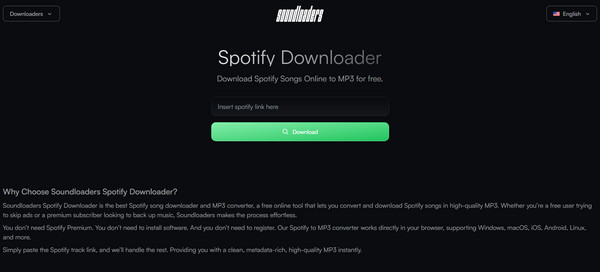
Next is a web-based Spotify music converter named Soundloaders. This Spotify to MP3 converter can turn URL into MP3 files in 320kbps quality. It offers an entirely free service, making it great for a quick track download. Among all the tools here, its accessibility across any browser is its greatest strength.
What I like:
- Completely free to use.
- Works with both mobile and desktop browsers.
- No need for registration before using.
What I don't like:
- Usually fails to find indie tracks.
- Only let you download one song at a time.
6. SpotMate: Quick Browser-Based Playlist Moving
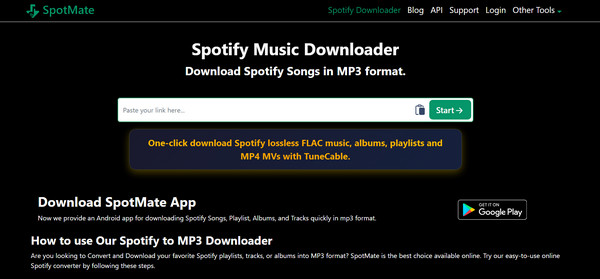
Another service that offers convenience is SpotMate, an ad-supported Spotify to MP3 site, keeping the service free for everyone. It stands out by giving you a simpler way to handle playlists. Also, while other web tools struggle with large URLs, this website is optimized to analyze Spotify links quickly and provide a download button for each.
What I like:
- Offers no cost to the user.
- Works with playlists better than most online rivals.
What I don't like:
- Pop-up ads can be annoying.
- Its output quality is sometimes capped at 192kbps.
7. SpotDown: Minimalist Playlist, Album and Song Converter
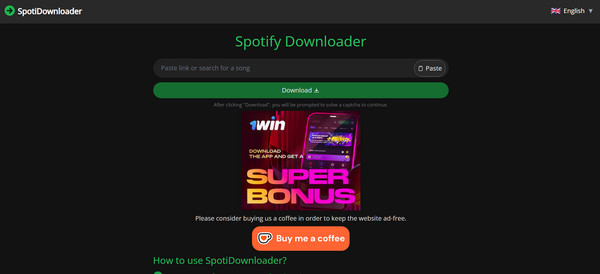
If you find too many ads from other sites, here in SpotDown, you can have a cleaner and more modern interface for you to convert Spotify albums and playlists to MP3 for free. It has a link-to-file process, cutting out extra features to have the fastest possible path to your MP3. Being highly responsive, it makes it a reliable backup whether you need it on your computer or on the go.
What I like:
- High success rate for well-known tracks.
- Have a very clean environment with less ads.
- Does not need login to access full features.
What I don't like:
- Limited to MP3 format only.
- Offers no advanced settings for sample rate or bitrate.
8. SpotiFlyer: Convert Spotify Music for Free
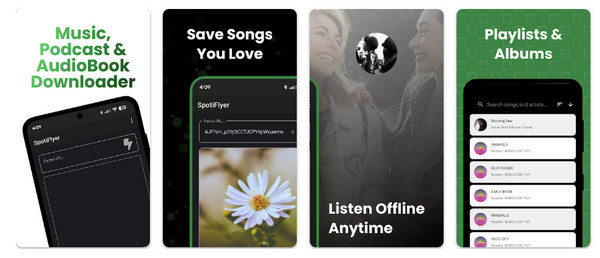
Switching to mobile Spotify to MP3 solutions, SpotiFlyer is a powerful app that lets you download music not only from Spotify. It has the social feature where you can organize your music into a shareable library that other players on your device can easily recognize. Since it does need a Spotify login, it is among the safest mobile options available today.
What I like:
- Can download the entire playlist to phone storage.
- Is an ad-free and open-source app.
- Covers multiple sources like YouTube, Spotify, Gaana, etc.
What I don't like:
- Requires APK install for Android devices.
9. Fildo: Wide Third-Party Music Search for Offline Playback
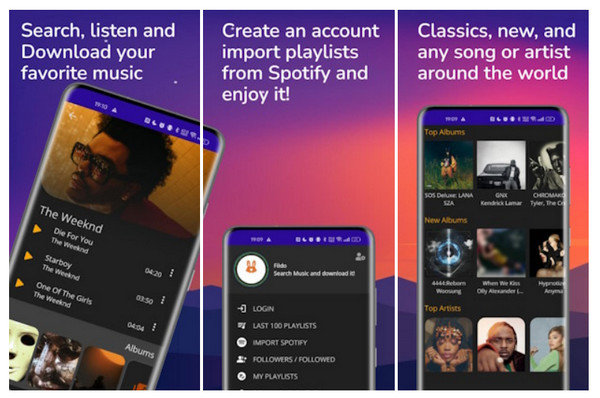
For anyone losing their songs from standard converters, you can use Fildo, which matches your Spotify playlist with its own wide database. Instead of converting Spotify music to MP3, this app looks for the highest quality MP3 version of the Spotify song available on the web, which you can download. This often leads to locating high-bitrate files that traditional recorders might miss.
What I like:
- Let you import Spotify playlists for easy matching.
- Has access to a huge library of MP3s.
- Offers a built-in library manager and music player.
What I don't like:
- The screen can be slightly confusing.
- Needs third-party sources, which may differ in quality.
10. Playlist Converter +: Convert iOS Playlists to MP3
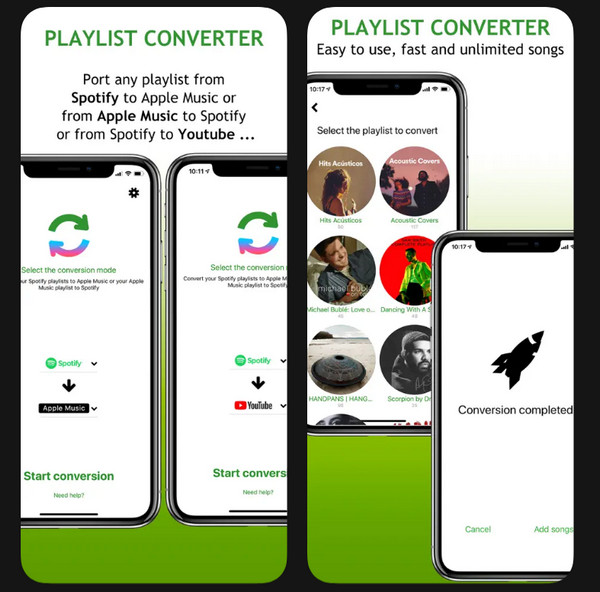
Playlist Convert + here offers a specialized approach to handle Spotify to MP3 conversions on iPhone. While Apple makes the direct MP3 downloading difficult, this app can convert your Spotify playlist into formats that can be opened by other apps. It also focuses on metadata and organization, ensuring your music library stays as it is during the transition.
What I like:
- Ideal for moving playlists between services.
- Secure with iOS privacy standards.
What I don't like:
- It works more as a transfer tool than a direct downloader.
- Needs a Pro version for unlimited transfers.
Conclusion
Having a personal music library in 2026 is having the freedom to enjoy your playlist whenever you want, which can be limited with Spotify free. Throughout this guide, you have a wide range of tools, from desktop and online to mobile apps, each designed to help you convert Spotify to MP3 in 320 kbps. Among them is an all-in-one powerhouse that goes beyond just a simple conversion: the 4Easysoft Total Video Converter. Besides handling more than 600 formats with ease, it can convert your entire Spotify playlist at lightning speed while keeping everything intact. Achieve all your media needs in one interface here!
100% Secure
100% Secure
