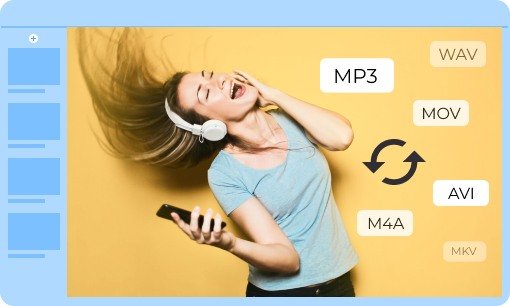
4Easysoft Free Video Converter supports more than 300 videos and audio files, including HEVC, MOV, MKV, AVI, VOB, MPG, etc. It also works with MP3, WAV, AIFF, M4A, FLAC, MKA, and more. Of course, you can also extract audio files from a video with the original quality.


It helps you adjust video/audio settings anytime on most devices, such as video resolution, video encoder, frame rate, video bitrate, audio codec, audio channels, sample rate, and more. It also offers AI super-resolution features like 720P or 1080P. Additionally, you can choose preset modes for iPhone, Samsung, PSP, PS4, and PS3 to adapt to various devices quickly.
This free video converter detects multi-core processors for fast, high-quality video conversion. It allows you to add multiple videos at once with no file size restrictions. No software download or account registration is required. As an online tool, it works seamlessly on mobile devices, Windows, and Mac computers for effortless video conversion.

Step 1: Add a Video or Audio File
Search for and launch 4Easysoft Free Video Converter on the web, then click the “Add files to convert” button to upload the desired files.
Step 2: Select the Output File Format
Choose the desired output format, such as MP4 from the Video section, or MP3 from the Audio section.
Part 3: Convert Video to Desired Format
You can also tweak the video and audio settings, click the Convert button to get the desired file.
| Features | Free Video Converter | Total Video Converter |
|---|---|---|
| Convert DVD | ||
| Convert video & audio | ||
| Edit video | Crop, cut, trim, merge, rotate, flip, watermark, filters, and 3D effects. | |
| Toolbox | GIF maker, video reverser, video speed controller, 3D maker, and more. | |
| Convert video now | |
Daria
I have been using the online converter to convert my captured videos to MP4 for uploading for several months. I always get the desired videos by tweaking the codec, frame rate, etc.
Kassia
Different from other online video converters, 4Easysoft Free Video Converter has no file size limitation. I always use it to convert my large movies to MOV for my iPhone.
Hanna
I never know that I can’t play MTS files on Windows Media Player. So, I use this online tool to convert the video format. Just import the videos and choose the desired format to export within simple clicks.