
Remove screen passcode, Apple ID, MDM and Screen Time from iPhone safely.

[Answered in Detail] What is MDM & What is MDM Used for

Posted by Alvin Cantero to iOS Unlocker May 28, 2026
What is MDM? Mobile Device Management (MDM) is a term you may encounter when using an iPhone provided by a company or school. While it plays an important role in device security and management, many users are unclear about what MDM actually does and how it affects their devices. In this guide, you will gain a clear understanding of what MDM is, how it works on iPhones, and what options are available if you need to remove it.
Guide List
What is MDM on Your iPhone 15/16/17 What is MDM Lock for Organizations Are There MDM Rules on Apple Devices How to Remove MDM on iPhone EasilyWhat is MDM on Your iPhone 15/16/17
If you want to know what MDM is, you should first understand what it represents. Short for Mobile Device Management, it is a technology used by organizations to manage and control mobile devices that they give to their members. When an iPhone is enrolled in an MDM system, administrators can remotely configure settings, install or remove apps, enforce security policies, and monitor device usage. This ensures that the device complies with organizational requirements, especially in environments where data protection is critical.
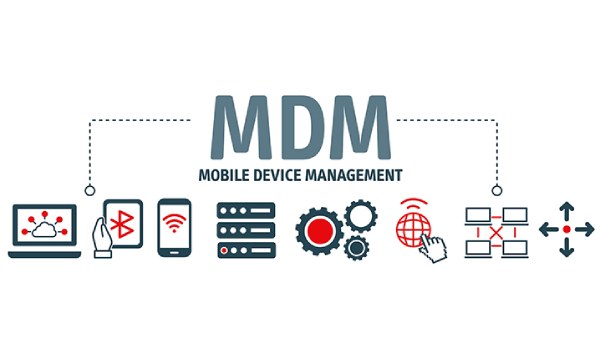
On iPhones running newer iOS versions like those on iPhone 15/16/17, MDM is deeply integrated into the system. Administrators can leverage their MDM profiles to remotely control iPhones, enhancing security. The most common example is that organizations use MDM to manage their VPN usage to prevent their organizational information from being attacked by malicious networks.
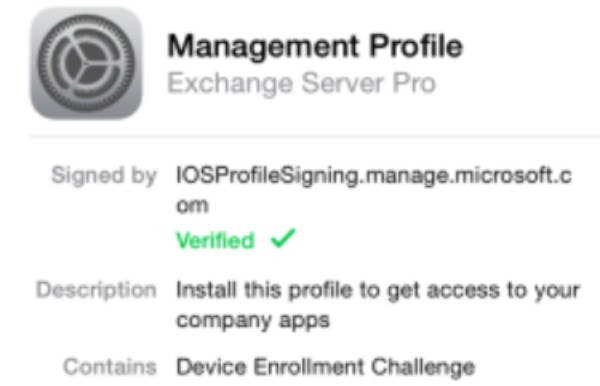
This is what an MDM is basically. It can be beneficial for organizations, but it can limit personal use if the device is no longer under management. Users may find themselves unable to change certain settings or remove restrictions. Understanding how MDM works helps you determine whether your device is managed and what actions you can take if you need more control.
What is MDM Lock for Organizations
So, what is an MDM lock? An MDM lock refers to the control measures that the management system takes over devices. It is mainly used in organizations such as enterprises and schools. An MDM lock can ensure the security and correct configuration of the devices. Naturally, when someone leaves the former organization, it's a wise choice to bypass MDM on iPhones for personal privacy.
For Business Use
In business environments, an MDM lock is essential for protecting sensitive corporate data. Companies use MDM to enforce security measures such as mandatory passcodes, encrypted storage, and restricted access to certain apps or features. Of course, this measure was primarily taken for security considerations. Since it is impossible to predict the unintentional actions that employees might take, direct measures should be taken to prevent potential threats and attacks at their source. In addition, by installing MDM profiles on iPhones, companies can efficiently manage their employees' devices using technology. Installing the necessary working software, promptly removing important data from lost or damaged devices, and so on - all these can be achieved through MDM profiles.
For School Use
In educational institutions, an MDM lock is also commonly used. By applying MDM profiles to devices, schools can establish a highly effective online education system. On the one hand, for students, it is possible to install the necessary teaching apps or other tools, while also preventing them from installing social media or games that distract them. On the other hand, for the institution, it can promptly install software that enables interaction with students and receive timely notifications from colleagues or the school, without missing anything.
Are There MDM Rules on Apple Devices
What is an Apple MDM? Or, are there MDM rules on Apple devices? Yes, Apple has established a structured framework for MDM to ensure both security and user privacy. This means that not all individuals or organizations can install MDM profiles for iPhones. To run MDM on Apple devices, this action must be permitted by the official and carried out in accordance with the official agreement. At the same time, the entire process can only be implemented with the informed consent of the iPhone users. If the appropriate configuration is not in place, the device cannot be "silently" managed, especially in newer iOS versions, as users can see them directly in Settings.
Apple's MDM systems administrators enforce rules such as configuration profiles, app restrictions, network settings, and security compliance. However, Apple also places limits on what MDM can access. For example, personal data such as photos, messages, and private files is generally not accessible to administrators, ensuring user privacy even on managed devices. But it also leads to some situations where you cannot get into this locked iPhone.
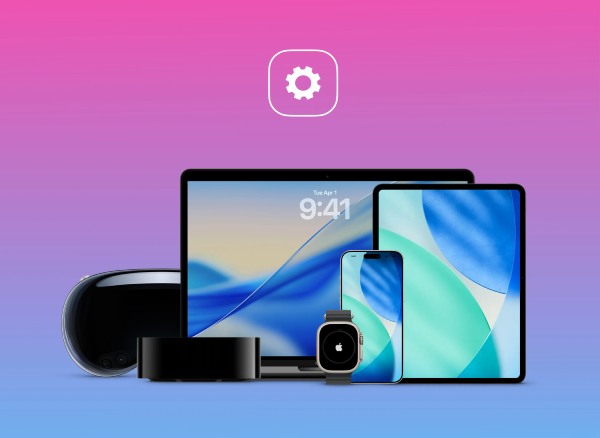
In order to ensure that all operations related to MDM profiles comply with Apple's relevant regulations, Apple provides organizations with official tools such as Apple Business Manager and Apple School Manager. This ensures that MDM usage remains standardized and secure.
How to Remove MDM on iPhone Easily
If you need to remove MDM restrictions from your iPhone, 4Easysoft iPhone Unlocker provides a simple and effective solution. This specialized tool for MDM software is designed to help users bypass MDM profiles and regain full control of their devices without complicated procedures.
Remove MDM profiles without admin credentials from organizations.
Disable MDM controls while keeping all data on your iPhone.
Remove MDM lock from a work or school device with no trace.
Bypass the MDM restriction on iPhone without damaging the security.
100% Secure
100% Secure
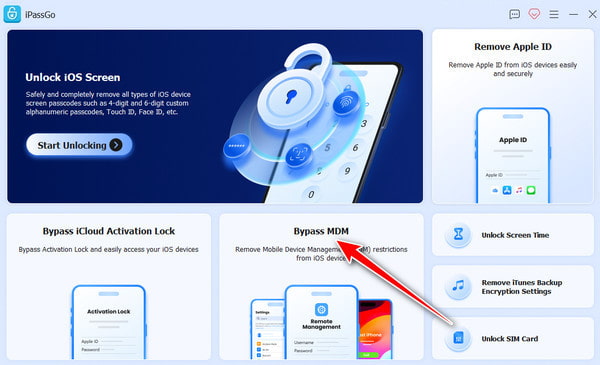
Step 1Launch 4Easysoft iPhone Unlocker and connect your iPhone to the device using a USB cable. Then, click the "Bypass MDM" button.
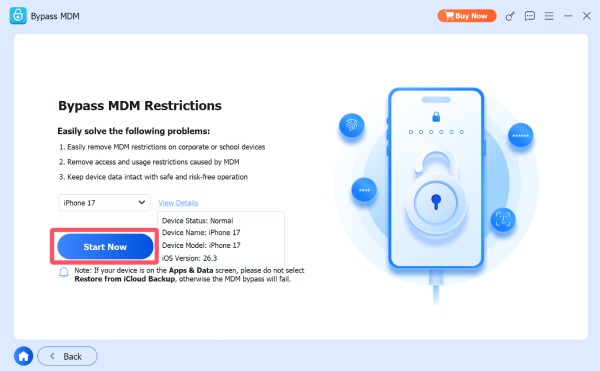
Step 2Click the "View Details" button to check your iPhone information. Click the "Start Now" button if they are right.
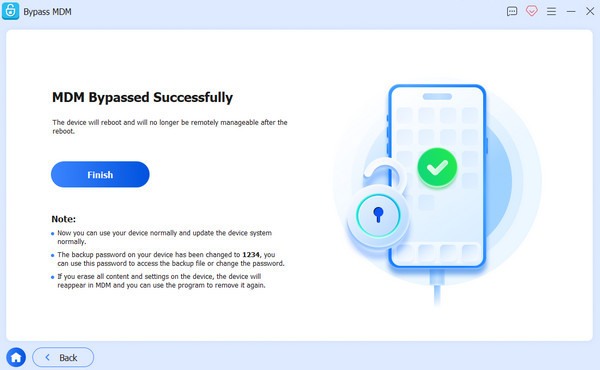
Step 3The MDM profile will be removed from your iPhone automatically after a short time of processing.
Conclusion
Now you know what MDM is on an iPhone. While it can ensure the security of organizations, it can also restrict the normal use of an individual. If you want to remove MDM profiles, 4Easysoft iPhone Unlocker can help you regain full control and use your iPhone more freely.
100% Secure
100% Secure
