
Reliable video converter, editor, and compressor for daily tasks.

Top 5 VOB Converters Online/Offline (VOB to MP4, AVI, More)

Posted by Aira Lesly Escoto to Video Converter Apr 27, 2026
Are you looking for a VOB converter that can convert your VOB files into a format with better compatibility? If so, you may be experiencing issues when trying to play a VOB file on other devices. The VOB format is commonly used on DVDs and works well with DVD players, but many modern devices do not widely support it. Thankfully, there are multiple VOB to MP4 converters that can turn them into better formats like MP4, and five of them are listed here. Explore them now!
Guide List
Professional VOB Converter with High Quality Conversion 3 Best Online VOB Converters with Pros and Cons How to Use VLC as a VOB ConverterProfessional VOB Converter with High Quality Conversion
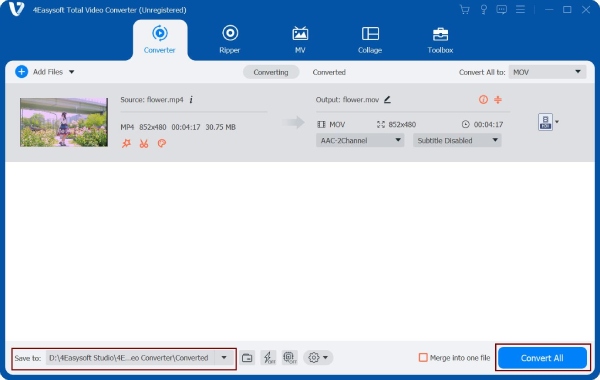
If you are looking for a VOB file converter that you can use on your Windows or Mac, one of the best tool recommendations you can get is to use the professional 4Easysoft Total Video Converter. This VOB to MP4 video converter also provides a built-in video editor that can cover your daily editing tasks. What's great about this tool is that it lets you convert multiple VOB files at once at 60X faster. It also includes an AI-powered video enhancer to improve the video quality before exporting.
Offers full support for 600 file formats, including device presets for Android and iOS.
Convert VOB files with 720P, 1080P, 4K, and HEVC video codec with high quality.
Supports features to edit VOB files, such as rotate, crop, add a filter, and more.
Provides you control over the quality of your file, metadata, and more.
100% Secure
100% Secure
Step 1Install the 4Easysoft Total Video Converter on your Mac/Windows and launch it afterward. Next, click "Add Files" to import the VOB file.
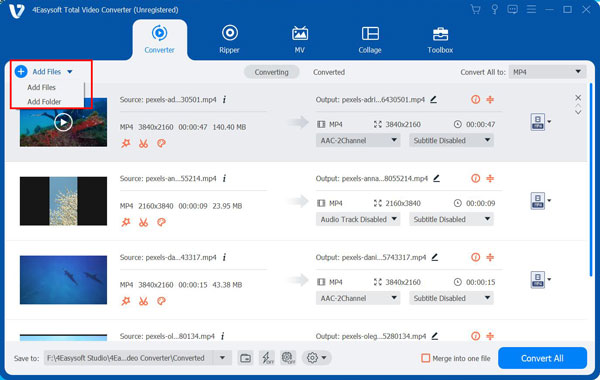
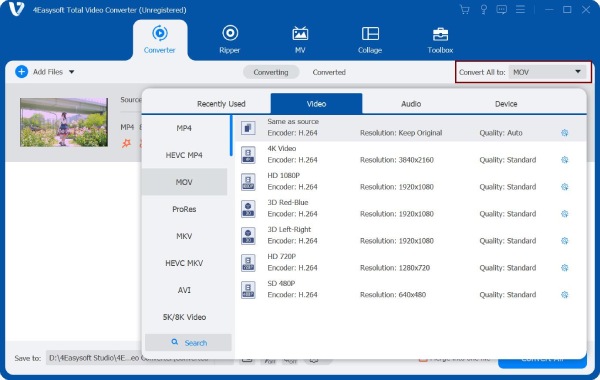
Step 2After that, click the "Format" button on the right side of the imported VOB file. Then, on the "Video" section, choose the format that is widely supported by most devices, like MP4.
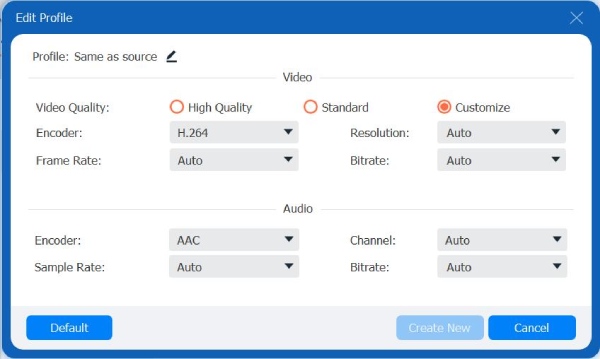
Step 3To get a high-quality output, click the "Custom Profile" button with the "Gear" icon. Then, you can adjust the following options. After that, click the "Create Now" button.
Step 4 Once you are done, click the "Convert All" button to start the VOB to MP4 conversion and exportation process.
100% Secure
100% Secure
3 Best Online VOB Converters with Pros and Cons
Apart from the first featured tool, there are also browser-based tools you can use to convert a VOB file to MP4, and this post features three of them below. Explore each of them and pick the one that matches your preferences.
1. Convertio
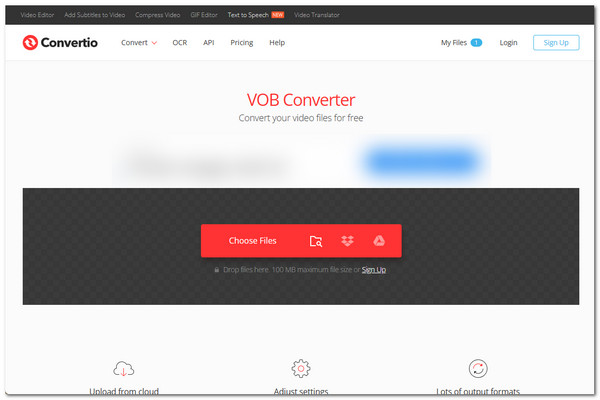
The first online tool you can use as a VOB to MP4 converter is Convertio. This online tool is one of the most popular file converter tools. It supports 300+ formats to convert your VOB files, and it also offers you control over the output quality by providing you with options to set codec, quality, frame rate, and more.
- Pros
- Free and easy to use.
- Offers fast VOB conversion.
- Works well with all browser platforms.
- Guarantee your files' security.
- Cons
- Only allows you to import VOB files with a maximum of 100MB.
- Only lets you do 10 conversions per day.
- Requires a stable connection.
2. Zamzar
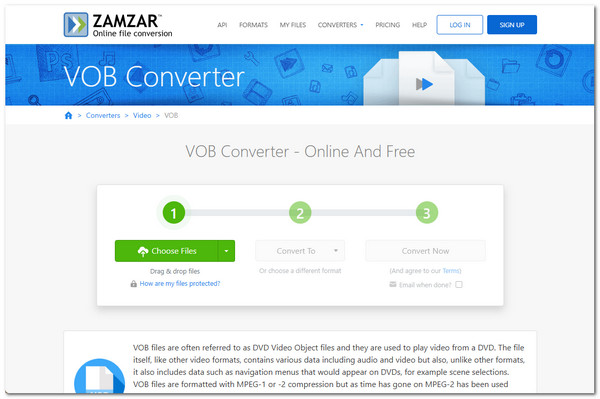
Another online tool you should also try is Zamzar. This web-based VOB converter is one of the most straightforward tools you can use online. It enables you to convert VOB files within just a few clicks with no extra steps. Just import the VOB file, choose an output format, start the conversion, and that's it.
- Pros
- Provides a simple VOB conversion service.
- Lets you convert multiple VOB files simultaneously.
- Offers a large number of output formats to convert VOB files.
- Secures your VOB files.
- Cons
- The free version only lets you import VOB files with a maximum of 50MB.
- Conversion speed may be sluggish.
3. CloudConvert
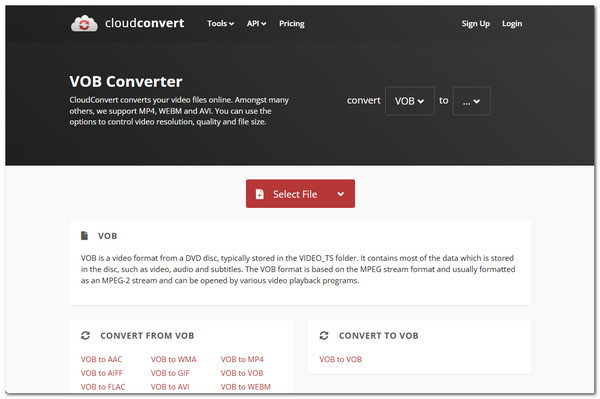
The last online tool this post would like to recommend is CloudConvert. The same goes for the first-two mentioned tools; this online VOB converter also provides an uncomplicated way to convert your VOB files. This one is also the same as Convertio, but this one enables you to get the highest possible quality.
- Pros
- Provide you with a simple interface to work with.
- Let's you convert multiple VOB files altogether.
- Supports output tweaking options.
- Offers high-quality conversion.
- Cons
- Lets you do 25 conversions each day.
- Can't convert large VOB files.
How to Use VLC as VOB Converter
Apart from those tools, you can also use VLC to convert VOB to MP4 for free, and what makes it different is that you can use it completely free! This desktop VOB format converter is a popular media player that can play videos in many formats. Besides playback, it also offers extra features that let you modify video files, including converting VOB to formats like MP4, MOV, and more. However, VLC media player has limited conversion features when used as a VOB converter, since it is not a dedicated converter. If you still want to try this one, here are the steps you need to follow:
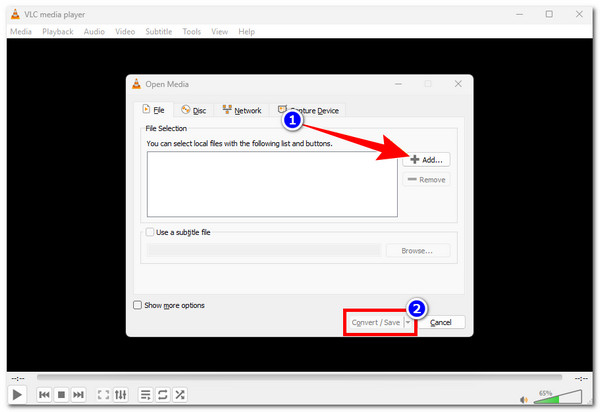
Step 1Click "Media" in the upper left section and select "Convert / Save". After that, click "Add" to import the VOB file. Then, click "Convert / Save".
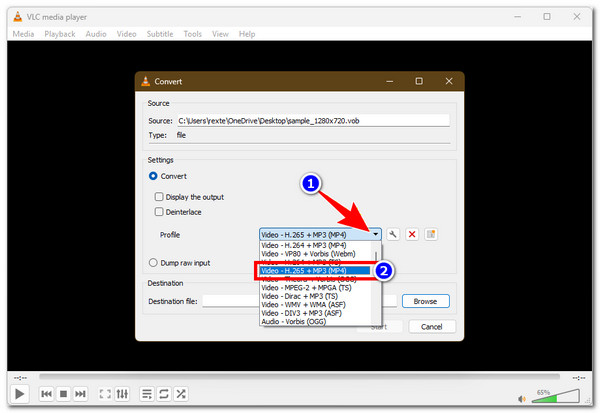
Step 2Next, click the "Profile" dropdown button under the "Settings" section. Then, choose a format that is widely supported, like "Video - H.265 + MP3 (MP4)".
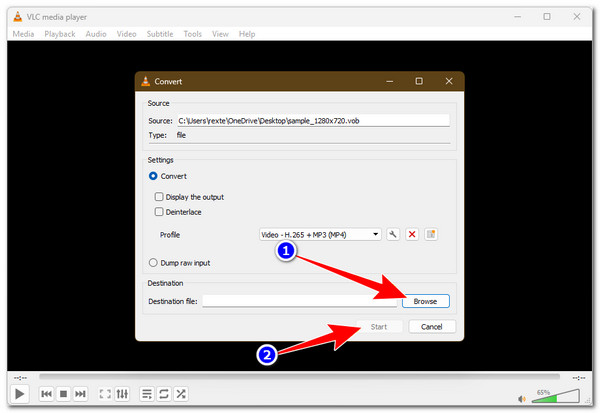
Step 3Next, choose your preferred output file location by clicking the "Browse" button. After that, click "Start" to initiate the VOB conversion process.
Conclusion
That's it! Those are the five best VOB to MP4 converters you can use to make your VOB files compatible across various media players or devices. You can choose from these five tools based on your preference, whether you want to convert VOB files on your desktop or in a browser. Whatever you choose, each tool can help convert your VOB files into a more compatible format. However, if you are looking for a tool that doesn't just help you convert VOB files but also enhance it, then you need to use the 4Easysoft Total Video Converter.
100% Secure
100% Secure
