
Remove screen passcode, Apple ID, MDM and Screen Time from iPhone safely.

How to Remove iPhone Locked to Owner for Normal Access

Posted by Alvin Cantero to iOS Unlocker Jun 03, 2026
Many people may wonder how to unlock iPhone locked to owner, as it directly prevents them from having normal access to the iPhone. Although it is designed to protect personal data, it can also block users who forget their Apple ID password, or users who buy second-hand devices. This guide will list practical solutions to remove the activation lock and regain normal access to your iPhone.
Guide List
A Quick Access to Why is Your iPhone Locked to Owner The Most Efficient Way to Bypass iPhone Locked to Owner How to Unlock iPhone Locked to Owner with Owner's Aid Recovery Mode: Use a Computer to Unlock iPhone Locked to Owner How to Remove iPhone Locked to Owner via DNS Bypass Apple Support - A Useful Way to Remove iPhone Locked to OwnerA Quick Access to Why is Your iPhone Locked to Owner
The "iPhone Locked to Owner" issue typically occurs when Activation Lock is still enabled on the device, linking it to a previous Apple ID. This situation usually occurs after you perform a factory reset. If you notice the notification "iPhone Locked to Owner" after resetting your device, it is most likely because you didn't set up an Apple ID or iCloud before the reset. Therefore, after your device is reset, it will once again require you to enter the relevant credentials to ensure its security.
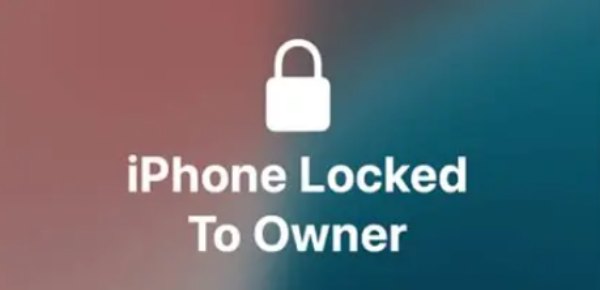
Furthermore, if your iPhone was purchased second-hand from someone else, the original owner might have forgotten to log out of their Apple ID. This will cause the iPhone to automatically enter "Lost Mode" when it detects the iPhone being used in an unusual location. Although this was done to protect the device's owner, it still caused some trouble for the purchasers.
The Most Efficient Way to Bypass iPhone Locked to Owner
So, many people are searching for how to remove the "iPhone Locked to Owner" notification and regain access to the iPhone. If you can't get the original owner's assistance, the easiest way to solve this problem is to do so yourself with professional tools. 4Easysoft iPhone Unlocker is designed to bypass Activation Lock and remove the "iPhone Locked to Owner" restriction efficiently. It supports various iPhone models and provides a guided interface, enabling users to regain access without complex steps or technical requirements.
Get into your iPhone locked to the owner safely.
Unlock a disabled iPhone even after too many tries.
Unlock iPhone without the original owner's support.
Decrypt iTunes Backup if you forgot the password.
100% Secure
100% Secure
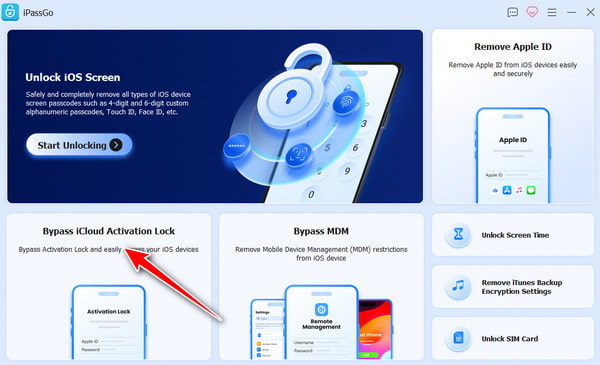
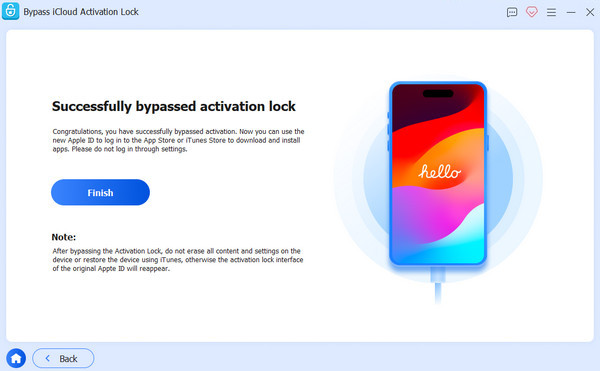
Step 1After launching 4Easysoft iPhone Unlocker, connect your iPhone to the device and click the "Bypass iCloud Activation Lock" button. Then, click the "Start Now" button.
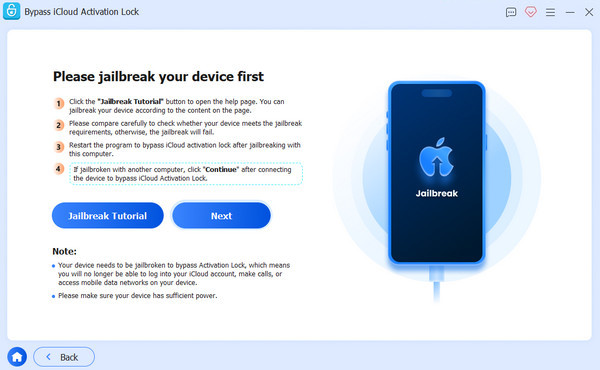
Step 2To resolve the iPhone Locked to Owner issue, click the "Start" button to download the firmware to proceed. Jailbreak your iPhone by following our guide.
Step 3Wait for the process to finish. When it's done, click the "Finish" button, and your iPhone will be unlocked successfully.
How to Unlock iPhone Locked to Owner with Owner's Aid
If the original owner can be contacted, unlocking the "iPhone Locked to Owner" issue becomes significantly easier and more secure. Since Activation Lock is directly tied to the owner's Apple ID, all you need to do is ask the original owner to unbind the device.
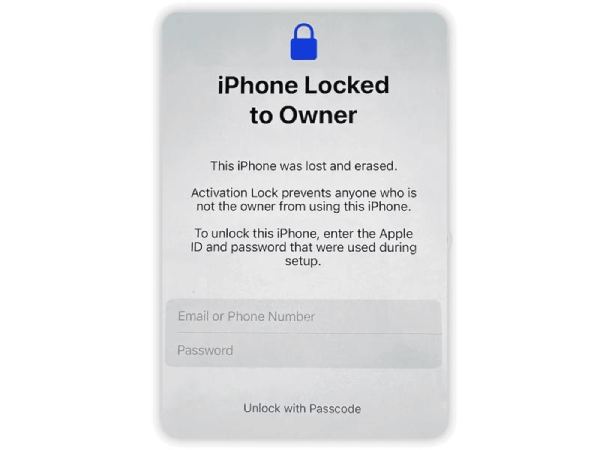
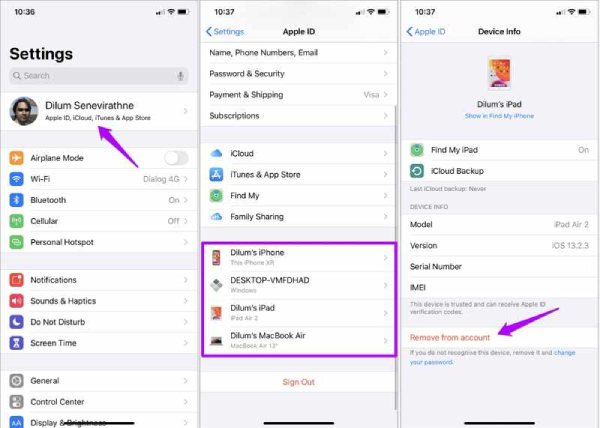
However, if the original owner is unable to provide their Apple ID account password due to privacy concerns, you can request them to perform a removal operation in Settings as follows:
Step 1Open Settings on the iPhone and tap the "Apple ID" button at the top of the screen.
Step 2Scroll down to view all devices tied to the owner's Apple ID. Tap the iPhone that is locked to the owner.
Step 3Under the "Device Info" tab, tap the "Remove from account" button, and your iPhone will be unlocked.
Now, you can follow the detailed instructions to unlock the SIM card on your iPhone. However, if the issue still exists, please dial *#06# to contact AT&T customer service.
Recovery Mode: Use a Computer to Unlock iPhone Locked to Owner
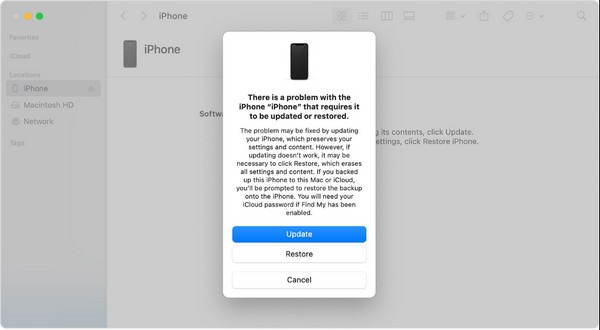
The Recovery Mode provides another prectical way to remove the "iPhone Locked to Owner" restriction. This method aims to restore the device through iTunes or Finder, which can help resolve certain system-related lock issues.
How to Remove iPhone Locked to Owner via DNS Bypass
DNS bypass is an alternative approach that redirects the device's activation process to bypass "iPhone Locked to Owner" restrictions. Although this method does not allow you to use an iPhone exactly as you would in normal circumstances, it at least lifts some restrictions on key software and functions, enabling you to use the iPhone in certain situations when needed.
Step 1Reset your iPhone as a new device, select a WLAN, and tap the "Info" button when you're asked to connect to Wi-Fi.
Step 2Tap the "Forget This Network" button and re-access the page to tap the "Configure IP" button.
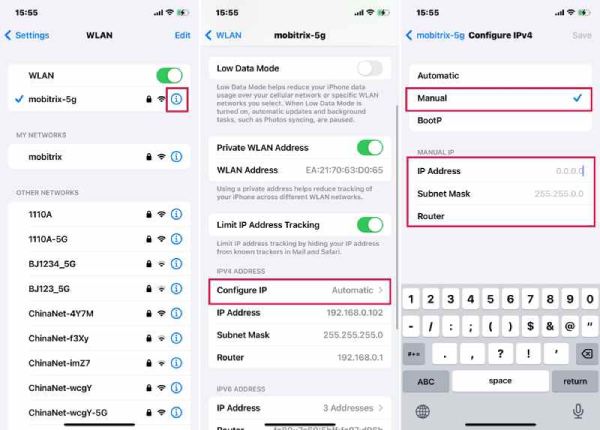
Step 3Tap the "Manual" button and type the manual IP following the DNS server IP provided below, based on your location.
USA: 104.154.51.7
Europe: 104.155.28.90
Asia: 104.155.220.58
Australia & Oceania: 35.189.47.23
Other regions: 104.155.28.90
Step 4Continue to finish the setup on your iPhone. When you see the "iPhone Locked To Owner" notification, tap the "Activation Help" button.
Apple Support - A Useful Way to Remove iPhone Locked to Owner
If you really can't get in touch with the original owner, then you can try contacting Apple Support to see if it's possible to remove the "iPhone Locked to Owner" restriction. You can explain the entire situation in detail and provide proof of purchasing and owning this iPhone. This usually requires waiting for a few days for the Apple officials to confirm the facts. After that, your iPhone will be unlocked. This is a secure and legitimate way to get into a locked iPhone, though it may require time and proper documentation to complete the process.
Conclusion
The "iPhone Locked to Owner" issue is closely related to Apple's security system. But it sometimes prevents the legal access, especially users forget their passwords. Whether through the original owner, official Apple support, or a professional unlocking tool, each method offers a different balance of convenience and reliability. With 4Easysoft iPhone Unlocker, it is possible to restore full access and use the iPhone normally again.
100% Secure
100% Secure
