
Record video, audio, gameplay, and webcam to record precious moments easily.

9 Best Lecture Recorders to Capture Classes You Should Try

Posted by Paula Pailaga to Record Video Dec 25, 2025
Recording lectures has become an essential part of modern learning, from online classes to reviewing sessions after class. Thus, a reliable lecture recorder allows you to share and keep lessons without missing any details. With so many options available, choosing the correct record can be challenging. So, this article rounded up the top 9 lecture recorders for classrooms and learning. Jump right in!
Guide List
4Easysoft Screen Recorder - All-in-One Desktop Recording with High-Quality OBS Studio - Free Open-Source Recording and Live Streaming Bandicam - High Performance Gameplay and Screen Record TinyTake - Lightweight Recorder with Cloud Sharing RecCloud - Online Screen Recorder with AI Transcription AZ Screen Recorder - Popular Recorder with No Watermark Record it! Screen Recorder - Simple Screen Recorder with Face Cam XRecorder - Screen Recorder with Built-in Video Editing Easy Voice Recorder - High-Quality Mobile Recording App4Easysoft Screen Recorder - All-in-One Desktop Recording with High-Quality
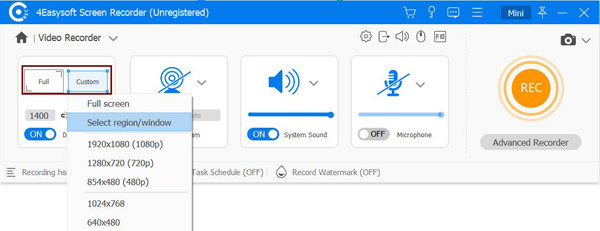
4Easysoft Screen Recorder is a powerful desktop lecture recorder designed for high-quality recording with full control. This solution lets you record your screen, webcam, system sound, and mic at once without noticeable quality loss. Moreover, it supports HD and 4K recording, making it perfect for tutorials, online meetings, gameplay, and other recording tasks. With its intuitive interface and powerful performance, it is accessible to anyone who wants a balance of friendliness and professional recording capabilities.
Can record lectures, classes, presentations, and more activities on a desktop.
Includes noise reduction and audio enhancements to ensure clear lecture sound.
Customizable hotkeys for start, pause, resume, and screenshot without interruption.
Built-in trimming tools to cut out breaks and extra parts before saving.
100% Secure
100% Secure
- Pros
- High-quality up to 4K; supports screen, webcam, and audio; fast processing.
- Cons
- Free version has limitations.
OBS Studio - Free Open-Source Recording and Live Streaming
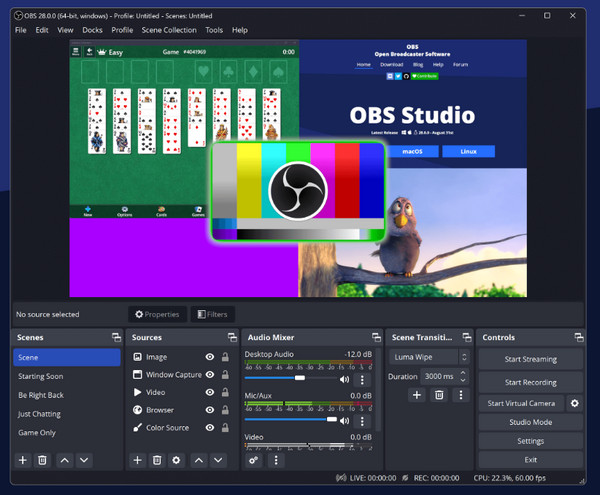
OBS Studio plays an important role in desktop recording software. You can use OBS as your free lecture recorder too. Here, you can create custom scenes, mix audio sources, and apply filters in real-time.
- Pros
- Free to record desktop, microphone audio separately or selectively; apply noise suppression; remove background noise while recording microphone voice.
- Cons
- No built-in editor; steep learning curve.
Bandicam - High Performance Gameplay and Screen Record
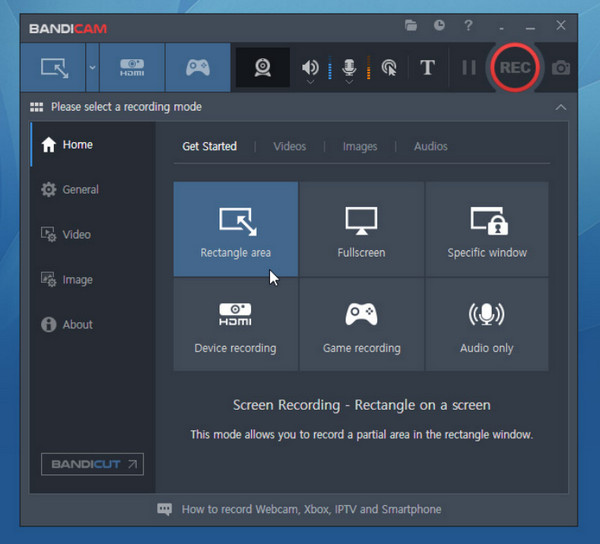
In contrast, Bandicam prioritizes performance and efficiency, mainly for Windows computers. It is famously known for recording high FPS gameplay and on-screen activity with minimal file size. Also, this lecture recorder app is simple to set up and works well for anyone who wants fast results without complex configurations.
- Pros
- Small output file size; great for game recording.
- Cons
- Attach watermarks in the Bandicam free version.
TinyTake - Lightweight Recorder with Cloud Sharing
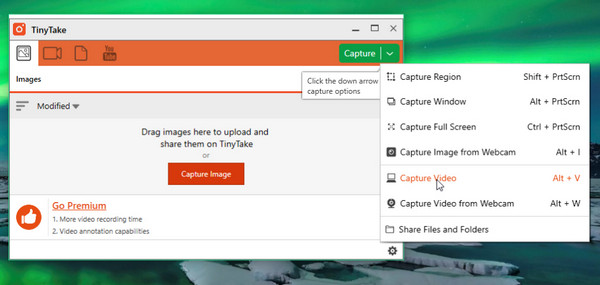
TinyTake is a lightweight recorder that allows users to record lectures with quick captures and easy sharing. You can record computer screen, audio and webcam simultaneously. Afterward, you can upload recordings directly to the cloud. A shareable link can be emailed to students immediately.
- Pros
- Fast setup; built-in cloud sharing; simple and beginner-friendly; TinyTake free accounts include 2GB cloud storage.
- Cons
- Basic editing features; 5-minutes maximum recording time limit in the free version.
RecCloud - Online Screen Recorder with AI Transcription
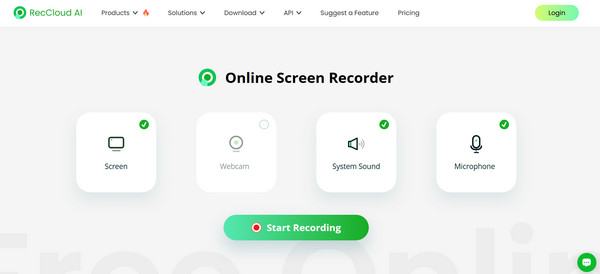
Meanwhile, RecCloud offers a browser-based audio recorder for everyone. It lets you record screens directly online and improves video quality with AI features. You can add subtitles and transcription to your lecture recording. It is a smart AI lecture recorder for remote teams, educators, and marketers.
- Pros
- Cross-platform compatibility; AI transcription and subtitle tools.
- Cons
- Feature limits on free plans.
AZ Screen Recorder - Popular Recorder with No Watermark
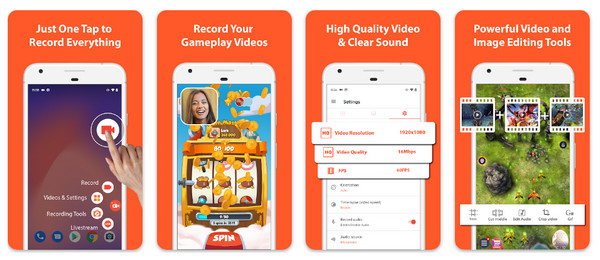
AZ Screen Recorder is one of the most reliable lecture recorder apps for Android devices. It lets you record your screen with internal audio, mic, and facecam support. Furthermore, it is known for having no watermark and no time limitations, even when using the free version.
- Pros
- Supports internal and mic audio; no watermark or time limit.
- Cons
- Ads in the free version.
Record it! Screen Recorder - Simple Screen Recorder with Face Cam
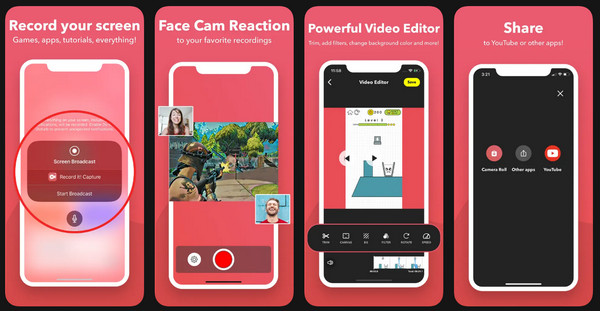
Similarly, Record it! Screen Recorder is a friendly option made specifically for iOS users. It lets you screen record with the optimal Facecam overlay, making this lecture recorder excellent for reaction videos and steps. Its clean interface makes it perfect for starters, which simplifies post-recording tasks.
- Pros
- Facecam recording supported; easy sharing options.
- Cons
- Limited editing tools; watermark in the free version.
XRecorder - Screen Recorder with Built-in Video Editing
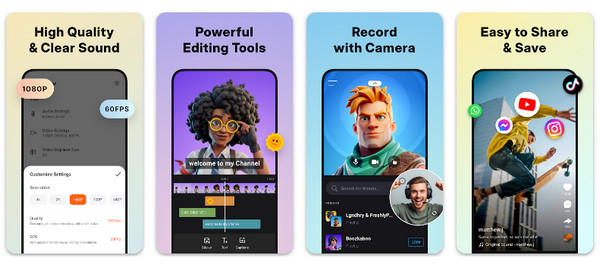
Following that, XRecorder is another strong Android lecture recording app focused on flexibility and quality. It supports HD recording, internal audio capture, and basic editing features. XRecorder is perfect for anyone who wishes to edit clips after recording directly on their phone without using an extra app.
- Pros
- Friendly interface; supports HD recording; built-in editor.
- Cons
- Ads and paid upgrades.
Easy Voice Recorder - High-Quality Mobile Recording App
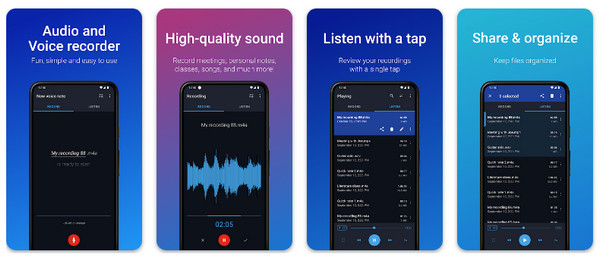
At last, Easy Voice Recorder is made for anyone who mainly needs an audio recorder rather than a screen capture for their lectures. It delivers high-quality recordings perfect for lectures, meetings, and interviews. Plus, this lecture recorder supports multiple audio formats and background recording.
- Pros
- Simple and lightweight; clear, high-quality recording.
- Cons
- Limited audio editing tools; no recording features.
Product Review Table
| Product | Platform | System Audio & Mic Support | Webcam Overlay | Quality | Watermark |
| 4Easysoft Screen Recorder | Windows, macOS | Yes | Yes | 4K | No |
| OBS Studio | Windows, macOS | Yes | Yes | 4K | No |
| Bandicam | Windows | Yes | Yes | 4K | Yes |
| TinyTake | Windows, macOS | Yes | Yes | HD | Yes |
| RecCloud | Web | Yes | No | HD | No |
| AZ Screen Recorder | Android | Yes | Yes | HD | No |
| Record it! Screen Recorder | iOS | Yes | Yes | HD | No |
| XRecorder | Android | Yes | Yes | HD | No |
| Easy Voice Recorder | iOS, Android | Mic only | No | Audio only | No |
Conclusion
Choosing the right lecture recording software can make a huge difference in how effectively you capture all learning materials. With the above options discussed, from desktop tools and online to mobile apps, each of them can help, whether you need full screen and webcam or simple voice capture. That said, if you want an all-around lecture recording tool, use 4Easysoft Screen Recorder. This program supports high-quality screen, system audio, mic, and webcam capture on Windows and Mac. With its no watermark and 4K output support, professional lecture recording can be easily achieved.
100% Secure
100% Secure
