
Remove screen passcode, Apple ID, MDM and Screen Time from iPhone safely.

Remove iCloud Activation Lock without Apple ID or Passcode

Posted by Paula Pailaga to iOS Unlocker Jan 09, 2026
iCloud Activation Lock is a security feature that Apple built to protect your iOS devices from unauthorized use. However, this can become a serious hindrance if you forget your Apple ID details or you buy a second-hand device. Thus, how can you remove iCloud Activation Lock? This guide explains what this feature is about and when it is enabled. Then, you'll see ways to bypass iCloud Activation Lock without knowing the previous owner.
Guide List
What is iCloud Activation Lock? When is Activation Lock Enabled? Removing iCloud Activation Lock without a Password Modifying iPhone Settings to Remove Activation LockWhat is iCloud Activation Lock?
iCloud Activation Lock is also a security measure that protects your data and device from unauthorized access. Apple features iCloud Activation Lock with its Find My services on iPhones, iPads, and other Apple devices. It connects the device to your Apple ID and prevents anyone from erasing, resetting, or using your device without the account credentials. If someone tries to reset it, Apple will check the Activation Lock status and ask for the tied Apple ID and password to confirm.
When is Activation Lock Enabled?
The iCloud Activation Lock feature does not turn on by itself; it is triggered by user actions. For instance, once you turn on Find My on your iOS device, Apple securely stores the information and ties it to the device. From that point on, if you wish to erase the device, disable Find My, or set it up again, you will need the Apple ID and password that enabled Activation Lock.
Here are actions to turn on Activation Lock on your Apple devices:
- Set up a new device and activate Find My during the initial setup.
- Activate a device after a reset or restore while still signed into your Apple ID.
- Remotely mark your device as lost or erase it via Find My.
Removing iCloud Activation Lock without a Password
Being locked out of an iPhone due to iCloud Activation Lock can be a headache. So, what if you no longer remember the Apple ID password? In situations like these, one reliable solution is 4Easysoft iPhone Unlocker. You can remove iCloud Activation Lock without the previous owner.
Eliminates various security locks, like Apple ID, screen passcodes, Face ID, etc.
Provides a high success rate while maintaining a safe and reliable process.
Supports a wide range of iPhone models and is ideal with the latest iOS versions.
Can unlock devices even if the device is disabled, locked, or unavailable.
100% Secure
100% Secure
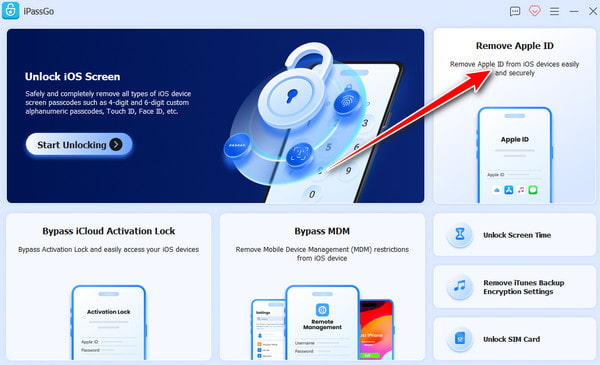
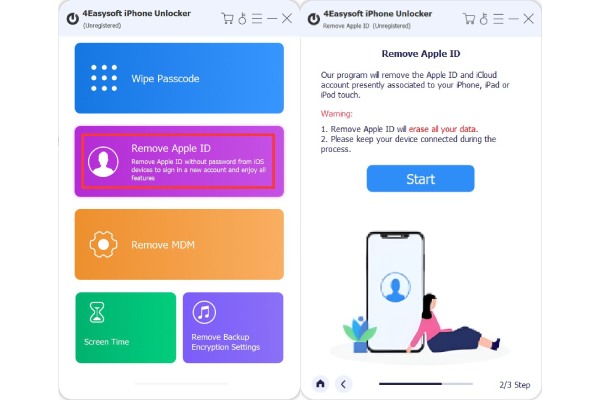
Step 1Open 4Easysoft iPhone Unlocker on your computer, and pair your iPhone to it via a USB cable. On the main interface, select "Remove Apple ID". Allow the program a moment to recognize your device, then click the "Start" button to move forward.
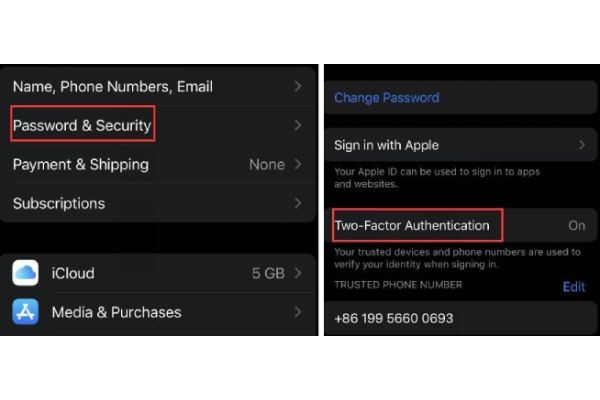
Step 2Open the "Settings" app on iPhone. Make sure the "Two-factor Authentication" option is enabled. After that, click the "Start" button again to continue.
Step 3Following that, type "0000" to verify your action and click the "Unlock" button. The program will then start removing the Apple ID from your device. Wait until the Apple iCloud activation lock bypass process is finished before disconnecting your iPhone.
Modifying iPhone Settings to Remove Activation Lock
While a third-party tool can help you turn off Apple's Activation Lock, one of the first places to look for solutions is your own device settings. Making the right adjustments can help remove the lock safely when you have access to the Apple ID linked with the device. So, you can remove iCloud Activation Lock without previous owner with high success rate.
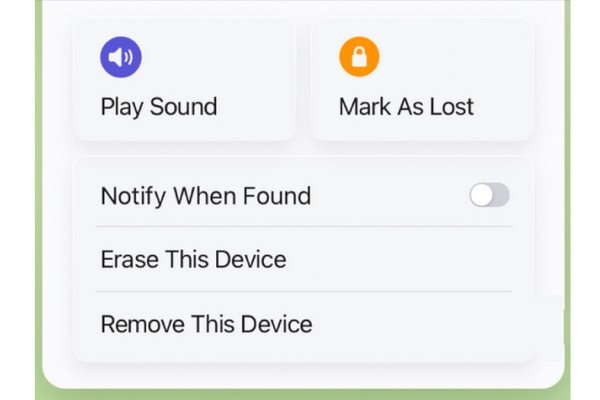
1. Use iCloud.com to Remove Account. Using a browser, sign in to iCloud.com with the Apple ID linked with the locked device. Head to the "Find Devices", choose your iPhone, and select "Remove from Account" or similar options. Doing so removes the device from the account and removes iCloud Activation Lock without password.
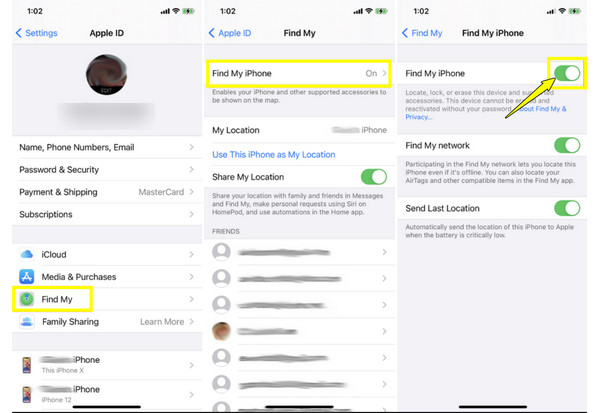
2. Turn Off Find My iPhone. On your iPhone, open "Settings" then "Apple ID name", and tap "Find My" then go to "Find My iPhone"; please turn it off. Enter your Apple ID password to confirm the iCloud Activation Lock removal.
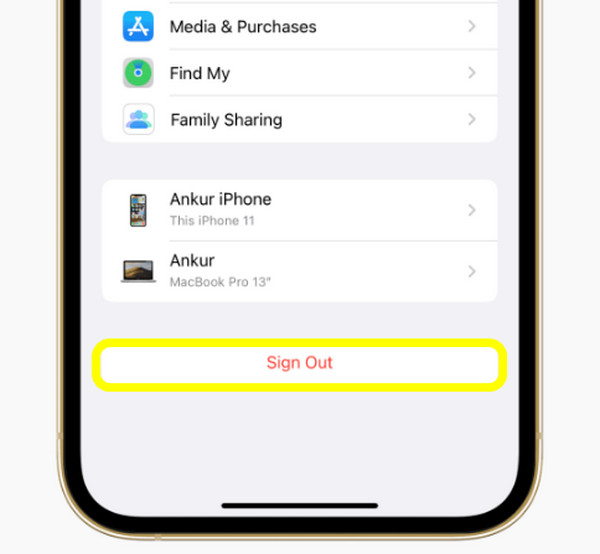
3. Sign Out of the Apple ID. Inside "Settings", tap on your "Apple ID name", and tap "Sign Out". Enter the correct password, and the Apple ID is removed from the device, disabling Activation Lock.
4. Use iCloud bypass tools. You can also turn to third-party iCloud bypass tools, which bypass the Lock screen, but the results may depend on the device and iOS version. Also, caution is advised since these tools aren't officially supported to unlock an iCloud locked iPhone.
5. Reset DNS server. This process involves changing the Wi-Fi DNS settings during the initial setup to access limited features. While this doesn't promise to remove Activation Lock, it may let you use certain functions like Messages, App Store, or calls.
Conclusion
As you've seen today, while the protection iCloud Activation Lock gives is effective, it can also become a problem if you forget your Apple ID credentials or buy a second-hand iPhone. With the official settings methods, you can remove iCloud Activation Lock without Apple ID safely, only if you have access to the original account details. However, when these are not possible, use 4Easysoft iPhone Unlocker to handle the removal process without the need for a password. It offers a user-friendly way to remove Apple ID-related locks with broad device compatibility and a high success rate, letting you access your iPhone again with confidence.
100% Secure
100% Secure
