

How to Play DVDs and Blu-rays on Sony PlayStation 4

Posted by Paula Pailaga to Rip DVD Jun 11, 2026
Today, we have more ways to get entertainment than ever before. Sony’s Play Station 4, for example, is one of the most popular game consoles. In fact, it is a versatile entertainment hub, offering a multitude of experiences beyond gaming. This guide will explain whether PS4 can play DVDs and how to use PS4 as a DVD player including compatibility, setup, and any potential limitations.
Guide List
First: Which PS4 Models Have a Disc Drive What Discs Can PS4 Play How to Play DVD on PS4 Bonus Tip: Best Way to Rip DVD for PS4 FAQs of PS4 DVD PlayerFirst: Which PS4 Models Have a Disc Drive
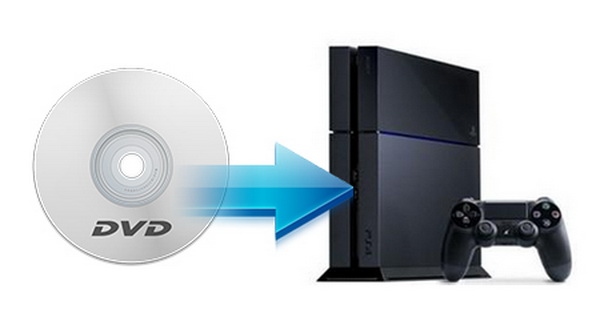
Not all PS4 consoles can play physical discs. Before anything else, check which model you have.
PS4 (original, CUH-10xx and CUH-11xx): Has a disc drive. Plays DVDs and Blu-rays.PS4 Slim (CUH-20xx): Has a disc drive. Plays DVDs and Blu-rays.PS4 Pro (CUH-70xx): Has a disc drive. Plays DVDs and standard Blu-rays. But not 4K UHD Blu-ray discs.
There is no official "PS4 Digital Edition". Sony didn't release a disc-less PS4. Every retail PS4 model came with a disc drive. If you've seen references to a "digital edition" PS4, those are likely referring to the PS5 Digital Edition, which is a different console.
What Discs Can PS4 Play
DVDs - Yes
- DVD-ROM (commercial movie DVDs)
- DVD-R and DVD+R (home-burned)
- DVD-RW and DVD+RW (rewritable)
Blu-rays - Yes (Standard Only)
- BD-ROM (commercial Blu-ray movies)
- BD-R and BD-RE (recordable/rewritable Blu-rays)
- 3D Blu-ray discs
What PS4 Cannot Play
- 4K UHD Blu-ray discs - not on any PS4 model, including PS4 Pro.
- CDs (audio CDs) - the PS4's drive does not support CD playback.
- Cracked, deformed, or heavily scratched discs.
- 8cm mini-discs.
How to Play DVD on PS4
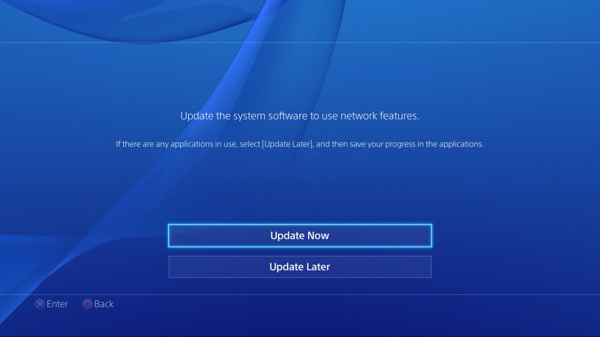
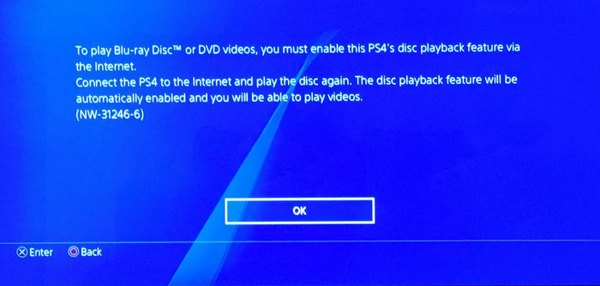
The disc playback feature is available on software 1.50 and above. Moreover, you need to enable the feature through an internet connection for the first time. Besides, DVD playback on PS4 is pretty easy.
Step 1Connect your PS4 to a Wi-Fi network. Navigate to "Settings", "System Software Update", and update the software to the latest version.
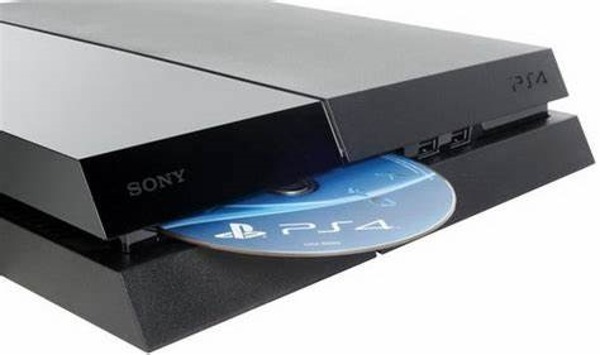
Step 2Insert the media DVD into the disc slot, and select the disc from the content area to begin playing the DVD on PS4.
Step 3If the disc is not detected automatically, go to the "Library" tab, select "Disc", and choose the disc. Press the "Play" button.
Step 4The "X" button is used to play or pause the DVD playback on PS4. To fast reverse or forward, hold the "L2" or "R2" buttons. The "PS" button can stop the playback.
Bonus Tip: Best Way to Rip DVD for PS4
If your DVD is not playing on PS4, the easiest solution is converting the disc into digital videos, and playing it on PS4 from USB. From this point, we recommend 4Easysoft DVD Ripper. It can complete the job without the requirement of technical skills. That makes it a good choice for beginners.
Rip media DVDs for playing on PS4.
Use AI to enhance the output quality.
Speed up the process using GPU Acceleration.
Support a wide range of video formats and portable devices.
Retouch DVD videos with stunning effects.
100% Secure
100% Secure
How to Rip a DVD for Playing on PS4
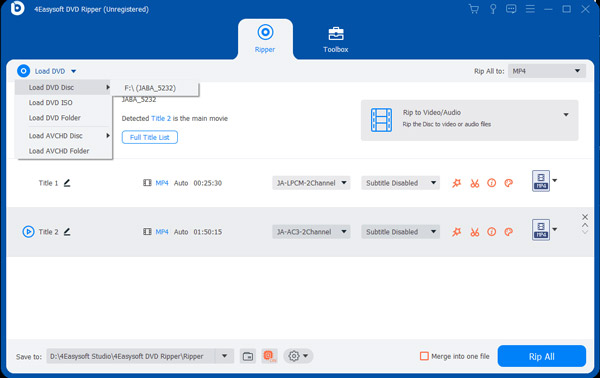
Step 1Launch the best DVD ripper for PS4 after you install it on your PC. There is another version for Mac users. Insert a video DVD into your DVD drive. Click and expand the "Load DVD" menu, choose "Load DVD Disc", and select your disc drive.
Tips
If you just want to rip specific titles, click the "Full Title List" button and check the boxes next to the desired titles.
Step 2Make sure to select "Rip to Video/Audio" on the right side. Click the "Rip All to" menu at the upper right side to trigger the profile dialog. Go to the "Device" tab, choose your game console brand, and pick the right model. Then the DVD ripper will optimize the output settings. You can also adjust them by hitting the "Settings" button.
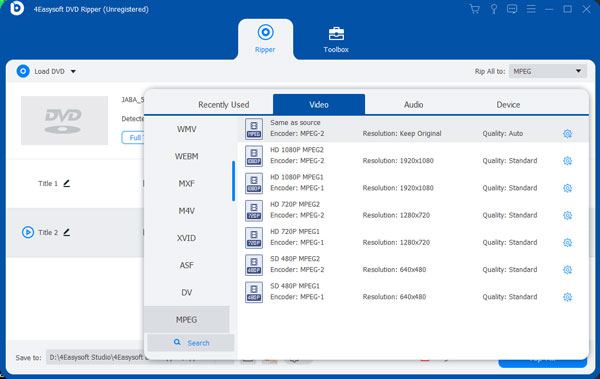
Step 3At last, click on the "Rip All" button at the bottom right corner to begin ripping the DVD for playing on PS4 immediately. When it is done, you can find the video from the directory in the "Save to" field.
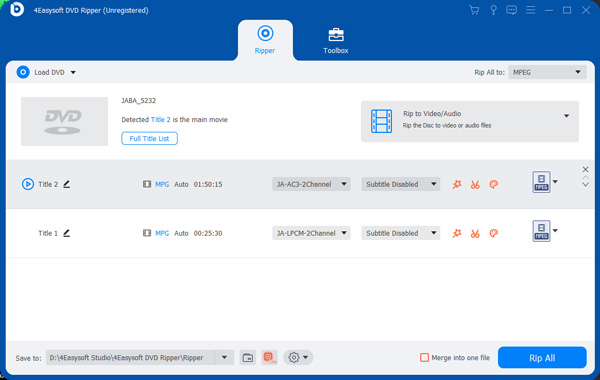
Step 4Move the ripped DVD videos to a USB flash drive. Then plug the USB into the PS4 and play them using a video player app. You can also watch 4K movies with a USB.
FAQs of PS4 DVD Player
-
Can PS4 play VCD?
PS4 can play DVDs and Blu-ray discs, but it cannot play CDs.
-
Can a regular PS4 play 4K movies?
A PS4 Pro user can play games and movies in 4K after setup. For regular users, you are not allowed to directly play 4K movies on PS4.
-
Why my PS4 does not play DVDs?
Firstly, check the supported disc formats and make sure your DVDs are compatible. Moreover, make sure to enable the disc playback feature on your game console. Plus, discs won’t be playable due to scratches and dust.
Conclusion
This guide has told you how to play DVDs on your PS4. Due to the built-in DVD drive, PS4 can read both DVDs and Blu-rays. In addition to activation for the first time, there are no complex steps to enjoy your DVD movies. 4Easysoft DVD Ripper is a simple solution if a DVD is not working on your game console. Other questions? Please write them down below.
100% Secure
100% Secure
