
Reliable video converter, editor, and compressor for daily tasks.

Best 8 AVI Converters for Quick and High-Quality Conversion

Posted by Aira Lesly Escoto to Convert Video Dec 25, 2025
Due to the lossless format and incompatibility issues, many people prefer to convert AVI to MP4 and other formats. Whether you wish for a smooth playback, a smaller file size, or improved compatibility, having a reliable AVI converter makes the process so effortless. Read the following paragraphs and get your best AVI converter here.
| Tool Name | Platform | Adjustable Output Settings | Other Supported Formats | Quality Resolution | Free/Paid |
| 4Easysoft Total Video Converter | Windows, Mac | Yes | MP4, MOV, MKV, WMV, FLV, AVI, MPEG, and more | 4K, HD, SD | Super Fast |
| Handbrake | Windows, Mac, Linux | Yes | MP4, MKV, WebM | HD, SD | Moderate |
| VLC Media Player | Windows, Mac, Linux | Yes, basic | MP4, MOV, MKV, WMV, MP3, TS, etc. | HD, SD | Moderate |
| Prism Video Converter | Windows, Mac | Yes | MP4, MOV, MKV, WMV, FLV, MPEG, etc. | 4K, HD, SD | Fast |
| Freemake Video Converter | Windows | Yes | MP4, MKV, WMV, DVD, MP3, etc. | HD, SD | Moderate |
| CloudConvert | Online | Yes | MP4, MOV, MKV, FLV, WMV | 4K, HD, SD | Moderate |
| FreeConvert | Online | Yes | MP4, MOV, MKV, WMV, FLV | HD, SD | Fast |
| Convertio | Online | Yes | MP4, MOV, MKV, WMV, FLV, WebM | HD, SD | Moderate |
1. 4Easysoft Total Video Converter - Fast and High-Quality AVI Video Converter
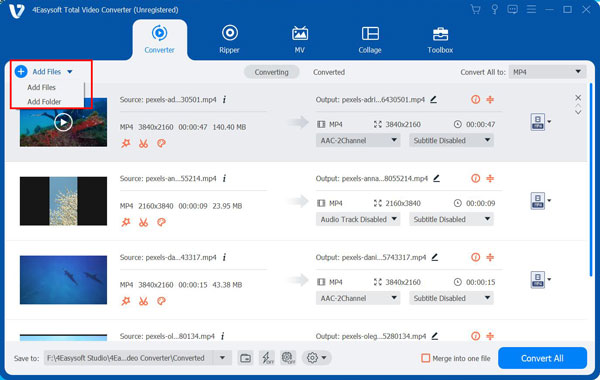
To begin with, 4Easysoft Total Video Converter delivers one of the quickest and most trustworthy AVI conversion processes among desktop tools. Besides AVI, it supports various formats such as MP4, MOV, MKV, MP3, AAC, and more. This AVI converter software also includes a complete editing suite, allowing you to trim, crop, merge, enhance, or apply effects before exporting your video. With its clean and beginner-friendly interface, navigating it is easy, even if it is your first time converting videos.
Supports many formats, including AVI, MP4, MOV, MKV, WMV, and more.
Hardware-accelerated AVI converter for faster processing.
Adjustable resolution, codec, bitrate, and frame rate settings.
Batch conversion for a bunch of AVI files without quality loss.
100% Secure
100% Secure
- Pros
- Fast conversion speed is offered.
- 20+ video editing tools.
- 600+ output formats support.
- Cons
- Full functionality requires a paid version.
2. Handbrake - Free AVI Converter with Advanced Encoding Controls
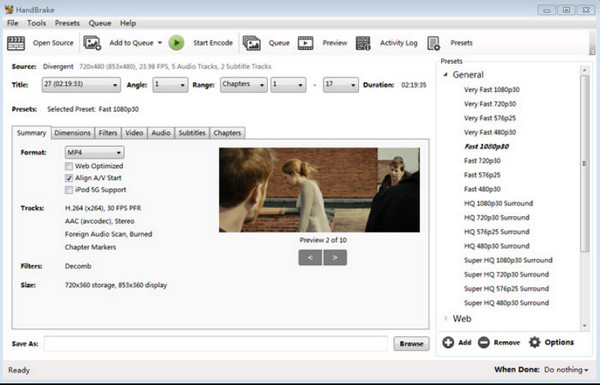
Moving on to a more technical option to convert AVI to MP4 and other formats, Handbrake is a well-known open-source tool perfect for anyone who wants deep control over their files. It also provides compression options, filters, and format presets.
- Pros
- Free convert and compress AVI files.
- Has advanced encoding options.
- Cons
- Slow processing speed, especially for large video conversions.
- Convert AVI to MP4, MKV, and WebM formats only.
- Lack advanced trimming, cutting, and more complex effects.
3. VLC Media Player - Free Media Player with Built-in AVI Conversion
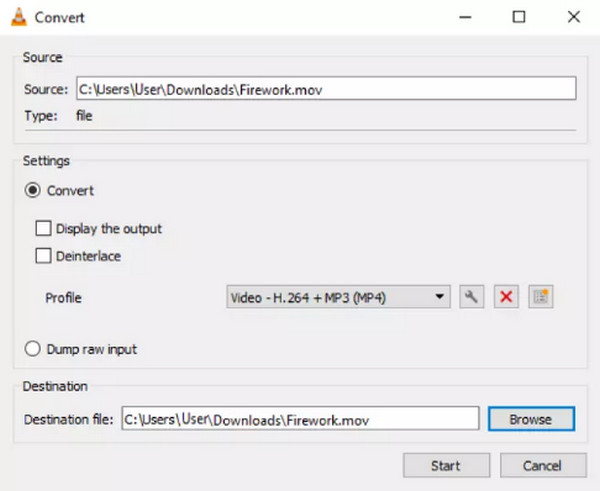
VLC Media Player is not only a powerful media player but also a handy AVI converter alongside its broad playback features. You can convert AVI for mobile and other presets within VLC. This tool supports basic format transformation and is ideal for quick and casual conversions.
- Pros
- Lightweight, free player and converter.
- No need for extra plugins.
- Cons
- Limited customization.
- It is slower than dedicated converters.
4. Prism Video Converter - Easy and Lightweight AVI Conversion
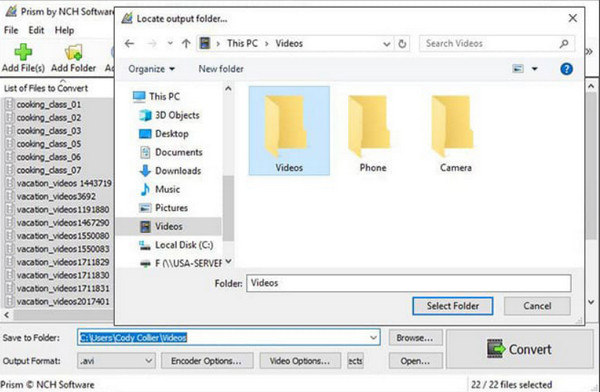
Furthermore, those who want a simple but dependable AVI converter may love the Prism Video Converter. This program handles AVI files smoothly while providing batch processing and important adjustments like compression settings.
- Pros
- Lightweight and beginner-friendly tool.
- Supports many formats, e.g., MP4, MOV, MKV.
- Cons
- Its free version is only for commercial use.
- Older-looking interface design.
5. Freemake Video Converter - User-Friendly AVI Converter
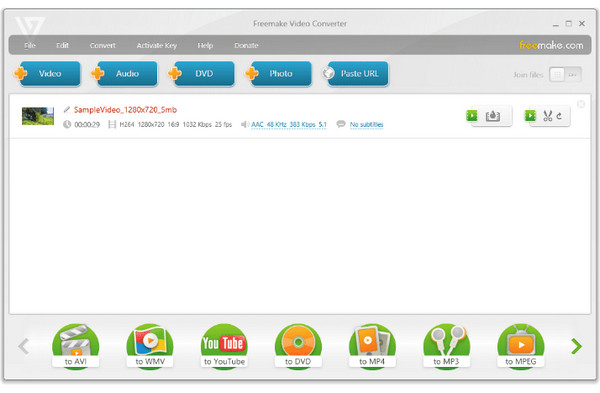
In addition to desktop options, here's Freemake Video Converter. It is another accessible option made for casual users who want an easy way to convert AVI to MP4 and other formats without complex settings. Also, it features quick presets and basic editing tools.
- Pros
- Offers a simple interface design.
- Hundreds of formats are supported.
- Cons
- The free version adds a watermark.
- The conversion process can be slow.
6. CloudConvert - Online AVI Converter with Customizable Settings

CloudConvert offers flexible AVI conversions. You can transcode videos uploaded from not only local drive, but also URL, Dropbox and Google Drive. Moreover, it offers advanced settings like bitrate control, codec changes, and aspect ratio adjustments.
- Pros
- Convert AVI files over 200 formats.
- Integrates well with cloud services.
- Cons
- It has limited free conversions daily.
- The speed depends on your connection.
7. FreeConvert - Fast and Friendly AVI Converter Online
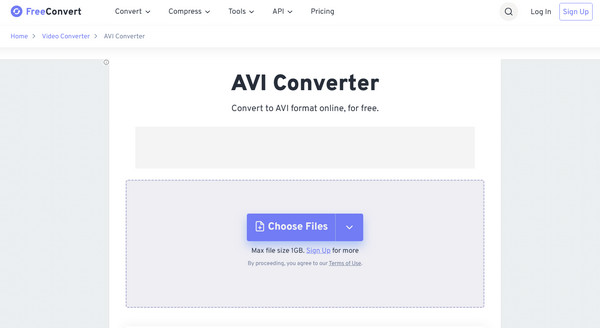
FreeConvert allows users to convert AVI videos up to 1GB for free. You can batch convert large AVI video files on your browser. There is no need to pay extra fees. What's more, you can adjust video codec, frame rate, orientation, resolution, aspect ratio and more details.
- Pros
- Quick conversions are promised.
- Has size reducers and codec controls.
- Cons
- The free tier has file size limits.
- Ads appear on its screen.
8. Convertio - Drag-and-Drop Online AVI Conversion
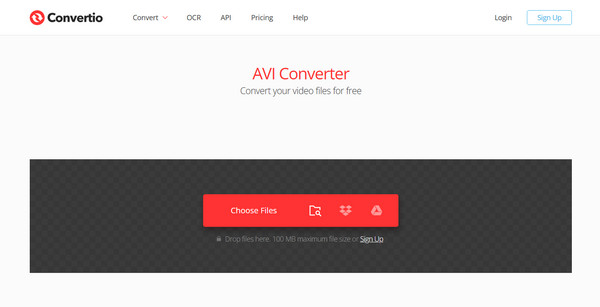
Finally, Conversion has the modern drag-and-drop AVI file converter interface that works seamlessly across browsers. While it is simple, it works efficiently for converting small to medium AVI and other file formats.
- Pros
- Covers many formats besides AVI.
- Import AVI files from URL, Dropbox, and Google Drive.
- Cons
- Offers limited free daily conversions.
- Not great for large AVI videos.
- Upload speed depends on your connection.
Conclusion
You can confidently decide the desktop and online AVI video converter that matches your needs. As for the best balance of speed, quality, customization, and ease of use, 4Easysoft Total Video Converter is the top recommendation. It works more than just a simple conversion by offering optimization presets, batch conversion, upscaling resolution, and more; this is the one that can elevate your entire video processing routine.
100% Secure
100% Secure
