

5 Best MakeMKV Alternatives for Format Compatibility

Posted by Paula Pailaga to Rip DVD Oct 13, 2026
Many people are looking for an alternative to MakeMKV for compatibility reasons. Although MakeMKV can perform the task of ripping DVDs very well, you can only choose MKV as the output format. As a relatively complex format, MKV is sometimes not supported by many players. Therefore, converting DVDs to MP4 or other more widely supported formats can enhance playback compatibility. This post offers 5 free alternatives to MakeMKV that provide more options for output formats.
Guide List
A Brief Introduction to MakeMKV Why Consider a MakeMKV Alternative 5 Best MakeMKV Alternatives for Better CompatibilityA Brief Introduction to MakeMKV
Before you start looking for an alternative to MakeMKV, it is helpful first to get some basic information about it. You can look for a tool that better meets your requirements based on its functions and features.
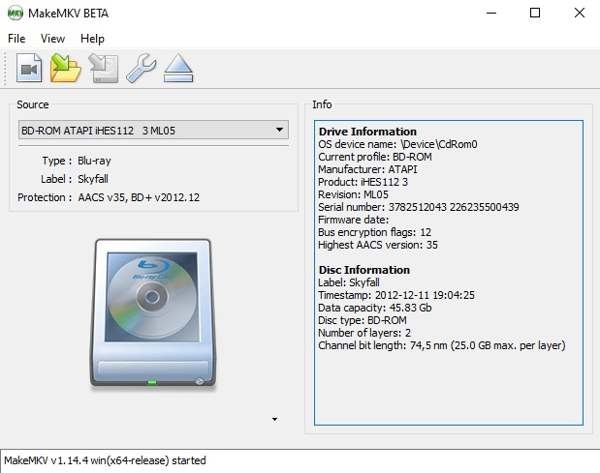
In simple terms, MakeMKV is a useful program that enables you to load and convert DVD/Blu-ray discs on your computer. No matter how your discs are protected, MakeMKV can easily bypass them and convert the discs into MKV format, saving them on your computer.
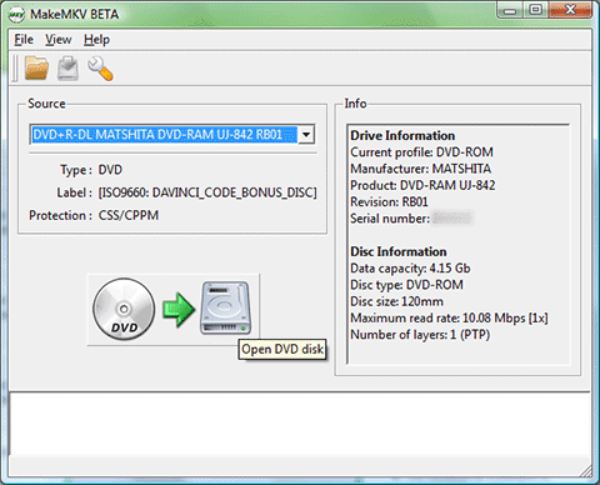
As an open-source tool, MakeMKV is extremely simple yet very secure. There is no spyware, no adware, and no viruses. You will not be disturbed at all during the entire ripping process. Furthermore, its update frequency is significantly higher than that of other open-source tools. Even to today, its official versions and forums continue to be updated.
Why Consider a MakeMKV Alternative
Since it has such powerful features, why would there be a need for a MakeMKV alternative? In fact, there are several drawbacks when you are using MakeMKV. This section lists several aspects that most users consider to be inconvenient:
1. MKV as Output Format Only
You can only convert content from DVDs and Blu-ray discs to the MKV format. Many social platforms or players lack native support for MKV files. This means that the video you receive might not play properly. This has led many people to look for an alternative to MakeMKV that offers more output format options.
2. No Preview While Selecting Titles
Although MakeMKV allows you to customize your selection of titles, in fact, you have no idea at all what you have chosen. For instance, when you come across a 2-hour-long DVD, all you can see are Titles 1, Titles 2, and so on. That is to say, you have no idea what exactly is contained in the title you have chosen.
3. No GPU Hardware Acceleration Supported
Generally speaking, the amount of data contained in a DVD and a Blu-ray disc ranges from 4.7GB to 50GB. This means that MakeMKV needs to handle a large amount of data. However, due to the lack of GPU acceleration, MakeMKV takes considerable time to convert the contents of your discs to digital format. Therefore, when many people look for an alternative to MakeMKV, they are actually seeking a more efficient method.
5 Best MakeMKV Alternatives for Better Compatibility
After testing over a dozen popular DVD ripper programs, we have selected the top 5 MakeMKV alternatives that are the most reliable for you. They offer the same excellent DVD-ripping capabilities as MakeMKV. In addition, they also offer you more customized options.
1. 4Easysoft DVD Ripper
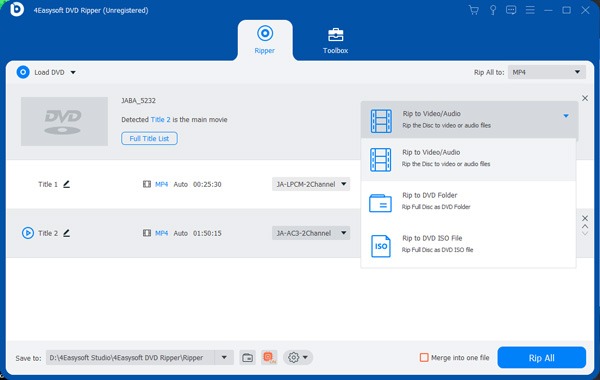
If you are looking for a versatile alternative to MakeMKV, 4Easysoft DVD Ripper is the best choice. This tool is simply an all-around upgrade to MakeMKV. When you select the content of the disc you wish to save, a preview is available for detailed information. As for the conversion, you can choose almost any format you desire for the output files. You will find that the entire process becomes extremely fast with GPU acceleration. In short, 4Easysoft DVD Ripper is arguably the best alternative to MakeMKV.
- Pros
- Record any DVD and Blu-ray discs.
- Skip the region codes and decrypt the discs.
- Enable GPU acceleration.
- Support almost all video output formats.
- Cons
- It may take a while to rip a Blu-ray disc.
More output format options than MakeMKV.
Rip your DVD discs with their original quality.
Preview the selected part to determine the content.
Advanced GPU acceleration for a quick process.
100% Secure
100% Secure
2. HandBrake
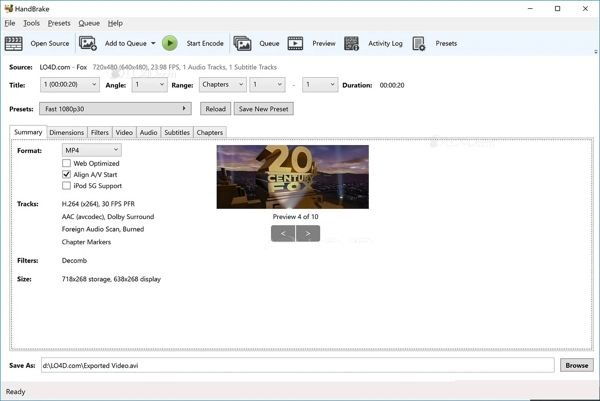
HandBrake is a reliable alternative to MakeMKV that is available for free. As an open-source tool, HandBrake offers more customizable options. By choosing the desired output format, you will achieve greater compatibility. It should be noted, however, that HandBrake cannot copy DVDs or Blu-ray discs that are copyright-protected.
- Pros
- A wide range of presets is offered.
- Customize detailed parameters.
- Rip homemade DVDs quickly.
- Cons
- The setup is complicated for beginners.
- The parameters displayed can be complex.
- Copyright-protected DVDs cannot be ripped.
3. VLC Media Player
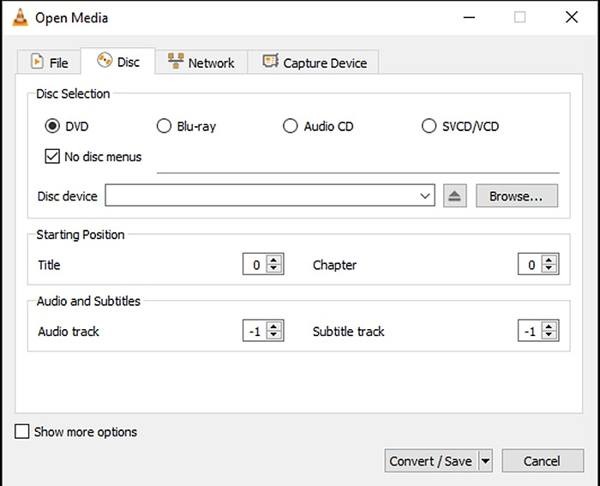
Many people, when playing DVDs or Blu-rays on their Windows PCs or MacBooks, tend to choose VLC media player. You can enjoy seamless, high-quality playback with this free video player. However, many people are not aware that you can also use VLC to rip DVDs. As long as you are watching discs that are not protected by copyright, you can save them to your device during playback using this MakeMKV alternative.
- Pros
- Support the recording of commercial DVD/Blu-ray discs.
- Provide multiple presets to save all DVD contents.
- During the viewing process, the ripping process begins seamlessly.
- Cons
- Output quality can be reduced.
- The process can take a long time.
- The ripping tool hides itself well.
4. Utility Disk
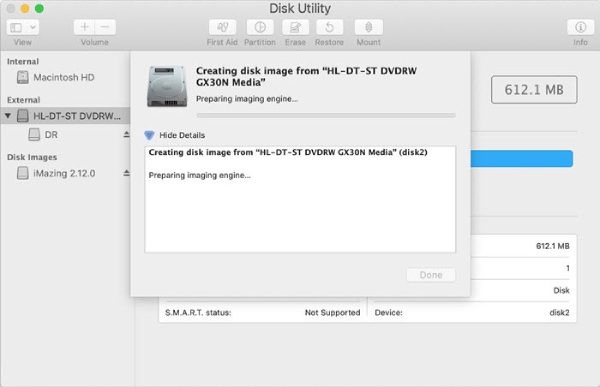
Although MakeMKV is specifically designed for Windows, Mac users can also find a similar tool. As a built-in macOS tool, Disk Utility can assist you with various tasks related to DVDs and Blu-ray discs. Although it may not handle complex tasks, Disk Utility is still a reliable free alternative to MakeMKV on your Mac.
- Pros
- Pre-installed on Mac.
- No additional downloading required.
- Display detailed DVD information.
- Cons
- Limited customized settings.
- Potential failure when creating copies.
- You cannot decide the output quality.
5. DVD Shrink
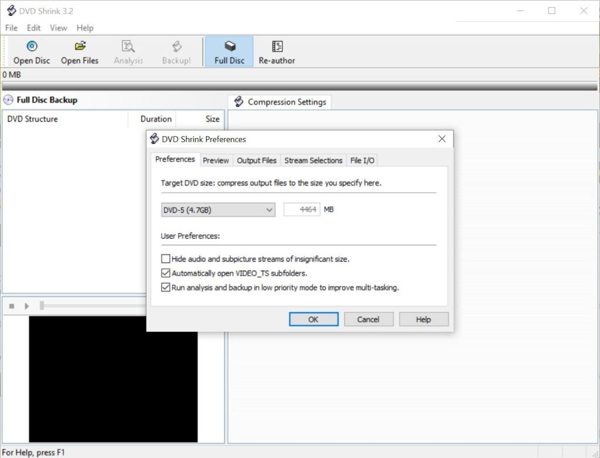
Most open-source tools require installing additional decryption plugins when dealing with DVDs to provide a suitable operating environment. If you don't want these plugins installed on your device, you can try DVD Shrink. This is a more direct alternative to MakeMKV. Download, and you can start using it directly. However, this simplicity means that it can only store DVD data. In other words, if you want to convert a DVD into a digital format, you will need additional software.
- Pros
- Copy and backup DVDs in one click.
- Preview DVD movies before ripping.
- Works for almost any type of DVDs.
- Cons
- Require another tool to convert DVDs to digital formats.
- There is no Windows 11 version.
- The interface can be outdated.
Conclusion
This post offers you several free alternatives to MakeMKV. They can help you rip DVD and Blu-ray discs as quickly as MakeMKV, while avoiding certain drawbacks. However, most of them are only great at certain aspects. If you want a versatile alternative to MakeMKV, 4Easysoft DVD Ripper is the best option.
100% Secure
100% Secure
