
Delete duplicates and free up storage on iPhone flexibly.

10 Best iPhone Erasers: Wipe iPhone Clean Safely [No Trace]

Posted by Paula Pailaga to iOS Cleaner Jan 16, 2026
Whether you want to sell your iPhone or simply wish to protect your data, deleting it completely matters more than ever! While a factory reset may remove files, it does not always ensure that your private data is entirely gone. For this, you need a reliable iPhone eraser! Read those 10 recommendations from quick junk cleaners to deeper data cleanup. So you can free up storage and enhance privacy on iPhone easily.
Guide List
Criteria for Selecting the Right iPhone Eraser 1. 4Easysoft iPhone Cleaner – Adaptable and Complete iOS Cleaner 2. Syncios iOS Eraser – Multi-Mode Data Eraser 3. Stellar Eraser for iPhone – One-Click Complete Eraserc 4. PanFone iOS Eraser – Safe Eraser with Social App Supportc 5. iOS Data Eraser – Multi-Mode Erase Options 6. CleanMyPhone – Quick iOS Cleanup 7. Macgo Free iPhone Cleaner – Simple iOS Junk Cleaner 8. Vibosoft FoneClean for iOS – Thorough Deep Cleaner 9. Coolmuster iOS Eraser – Steady Full Cleaner with Levels 10. iShredder – Cross-Platform Secure iOS Cleanerc| iPhone Eraser Software | Platform | Erase Scope | Clean Mode |
| 4Easysoft iPhone Cleaner | Windows, macOS | Apps, junk files, photos, private data | Low, Medium, High |
| Syncios iOS Eraser | Windows, macOS | Private data, junk, deleted files | Multiple cleaning modes |
| Stellar Eraser for iPhone | Windows, macOS | Full device data and settings | One-click erase |
| PanFone iOS Eraser | Windows | Junk files, app data, private data | Selective and full |
| iOS Data Eraser | Windows, macOS | Deleted files, personal data, hidden data | Multiple modes |
| CleanMyPhone | Windows, macOS | Junk files, large files | Quick cleanup |
| Macgo Free iPhone Cleaner | Windows, macOS | Junk files, call history, notes | Basic cleanup |
| Vibosoft FoneClean for iOS | Windows, macOS | App cache, junk files, cookies | Deep cleanup |
| Coolmuster iOS Eraser | Windows, macOS | iOS data and settings | Low, Medium, High |
| iShredder | Windows, macOS | Files and free space | Multiple modes |
Criteria for Selecting the Right iPhone Eraser
Choosing an iPhone data eraser requires you to evaluate specific criteria, as not all software is built for the same purpose. So, to make a wise choice, here are the following you should take note of.
- Clean or Erase Modes. The right iPhone eraser app has multiple erasing modes, letting you choose between a quick cleanup.
- Erase Scope. The tool must state what types of data it supports, like app data, junk files, deleted files, and more.
- Platform Compatibility. Always check whether the tool supports your system, Windows, or macOS, to ensure smoother operation.
- Friendliness. Beginners can erase iPhone data without confusion.
- Security Standards. Choose an iPhone data removal tool that ensures your personal information remains protected.
- Selective Deletion Options. This feature is ideal for removing specific files, apps, or categories instead of a full wipe at once.
- Performance and Speed. Run fast while scanning and delete iPhone data in GBs.
1. 4Easysoft iPhone Cleaner - Adaptable and Complete iOS Cleaner
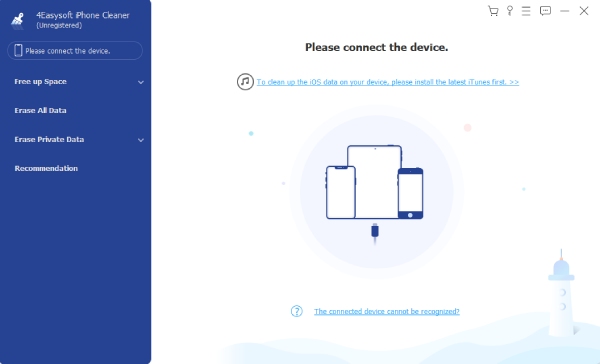
You can use 4Easysoft iPhone Cleaner to clean iPhone data selectively, including junk files, duplicate photos, logs, unused apps, and other unwanted files. Moreover, you can erase all iPhone data completely with 3 different levels, including Low, Medium, and High. The iPhone cleaning software can overwrite all iPhone data for one, two, and three times. By doing so, you can permanently delete private and sensitive data before selling or giving away your iPhone.
Multiple erase levels to suit different privacy and security needs.
Real-time data preview before deletion to avoid accidental data loss.
Instantly wipes selected data while ensuring it cannot be recovered.
Comprehensive data cleaning, supporting unused apps, photos, hidden data, etc.
100% Secure
100% Secure
- Pros
- Wide range of iOS devices is supported.
- Delivers quick data erasure.
- Selectively choose data to delete.
- Cons
- Complete access to advanced features needs upgrading.
2. Syncios iOS Eraser - Multi-Mode Data Eraser
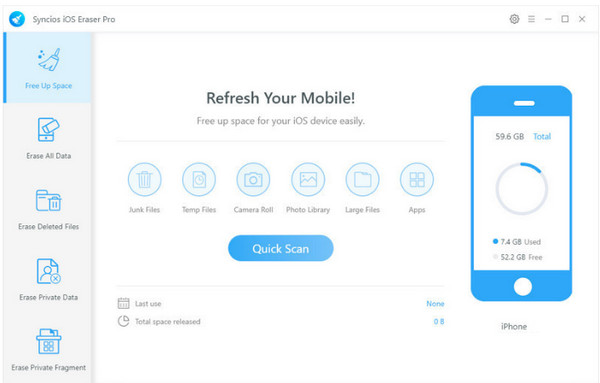
Syncios iOS Eraser focuses on versatility and precision. Instead of offering just a single erase iPhone option, it features multiple modes for removing junk data, deleted files, system fragments, and even private information.
- Pros
- Compatible with many iOS versions.
- Supports many erase modes.
- Selective deletion support.
- Cons
- Advanced features may overwhelm you.
- Slower scans on large storage.
3. Stellar Eraser for iPhone - One-Click Complete Eraser
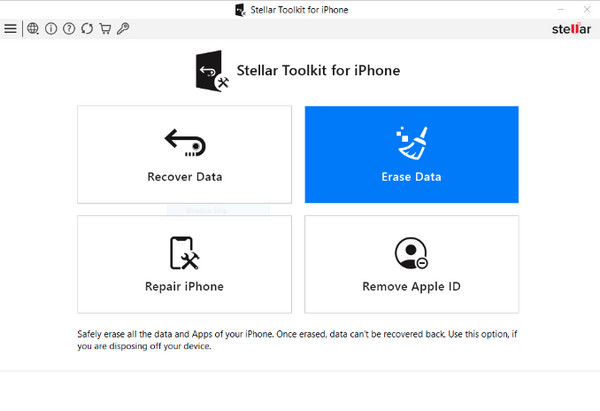
In contrast to the previous iPhone data erase software, Stellar Eraser for iPhone works well with simplicity and speed. It specializes in entirely wiping all your data and settings in just a click, ensuring nothing remains recoverable.
- Pros
- One-click operation.
- Perfect for device resale.
- Cons
- Limited storage optimization tools.
- May not work on older iPods.
4. PanFone iOS Eraser - Safe Eraser with Social App Support
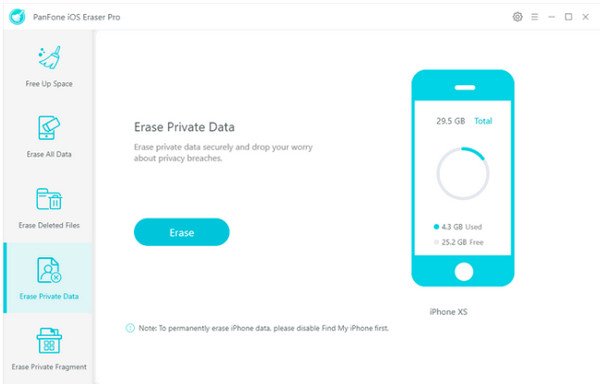
PanFone iOS Eraser supports deleting files from WhatsApp, WeChat and other message apps. This iPhone data cleaner provides 3 different erasing levels for unrecoverable wiping. So, you can delete chat histories, app caches, and attachments without data leak.
- Pros
- Selective iPhone data deletion with preview.
- Deep cleaning for social apps, junk files, and temporary files.
- Cons
- There is no Mac version yet.
- Not support bulk app removal or photo compressions on some versions.
5. iOS Data Eraser - Multi-Mode Erase Options
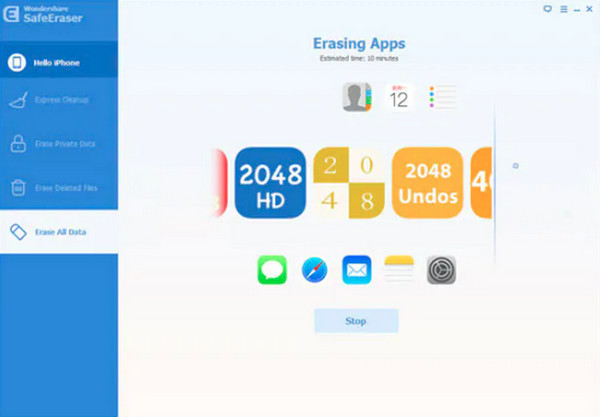
Similarly, iOS Data Eraser has multiple erase modes to fit different removal situations. Using this iPhone eraser app, you can select between quick cleanup and deeper erasing. It can handle your personal data, deleted files, and even those hidden ones efficiently.
- Pros
- Several erase modes are supported.
- Simple operation only.
- Covers hidden and deleted data.
- Cons
- Only have limited cleanup extras.
- Paid license needed for full use.
6. CleanMyPhone - Quick iOS Cleanup
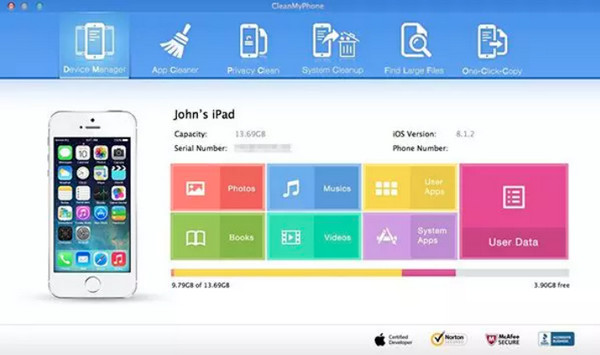
Shifting your attention to a fast storage cleanup iPhone eraser solution, CleanMyPhone identifies all large media files, junk files, and unnecessary data that can be removed. However, CleanMyPhone may identify wrong photos or freeze during data scan. In case of this protentional inaccurate detection, check and confirm data before deleting.
- Pros
- Quick scanning and cleanup.
- Clear storage overview.
- Beginner-friendly design.
- Cons
- Not great for resale preparation.
- Has only limited deep erase features.
7. Macgo Free iPhone Cleaner - Simple iOS Junk Cleaner
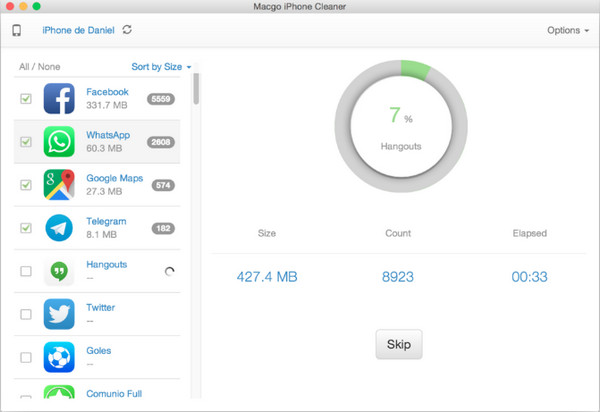
For anyone who is on a budget, Macgo Free iPhone Cleaner offers a basic yet functional solution to erase an iPhone. It includes junk files, contacts, call logs, and other extra data without any costs. You can erase all photos on iPhone, as well as videos, call logs, and other private files.
- Pros
- Easy and lightweight option.
- Covers older devices.
- Free to use to erase iOS data.
- Cons
- Slower scanning speed.
- Limited advanced features.
8. Vibosoft FoneClean for iOS - Thorough Deep Cleaner
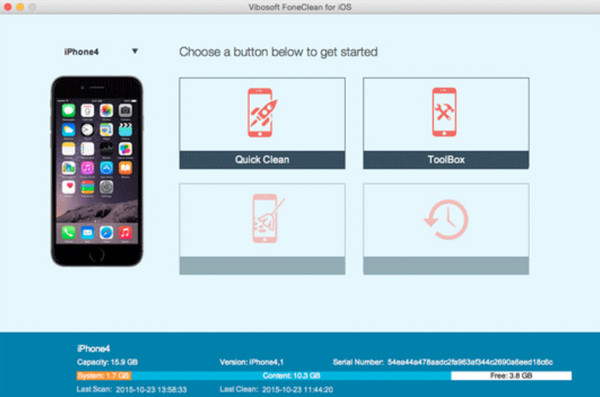
Meanwhile, Vibosoft FoneClean for iOS prioritizes deep junk detection. It can deeply delete app data, caches, cookies, history, and other leftover files that are missed by basic iPhone cleaners, making it great for long-term iPhone users who have not cleaned their devices in a while.
- Pros
- It removes stubborn junk files.
- Perform deep and detailed scanning.
- Broad iOS compatibility.
- Cons
- It may have a slower cleaning process.
- Its interface could be more modern.
9. Coolmuster iOS Eraser - Steady Full Cleaner with Levels
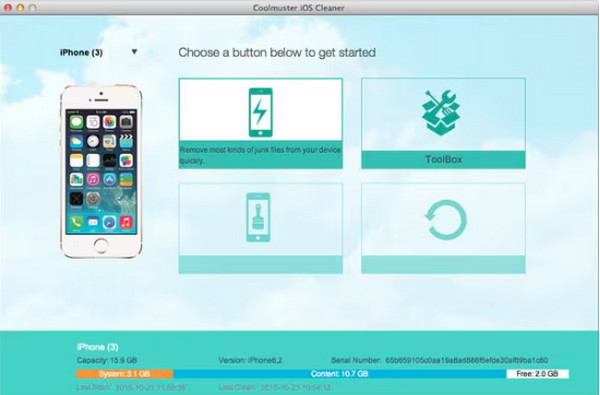
Coolmuster iOS Eraser offers a balance between control and reliability. Using this tool, you can erase iPhone with three erase levels, letting you choose between faster cleanup or deeper. It also has fewer visualization tools than some rivals.
- Pros
- Offers a stable performance.
- Adjustable erase levels.
- Permanent data removal.
- Cons
- It is a paid software.
- No detailed storage analysis.
10. iShredder - Cross-Platform Secure iOS Cleaner
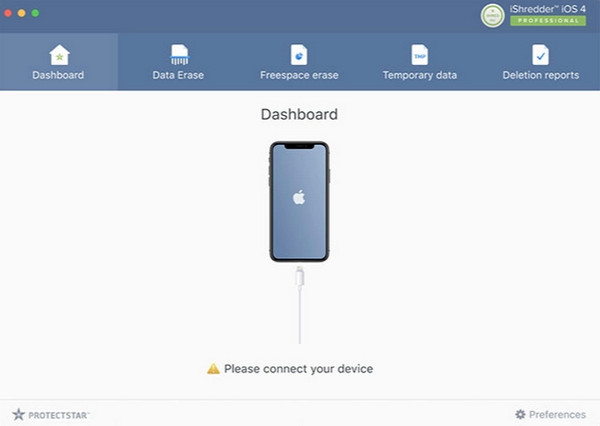
Finally, iShredder here centers more on users who demand maximum security. This iPhone eraser tool uses military grade erase standards to overwrite data multiple times. While it may be excessive for everyday users, it is an excellent pick for professionals handling sensitive data.
- Pros
- Strong privacy protection.
- Military-grade erase algorithms are used.
- Cons
- Higher price point.
- It can be complex for basic cleanup.
Conclusion
As this list shows the top 10 iPhone eraser tools, choosing the right one depends on what you need. Each here can delete junk files quickly. You can also permanently delete iPhone data using 3 different deep cleaning modes. Among all the above options, 4Easysoft iPhone Cleaner stands out. You can free up iPhone storage space by deleting selected files, or overwrite iPhone data up to 3 times before selling. This iPhone data eraser can scan and show you all [hidden] files that occupy your storage. So you can safely erase iPhone at home by yourself.
100% Secure
100% Secure
