
Rip DVD disc/folder/iOS file to any digital format with no playback issue.

5 Best Blu-ray Decrypters: Features, Comparison, and More

Posted by Paula Pailaga to Rip Blu-ray Oct 13, 2026
When a Blu-ray is protected with AACS, region codes, or other restrictions, simply inserting your disc into a computer may not be enough. To help you access the content inside, you need a Blu-ray decrypter. Not only does it simplify the process, but it also gives you more control over your disc content. Thus, this guide today breaks down the top 5 Blu-ray decrypter software, compares each, and first answers an important question: Is Blu-ray decryption legal?
Guide List
Is Blu-ray Ripping Legal? What Blu-ray Copy Protection Actually Is Top 5 Best Blu-ray Decrypter Software What People Run into When Decrypting Blu-ray Which Is Your Best Blu-ray Decrypter? Check This Table FAQsIs Blu-ray Ripping Legal?
Blu-ray ripping laws differ by country, so there's no direct yes or no answer. In some places, making a personal backup of your Blu-ray discs may be permitted, while bypassing copy protection measures can be restricted separately. For instance, U.S. law generally prohibits bypassing technological protection measures, though there may be exemptions for certain lawful uses.
What Blu-ray Copy Protection Actually Is
Blu-ray copy protection covers AACS, BD+, region codes, Cinavia, and other technologies that restrict unauthorized access or copying.
These protections will make ripping or backing up your Blu-ray disc more complicated since the disc may need compatible software to access the encrypted content. Thus, choose a Blu-ray to digital converter that supports the protection used by your disc.
Top 5 Best Blu-ray Decrypter Software
Different Blu-ray decrypter software takes very different approaches. Some have video conversion while others use lossless extraction. Below are the top five options worth your time, with their main strengths and best for use cases.
1. 4Easysoft DVD Ripper
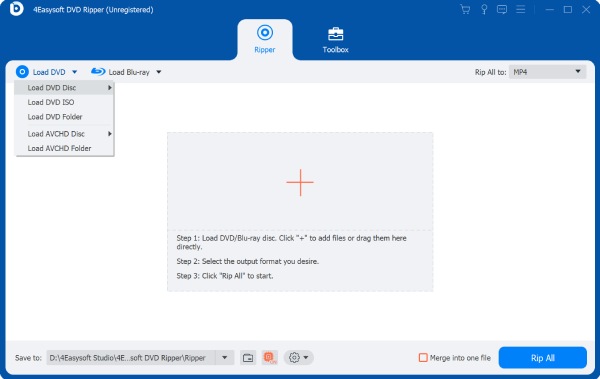
Best for: Effortless decryption and conversion of your Blu-ray content in one place.
A versatile option if you want to decrypt your Blu-ray content and convert it into a more convenient digital format, 4Easysoft DVD Ripper has it all in one place! This Blu-ray decrypter handles various protections while covering popular output formats like MP4, MKV, MOV, AVI, etc. Beyond simply ripping, it includes useful editing tools, so you can trim, crop, add subtitles, and adjust audio or video settings. It indeed offers a straightforward workflow without needing several separate programs just to enjoy your Blu-ray movie.
Blu-ray decryption for various copy protections to access disc content easily.
Fast GPU acceleration to speed the ripping and conversion process.
Rips your high-resolution Blu-ray while maintaining excellent quality.
600+ formats are supported for converting your Blu-ray videos.
100% Secure
100% Secure
2. MakeMKV
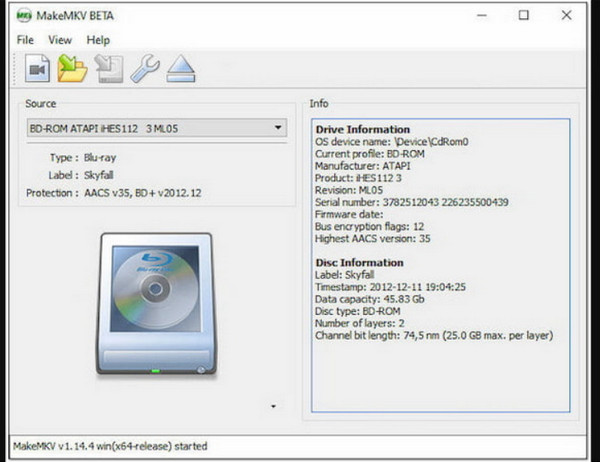
Best for: Creating your high-quality, lossless Blu-ray backups in MKV format.
Next, MakeMKV shifts your focus toward greater quality preservation as a Blu-ray decrypter. Instead of heavily compressing your source, MakeMKV extracts your Blu-ray content into MKV format while keeping the original video and audio. It saves all chapters, subtitles, and multiple audio tracks, making it helpful when creating your high-quality digital backup.
3. Leawo Blu-ray Ripper
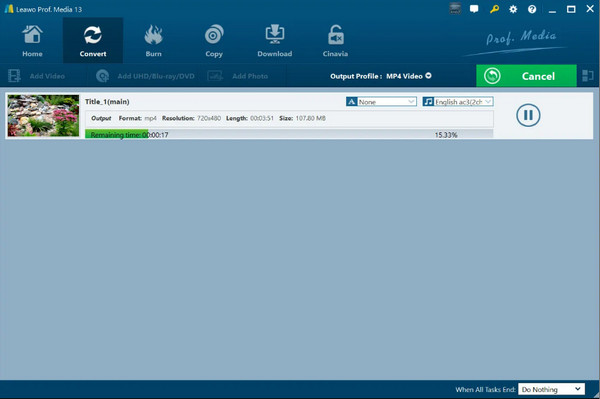
Best for: Blu-ray movie conversion into formats optimized perfectly for your different devices.
Moving on to Blu-ray decrypter that combines Blu-ray decryption and video conversion in a simple interface: Leawo Blu-ray Ripper. This tool supports a bunch of output formats; thus, it is easier for you to prepare your Blu-ray content for computers, smartphones, tablets, and other devices. You can select specific tracks and subtitles, too, before the conversion starts, giving you more control over your final file.
4. DVDFab Blu-ray Ripper
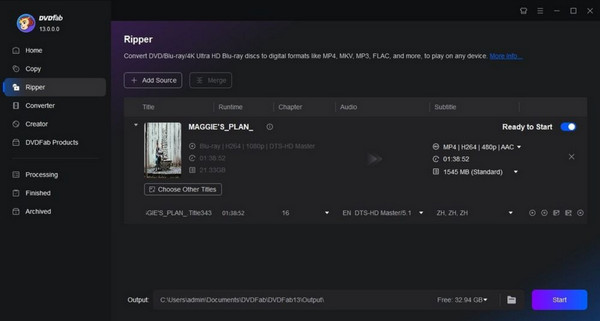
Best for: Advanced users who are craving for flexible ripping and customization options.
For anyone looking for extra customization in a Blu-ray decrypter, DVDFab Blu-ray Ripper here has a feature-rich way to digitize Blu-ray. In addition to its broad range of output formats and profile support, you can select titles, audio tracks, subtitles, and other content before ripping. Additionally, its hardware acceleration speeds up the overall process, especially for your large, high-resolution Blu-ray files.
5. Blue Cloner
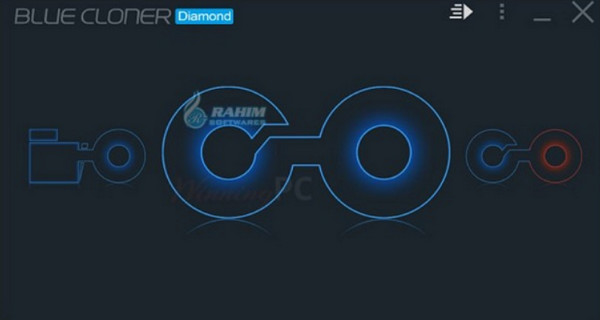
Best for: Decrypting, copying, and backing up Blu-ray or 4K UHD discs while preserving their disc structure.
Ending the list with Blue-Cloner. It is primarily a Blu-ray copying and backup tool, but it can also serve as your Blu-ray decrypter for supported protections such as AACS and BD+. It backs up your Blu-ray content as a 1:1 copy, Blu-ray folder, or ISO file. Furthermore, it has different copy modes, including movie-only, split, complete, and customized copying.
What People Run into When Decrypting Blu-ray
Even if you have a capable Blu-ray decoder in your hand, the steps don't always go smoothly. There are newer protections or some changes in your system that can lead to errors. Below are some of the complaints you might face when decrypting your Blu-ray.
- My new Blu-ray fails to decrypt. Update your chosen decrypter software to the latest version, since new discs may have newer protection that older versions can't recognize.
- The BD+ protected disc won't decrypt. Ensure your software supports BD+ and is up to date. If needed, try a Blu-ray decrypter with wider protection support.
- The audio drops because of Cinavia. Since Cinavia is an audio copy-protection system, compatible software may need to properly process affected discs and check whether your tool supports the specific protection.
- The MKV output is very large. Use H.264 or H.265 compression with a suitable setting if you want to get a smaller file size for everyday playback.
- My drive stopped being recognized after the update. Go to Device Manager, reinstall or update your drive, and make sure Windows still detects it correctly.
- My 4K UHD Blu-ray won't decrypt. Confirm whether your Blu-ray decrypter and drive support the UHD disc and its protection, since UHD discs may need newer decryption support and hardware.
Which Is Your Best Blu-ray Decrypter? Check This Table
Among Blu-ray decrypters, each offers different features, and you might feel confused about which is right for you. To help you narrow your choices, the table below provides a quick side-by-side look at the five options, particularly their AACS, BD+, and 4K UHD support.
| Blu-ray Decrypter | AACS | BD+ | 4K UHD | Best for |
| 4Easysoft DVD Ripper | Yes | Yes | Yes | All-in-one ripping and conversion |
| MakeMKV | Yes | Yes | Yes | Lossless Blu-ray backup in MKV format |
| Leawo Blu-ray Ripper | Yes | Yes | Yes | Flexible Blu-ray conversion |
| DVDFab Blu-ray Ripper | Yes | Yes | Yes | Advanced ripping and customization |
| Blue Cloner | Yes | Yes | Yes | Blu-ray description, copying, and 4K UHD backup |
FAQs
-
Can a Blu-ray decrypter handle a 4K UHD disc well?
It depends on the software used, your Blu-ray drive, and the protection used by the disc. Some Blu-ray decrypters support 4K UHD with no issues, while others are limited to only standard Blu-ray.
-
Why is my decrypted Blu-ray file so large?
This is usually because your Blu-ray files have higher-resolution video, high-quality audio, subtitles, and other data. For a smaller file, you need to re-encode the video with H.264 or H.265 and adjust the quality settings to balance the size and image quality.
-
Can Handbrake decrypt my protected Blu-ray discs?
No. Handbrake cannot remove Blu-ray copy protection. You will have to use another compatible tool to access the content first, then use Handbrake to convert or compress the video file.
-
What's the BD+ protection in my Blu-ray?
BD+ is among the copy protection technologies used on some Blu-rays to help prevent unauthorized copying. It makes it difficult for older decrypters to access. You will need software that specifically supports the protection.
Conclusion
From AACS and BD+ to 4K UHD compatibility, the right Blu-ray ripper can make accessing and backing up your Blu-ray discs much easier. The five Blu-ray decrypter software here each take a slightly different approach, so consider the disc protection, quality, format support, and backup method you need. One worth a look is the 4Easysoft DVD Ripper. It supports ripping, 4K output, hardware-accelerated processing, and hundreds of formats, giving your Blu-ray collection a more flexible way to enjoy and back up your content.
100% Secure
100% Secure
