
Rip DVD to MP4 (H.264/HEVC) and other popular formats with Original Quality

Top List for Beginners - Best DVD Rippers for Windows 10

Posted by Paula Pailaga to Rip DVD Jun 09, 2026
If you are also looking for the best DVD ripper to back up the content of DVDs and ensure compatibility, then you've come to the right place. This practical tool can help you reduce the wear and tear of DVDs and extend their lifespan. If you don't know which tool is reliable, you can read this post to learn about the features and attributes of different tools, so as to help you select the one that best meets your requirements.
Guide List
Basic Knowledge About Windows 10 DVD Rippers Top Picks: Best DVD Rippers for Windows 10 [Bonus] Tips for Selecting a Good Ripping SoftwareBasic Knowledge About Windows 10 DVD Rippers
Before choosing a good software to rip a DVD, there is some basic knowledge that you need to understand. By understanding these basic facts, you can better comprehend some important precautions when using a DVD ripper, which will help you obtain a better output. In simple terms, a DVD ripper enables you to convert the content on the disc into a digital format, so that it can be played on other devices such as computers, mobile phones, televisions, etc., without the need to insert the disc.
When you use a DVD ripping software to extract the content from a DVD, what is usually saved is not just the video. Subtitles, audio tracks, chapters, and a series of other content will all be saved in the digital format you specify. This means that the output files are basically identical to the original DVD. During this process, tools with relatively stronger processing capabilities can help you obtain the original high-quality content. Therefore, a good DVD ripper is more recommended.
Top Picks: Best DVD Rippers for Windows 10
When you search for the best-rated DVD ripper on the Internet, you are likely to get a large number of results. You might find it difficult to tell which one is the most suitable option for you. In fact, not all the results you can search for will be able to successfully assist you in completing this task. Don't worry. After this section has been tested, it has selected for you the options that can help you obtain high-quality DVD content. You can choose the option that best suits your needs based on their pros and cons.
| Tool Name | Output Formats | Copy Protection Support | Ripping Speed | Editing Features | Best For |
| 4Easysoft DVD Ripper | 600+ formats | Yes | Very Fast | Advanced | All-around DVD ripping |
| WinX DVD Ripper Platinum | 350+ formats | Yes | Fast | Basic | Protected DVDs & backups |
| HandBrake | MP4, MKV | No (native) | Medium | Moderate | Free manual encoding |
| MakeMKV | MKV only | Yes | Fast | None | Lossless DVD backup |
| VLC Media Player | 10+ formats | No | Medium | Limited | Simple free ripping |
1. 4Easysoft DVD Ripper
For those users who are looking for the best DVD ripper for Windows 10, 4Easysoft DVD Ripper is the solution. This tool, specially designed for ripping DVDs, combines powerful processing capabilities with a wealth of additional features. When you use 4Easysoft DVD Ripper to rip the content from a DVD, it not only preserves all the content without any omission, but also saves it in its original quality without any loss of quality. After obtaining the content from the DVD, you can further edit the file before saving it. Overall, 4Easysoft DVD Ripper is the most reliable choice.
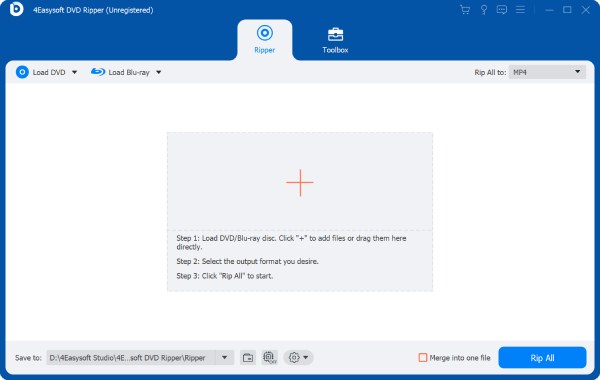
Support converting DVDs to MKV (lossless format) and MP4 formats (quality and size).
Equipped
Enable you to apply subtitles and audio tracks to your digitalized output.
Let you enhance the looks of the DVD content by applying filters and effects.
100% Secure
100% Secure
- Pros
- 600+ output formats supported for compatibility
- Fast GPU-accelerated ripping to save your time
- Abundant editing tools are provided for post-production
- The function is not limited to DVD ripping
- Cons
- It takes relatively longer to process large DVD videos.
2. WinX DVD Ripper Platinum
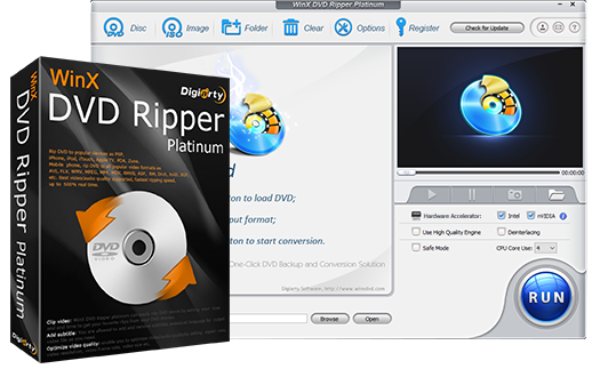
WinX DVD Ripper Platinum is a great choice for Windows DVD ripping software. As a tool specifically designed for the Windows system, it perfectly aligns with the operating logic of Windows. It has a user interface that is highly compatible with the Windows system. During its operation, it can work efficiently while reasonably utilizing memory resources without burdening your computer too much.
- Pros
- Capable of dealing with protected DVDs
- Fast conversion speed without consuming too many resources
- Fix damaged discs for ripping
- Cons
- The free version has time limits
- Only work on the Windows system
- Premium version required for full use
3. HandBrake
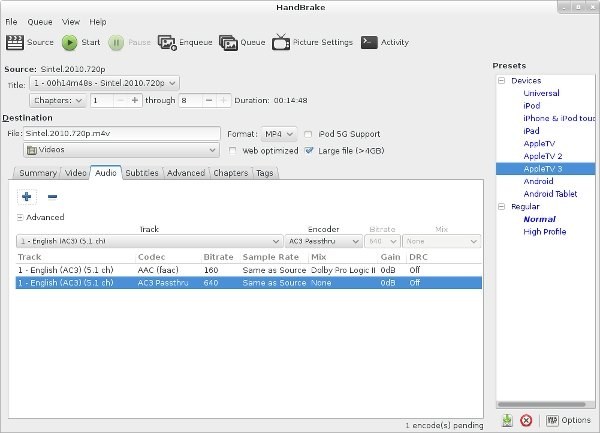
If what you need is a free DVD ripper, then open-source tools can be taken into consideration. Among these tools, HandBrake is one of the most reliable options. As a highly functional video editing tool, HandBrake has been popular among users for many years. Although it is not a dedicated software for DVD ripping, it still offers a solid way to help you obtain the content from DVDs in relatively high quality.
- Pros
- Completely free and open-source
- Extra features offered for further editing
- Support Blu-ray ripping within HandBrake
- Cons
- No native copy-protection support
- The operation can be challenging for beginners
- Not specialized for DVD ripping tasks
4. MakeMKV
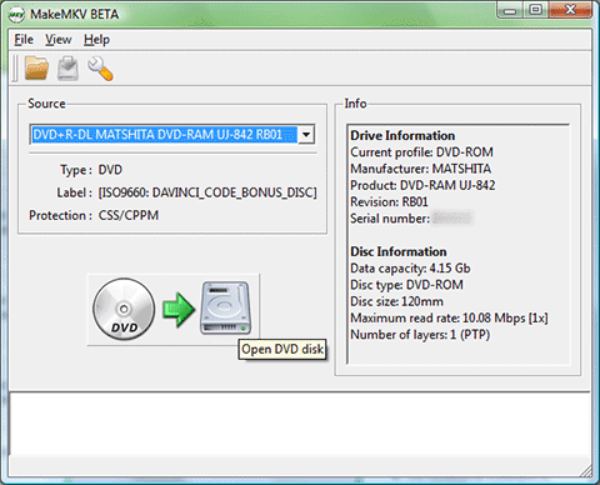
The content of a DVD not only includes video and audio, but also other important elements. In this case, MKV, as a format that can well accommodate both video and audio, can effectively preserve the content on DVDs. MakeMKV is a tool that can effectively assist you in converting DVD content into the MKV format. However, the file size of the output saved in this way will be relatively larger.
- Pros
- Lossless DVD ripping software for Windows 10
- Easy steps even for beginners
- Reliable decryption support
- Cons
- You can only select MKV as the output format
- The output file will be large
- Limited extra features for editing
5. VLC Media Player
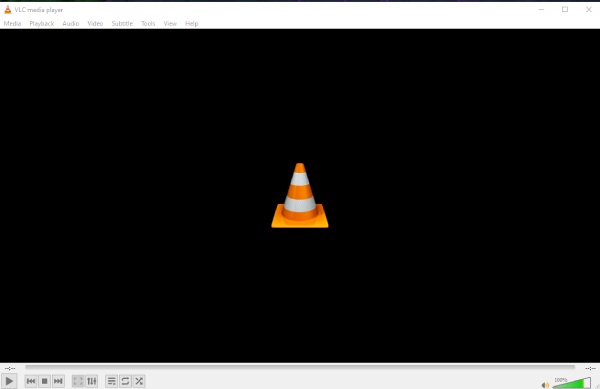
Although it is more widely known as a media player, VLC media player can also be used as a free DVD ripper. When you are using VLC media player to watch the content on a DVD, you are permitted to perform simple DVD ripping tasks during this process. Although the quality of the output files is not that great, the VLC media player can still assist you in completing some simple and lightweight tasks.
- Pros
- Support playing the content from a DVD
- Simple video editing within VLC
- Support multiple output formats
- Cons
- The interface for selecting the output format is somewhat confusing
- Only supports the simplest DVD ripping process
- The quality of the DVD content obtained is not very high
[Bonus] Tips for Selecting a Good Ripping Software
Choosing a good DVD ripping software is not an easy task, as it involves numerous influencing factors. This section offers you some tips that you need to keep in mind during the selection process. You can refer to some of them to help you make a better choice.
1. Check Format Compatibility
When choosing DVD ripping software, an important factor to consider is the output format it supports. For different devices and players, they are likely to support different formats. This means that using the wrong format will result in the inability to play the content. Therefore, before you start the task, make sure you know the output format you need.
2. Consider Ripping Speed and Hardware Support
Many DVDs contain a considerable amount of content, which also means that they are quite large in size. For DVD ripping, the stronger the processing power, the more time can be saved. You should pay attention to whether the Windows DVD ripper you choose supports hardware acceleration.
3. Evaluate Video Quality Preservation
In order to preserve the original quality of the DVD content, the DVD ripping software you choose should be able to save all the contents including videos, audio tracks, subtitles, menus, etc. Otherwise, your output file may be missing a lot of content.
Conclusion
This post has recommended the best DVD ripping software for Windows 10 for you. Each of them has its own advantages and disadvantages. You can make a choice based on your own needs. Among them, if you want to balance quality and efficiency, you can download and use 4Easysoft DVD Ripper for free right now.
100% Secure
100% Secure
