

5 Best PC with Blu-ray Drivers [Price, Resolution, Discs]

Posted by Paula Pailaga to DVD/Blu-ray Player Jan 16, 2026
In today's era dominated by digital downloads, the humble PC with a Blu-ray driver may be in the past. However, for many, this still holds significant value, and in fact, they are seeking a way to enjoy physical copies without having to have an extra device for inserting the disc. Thus, in this review, you'll explore the best 8 internal Blu-ray drivers for PC, along with their pros and cons. Whether you're a gamer or a movie buff, there's a perfect device for you!
Guide List
Top 8 PCs with Blu-ray Drivers: Pros and Cons How to Play Blu-ray Disc on Your Windows PCTop 8 PCs with Blu-ray Drivers: Pros and Cons
While hunting for a pre-built PC with a Blu-ray driver can be challenging, there are still options available on various marketplaces like eBay or Amazon. In this section, you will be going to explore some of the top PC builds that incorporate classic technology. Dive into them now!
1. HP Pavilion dv7-4069wm
Price: $799
Disc type: Standard Blu-ray
Size: 10.8 x 1.46 x 16.35 inches
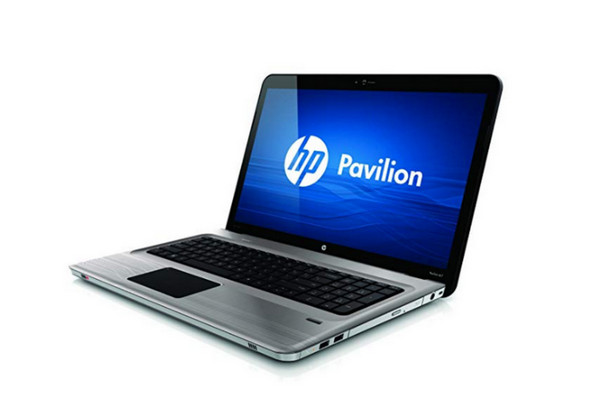
This internal Blu-ray player computer by HP is an average-quality laptop designed for users who want to strike a balance between multimedia capabilities and performance. It is equipped with 4GB memory and 640GB HDD storage. It gives a decent viewing experience with WXGA++ resolution or 1600x900 pixels. It is widely known for its decent performance in everyday tasks, multimedia, and light gaming.
- Pros
- Large screen with 17.3 display.
- Allow for upgrades to RAM and storage.
- Cons
- Do not have a long battery life.
- The processor, graphics, and performance are limited.
2. Acer Predator 15
Price: $1,499
Disc type: Standard Blu-ray
Size: 15.6-inch display
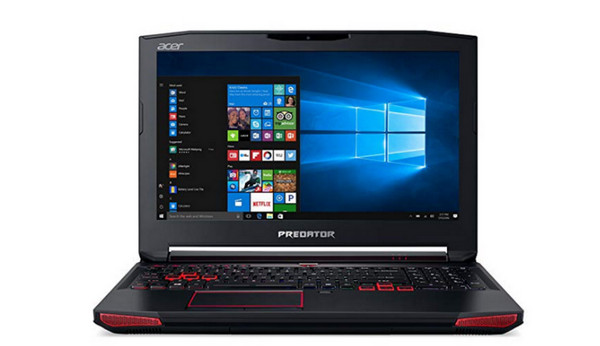
Meanwhile, this laptop with a Blu-ray driver is known for its high-performance gaming design that delivers exceptional gaming experiences. It features high-end NVIDIA GeForce RTX graphics cards and rapid SSD storage for quick boot times and loading speeds. The Acer Predator 15 modern models do not usually come with Blu-ray drives, but you can find some older models in marketplaces.
- Pros
- Withstand intense gaming sessions.
- Efficient cooling systems prevent overheating.
- Include RGB lighting.
- Cons
- They have shorter battery life compared to regular laptops.
- Can be heavier than portable laptops.
3. ASUS GL553
Price: $1,099
Disc type: Standard Blu-ray
Size: 15.6-inch display
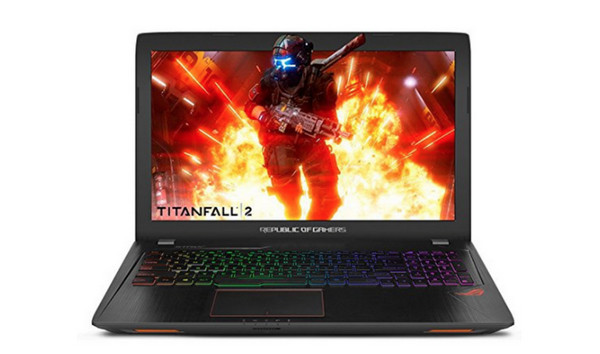
Not only is it a gaming laptop, but ASUS GL553 makes it on the list of the best gaming PC with Blu-ray drivers, incredibly, a few years back when it was released. It offers a good evenness of performance and affordability. Though it is an older model, you can still enjoy a competitive laptop compared to other pricey ones with an Intel Core i5 or i7 processor and 1080p displays. Also, it features a sleek, aggressive aesthetic that gamers will surely love! (See recommendations of Blu-ray players with Wi-Fi.)
- Pros
- Handle most modern games at playable settings
- Features a stylish and gamer-friendly aesthetic.
- It is well constructed for its price range.
- Cons
- Components might need to be more powerful.
- It isn't famous for its battery life.
4. MSI - 18.4" Laptop
Price: $4,799
Disc type: Standard Blu-ray
Size: 18-inch display
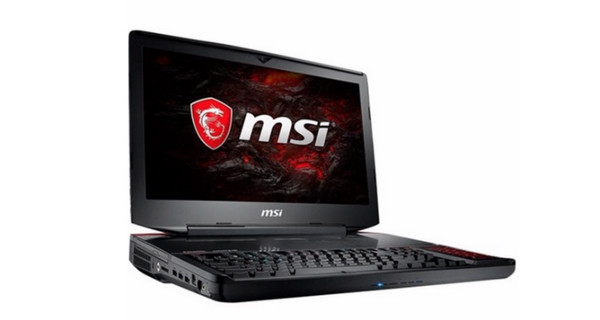
Typically a high-performance machine geared towards gaming or content creation, the MSI 18.4-inch is known for its large screen size, providing ample space for immersive visuals. This PC with Blu-ray driver's performance is often comparable to that of desktop PCs; it also contains a variety of ports for peripherals and external displays. Like other Blu-ray players for laptops, the MSI laptop also features gaming aesthetics with RGB lightning and a high refresh rate.
- Pros
- High-end components to handle demanding tasks.
- Suitable for gaming, video editing, and content creation.
- Cons
- Battery life might be shorter.
- Weight makes it less portable.
- May face overheating concerns.
5. HP Envy 17t 17.3 inch UHD 4K Laptop
Price: $1,115
Disc type: Standard Blu-ray, UHD Blu-ray
Size: 15 x 10 x 1 inches
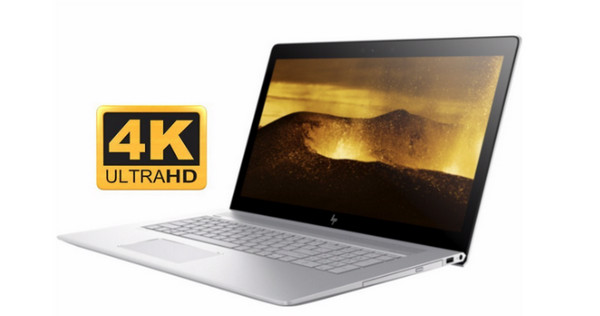
A premium performance is what the last PC with a Blu-ray driver on today's list is, the HP Envy 17t. It delivers a powerful and immersive user experience with a stunning 17.3-inch UHD display, presenting exceptional image quality and detail. All Envy series are famous for their stylish and premium build quality, so you won't regret purchasing it to enjoy your Blu-ray collections on your laptop.
- Pros
- Provide vibrant colors and sharp images with 4K resolution.
- High-performance processors and graphics.
- Feature Bang and Olufsen audio.
- Cons
- High-resolution displays can impact battery life.
- Less portable compared to smaller laptops.
How to Play Blu-ray Disc on Your Windows PC
You finally got a PC Blu-ray drive! But you can only play your Blu-ray discs right after you insert them into the drive with player software. Thus, the top-notch 4Easysoft Blu-ray Player is your ticket to unlocking the full potential of your high-definition discs. Imagine the vibrant color, crystal-clear sound, and special features you'll get with this program. You can play Blu-rays, DVDs, and more media files in 4K and 1080p resolution without restrictions in a region or anything else. It also includes enhancement features with AI assistance to improve the quality of your video. So, grab your favorite Blu-ray, and get ready to be amazed at how the program works magically in playing your physical media collections.
Dolby, DTS, and Hi-Res Audio support are for crystal-clear audio.
Enjoy the highest quality possible thanks to HD format support.
Make the video more precise and remove noises by utilizing cutting-edge AI.
Go back instantly to where you left off watching with the resume playback support.
100% Secure
100% Secure
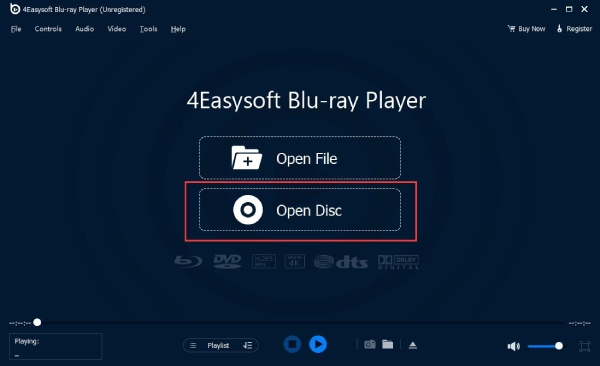
Step 1Launch 4Easysoft Blu-ray Player on your PC. Upon inserting your disc into the drive of your laptop, select the "Open Disc" option from the main screen of the software.
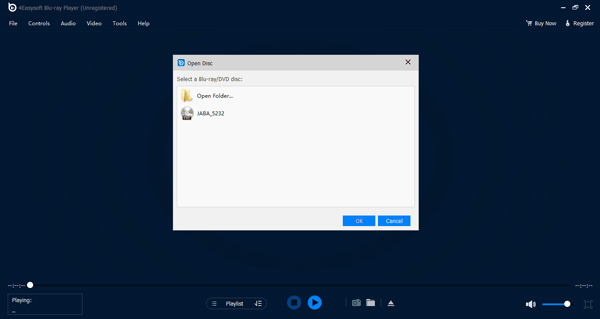
Step 2Navigate to the disc you just entered in the mini box, then click the "Open" button to upload it into the application. The media file you picked will then start to load and play automatically.
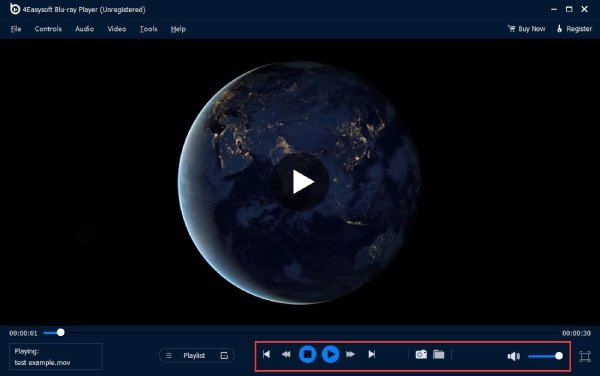
Step 3Use the control panel to change the audio level, capture a specific scene with the "Camera" button, go full screen, and more while the Blu-ray movie is being played.
Conclusion
As you see, finding a pre-built PC with a Blu-ray optical driver is not that easy. However, a PC with that built-in device provides greater convenience that caters to your specific needs for entertainment. Whether it's the superior picture and sound quality is what you enjoy, the top 5 listed here offer unique advantages. Ultimately, with your Blu-ray driver, you need the 4Easysoft Blu-ray player to open and play your Blu-ray movie in the highest resolution possible. Download it today and get ready to be amazed at all its surprising features.
100% Secure
100% Secure
