
Burn Xbox game disc to digital files to save the video/audio files.

4 Ways to Convert DVD to MP4 for Mac [Beginner-Friendly]

Posted by Paula Pailaga to Rip DVD Jul 03, 2026
Converting DVD to MP4 on your Mac is a practical skill, as the Mac does not have a built-in DVD reading tool, which makes accessing DVD content on Mac extremely troublesome. Through a quick conversion, your DVD content will have excellent compatibility, allowing you to quickly access it using the video player on your Mac without the need to connect any external devices. This post recommends 4 practical methods for you to convert DVD to MP4 on your Mac.
| DVD to MP4 Converter | Ease of Use | Conversion Speed | Output Quality | Copy-Protected DVD Support | Best For |
| ⭐4Easysoft Mac DVD Ripper | Excellent | Excellent | Excellent | Yes | Beginners and users seeking fast, lossless DVD ripping |
| VLC Media Player | Good | Moderate | Good | Limited | Occasional DVD conversion and media playback |
| HandBrake | Very Good | Good | Very Good | Limited | Free, open-source DVD ripping |
| MacX DVD Ripper | Good | Excellent | Excellent | Yes | Professional users handling large DVD collections |
Guide List
An Effective Way to Convert DVD to MP4 on Mac without Quality Loss VLC: A Media Player That Supports Conversion from DVD to MP4 on Mac An Open-Source Tool to Convert DVD to MP4 on Mac Using HandBrake A Specialized Method for Converting DVD to MP4 on Mac via MacX DVD RipperAn Effective Way to Convert DVD to MP4 on Mac without Quality Loss
If there is a most effective method that can help you convert DVDs to MP4 format so that you can freely access the content on the DVD on your Mac, then it must be 4Easysoft Mac DVD Ripper. With the help of this tool, you can quickly copy all the contents of the DVD without any loss of quality. During the ripping process, you will find that you have a very high degree of freedom. From choosing the chapters to selecting the output format, it allows you to fully control the output result and access it on the Mac. You can complete this task quickly in the following way:
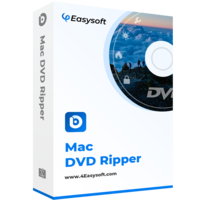
Enjoy fast DVD to MP4 conversion speeds without losing quality.
Select the desired chapters and other contents to rip from your DVD.
Adjust parameters before saving the digital files to suit your needs.
Save time and effort by converting multiple DVDs to MP4 at once.
100% Secure
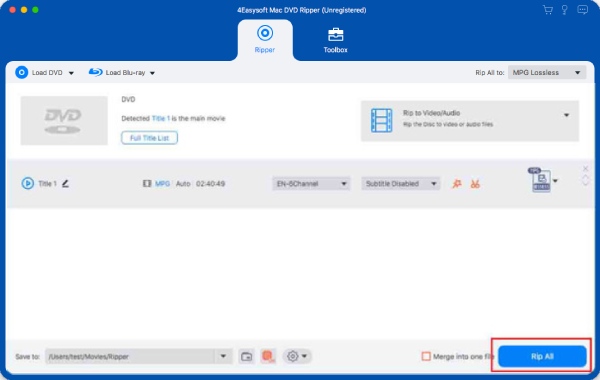
Step 1Launch 4Easysoft DVD Ripper and click the "Load DVD Disc" button to load the DVD.
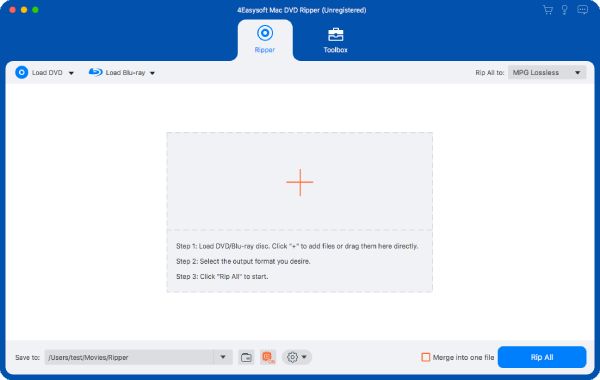
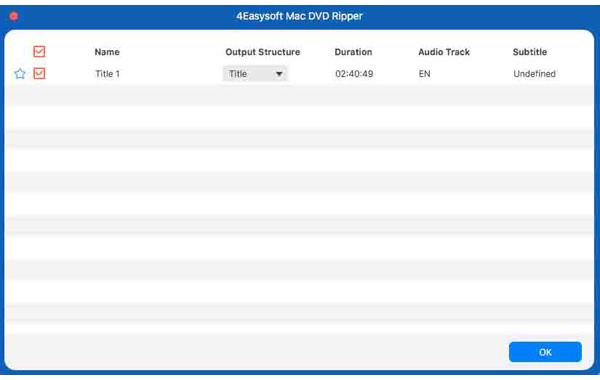
Step 2To display all the content within your DVD, click the "Full Title List" button. And you can select the desired chapters to convert.
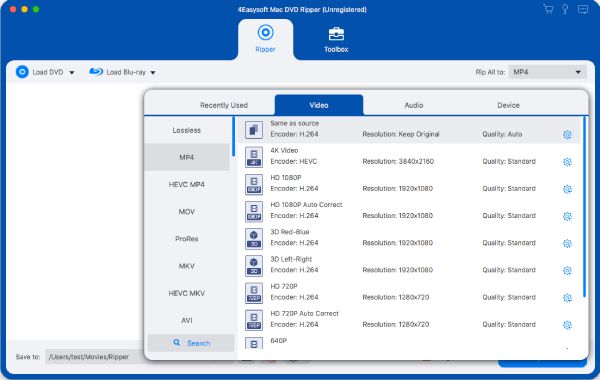
Step 3Then, click the "Rip All to" button to select MP4 as the output format on your Mac.
Step 4Finally, click the "Rip All" button to convert the DVD to MP4 on your Mac.
VLC: A Media Player That Supports Conversion from DVD to MP4 on Mac
When you are looking for a tool that can help you convert DVDs to MP4 format on your Mac, you might easily overlook VLC media player. Although many people use it as a VLC DVD player to access the content on DVDs, it can also assist you in performing simple burning tasks. This fact is something that many people are not aware of. While you are watching the DVD, you can also record the content for future viewing. Here are the simple operation steps:
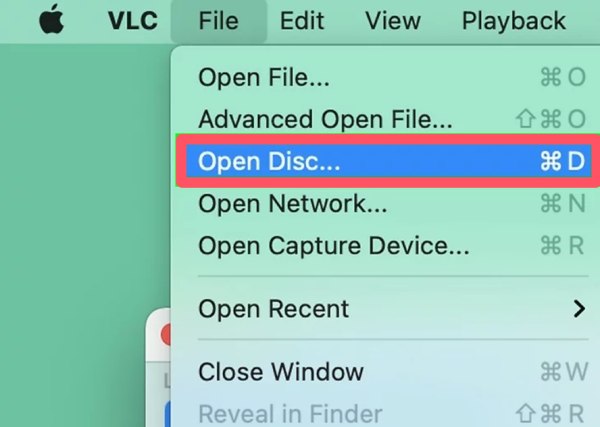
Step 1Launch VLC media player and click the "Open Disc..." button under the "File" tab to load your DVD on your Mac.
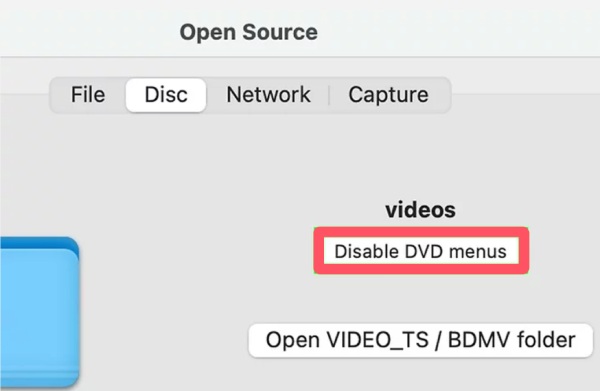
Step 2Under the "Disc" tab, click the "Disable DVD menus" button to make sure all the content within your DVD will be ripped.
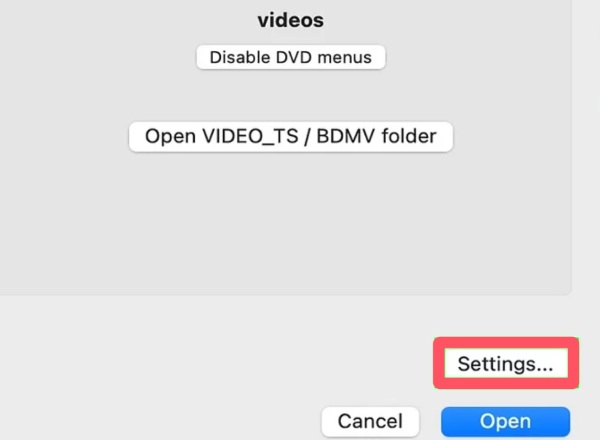
Step 3Then, click the "Settings..." button to open a new window that allows you to adjust the parameters of output files.
Step 4Under the "File" tab, name your output file and click the "Browse..." button to select the saving path on your Mac.
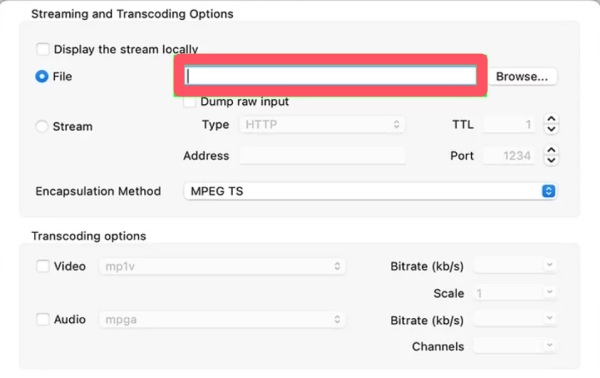
Step 5Click the "Encapsulation Method" button and then click the "MPEG 4" to designate MP4 as the output format.
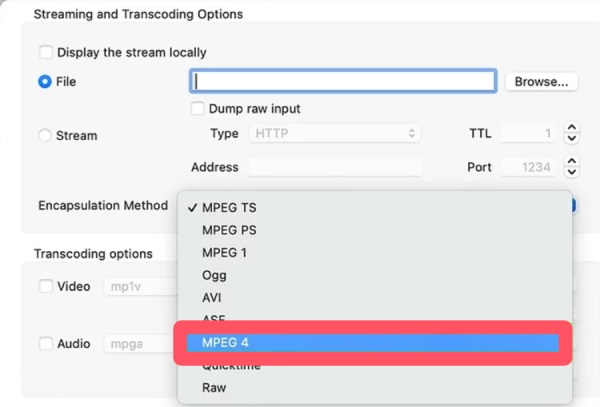
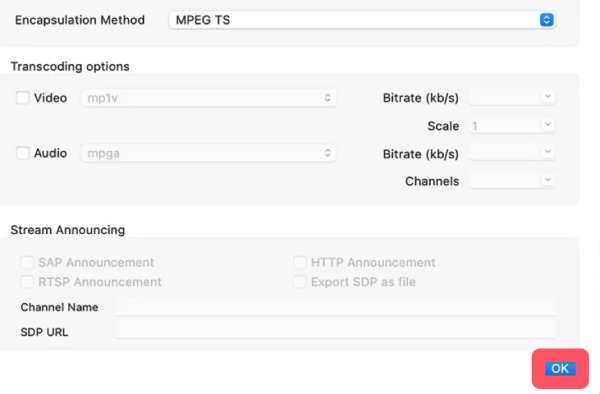
Step 6You can also adjust other parameters if you want. To convert DVD to MP4 on your Mac, click the "OK" button.
An Open-Source Tool to Convert DVD to MP4 on Mac Using HandBrake
For those users who are looking for a free and open-source DVD to MP4 converter for Mac, HandBrake is definitely an option you shouldn't miss. As a video processing tool trusted by users for many years, HandBrake is renowned for its convenience and efficiency. Some professionals even use HandBrake to rip Blu-ray content. Although it only offers limited customization options when dealing with DVDs, it is sufficient to meet users' daily usage needs in this regard.
Step 1After inserting your DVD, launch Handbrake and click the "Open Source" button to load the target disc.
Step 2Click to select the desired chapters you want to rip from the DVD to MP4. Or else HandBrake will only select the longest part.
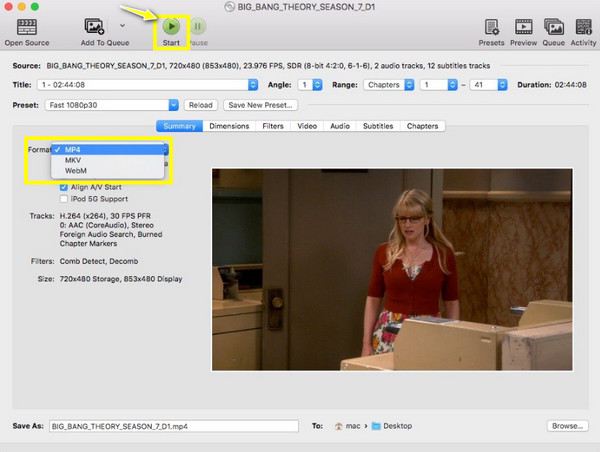
Step 3Click the "Format" button under the "Summary" tab to select "MP4" as the output format. Finally, click the "Start" button to convert the DVD to MP4.
A Specialized Method for Converting DVD to MP4 on Mac via MacX DVD Ripper
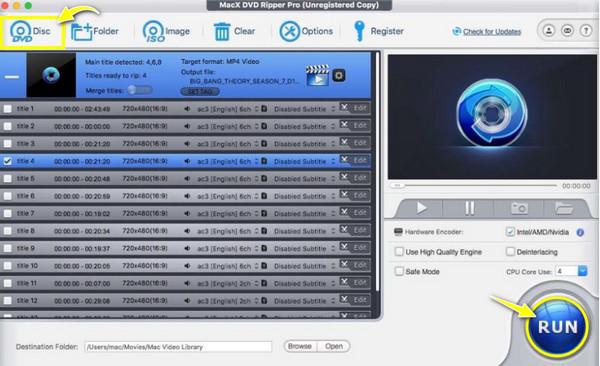
As a software specifically designed for the macOS system and used to convert DVDs into MP4 format, MacX DVD Ripper is a reliable tool. Due to the hardware acceleration process written for macOS, you will notice a significant improvement in the speed of completing the file conversion task on your Mac. Even for multiple files or large files, the conversion can be easily handled. However, its limited additional functions combined with a relatively high price (about $60) have deterred many users without daily needs, not to mention its outdated interface.
Step 1Launch MacX DVD Ripper and click the "DVD Disc" to upload the inserted DVD as the source.
Step 2Click to select the chapters that you want to rip from the DVD. Then, click the "OK" button to proceed.
Step 3Click the "Output Profile" button and click the "MP4 Video" button under the "Mac General Video" tab. Finally, click the "RUN" button to rip the DVD to MP4.
Conclusion
Four effective methods for ripping DVDs to MP4 on your Mac have been introduced in this post. Depending on your specific needs and circumstances, you can choose the appropriate method to complete the task. Considering the quality and efficiency of the burning process, 4Easysoft Mac DVD Ripper is the most reliable option as it can provide you with the results quickly without any loss of quality.
100% Secure
100% Secure
