
Rip DVD disc/folder/iOS file to any digital format with no playback issue.

Top 6 Efficient Blu-ray Rippers for Mac [Proven Workable]

Posted by Paula Pailaga to Rip Blu-ray Jun 23, 2026
With so many options for Mac Blu-ray ripping software available, many users may feel at a loss. Due to the limited knowledge about them, this seems to be a rather difficult task to select the right tool for your use. In fact, not all the tools you can search for are capable of perfectly adapting to Mac and completing the basic Blu-ray ripping task. But don't worry. After the test, this post has selected several trustworthy Blu-ray ripper options for Mac for you. After understanding the pros and cons of each one, you can make a choice based on your own needs.
Guide List
The Best Blu-ray Ripper for Mac with Quality and Efficiency Trustworthy Blu-ray Ripper Software Available Tips: Factors to Consider for a Mac Blu-ray Ripper| Tool Name | Output Formats | Copy Protection Support | Ripping Speed | Editing Features | Best For |
| ★4Easysoft DVD Ripper | 600+ formats | Yes | Very Fast | Advanced | Overall Blu-ray ripping and conversion |
| MakeMKV | MKV only | Yes | Fast | None | Lossless Blu-ray backup |
| Leawo Blu-ray Ripper | 180+ formats | Yes | Fast | Moderate | Format flexibility and editing |
| DVDFab Blu-ray Ripper | 300+ formats | Yes | Fast | Advanced | Professional Blu-ray conversion |
| HandBrake | MP4, MKV | Limited (with extra tools) | Medium | Moderate | Free advanced encoding |
| VLC Media Player | Multiple basic formats | Limited | Medium | Limited | Simple and free Blu-ray conversion |
The Best Blu-ray Ripper for Mac with Quality and Efficiency
If there is a best Blu-ray ripper for Mac, then it must be 4Easysoft DVD Ripper. With advanced hardware acceleration and powerful processing capabilities, it can help you quickly access all the content on the Blu-ray disc without any loss of quality. Even if you are a complete novice, it doesn't matter as 4Easysoft DVD Ripper provides very simple and intuitive instructions to help you complete the tasks quickly. For professionals, its extensive editing tools enable you to fully leverage flexibility to customize the Blu-ray content as you wish.
Rip Blu-ray on Mac with a multi-core processor for fast and smooth operation.
Insert subtitles and edit their opacity, position, size, font style, color, and more.
Offer multiple settings to compress Blu-ray size without compromising its quality.
Redefine Blu-ray content by applying filters and effects to it before ripping.
100% Secure
100% Secure
Trustworthy Blu-ray Ripper Software Available
1. MakeMKV
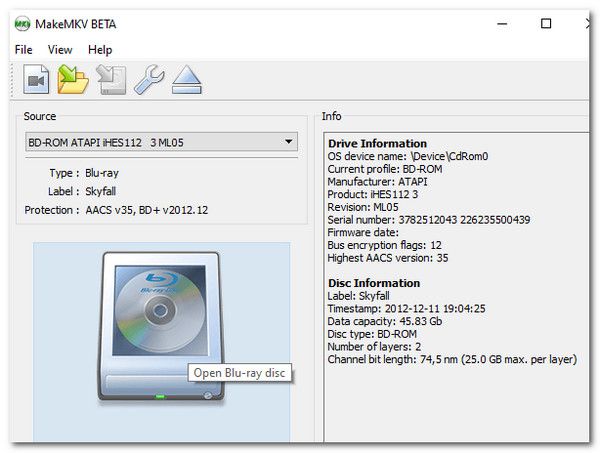
High-quality Blu-ray content usually contains both high-quality video and audio. Under this premise, MKV has become one of the most ideal output formats. And MakeMKV is specifically designed for this format. This Blu-ray ripper software enables you to save Blu-ray content in various quality MKV formats, compressing the video and audio at a higher quality within the output file. The only drawback is that this tool can only select MKV as the output format.
- Pros
- Lossless Blu-ray conversion containing videos and audios
- Easy-to-use interface to follow, even for beginners
- Support ripping encrypted Blu-ray discs
- Cons
- MKV is the only option for the output format
- The output file sizes can be large
- Limited editing features for post-production
2. Leawo Blu-ray Ripper
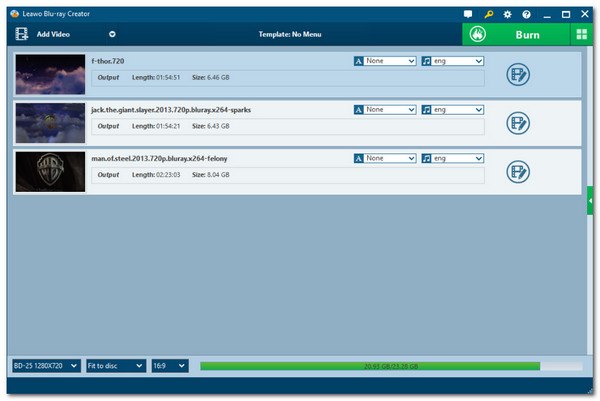
Based on the feedback from many users, Leawo Blu-ray Ripper is also a popular choice as a Blu-ray ripper for Mac. As a tool specifically designed to convert Blu-ray discs into various digital formats, Leawo Blu-ray Ripper is capable of ensuring a high-quality ripping process. On this basis, you are also permitted to carry out a series of simple editing tasks to adjust the converted Blu-ray content. However, its relatively high price makes it less recommended for ordinary users with limited usage scenarios.
- Pros
- Support multiple common digital formats
- Optimize the output video through a series of edits
- Not subject to the restrictions of copy protection
- Cons
- Most of the functions are only available to Premium users
- The price of purchasing the Premium plan is relatively high
- The burning process may experience some lag
3. DVDFab Blu-ray Ripper
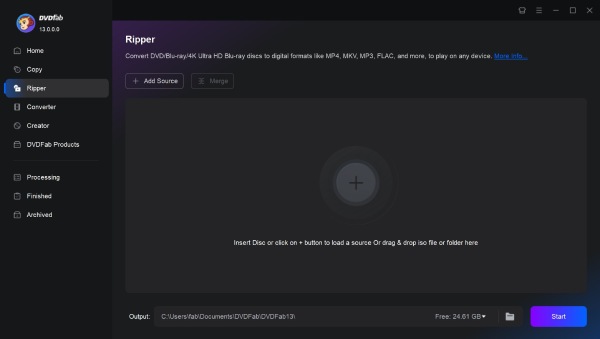
For users who are looking for professional-level Blu-ray software for Mac, DVDFab Blu-ray Ripper might be able to assist you. Apart from being able to completely replicate all the contents contained in the Blu-ray disc, the biggest advantage of this tool is that it is enhanced by AI technology. In simple terms, the AI model will intelligently refine the output format before you export it to ensure it has better quality. Although it is relatively powerful in function, its high price and the strict requirements for the hardware of the device have deterred many users.
- Pros
- Strong decryption capability for Blu-ray of any region
- High-quality output with AI enhancement
- Advanced customization tools to customize the output file
- Cons
- Higher pricing is required to start the process of ripping
- Consume considerable resources, which is a burden for low-end devices
- It will take a relatively long processing time
4. HandBrake
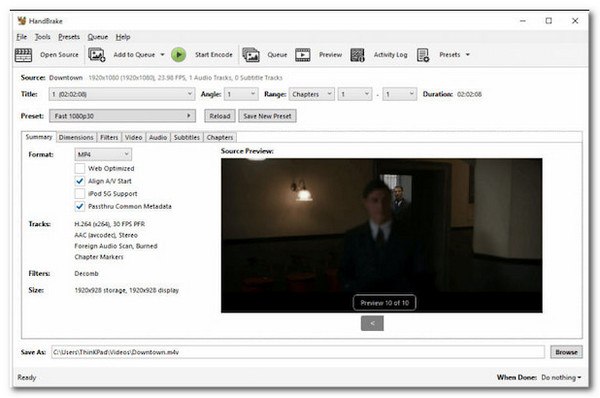
If you are looking for free Blu-ray ripper software, you might want to consider some open-source tools. HandBrake is a reliable option. As a video processing tool that has been trusted by users for many years, it can assist you in handling Blu-ray ripping within HandBrake. Of course, considering that it is a relatively comprehensive rather than exclusive tool, its output quality may be relatively limited.
- Pros
- Totally free as an open-source tool
- Advanced encoding controls
- Provide other basic editing features
- Cons
- Cannot deal with copyrighted Blu-ray discs
- Steeper learning curve for beginners
- Not a specialized tool for Blu-ray ripping
5. VLC Media Player
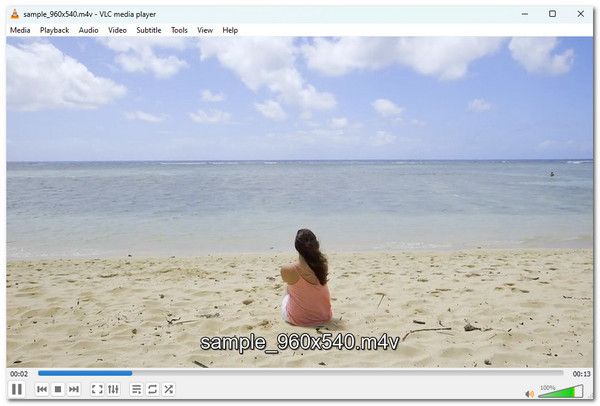
Many people are aware that VLC media player can be used for playing Blu-ray discs. However, many people might have overlooked the fact that it can also be used as a Blu-ray ripper software. While watching Blu-ray content, you can directly use the "Convert" option of VLC media player to save the Blu-ray content in a digital format. However, you cannot adjust the specific quality of the output file.
- Pros
- Save the Blu-ray content during the playback process
- Support multiple preset output formats for selection
- Lightweight tools do not have the burden of resource consumption
- Cons
- Only provide basic Blu-ray ripping services
- The operation steps might be a bit complicated.
- Cannot customize the quality of the output video
Tips: Factors to Consider for a Mac Blu-ray Ripper
For a Mac Blu-ray ripper, there are many factors that may affect the final quality of the output file. You can refer to the following tips to effectively improve the overall quality of your output videos.
1. Blu-ray Copy Protection Support: Blu-ray discs are usually protected by copy protection. Free tools like HandBrake and VLC media player cannot handle them. To burn these contents, you need to look for professional Blu-ray ripper software.
2. Output Format Compatibility: Different devices support different video formats. You need to adjust the output format according to the device you choose. Therefore, it is always more convenient to select a Blu-ray ripper for Mac that supports more formats.
3. Speed and Quality Balance: The processing capabilities of Blu-ray software for Mac are equally important, as they will affect the speed of the ripping process and the quality of the output files. Choosing the right professional tools can help you achieve the best results more efficiently and with less effort.
Conclusion
This post recommends the best Blu-ray rippers for Mac. Detailed introductions, as well as pros and cons, of these tools are all included. After you have understood all the basic information, you can make your choice according to your own needs. If you want to obtain the highest-quality complete Blu-ray content, you can download 4Easysoft DVD Ripper and give it a free trial.
100% Secure
100% Secure
