
Rip DVD to MP4 (H.264/HEVC) and other popular formats with Original Quality

[Latest Update] AnyDVD HD - A Comprehensive Review

Posted by Paula Pailaga to Review, Rip DVD Oct 10, 2026
Does AnyDVD HD still work today? Many users are asking similar questions on the forum. This DVD tool has been popular for years, but it suddenly seems to have disappeared in 2024. No one has had any information about it since then. However, for those users who haven't uninstalled it from their computers, AnyDVD HD remains a useful tool. This post provides you with basic information about AnyDVD HD. Furthermore, we have provided a reliable option for users who do not have access to Slysoft AnyDVD.
Guide List
A Quick Look at AnyDVD HD with Latest News Features That Make AnyDVD HD Popular How to Use AnyDVD HD Still on Your Device The Best Alternative to AnyDVD HDA Quick Look at AnyDVD HD with Latest News
AnyDVD HD, also known as Slysoft RedFox, is a popular tool for managing optical media, at least back in the 10s-20s. No matter what type of disc limitations you encounter, it can help you quickly access DVDs or Blu-rays with astonishing efficiency. Furthermore, it also lets you remove these restrictions. And your disc content will not be affected in any way. This makes it one of the must-have tools for many DVD enthusiasts.
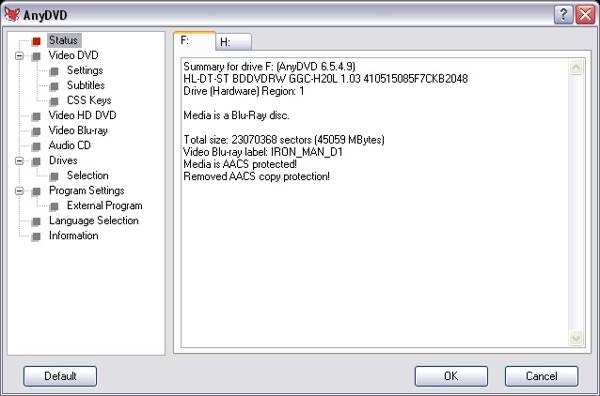
However, it is a pity that the AnyDVD software was discontinued in 2016. As an alternative, Slysoft launched RedFox as a return product. This return didn't last very long. Since June 2024, neither the official website of AnyDVD HD nor that of RedFox has been available. This means you can no longer download them from the official website. Many people believe that its shutdown was due to violations of copyright protection laws. However, the actual reason remains unknown at present.
Features That Make AnyDVD HD Popular
Many people began looking for tools to replace Slysoft AnyDVD. First, it is necessary to understand the features of AnyDVD HD. This can help you quickly determine what qualities the alternative you are looking for should possess. You can read this section to learn about the details.
1. NTSC & PAL-DVDs Support
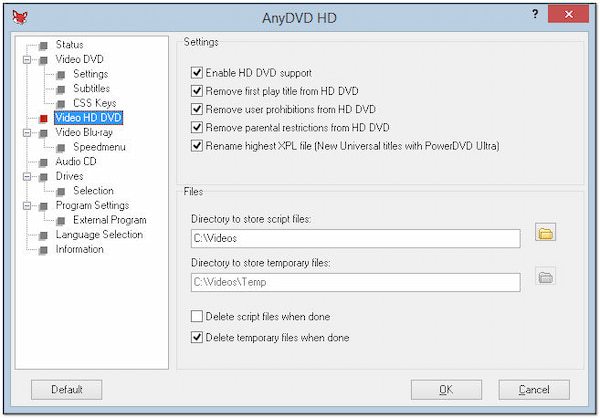
No matter what type of DVD you are dealing with, AnyDVD HD's wide support can assist you. This tool provides simultaneous support for NTSC and PAL DVD formats. This means that your DVD collection from any region is not a problem.
2. Compatible DVD Playback Support
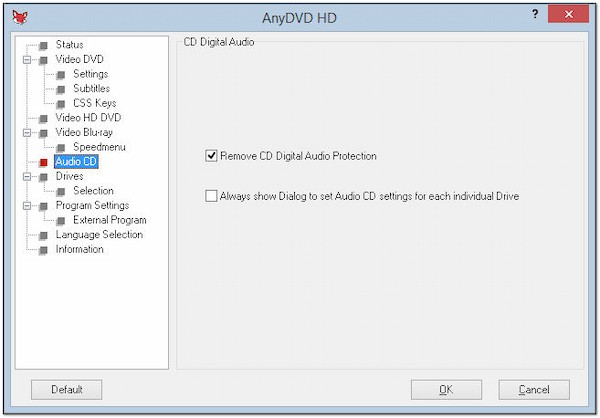
One of the most powerful features of AnyDVD software is that it enables your disc to receive compatible playback support. Since many DVDs and Blu-rays have region code restrictions, you often encounter playback failures due to incompatible region codes. All you need to do is use AnyDVD HD to remove this kind of protection quickly. After this, your discs can be played freely, even without a region-free DVD player.
3. Customized Removal Options Available
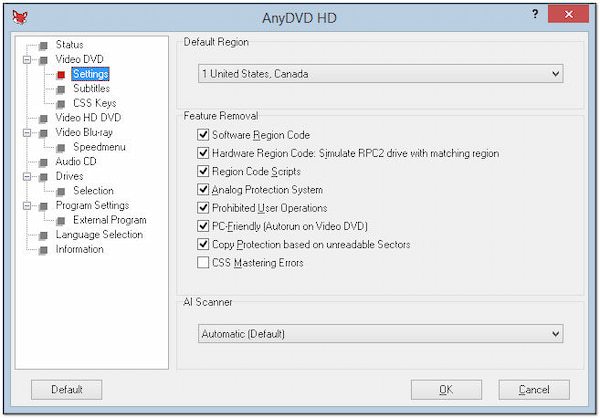
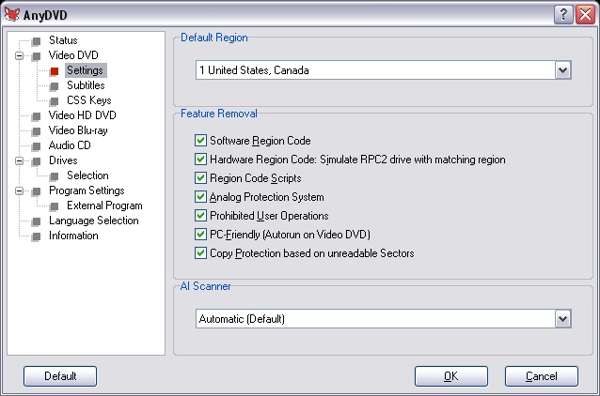
Apart from the region code, there are other restrictions you will encounter when playing DVDs or Blu-rays. Some might come from the protection system, and some might result from improper operation. Although the probability of encountering them is not high, once you do come across them, you will find that they are very difficult to handle. AnyDVD HD's Feature Removal lets you easily resolve these complex issues with a single click.
4. Fast & Stable Working Process
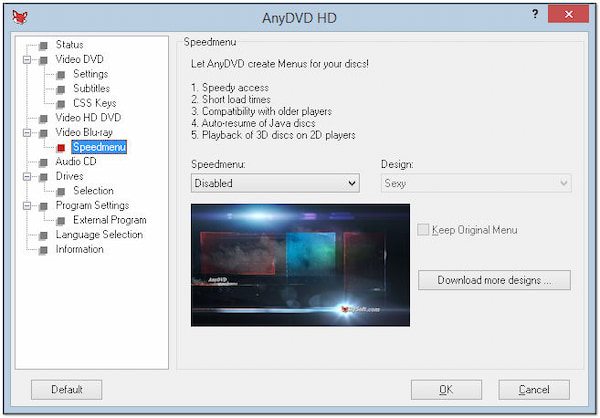
AnyDVD HD has become so popular largely because of its fast and stable performance. On the one hand, users will hardly encounter any lag when using this tool. On the other hand, most operations will not affect the content on the disc. This means that even if you make a mistake during operation, your DVD collection will not be destroyed.
How to Use AnyDVD HD Still on Your Device
For those who still have AnyDVD software on their Windows PC, they still work. It can still help you quickly remove the limitations of various DVD collections. However, it hasn't been updated in a long time. It may not be able to handle some new discs. As for the specific steps, you can follow the instructions below.
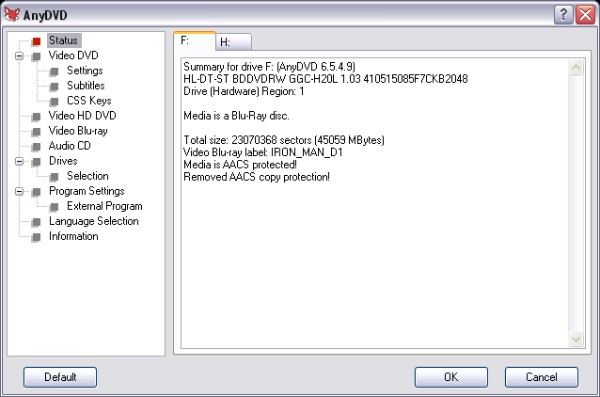
Step 1Launch AnyDVD HD after inserting the DVD into your PC. The DVD status will be displayed on the main interface.
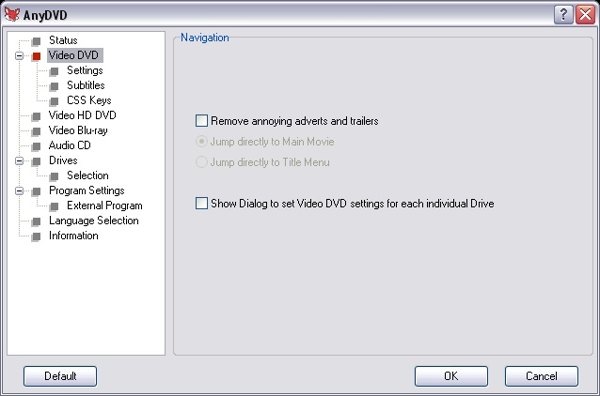
Step 2Click the "Video DVD" button, then choose whether to skip adverts and trailers. You can click to adjust the settings.
Step 3Then, click the "Settings" button under the "Video DVD" tab. Remove the unwanted restrictions on your DVD. Finally, click the "OK" button.
The Best Alternative to AnyDVD HD
Since you can no longer download AnyDVD HD from the official website, are there any tools available to help you address the limitations of various DVDs and Blu-rays? 4Easysoft DVD Ripper stands out as the best alternative to AnyDVD. You can easily copy and back up your DVDs, and save them in digital format for playing on any Windows PC or Mac.

Rip any DVD/DVD folder/ISO to a digital video.
Bypass region code and other DVD restrictions.
Customize DVD settings before ripping them.
Fast ripping process with advanced GPU acceleration.
100% Secure
100% Secure
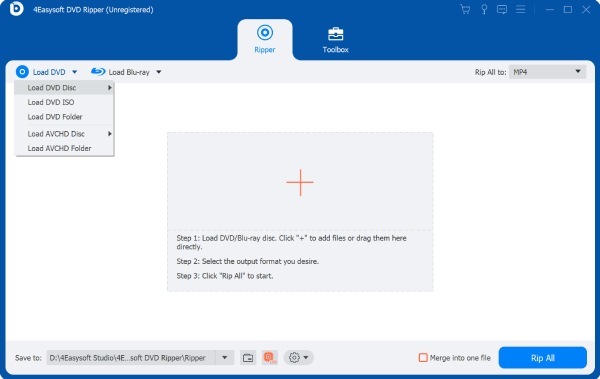
Step 1Launch 4Easysoft DVD Ripper after inserting the DVD into your device. Click the "Load DVD Disc" button to import the DVD.
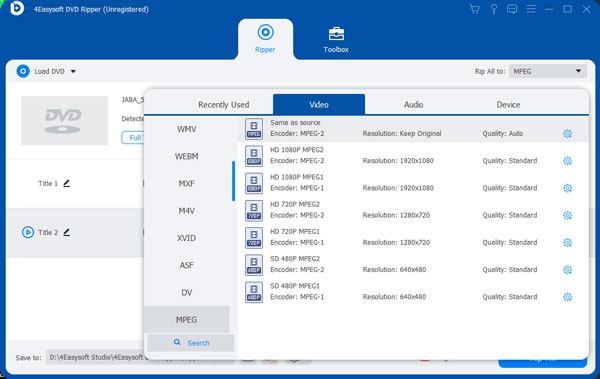
Step 2Once your DVD is loaded, click the "Rip All to" button. Under the "Video" tab, select the desired output format.
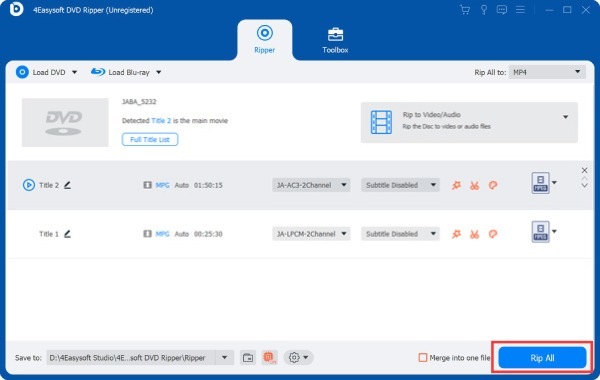
Step 3Finally, click the "Rip All" button, and this AnyDVD alternative will remove all the restrictions by converting the DVD to a digital format.
Conclusion
Slysoft AnyDVD software used to be a very solid tool for managing DVDs, especially those that are protected. But it has discontinued completely since June, 2024. If you haven't uninstalled AnyDVD HD, you can still use it to remove DVD restrictions. If you want a powerful AnyDVD alternative, try 4Easysoft DVD Ripper. It helps you get perfect results from your DVD collections for compatible playback.
100% Secure
100% Secure
