
Compress videos from GB to MB and keep its original quality with the AI technology
8 Tools to Convert MXF to MP4 for Desktop, Mobile, and Web

Posted by Aira Lesly Escoto to Convert Video Feb 13, 2026
You likely have an MXF collection from your camcorder. While these files hold amounts of metadata and uncompressed high bitrate video, trying to open them on a modern device may result in "Unsupported Format". So, the MXF to MP4 conversion becomes vital. Since not all tools are made equal, to save you time searching, here are the top 8 MXF to MP4 converters for 2026, from desktop, online tools, to mobile apps. Enjoy your MXF videos anywhere you want.
Guide List
Differences Between MXF and MP4 and Conversion Considerations 1. 4Easysoft Total Video Converter: Ultimate AI-Driven Converter 2. Freemake Video Converter: One-Click Preset Optimization 3. Handbrake: Advanced Open-Source Transcoding 4. CloudConvert: Online Converter with Cloud Integration 5. Zamzar: Instant Email-Based Online Conversion 6. Convertio: Online Multiple Files Processing 7. MP4 Maker - Convert to MP4: Best Privacy-Focused Conversion 8. MXF Player & Converter: Best for Playback and ConversionDifferences Between MXF and MP4 and Conversion Considerations
Before choosing which tool is best for the MXF to MP4 converter, learn the differences between these formats first, such as the common requirements for videos. While both are containers, they are built for different stages. See below the comparison table between MP4 and MXF formats:
| Feature | MXF | MP4 |
| Compatibility | Limited to only professional software and specific hardware. | Universal support; plays virtually every device, browser, and OS. |
| Primary Use | Film mastering, professional broadcasting, and non-linear editing. | Social media, web streaming, mobile playback, and personal storage. |
| Compression | Uses Insta-Frame compression, which is easier for editing and larger files. | Uses Inter-Frame compression, which is excellent for small sizes. |
| Metadata | Extensive support for timecodes, camera settings, and complex project data. | Basic support for artist info, titles, and basic subtitles. |
| Audio | Multi-channel, uncompressed professional streams. | Restricted to compressed stereo like AAC/MP3. |
1. 4Easysoft Total Video Converter: Ultimate AI-Driven Converter
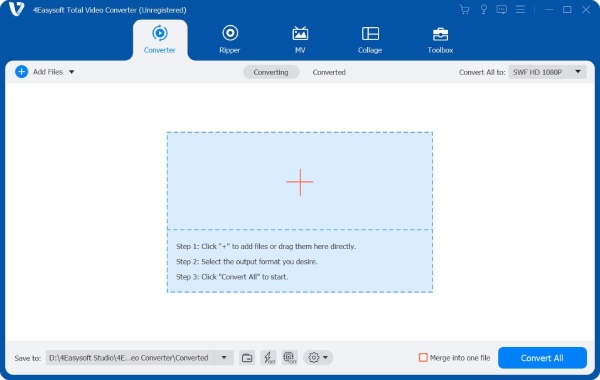
As the top recommendation, 4Easysoft Total Video Converter is a high-performance desktop MXF to MP4 video converter you need. Aside from supporting more than 600 formats, this software utilizes advanced GPU acceleration to provide you with conversion speeds up to 60x faster than other tools. It also has an AI-powered toolbox that lets you upscale resolution, edit metadata, reduce video noise, and more within the app. Indeed, an all-in-one solution for anyone who demands lossless quality and quick, easy workflows.
Utilizing ultra-fast conversion technology, making the conversion faster than others.
Queue a bunch of MXF files at once, saving hours of manual work.
Ensures that after conversion, the visual integrity of your MCF footage remains intact.
Adjustable output settings to get the resolution, frame rate, and more you want.
100% Secure
100% Secure
Pros: Support more than 600 formats; get pre-made presets and templates; 20+ toolkits for video enhancement.
Cons: Need a premium license to access all advanced features without time limit.
2. Freemake Video Converter: One-Click Preset Optimization
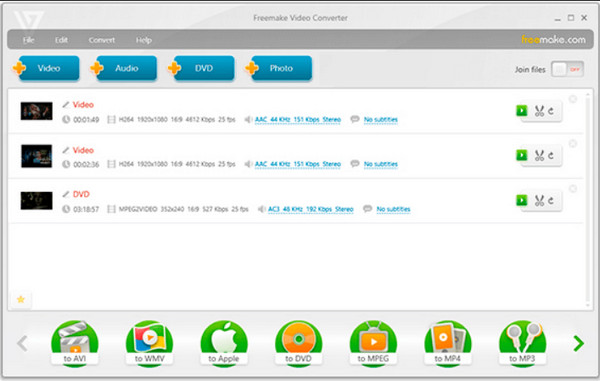
Meanwhile, Freemake Video Converter excels at making technical hurdles very simple. It has over 500 pre-made profiles, letting you convert .mxf to .mp4 for portable gadgets or gaming consoles. It also supports basic editing tools such as trimming and merging.
Pros: Can burn converted videos to DVD; upload directly to social media.
Cons: It has a large watermark placed in the video.
3. Handbrake: Advanced Open-Source Transcoding
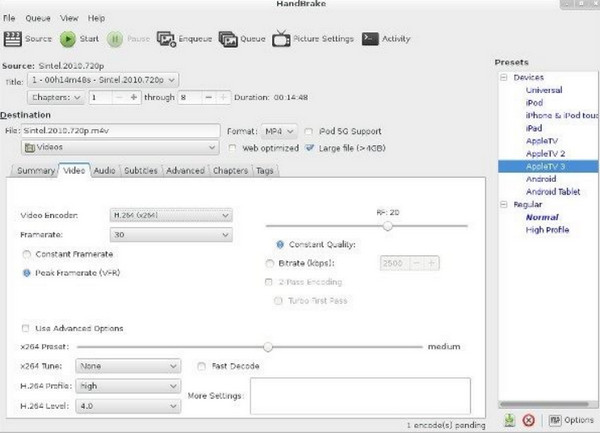
For the advanced user who needs complete transparency, you can use Handbrake. This is a completely free, open-source platform that gives you precise control over your output. With its clean workspace and technical customization, it makes the best MXF to MP4 option if you wish for the perfect balance of bitrate and clarity.
Pros: Free with no watermark; supports advanced settings.
Cons: The technical interface can be complicated for non-experts.
4. CloudConvert: Online Converter with Cloud Integration
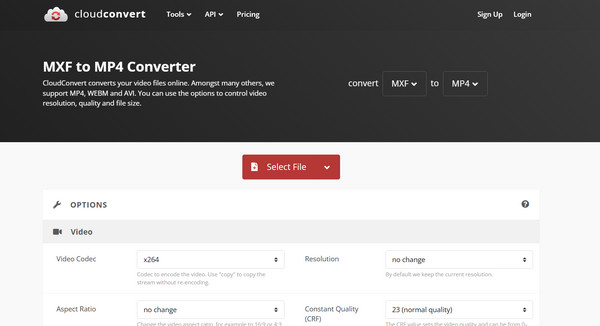
Up next is an online MXF to MP4 converter, CloudConvert. This free MXF converter offers a refined web-based solution that lets you manage conversions from any browser. It also has a deep integration with cloud storage services, e.g., Google Drive and Dropbox.
Pros: Covers over 200 formats; allows you to adjust the resolution and quality settings.
Cons: Large MXF files take time to upload; speed depends on your internet connection.
5. Zamzar: Instant Email-Based Online Conversion
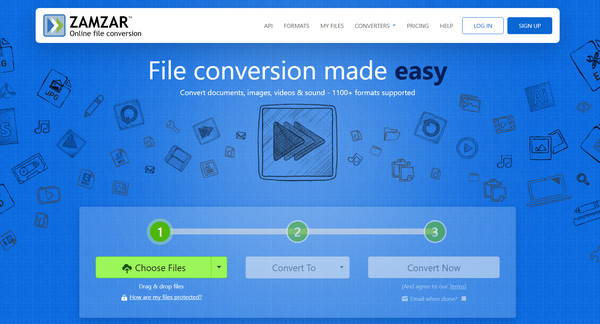
Following that is Zamzar, a web-based MXF to MP4 online converter that has the perfect instant conversion process. Besides its three-step workflow, it has an email-notification system that lets you receive a download link once the process is complete.
Pros: Supports a wide range of rare file types; Text-to-Speech tool support.
Cons: The free tier is limited to two conversions daily; 50MB file size limit.
6. Convertio: Online Multiple Files Processing
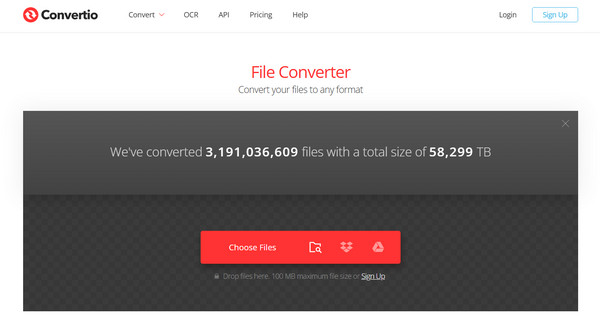
Last for the free MXF to MP4 entry, Convertio gives simplicity as well as technical depth at the same time. It handles batch upload and even customizes the codec and aspect ratio for each file in the list.
Pros: Can work as an extension for faster access; drag and drop functionality.
Cons: Longer wait times for free users during peak hours.
7. MP4 Maker - Convert to MP4: Best Privacy-Focused Conversion
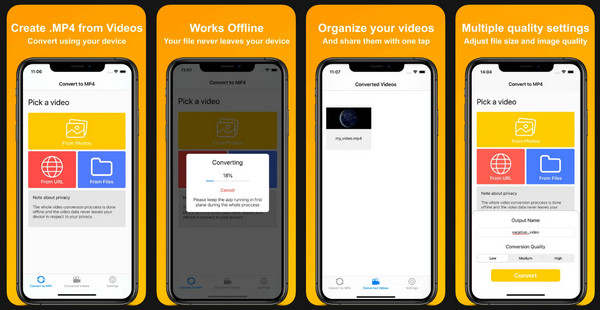
For iOS users, you can trust the MP4 Maker - Convert to MP4 app, which is designed to give you a secure and efficient way to convert incompatible videos like MXF to MP4. It has a minimalist interface with customizable quality settings to balance file size against resolution using simple sliders.
Pros: Complete privacy via on-device processing.
Cons: Higher quality settings; need Premium for advanced features.
8. MXF Player & Converter: Best for Playback and Conversion
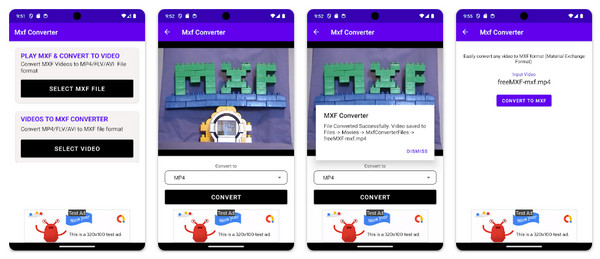
For the latest MXF to MP4 converter apk for mobile, here's the MXF Player & Converter for Android users. This app offers a dual-purpose solution that has a high-performance player with a powerful conversion engine. It features a modern, sleek design that makes everything so easy, from creating playlists to adding tags to your footage.
Pros: Built-in file manager; tag and organize raw footage.
Cons: Lag on older devices that handle high-bitrate MXF files.
Conclusion
MXF format won't let you down when it comes to capturing high-fidelity data on film sets; however, its lack of compatibility makes the mentioned MXF to MP4 converters an essential part of your digital toolkit. Thanks to the top 8 tools, you can have a successful file transformation on desktop, mobile, and web. But for a comprehensive solution that offers both professional power and friendly design, aim for 4Easysoft Total Video Converter. With its lightning-fast conversion, broad format support, and more enhancement tools, your MXF files are converted to high-quality MP4s!
100% Secure
100% Secure
