
Reliable video converter, editor, and compressor for daily tasks.
Complete Guide to LinkedIn Video Length for Easy Mastering

Posted by Aira Lesly Escoto to Edit Video/Audio Dec 01, 2025
LinkedIn has become one of the most compelling platforms. However, to maximize the impact of videos on LinkedIn, it's essential to manage video length effectively to ensure content performs well in the feed. This article will provide detailed information on LinkedIn video length requirements and practical methods for editing videos to the optimal length for LinkedIn.
Guide List
Basic Video Types Supported by LinkedIn LinkedIn Video Length and Parameter Requirements Professional and Efficient LinkedIn Video Editing Methods How to Edit LinkedIn Video Length Online with KapwingBasic Video Types Supported by LinkedIn
Before delving into specific LinkedIn video length and parameters, it's essential first to understand the types of videos you can publish and their respective characteristics.
Organic Video Posts
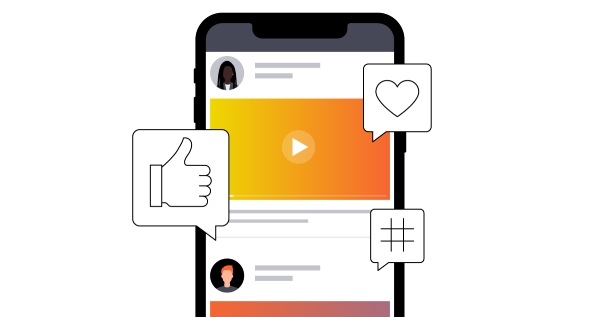
These are standard video content pieces published on LinkedIn personal or company profiles, appearing directly in followers' feeds. Ideal for brand promotion, product demonstrations, industry insights, or employee stories, they boost organic reach and engagement. Key features include no paid promotion required and visibility influenced by algorithmic recommendations to followers.
Sponsored Video Ads
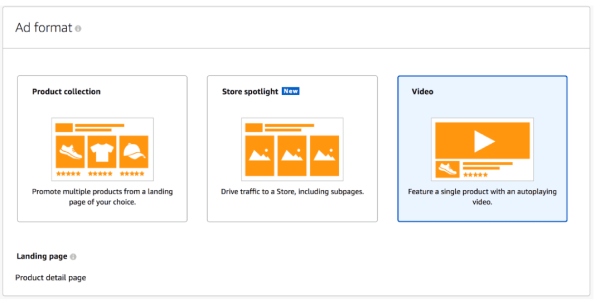
These are paid video promotions delivered to targeted audiences through LinkedIn's advertising system. Ideal for marketing campaigns, product launches, or event promotions. Compared to organic video posts, Sponsored Video Ads reach broader audiences and provide detailed click-through and engagement analytics.
LinkedIn Live
LinkedIn Live enables users or companies to broadcast live streams and interact with viewers in real time. Ideal for online events, Q&As, product launches, or industry discussions. After the broadcast, videos can be saved as on-demand content, extending viewing and exposure time.
LinkedIn Events (Event Videos)
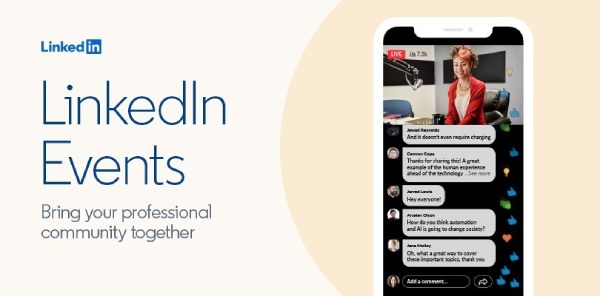
LinkedIn Events enables the creation of online or offline events on the platform, with the option to attach video content. Event videos can be used for event promotion, previews, or recap sessions, helping boost participation rates and audience engagement.
LinkedIn Video Messaging
Video messages sent via direct messages enable more direct communication with contacts. Ideal for one-on-one introductions, quick demonstrations, or personalized greetings. Compared to text or image messages, video messages convey greater warmth and persuasiveness.
LinkedIn Video Length and Parameter Requirements
Organic video posts
• Optimal length: 15–30 seconds, as shorter videos are more likely to be watched in full
• Maximum duration: 3 minutes
• Recommended resolution: 1080×1920 (portrait) or 1920×1080 (landscape)
• Aspect ratio: 1:1, 9:16, or 16:9
• File size limit: Maximum 200MB
Sponsored video ads
• Optimal Length: Approximately 15 seconds, the ideal duration for capturing viewer attention in promotional content.
• Maximum Length: 30 minutes
• Recommended Resolution: 1080×1080 (Square), 1920×1080 (Landscape), 1080×1920 (portrait)
• Aspect Ratio: Most recommended 1:1, 16:9, 9:16
• File Size Limit: 75 KB – 200 MB
LinkedIn Live
• Resolution: 720p or 1080p. For optimal viewing, 1280×720 or 1920×1080 is recommended.
• Aspect Ratio: 16:9
• Frame Rate: 30fps
• Bitrate: 3–6 Mbps
LinkedIn events
• Optimal length: 30–90 seconds
• Maximum duration: For example, playback can reach up to 3 hours
• Recommended resolution: 1920×1080
• Aspect ratio: 16:9
• File size limit: 200MB
LinkedIn video messaging
• Optimal length: 10–20 seconds, primarily for quick introductions and business greetings.
• Maximum duration: 1 minute
• Recommended resolution: 1080×1920 or 1920×1080
• Aspect ratio: 1:1, 9:16, 16:9
• File size limit: Approximately 100MB
Professional and Efficient LinkedIn Video Editing Methods
If you want to create and edit videos for LinkedIn, choosing the right software is crucial. 4Easysoft Total Video Converter is an excellent choice. It helps you create professional-quality videos. You can trim any part of the video to achieve the desired LinkedIn video length, add music and special effects, and apply video effects like reverse playback and speed adjustments.
Toolbox includes a variety of trimming and special effects tools to facilitate creative video production.
Supports output in multiple formats such as MP4, MOV, and even audio WAV.
Features GPU acceleration, boosting editing speed by up to 60 times for large files.
Offers multiple video collage preset layouts suitable for videos across various themes.
100% Secure
100% Secure
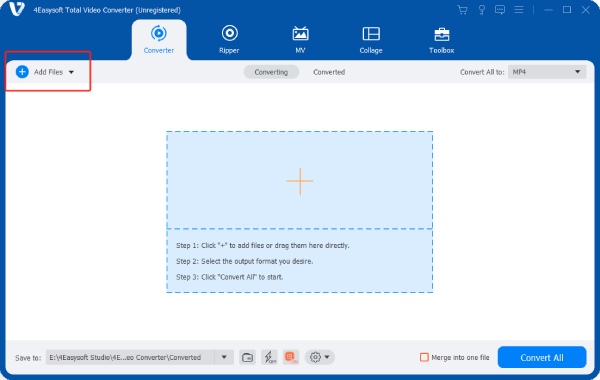
Step 1Click "Add File" to upload the LinkedIn video you want to trim, then click "Cut" below.
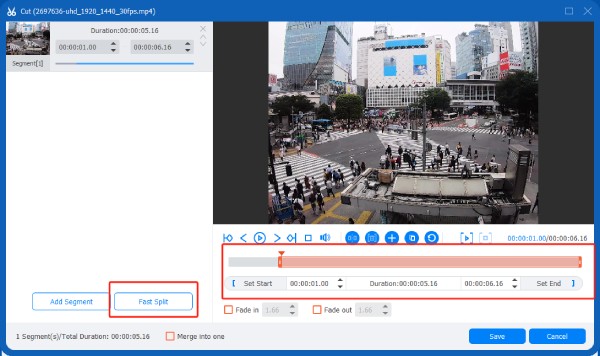
Step 2Drag the trimmer along the progress bar to remove unwanted segments. To add more segments, click "Add Segment".
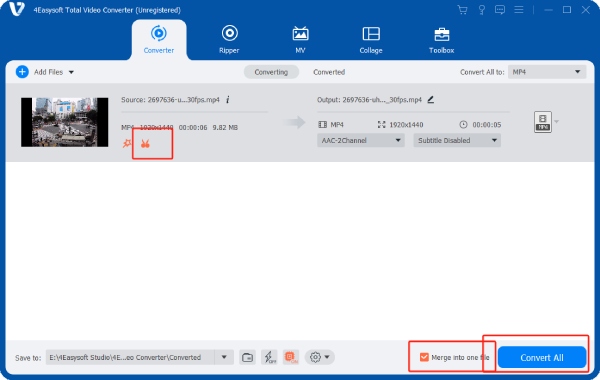
Step 3Click "Save" to generate the split video. If you cut many video clips, you can click "Merge into one file". Then click the "Convert All" button to export the edited video.
How to Edit LinkedIn Video Length Online with Kapwing
When trimming LinkedIn videos for cross-device compatibility, you can opt for online editing tools like Kapwing. It supports uploading videos in multiple formats and offers essential editing features such as cutting, merging, background removal, and adding subtitles. Additionally, Kapwing integrates innovative AI tools that intelligently adjust dimensions to meet the requirements of social platforms like LinkedIn.
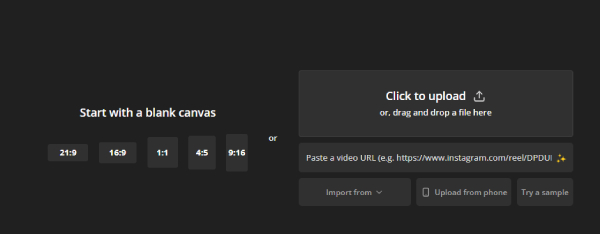
Step 1Open the Kapwing Video official website, click "click to upload" to add your LinkedIn video.
Step 2Drag the handles at both ends of the video to adjust its length. Double-click the position you want to trim, then click Split to trim the middle section of the video.
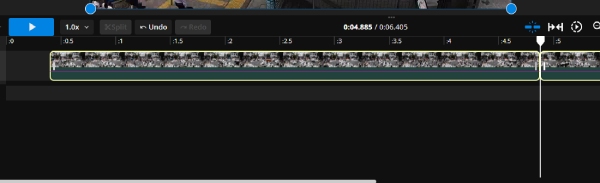
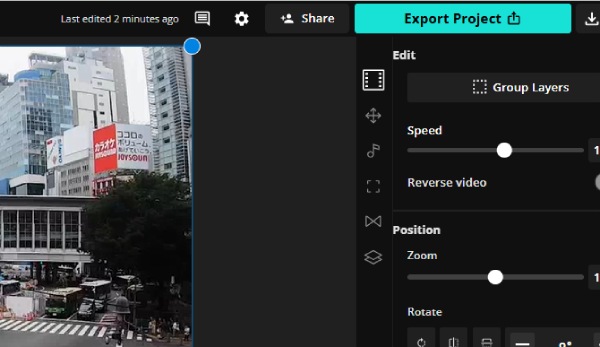
Step 3Once you're satisfied with the video length, click Export in the top-right corner. It will automatically save to your device.
Conclusion
Optimizing LinkedIn video dimensions is crucial for boosting engagement and reach. By trimming your videos to the ideal LinkedIn length, you can create more eye-catching content. 4Easysoft Total Video Converter makes editing simpler and smoother. It offers versatile features and supports multiple output formats. Download it now to edit compelling LinkedIn videos.
100% Secure
100% Secure
