
Reliable video converter, editor, and compressor for daily tasks.

TRP Video Converter Veritable Reviews [Pros & Cons]

Posted by Paula Pailaga to Video Converter Jan 13, 2023
If you like to use personal video recorders, you must have saved a lot of high-definition videos in TRP format. However, it is difficult to open TRP files on any platform. The only solution is to use a TRP video converter to convert them to normal formats. But if you want to convert TRP video to original quality, you may need a professional tool. With that said, this post will show you the best and most professional TRP video converters on Mac/Windows. Meanwhile, you will also see their key features in helping you convert TRP without losing quality.
Guide List
Part 1: 4 Free TRP Video Converters You Should Try Part 2: FAQs about TRP Video ConverterPart 1: 4 Free TRP Video Converters You Should Try
Top 1: 4Easysoft Total Video Converter [Windows/Mac]
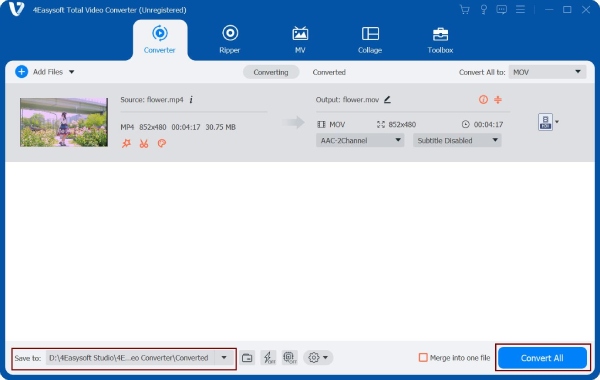
When you want to convert the TRP video without losing quality, 4Easysoft Total Video Converter must be the best choice you should try. You can use this excellent TRP video converter to convert TRP to MPEG-2 HD with original quality. It also provides many editing tools to edit your videos, including audio sync, video watermark, and add subtitles. Moreover, you can convert multiple TRP videos in a batch with this TRP video converter.
Convert TRP to MPEG-2 HD with original quality.
Support batch conversion to convert multiple TRP files simultaneously.
Provide more than 600 formats that can convert TRP to any popular format.
Excellent editing features to make a fantastic video.
100% Secure
100% Secure
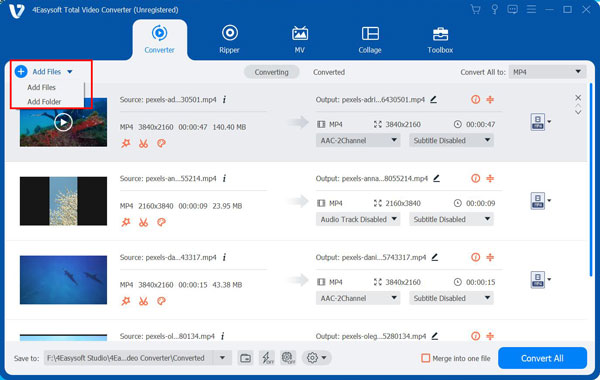
Step 1Launch this all-in-one TRP video converter after downloading the 4Easysoft Total Video Converter. You can upload your TRP video files by clicking the Add Files button. You can also click the Plus button or drag the file directly to the square to import your files.
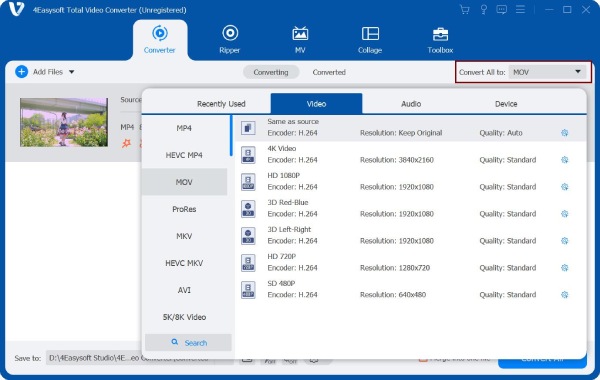
Step 2Select the HD 1080P MPEG2 as the output format by clicking the Format button. It will automatically adjust the most appropriate parameters without your adjustment. If you want to adjust the parameters of the video, click the Gear button and choose the Customize option.
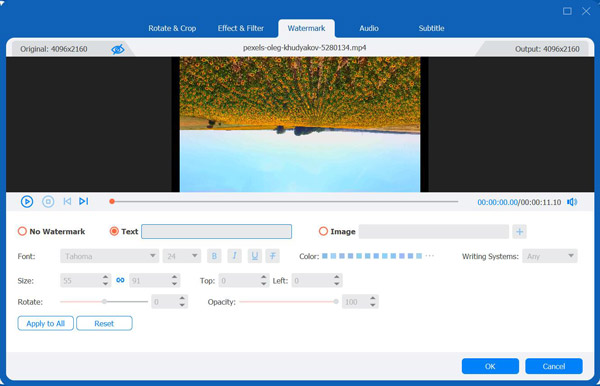
Step 3If you want to add a watermark to your video, you should click the Edit button. Then click the Watermark button to open a new window. You can choose to use text or images as the watermark. This TRP video converter allows you to adjust the text font, size, color, and other settings to make a unique watermark. Moreover, you can put the watermark wherever in the video you like.
Step 4Click the Browse button to select the output path after you finish all the settings. Then click the Convert All button to start converting TRP to MPEG-2 HD with this TRP video converter. You can also merge multiple files into one file by choosing the Merge into one file option.
Top 2: Prism Video Converter [Windows/Mac]
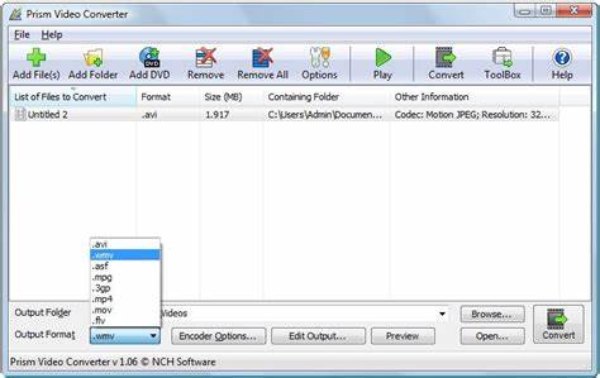
Prism Video Converter is a powerful TRP video converter that supports converting between all popular video file formats. You can convert multiple TRP video files in a batch, which can save lots of time. Moreover, this TRP video converter provides essential editing functions, such as trimming, slipping, and adding watermarks, etc.
- Pros
- Provide batch conversion and basic editing functions.
- Support fast conversion speed and 4K video.
- Support converting between all popular video file formats.
- Cons
- The limited number of options for a free version.
- Pop up other windows in a free version.
Top 3: Leawo Video Converter [Windows/Mac]
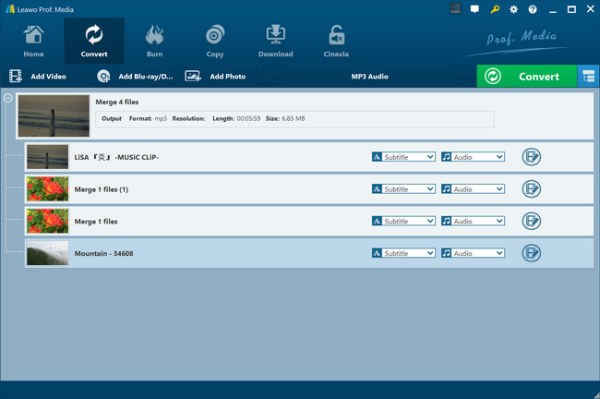
Leawo Video Converter is also a multi-function TRP video converter that can convert video and audio between more than 180 formats at 6x higher speed. It also provides an internal video editor that can make a wonderful video. Moreover, this TRP video converter allows you to adjust the parameters of the video/audio according to your needs.
- Pros
- Provide a video editor and customized settings to adjust your videos.
- Support converting video at 6x faster speed.
- Simple interface for users to convert video easily.
- Cons
- The limited file formats to convert video.
- Problems may occur during use.
Top 4: Media.io [Online]
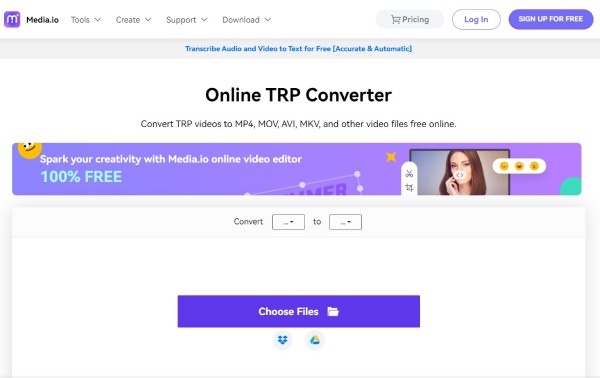
If you don’t want any TRP video converter to occupy your Mac/Windows disk space, you can try Media.io. It provides batch conversion to convert multiple video files at the same time. This free TRP video converter online also offers customized settings, which can adjust the parameters of the video.
- Pros
- Free and easy to use without downloading the software.
- Support batch conversion to convert multiple video files.
- Provide customized settings to adjust the parameters of the video.
- Cons
- No editing functions to edit your video.
- Slow upload and conversion speed.
Part 2: FAQs about TRP Video Converter
-
Which player can play TRP video files directly?
You can play TS, TRP and TP videos on any MPEG-2 player. That’s means any multimedia player that supports MPEG or MPEG video should open these formats. Of course, this also includes your home DVD player
-
Can I use Handbrake to convert TRP video files?
No, unfortunately, you can’t. The Handbrake supports very limited input formats. But you can use other TRP video converters or MPEG converters, such as 4Easysoft Total Video Converter.
-
Which format should TRP be converted to?
If you want to keep the original quality, you can convert TRP to MPEG-2 HD. Of course, you can also convert it to other common video files, such as MP4.
Conclusion
Now, you can convert TRP video to other common file formats easily with the TRP video converter on Mac and Windows. Suppose you are not sure which to try; 4Easysoft Total Video Converter is the best pick among other options! It also provides more features for you to convert TRP videos.
100% Secure
100% Secure
