
Reliable video converter, editor, and compressor for daily tasks.

Unbiased Reviews on 5 TOD Video Converters on Windows/Mac

Posted by Paula Pailaga to Video Converter Jan 13, 2023
If you are a photography enthusiast using a JVC Everio video camera, you may be distressed about how to play the TOD video in the camera on other devices usually. TOD video converter is a valuable tool to convert TOD to MP4 format, which has high quality and is compatible with almost any platform. If you are looking for the best video converter to convert TOD video with high quality, you can get recommendations and unbiased reviews from the following paragraphs. Here are the top-rated five easy TOD video converters for Mac and Windows.
Guide List
Part 1: 3 Best TOD Video Converters on Windows/Mac for You Part 2: 2 Easy TOD Video Converters Online for Free Part 3: FAQs about TOD Video ConverterPart 1: 3 Best TOD Video Converters on Windows/Mac for You
Top 1: 4Easysoft Total Video Converter [Windows/Mac]
4Easysoft Total Video Converter is a high-quality TOD video converter on both Mac and Windows. It provides customized settings to adjust the resolution to 1080p MP4. You can also use this excellent TOD video converter to convert multiple TOD videos in a batch. Moreover, it also provides essential editing functions and toolkits to edit your videos.

Provide customized settings to convert high-quality TOD videos, such as resolution, bitrate, and frame rate.
Support more than 600 formats to convert TOD to MP4 and other standard formats.
Offer editing functions to add subtitles to your TOD videos.
Support batch conversion to convert multiple TOD videos simultaneously.
100% Secure
100% Secure
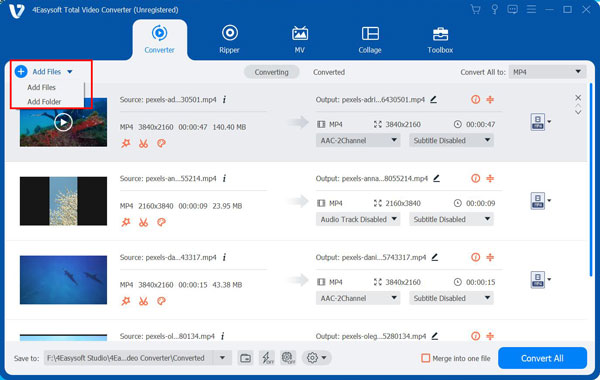
Step 1When you download the 4Easysoft Total Video Converter, launch this TOD video converter. You can import your TOD video files by clicking the Add Files button. You can also click the Plus button or drag the files directly to the square to load the TOD file.
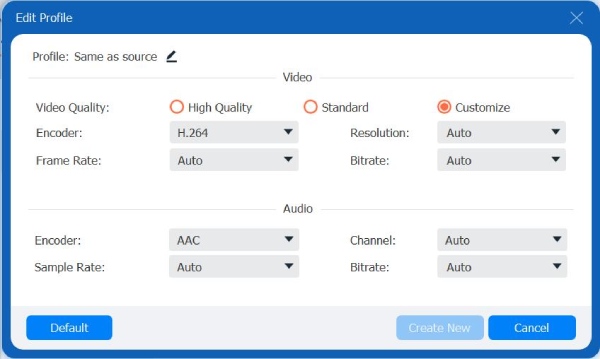
Step 2Choose the MP4 as the output format by clicking the Format button. You can also select other common forms in the Format window. Then click the Gear button to customize the resolution to 1080p and the frame rate to 30fps.
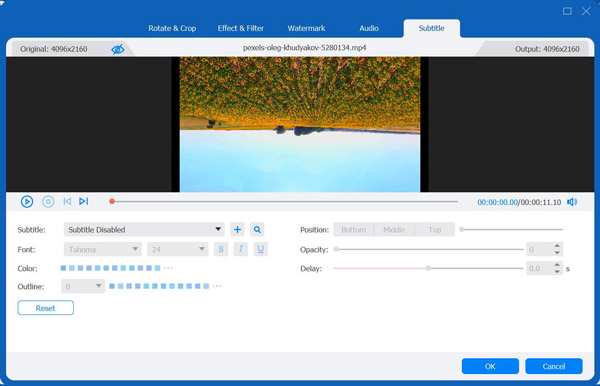
Step 3If you want to add subtitles to your TOD videos, you can click the Edit button. Then click the Subtitle button to open a new window. Then click the Plus button to load your subtitle files. You can adjust the position, font, color, outline, and opacity of the subtitle. Also, you can change the delay time to match it with the video.
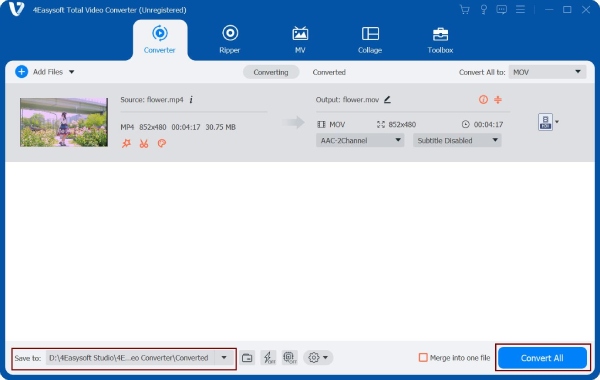
Step 4Click the Save to button to select the output folder to save your video files. Then you can click the Convert All button to start converting TOD to MP4. This Windows/Mac TOD video converter allows you to merge multiple video files into one file by choosing the Merge into one file option.
Top 2: Freemake Video Converter [Windows]
Freemake Video Converter, a special TOD video converter for Windows, converts video and movies between 500+ formats, including converting video to MP4. It also provides essential editing tools to edit your TOD video, such as cutting, joining, rotating clips, and adding subtitles. Moreover, you can also upload your videos to YouTube directly from your desktop.

- Pros
- Provide basic editing features to adjust the video.
- Support rip and burn DVDs and Blu-ray.
- Cons
- The converted output video file contains the watermark.
- Slow conversion speed for a free version.
Top 3: Winx Video Converter [Windows/Mac]
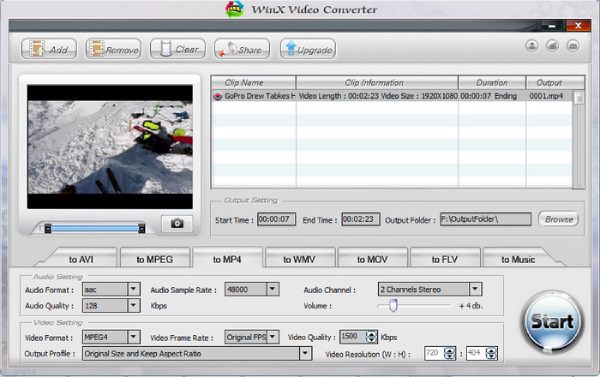
Winx Video Converter is an excellent Windows and Mac TOD video converter that supports more popular formats to convert TOD to MP4 or other common video formats. It also provides many presets to adjust your video accordingly. Moreover, you can convert videos with outstanding conversion speed.
- Pros
- Provide many presets to adjust the video accordingly.
- Fast conversion speed and simple interface.
- Cons
- Fewer editing functions and customized settings.
- Problems occur during the conversion
Part 2: 2 Easy TOD Video Converters Online for Free
Top 4: Convertio
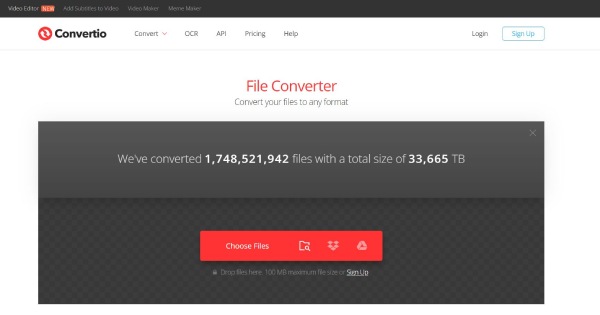
If you don't want to download any TOD video converter on your device, you can choose some online converters like Convertio. It provides more than 89 formats for you to convert TOD to MP4 and other common formats. You can also adjust the parameters of the video by customizing the settings. Moreover, this TOD video converter supports batch conversion, which can save lots of time.
- Pros
- Support batch conversion and customized settings.
- Free and straightforward interface for users.
- Cons
- Slow conversion speed and the maximum file size is only 100MB.
- No editing functions to edit your videos.
Top 5: AnyConv
AnyConv is also an online TOD video converter that converts TOD to MP4 and other formats you want. It has a simple interface for you to convert videos easily. This online TOD video converter also provides step-by-step instructions for converting TOD files. Of course, you can also convert M4A to MP4.

- Pros
- Free and easy to use without downloading the software.
- Support various popular video formats.
- Cons
- No editing function and customized settings.
- Can’t batch conversion and slow conversion speed.
Part 3: FAQs about TOD Video Converter
-
Can I use Handbrake to convert TOD to MP4?
No, unfortunately, you can’t. The Handbrake doesn't support the TOD format. You can convert FLV to MP4 with the Handbrake. If you want to convert TOD to MP4, you can use other TOD video converters, such as Winx Video Converter.
-
How to add subtitles to TOD video through Freemake Video Converter?
Load your TOD videos to the Freemake Video Converter and click the Add Subtitles button to open a new window. Then click the Plus button to add your subtitle files.
-
Which format is the best to convert TOD to?
MP4 is the best format that TOD can convert. The MP4 format has small storage and high-quality output. Moreover, it can be compatible with almost any platform.
Conclusion
We have learned that processing TOD files can be a difficult task, especially if you have not done so before. Fortunately, after reading this article, you have 5 excellent TOD video converters for Mac and Windows to help you deal with this file format. Moreover, you have now learned about 4Easysoft Total Video Converter, which allows you to export all TOD videos in the required file format!
100% Secure
100% Secure
