
Convert, edit, and compress videos/audios in 1000+ formats.

MP4 to MP3 Converters - How to Extract MP3 Audio from MP4 Videos

Posted by Aira Lesly Escoto to Convert Audio, Convert Video Jan 06, 2023
When you find a great background music on movies but don’t know its name, you can directly convert your MP4 videos to MP3 and extract the desired audio part. In this way, you can also save more space by deleting the video files and only remaining the small audio files. If you only want the music from MP4 videos, keep reading this article and learn 5 efficient ways to convert MP4 to MP3 with high quality on Windows, Mac, and Online.
Guide List
Part 1: Extract Music by Converting MP4 to MP3 on Windows/Mac Part 2: How to Convert MP4 to MP3 with Audio Only Online for Free Part 3: 5 More MP4 to MP3 Converters for Windows/Mac Part 4: FAQs about How to Convert MP4 to MP3 with High QualityPart 1: Extract Music by Converting MP4 to MP3 on Windows/Mac
Converting MP4 to MP3 is the easiest way to extract the desired audio files and play them on any device. 4Easysoft Total Video Converter is one of the best powerful tools for both Windows and MacBook. It can convert MP4 to MP3 with the lossless audio and 48KHZ sample rate. You can also change the audio channel to enhance the audio quality. Follow the detailed steps to convert MP4 to MP3 easily.
Convert MP4 to MP3, MOV, FLV, WMV, FLAC, and other 1000+ video and audio formats.
Adjust the video and audio settings to keep the high quality, including the sample rate, bitrate, channel, etc.
Provide additional editing features, such as volume booster, audio sync, quality enhancer, and more.
Support GPU and CPU acceleration to convert a batch of MP4 videos to MP3 at 60x faster speed.
100% Secure
100% Secure
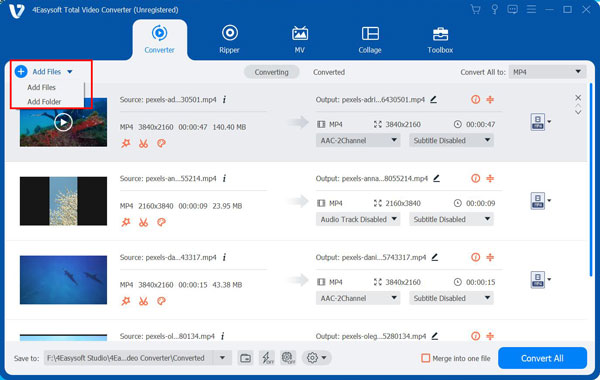
Step 1Free download 4Easysoft Total Video Converter on your Windows/Mac. Click the Add Files button under the Convert menu to select the desired MP4 videos to add. You can also add a batch of MP4 videos to convert to MP3.
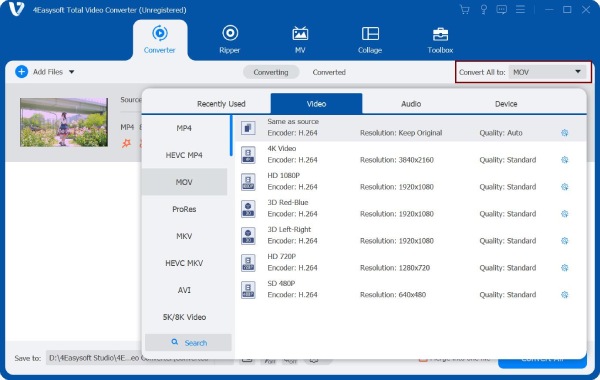
Step 2Click the Convert All to dropdown list at the top-right corner to see all the video and audio formats. Under the Audio tab, you can click the MP3 button with the desired sample rate. To adjust more settings, you can click the Custom Profile button with the Gear icon to change the quality, channel, and bitrate. In this way, you can convert MP4 to MP3 with high quality.
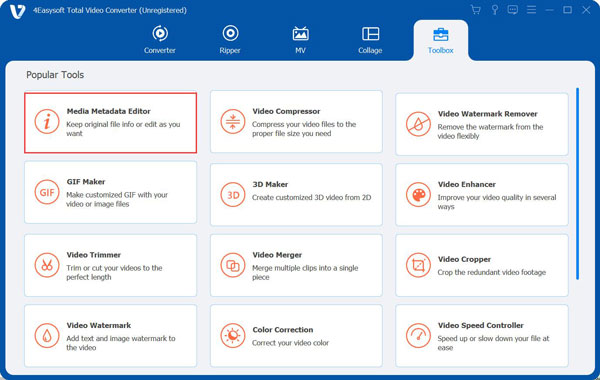
Step 3After that, you can use more functions from the Toolbox menu to boost MP3 music, add audio transitions, and remove the noise from your MP3. Moreover, you can cut the desired parts to loop. Get the best listening experience here.
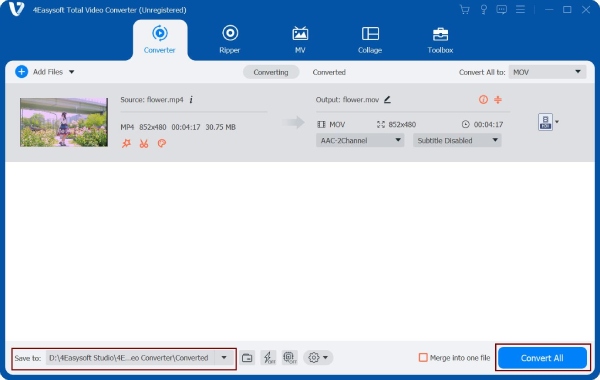
Step 4Go back to the main interface and click the Save To dropdown list to select the desired folder to save them. At last, click the Convert All button to start converting MP4 to MP3. Now, you can listen to the extracted music even on your portable devices.
Part 2: How to Convert MP4 to MP3 with Audio Only Online for Free
Online tools can help you convert MP4 to MP3 without downloading software. Although they are easy to use, you can’t get the best-quality audio as the professional tool. There are 3 online MP4 to MP3 converters for you. Some of them even don’t support adjusting the audio parameters. Keep on reading and know more about them.
1. 4Easysoft Free Video Converter
4Easysoft Free Video Converter is a versatile video converter that supports 600+ formats, including MP4 and MP3. You can also use it to change the MP3 settings to keep the high quality of the output.
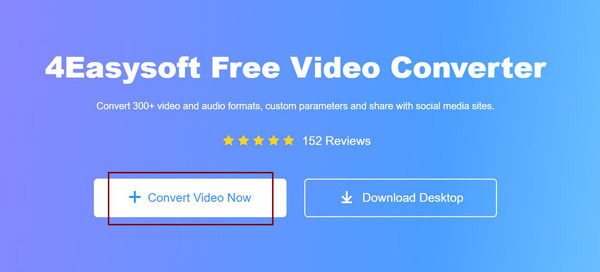
Step 1Go to 4Easysoft Free Video Converter and click the Convert Video Now button. When a window pops up, you can add the desired videos in batch.
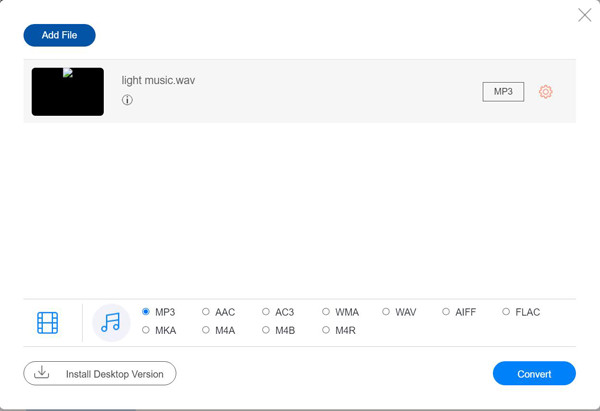
Step 2After that, you can click the Audio button, and then click the Checkbox ahead the MP3 format to convert MP4 to MP3. You can also change the settings by clicking the Custom Profile button. At last, click the Convert button to start the process.
2. Zamzar
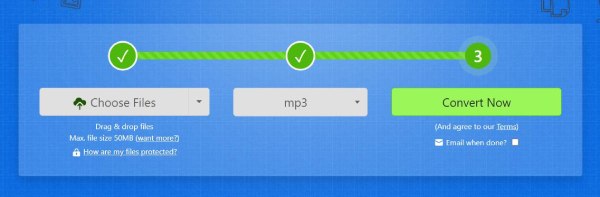
Zamzar is also an easy-to-use online MP4 to MP3 converter. Just three simple clicks will help you extract the audio file. Read the following steps to know the process:
Step 1Navigate to the official website of Zamzar and click the Choose Files button to add the desired MP4 videos.
Step 2Then, you can click the Convert Video dropdown list and click the MP3 format under the Audio tab. Without adjusting the parameters, you can directly click the Convert Now button to convert MP4 to MP3.
Part 3: 2 More MP4 to MP3 Converters for Windows/Mac
More solutions for you here! You can also learn 5 more professional MP4 to MP3 video converters to extract MP3 music from videos on Windows and Mac. Get to know more about their pros and cons and choose the best one to convert MP4 to MP3.
1. VLC Media Player (Windows/Mac)
VLC Media Player is an open-source play for Windows, Mac, and even mobile. As a powerful media player, VLC can play almost all popular media files, including MP4 and MP3. But only a few people know it can also convert between different media formats. See the steps here.
Features:
◆ Support and convert all open-source formats for free.
◆ No batch conversion. Can only convert one MP4 file to MP4 a time.
◆ Customize the output MP3 bitrate, sample rate, and channels.
2. Free MP4 Video Converter (Windows)
This MP4 to MP3 video converter is also a simple video editor. It supports converting videos to 100+ formats, edit videos, and merge videos together. Although it’s a professional converter, its interface is still friendly to users.
◆ Provide simple editing tools to crop, cut, and merge videos.
◆ High conversion speed with the GPU acceleration technology.
◆ Only available on Windows.
Part 4: FAQs about How to Convert MP4 to MP3 with High Quality
-
How much space can I save after converting MP4 to MP3?
The differences between MP4 and MP3 are the files they contain. The audio codec included in MP4 and MP3 are the same, so the saved space is the video file. Normally, 3-minute music only occupies 5MB while the video is more than 200MB.
-
How to convert MP4 to MP3 through VLC Media Player?
Launch VLC and click the Convert/Save button under the File menu. Then click the Browse button to add your MP4 video. After clicking the Convert/Save button again, you can select the MP3 format from the Profile dropdown list. At last, click the Save button to export the converted music.
-
Is there any MP4 to MP3 converter apps on Android/iPhone?
Yes, of course. You can find many video and audio converters from App Store and Google Play. But the recommended ones are Video to MP3 Converter, The Audio Converter, Media Converter, etc.
Conclusion
Here are the best 5 methods to convert MP4 to MP3. Now, you can extract your favorite background music and save them as MP3 format. In this way, you can listen to them at any time through computers or mobile phones. Of course, don’t forget to use 4Easysoft Total Video Converter to convert MP4 to MP3 with the desired parts and keep the high quality.
100% Secure
100% Secure
