
Reliable video converter, editor, and compressor for daily tasks.

[Listed] Top-Notch MOV Converters That You Can Trust

Posted by Aira Lesly Escoto to Video Converter Apr 27, 2026
Many users are searching for a reliable MOV converter these days. As a popular video format developed by Apple, MOV files are commonly used for high-quality video storage. However, it may not always be compatible with every device, media player, or editing platform. In such cases, using a reliable MOV converter can help you convert MOV files into more widely supported formats. With so many converters available today, choosing the right one can be challenging. In this guide, we will introduce several trustworthy MOV converters and help you find the best option for efficient video conversion.
Guide List
The Most Powerful MOV Converters for Any Scenario Top-Notch MOV Converters You Can Trust for Efficiency FAQs About MOV ConvertersThe Most Powerful MOV Converters for Any Scenario
If you are looking for a MOV converter that can be used in all the scenarios you can imagine, then 4Easysoft Total Video Converter is the best choice. This tool enables you to customize the parameters for adjusting the quality and size during the conversion process, whether it is converting from or to MOV files. The entire process is very straightforward and clear, requiring no specialized knowledge.
Convert MOV to any video format you want, such as MP4, WAV, etc.
Support high-quality MOV conversion by customizing the settings.
Provide batch conversion and an accelerator to convert MOV videos faster.
Powerful editing features to make a unique MOV video with your watermark.
100% Secure
100% Secure
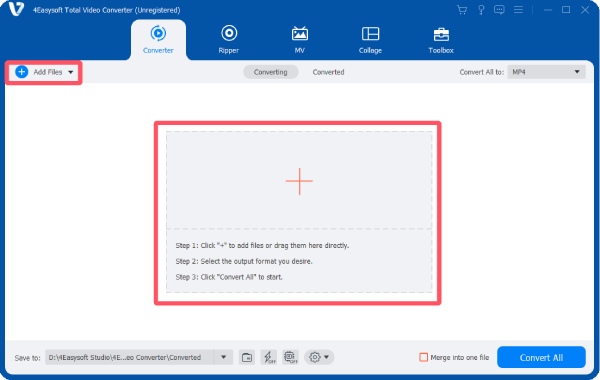
Step 1Launch 4Eeasysoft Total Video Converter and click the "Add Files" to import your MOV files for conversion.
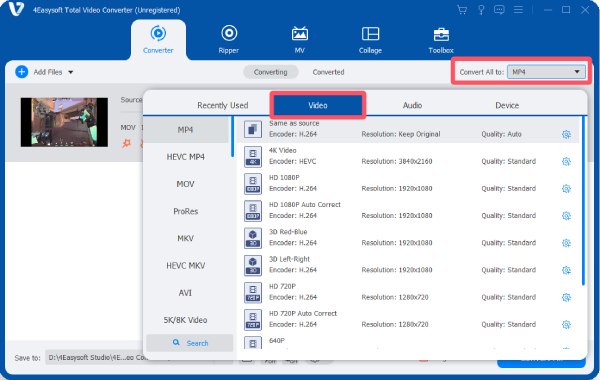
Step 2Click the "Convert All to" button. Under the "Video" tab, click to select the desired output format.
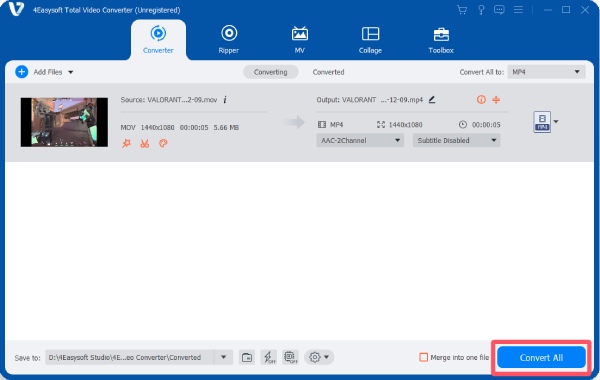
Step 3Finally, click the "Convert All" button to convert your MOV files to MP4, MP3, or other format.
Top-Notch MOV Converters You Can Trust for Efficiency
In addition to professional solutions, there are also many reliable converters that you can trust. This section has concluded the most recommended options from the forum. You can select the desired MOV converter based on your requirements. To get the detailed information, read the introduction below:
| Name | Desktop/Web | Processing Speed | Beginner-Friendly |
| HandBrake | Desktop | Medium | No |
| VLC Media Player | Desktop | Medium | No |
| Any Video Converter | Desktop | Medium to Fast | Yes |
| Freemake Video Converter | Desktop | Fast | Yes |
| FormatFactory | Desktop | Medium | Yes |
| Prism Video Converter | Desktop | Medium | No |
| Movavi Video Converter | Desktop | Fast | Yes |
| AVS Video Converter | Desktop | Medium | Yes |
| CloudConvert | Web | Medium (Internet-based) | Yes |
| Zamzar | Web | Slow to Medium | Yes |
1. HandBrake
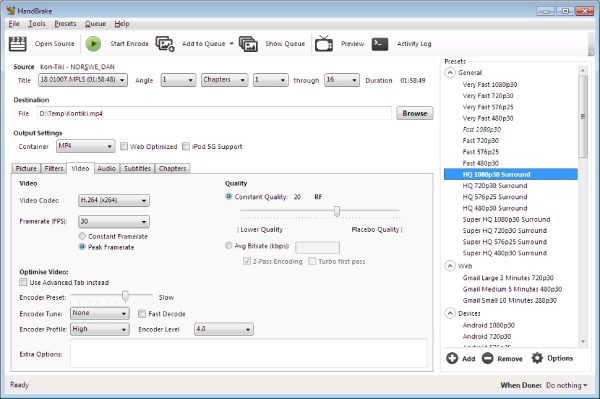
HandBrake is a widely recognized free and open-source video transcoder that supports converting MOV files into formats such as MP4 and MKV. This free MOV to MP4 converter works on Windows, macOS, and Linux, offering powerful encoding controls for bitrate, resolution, filters, and codecs. Because it integrates many professional encoding libraries, it is commonly used by users who want precise control over video compression and quality.
- Pros
- Completely free and open-source
- Advanced encoding customization
- Support batch conversion
- Cons
- The interface can be difficult for beginners
- Limited output format presets compared with some converters
- Conversion settings require technical knowledge
2. VLC Media Player
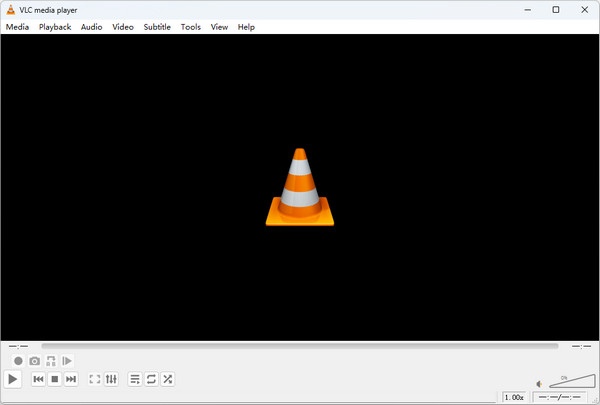
Many people have always known VLC media player as one of the most compatible video players. However, only a few come to know that it can be used as a practical MOV converter without installing extra tools. VLC supports many codecs and works on multiple operating systems, making it a convenient option for quick conversions.
- Pros
- Free and open-source
- Support many platforms and formats
- No additional software required
- Cons
- Conversion from VLC to MP4 features are hidden in menus
- Limited advanced editing options
- Batch processing is not very convenient
3. Any Video Converter
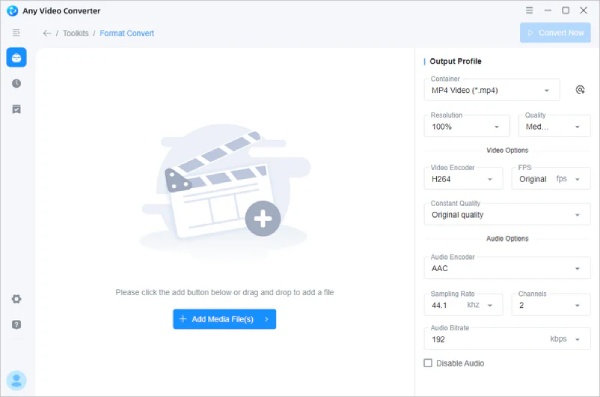
Any Video Converter is a popular video conversion tool available for Windows and macOS. It supports converting videos into many formats and also includes basic editing features such as trimming and merging clips. Both free and paid versions are available, making it suitable for beginners and advanced users alike to convert MOV to MP4.
- Pros
- Support many output formats
- Beginner-friendly interface
- Includes simple video editing tools
- Cons
- The free version has limited advanced features
- The premium version can be expensive
- Some features require upgrades
4. Freemake Video Converter
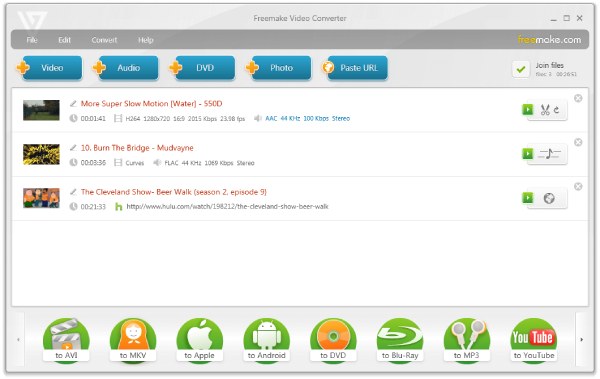
Freemake Video Converter is a well-known Windows video converter designed mainly for beginners. It supports hundreds of video and audio formats and can also burn videos to DVDs or upload videos directly to YouTube. The simple interface makes it easy for users who want quick conversions from MOV to MP4 without complicated settings.
- Pros
- Very easy to use
- Support many formats and devices
- Include basic editing features
- Cons
- The free version may add watermarks
- Installation may include bundled software
- Only available for Windows
5. FormatFactory
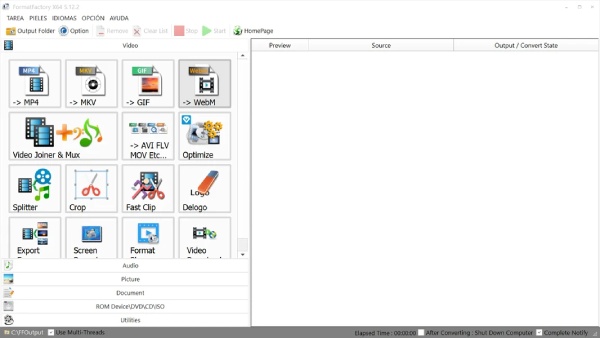
FormatFactory is a multimedia conversion program that supports converting video, audio, and image files. It can convert MOV videos into many other formats and also offers features such as DVD ripping, file merging, and ISO creation. The software is free and widely used by users who want an all-in-one conversion tool.
- Pros
- Support many media formats
- Include additional tools like DVD ripping
- Free to use with no paid version
- Cons
- The interface looks outdated
- Ad-supported software
- Only available for Windows
6. Prism Video Converter
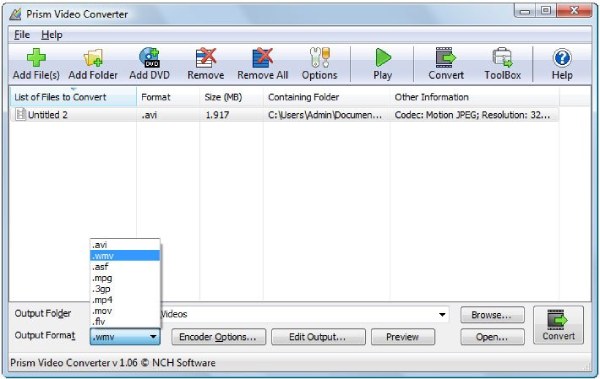
Developed by NCH Software, Prism Video Converter focuses on a multi-format video conversion program. So, it’s not a big deal to convert MOV to MP4 for sure. Before saving the output video, you can preview it to check if the quality meets your requirements, which can be helpful for post-editing.
- Pros
- Support many video formats
- Include compression and optimization tools
- Offer preview and editing features
- Cons
- Free version limited to non-commercial use
- The interface is neither straightforward nor professional
- Advanced features require a paid version
7. Movavi Video Converter
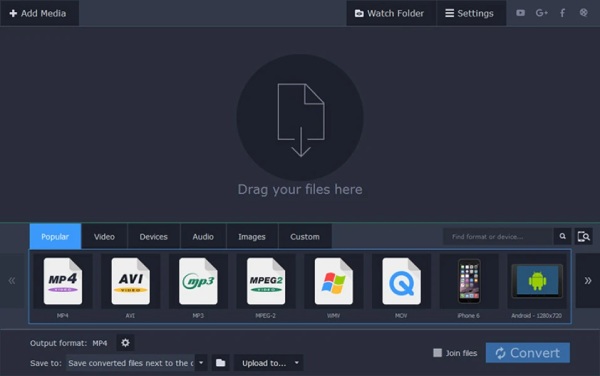
Known for its fast processing speed, Movavi Video Converter is also a decent choice for MOV converters. It allows you to finish the task in a smooth workflow while maintaining high quality. The software also provides features such as trimming, cropping, and preset formats for various devices, making it suitable for users who want quick and easy video conversions.
- Pros
- Fast conversion speed
- Easy-to-use interface
- Device-specific presets
- Cons
- Paid software after the trial period
- Limited free features
- Some advanced editing tools are missing
8. AVS Video Converter
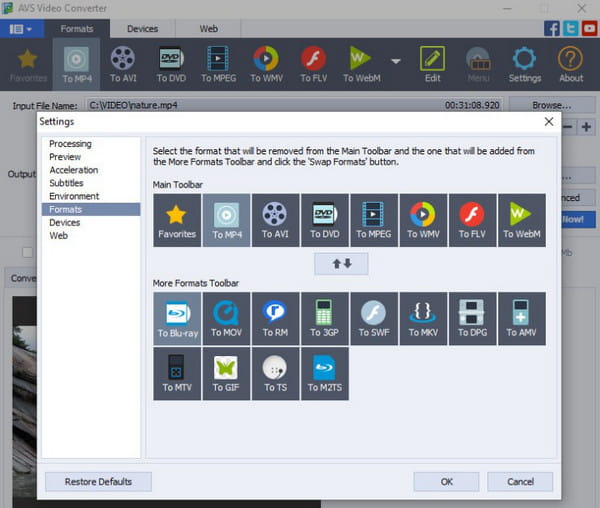
AVS Video Converter supports converting videos into more than 150 formats and includes presets for devices and social media platforms. It also allows users to edit videos by trimming, merging, or adding subtitles before conversion. This makes it useful for users who want both conversion from MOV to MP4 and basic editing in one tool.
- Pros
- A wide range of formats is supported
- Edit the video right after the conversion
- Device and social media presets
- Cons
- Available only on Windows
- Paid license required for full features
- Conversion speed depends on system performance
9. CloudConvert
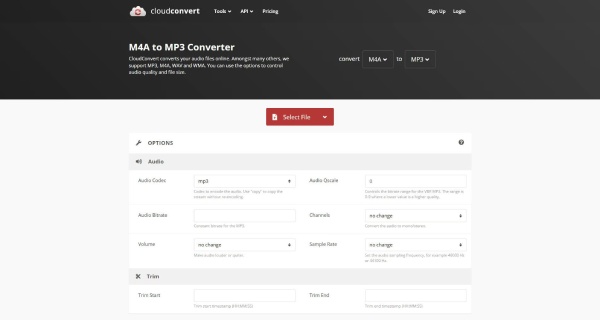
CloudConvert is a web-based file converter that allows users to convert MOV files to MP3, MP4, and other formats directly from a browser. It supports hundreds of formats and can integrate with cloud storage services like Google Drive or Dropbox. This tool is useful when you do not want to install software.
- Pros
- CloudConvert is safe and works directly in a browser
- Support many file formats
- Cloud storage integration
- Cons
- The free version has conversion limits
- Upload speed depends on the internet connection
- File size restrictions in the free plan
10. Zamzar
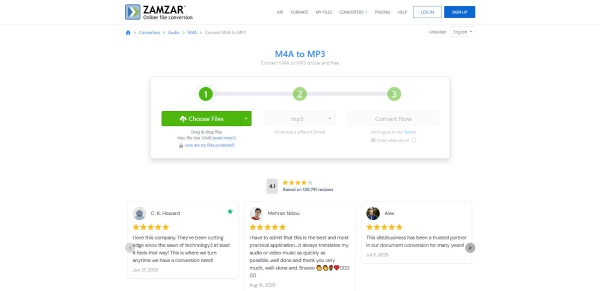
Zamzar is another online file conversion platform that supports many file types, including MOV. Users upload their video files, choose the output format, and download the converted file. Because it works entirely online, this MOV converter is convenient for quick conversions on devices where installing software is not possible.
- Pros
- No software installation required
- Simple and beginner-friendly
- Support many file formats
- Cons
- Limited free conversions
- File upload size restrictions
- Slower conversion for large files
FAQs About MOV Converters
-
What is a MOV converter used for?
In short, a MOV converter is used to change MOV video files. This process is usually needed when MOV is not supported in a certain scenario.
-
Will converting MOV files reduce video quality?
Generally speaking, changing the file format will result in corresponding changes in various parameter details. So, generally speaking, the quality of the video can vary. You can choose a professional MOV converter to ensure the video quality during the conversion process.
-
Can I convert MOV files in batches?
Yes. As long as you choose a MOV converter with sufficient processing power, it can assist you in converting multiple MOV files at the same time, which can save a lot of time.
Conclusion
In conclusion, there are many tools to help you convert videos to MOV or vice versa. You can choose the one that best meets your specific needs. Among various choices, 4Easysoft Total Video Converter, which not only ensures efficiency but also offers a wide range of editing features, stands out as the best option.
100% Secure
100% Secure
