Powerful Mac DVD Ripper to rip DVD Mac:
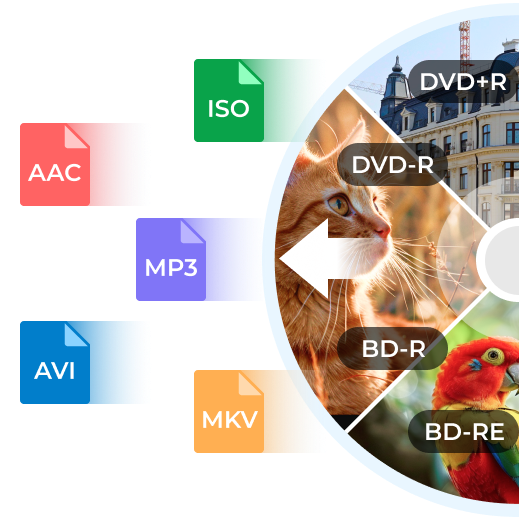
Rip DVD to AVI, MP4, MOV, FLV, 3GP and HD videos Mac
Rip DVD for all portable players
Offer various settings and editing features
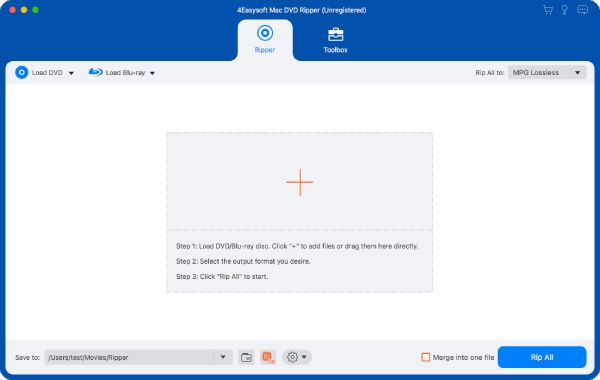
Remarkable with its amazing power in ripping DVD on Mac, 4Easysoft Mac DVD Ripper can convert/rip DVD to all the video & audio formats for Mac users, like rip DVD to AVI Mac and to various formats including rip DVD to WMV, MP4, H.264/AVC, MOV, 3GP, MP3, WAV, AC3, M4A, etc. Then play ripped DVDs on your iPod, iPhone, PSP, Zune, Creative Zen, Xbox, Wii and other multimedia devices. Also extract pictures from your favorite movie scenes with this versatile DVD Ripper for Mac.
Beyond all the Mac DVD Rip software, 4Easysoft Mac DVD Ripper empowers you to customize video effect, trim any clips at will, crop playing area, watermark your video as you want, preview the movie before converting, etc. Download it right now and have a try for free!
Convert HD DV, HD TS, MTS, M2TS, HD MOV, HD H.264, HD RM and other HD videos, get HD videos.
Learn More
Buy Now
$35.00
Take out audio from DVD to AAC, AC3, AIFF, FLAC, MP3, OGG, WAV, WMA, etc. Learn More Buy Now $35.95
Mac Video Converter
4Easysoft Mac Video Converter can convert all sorts of videos, including General Videos and HD videos to diverse players and also extract audio from videos.
Learn MoreFree TrialBuy Now$29.95
1. Rip DVD to different formats for different devices on Mac
Convert DVD to Video Mac
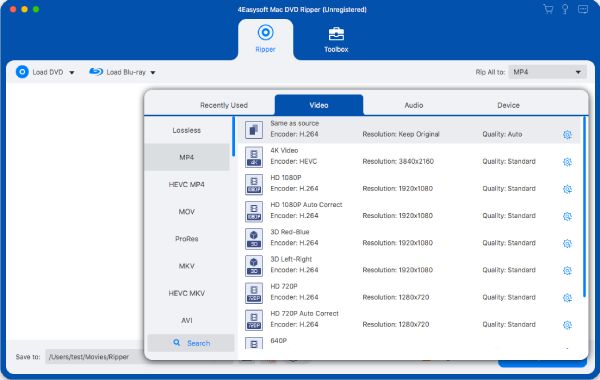
This DVD ripper for Mac supports a lots of output video formats including MPEG-4, H.264/MPEG-4 AVC, MOV, M4V, AVI, DivX, XviD, ASF, WMV, MPEG-1, MPEG-2, 3GP, 3GPP, MKV, FLV, SWF, VOB, and even HD videos.
Rip DVD to Audio Mac
You can extract audio from DVD to AAC, AC3, AIFF, AMR, AU, FLAC, MP3, M4V, MP2, OGG, WAV, WMA on Mac
Convert DVD to portable players
4Easysoft Mac DVD Ripper helps you classify the output formats with device type so you get the right files for your iPod, iPhone, iPhone 3G, Apple TV, PSP, PS3, Zune, Zune 2, Xbox, Google Phone, Sony Walkman, BlackBerry, Motorola, Mobile Phone, etc.
Output one file to different formats with only one conversion
You are allowed to convert one file to different output formats simultaneously.
2. Versatile settings and editing functions
Adjust output effect
Adjust the brightness, saturation and contrast of the video. If the quality of the image is not very good, you can improve it with Deinterlace function.
Crop screen size
Don't want the black borders of the movie? Just crop it! You can also select from Zoom Mode such as 16:9, 4:3, full screen, keep original.
Trim clips
Trim DVD movie to get video or audio clips and you can just rip certain segment you need.
Add watermark
4Easysoft Mac DVD Ripper enables you to add a text/image watermark to your video and set its position and transparency.
Select audio track and subtitle
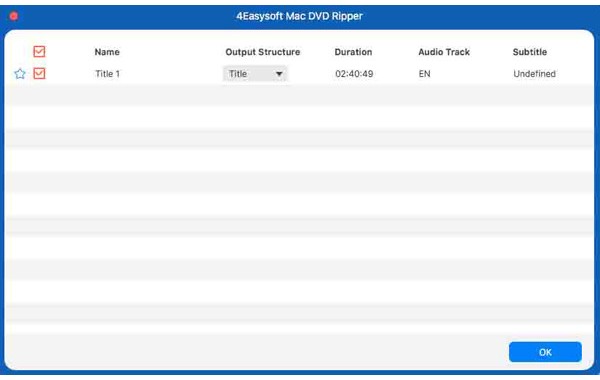
You can select your preferred audio track and subtitle as you want.
Changeable video/audio settings
Set video Encoder, Resolution, Frame Rate, Video Bitrate and audio Encoder, Sample Rate, Channel, Bitrate by yourself.
Select audio track and subtitle and join files
4Easysoft Mac DVD Ripper owns the way to choose audio track and subtitle. Merging all movie titles/chapters into one output file so that you can enjoy a long movie without interruption is supported.
Preview and snapshot
You can preview the movie before converting and catch your favorite movie scenes during this process.
3. Best quality and fastest speed
Rip DVD Mac with high speed and maintain the full-quality of your original DVD movie.
Processor: PowerPC® G4/G5 or Intel® processor
OS Supported: Mac OS X v10.4 - 10.6
Hardware Requirements:512MB RAM, Super VGA (800×600) resolution, 16-bit graphics card or higher