
Transfer anything from/to iPhone, iPad, and iPod.

10 Best iPhone Ringtone Maker Apps with Customized Settings

Posted by Paula Pailaga to iOS Transfer Feb 16, 2023
You might be tired of hearing the same ringtones on your iPhone repeatedly, and you like to set a unique ringtone for yourself. Since you can’t directly create a ringtone on your iPhone, you need a iPhone ringtone app from which you can edit your music and sound and turn it into your ringtone or choose from the free ringtones provided by the ringtone maker app you choose. Learn below the fantastic free Ringtone apps to help create a ringtone for your phone. Choose the best iPhone ringtone app for you!
Guide List
Best 5 iPhone Ringtone Apps to Create Special Ringtones Top 5 Ringtone Apps for iPhone on Windows/Mac FAQs about the Best iPhone Ringtone AppsBest 5 iPhone Ringtone Apps to Create Special Ringtones
All iPhone users love to personalize their iPhone settings, one of which is to set their ringtones. There are several iPhone ringtone maker apps from which you can create a unique ringtone. The best ringtone apps are discussed below. These applications offer you many free ringtones, allowing you to change your iPhone’s ringtone anytime.
1. Ringtones HD ∙ Ringtone Maker
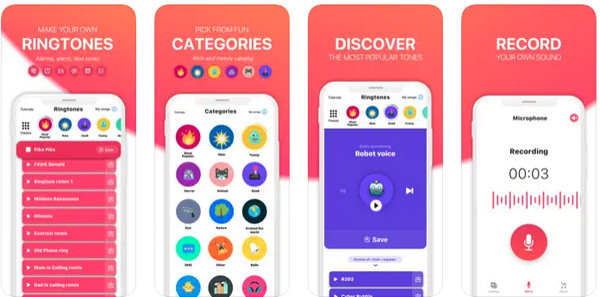
One of the best ringtone apps for iPhone is Ringtones HD, Ringtone Maker. It offers users a collection of top free iPhone ringtones, giving users several choices. It also lets you create unique ringtones from your songs on iTunes. Furthermore, it provides you with many themes for your ringtones, such as the most popular, funny, horror, and more. It is also an up-to-date application, so you don’t miss out on trending tunes.
- Pros
- Use music from iTunes to create a unique ringtone.
- Download and set all ringtones directly on your iPhone.
- Provide you a tutorial for all steps in creating a ringtone.
- Cons
- It contains some bugs and ads.
2. Infinity
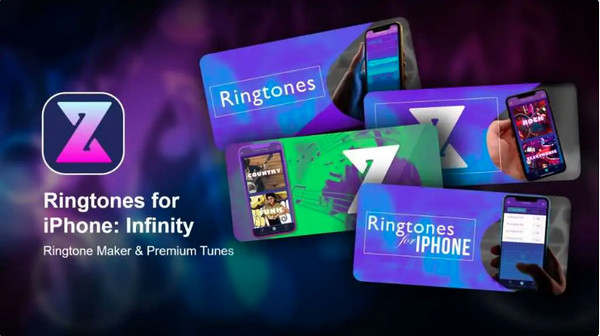
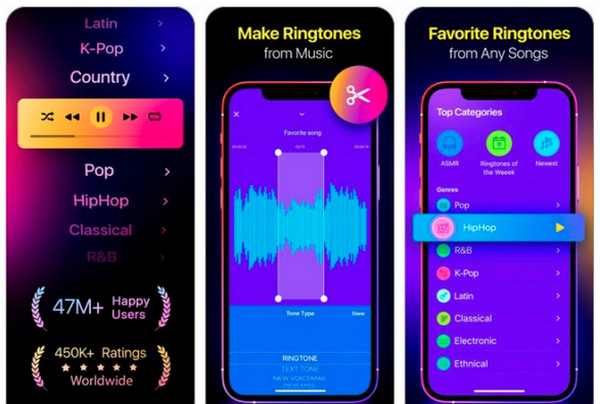
Another free iPhone ringtone app is Infinity. This application gives you a premium feel as you can replace your repeated ringtones with a brand new one - uniquely yours. Plus, you can organize and edit your favorite ringtones in your Favorites library, allowing you to find your most loved ringtones easily. Browse through many categories to choose one as your ringtone with this iPhone ringtone app, Infinity.
- Pros
- Offers many genres, like Country, Rock, Indie, Pop, and more.
- It features different new songs daily.
- It has a unique AI Ringtones Generator.
- Have a complete access if you upgrade to its premium subscription.
- Cons
- Only compatible with iPhones that use iOS 13 and above.
3. TUUNES
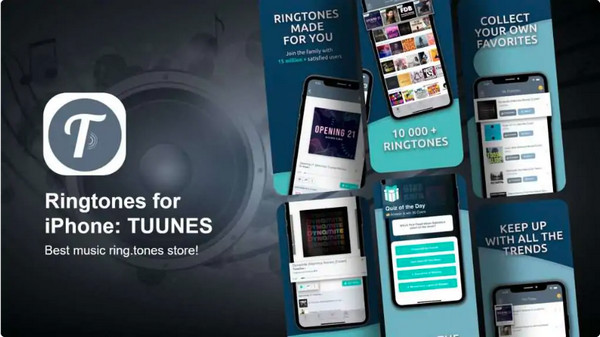
TUUNES is an application that provides the best ringtones for iPhone - it has everything from calls to alarm tones. Moreover, it has the most extensive collection of tunes to choose from professional producers and labels. If you can’t create one, you can browse from their unique ringtones. Set a fantastic ringtone for your iPhone quickly with this iPhone ringtone app, and share them with your family and friends.
- Pros
- It has new daily updates.
- Allows you to create ringtones for contacts.
- Offers you the latest music ringtones and many genres.
- It has no ads - use it conveniently.
- Cons
- Unused features from the trial period will lose once you upgrade.
- May experience some bugs.
4. The Ring App
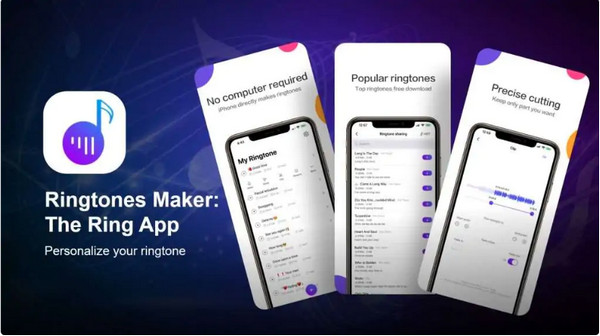
If you are looking for an excellent iPhone ringtone maker app, this one is your best choice. The Ring App has the ability to extract audio from videos and turn them into your iPhone ringtones. Furthermore, it has a music and tones collection from which you can choose your preferred ringtone. It can complete the creating ringtone process in just several seconds.
- Pros
- Real-time popular ringtones update.
- Provides tutorials for producing ringtones.
- Support all iPhone models from iPhone 4s to the latest iPhone 18 Pro/17.
- Cons
- It has ads that pop out every time.
5. Ringtune
Stand out from the crowd using this 2-in-1 iPhone ringtone app, RingTune. It provides you with several categories of new and popular ringtones for your iPhone. Moreover, it allows you to use songs from your library and edit them as ringtones. Plus, you can record on your own and set it as your ringtone for your iPhone. You can also create your live wallpapers with its vast catalog full of stunning live wallpapers.
- Pros
- Daily updates with the latest and hottest ringtones.
- Allow you to extract audio from videos.
- Enable you to create unlimited ringtones with your songs in Library.
- Cons
- Contain many ads.
- A lot of unique features are paid.
Top 5 Ringtone Apps for iPhone on Windows/Mac
Those iPhone ringtone apps mentioned above provide you with many ringtones from which you can choose to make your ringtone more unique and remarkable only for you. After discussing the top 5 best iPhone ringtone maker apps, learn the other top 5 iPhone ringtone apps you can use on your Windows PC and Mac.
1. 4Easysoft iPhone Transfer
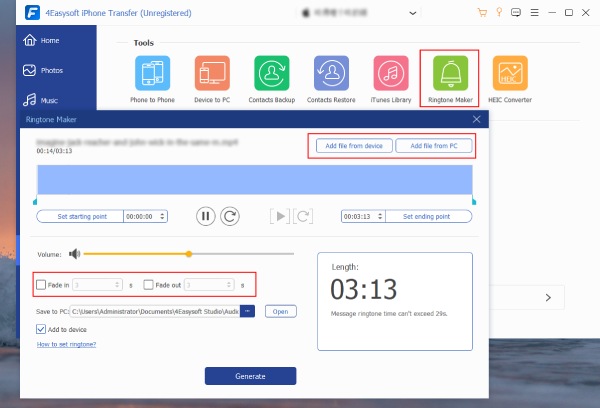
The powerful tool that offers users three modes to transfer files is the 4Easysoft iPhone Transfer. It can also sync all videos and audio, backup and restore contacts without data loss, and delete files in just one click to make your iOS device function quickly. Moreover, it has many valuable features besides transferring files, such as Ringtone Maker, so this program also serves as a iPhone ringtone app. This feature allows you to add music from your iPhone or computer to create a ringtone, apply fade-in/out effects and adjust the duration of your ringtone.
Allow you to personalize ringtones for your iPhone and other iOS devices.
Enable users to create a unique music playlists and add them to your favorites.
Supports listening and deleting your unwanted music in batch.
Compatible on almost all iOS models and versions of iPhone, iPad, and iPod.
100% Secure
100% Secure
2. iRingg
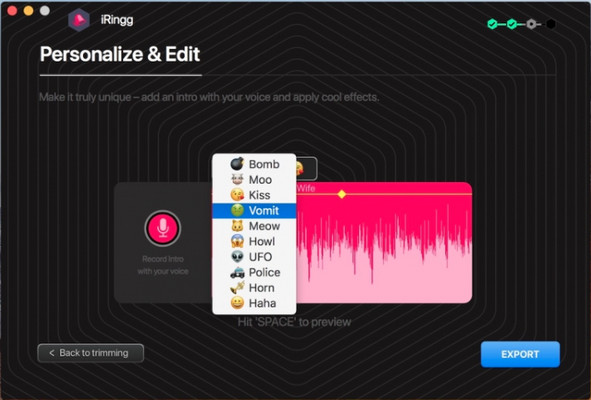
iRingg is a simple iPhone ringtone maker app for Windows and Mac. You can turn your songs into a customized ringtone with clicks as this application checks your music library in iTunes and iPhone, so only the application tracks will appear. The fan-favorite part of this program is the editing feature. It allows you to edit your songs inside this iPhone ringtone app. You also won’t need a third-party program or iTunes to have your personalized ringtone saved on your iPhone.
- Pros
- Supports both online music and downloaded audio track.
- Choose any song online.
- Offer a convenient customizing ringtone process.
- Cons
- Can’t cut the audio.
3. Zedge
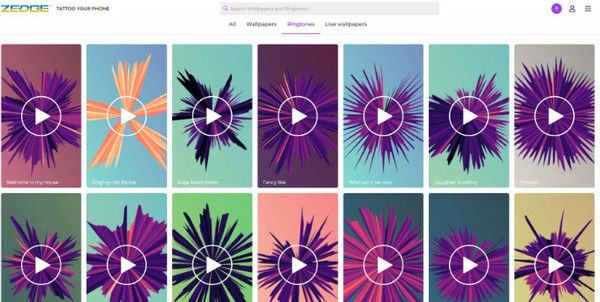
This application, Zedge, enables users to download free iPhone ringtones, wallpapers, and backgrounds for their iPhones. You can use this program online or download it for both Apple and Android devices. Like other programs, it also has editing features to get the part you love in the songs. The ringtone you create will appear on your computer's iTunes application, and you can quickly find it in the Added section.
- Pros
- It has a straightforward interface.
- Provide a massive library of wallpapers.
- Support many formats, such as MP3, AAC, WAV, etc.
- Cons
- Lack customized ringtones.
4. Wondershare Uniconverter
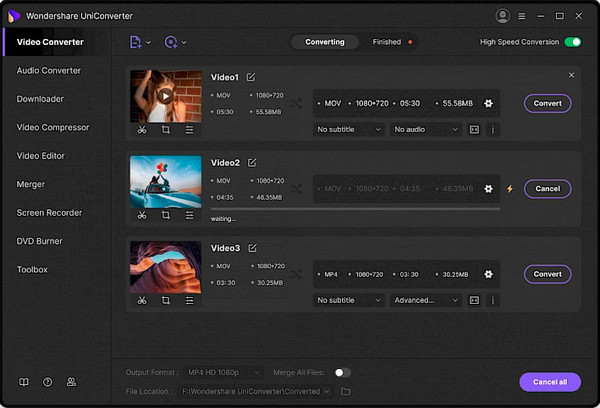
Aside from creating a iPhone ringtone, Wondershare Uniconverter offers multiple features, like converting, downloading, and compressing videos. It is a fast recording program that can convert and edit videos without losing quality. Plus, it can record your screen activities with audio and a camera. You can also create a GIF to make your content more entertaining.
- Pros
- Support more than 1000 formats.
- Produce an excellent audio quality.
- Cons
- A lot of features unavailable in the free version.
5. Softorino Youtube Converter 2
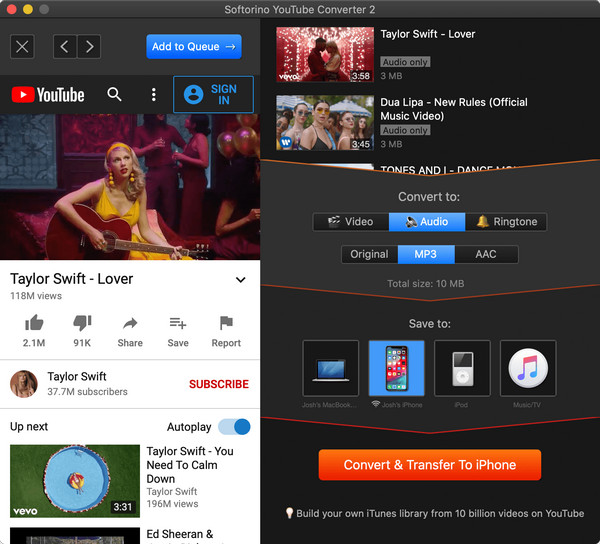
Another good iPhone ringtone maker app for the iPhone is the Softorino YouTube Converter 2 or SYC 2. Just like the feature in iRingg, you can quickly search and edit a song to create your ringtone inside the program. Furthermore, it allows you to convert videos to MP3 without losing audio quality. Create a video, music, and ringtone with SYC 2, share them with the world, and fill your iPhone with entertainment.
- Pros
- Transfer directly to iOS devices wirelessly.
- It supports 53 websites.
- Cons
- Can’t trim ringtones to a specific part.
- Some ringtones are nowhere to be found while syncing through iTunes.
FAQs about the Best iPhone Ringtone Apps
-
Is Softorino YouTube Converter 2 entirely safe to use?
Softorino YouTube Converter 2 or SYC 2 is completely safe and legal to use for downloading and editing for personal use. It does not violate copyright issues, and no viruses or bugs are contained when you download it that might affect your computer.
-
Can I use a song from YouTube as my ringtone?
You have to choose a ringtone app that allows users to choose online music to download and edit as their iPhone ringtones. One example of this is the iRingg, which supports downloading online music and audio tracks to turn into a customized ringtone and save it on your iPhone.
-
How do I use iTunes to create a ringtone for my iPhone?
Click Song Info and choose Options on iTunes, then set 30 seconds since Apple limits ringtones to 30. Click OK, click File, then Convert, and choose Create AAC Version. iTunes will convert your songs into a 30-second clip. On Mac, search it to Show in Finder, while on a Windows PC, search it on your Windows Explorer pane, change the name to .m4r; Then, you can transfer it to your iPhone and take it as the iPhone ringtone.
Conclusion
With the best iPhone ringtone maker apps discussed above, you can create a unique ringtone for your iPhone. You can immediately choose the ringtone app for you, each with pros and cons. Honestly, not every application deserves your precious time. If you want a powerful and amazing one, always choose the 4Easysoft iPhone Transfer. This program does not just offer you a function to transfer files. It has many features, such as the Ringtone Maker, allowing you to add music from your iPhone or computer and create a ringtone for your iPhone.
100% Secure
100% Secure
